You Connected All Your Tools — So Why Is Your Workflow Still Broken?
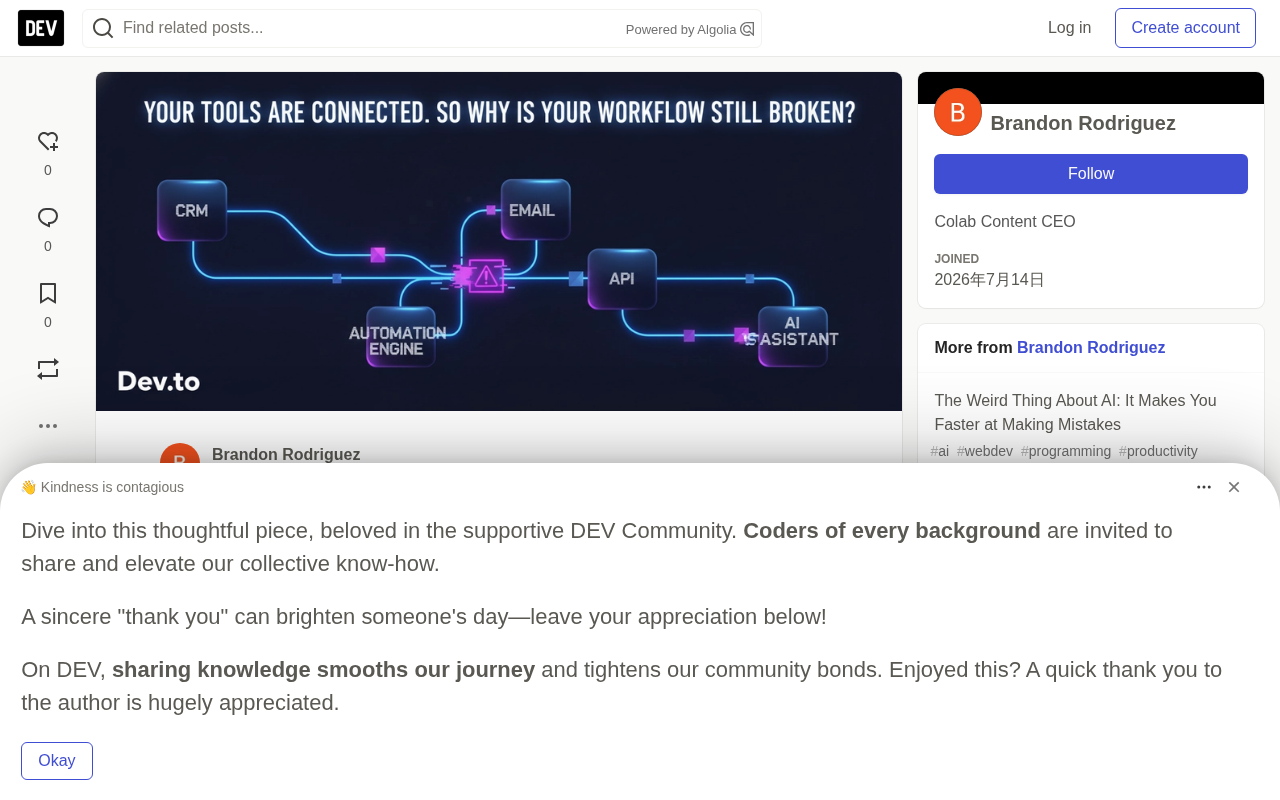
Connecting tools is easy; making integrated workflows reliable under failure, retries, and AI is the real challenge.
The article argues that while APIs make it easy to connect CRMs, forms, webhooks, and AI, "able to connect" does not mean "reliable." Using a form-to-CRM example, it shows most teams consider only the happy path, ignoring API timeouts, duplicate triggers, and failure recovery. The three basics of reliable automation are logging, error handling, and notifications. AI adds power but also new issues around output validation and sensitive data. The author advises mapping triggers, failure points, and alerts before choosing tools — and cutting unnecessary steps rather than stacking new ones.
Connection Is Not Reliability: The Integration Trap
Modern software almost always offers an API. A CRM can connect to an email platform, form submissions can trigger webhooks, and AI can even automatically summarize conversations and update contact records. Connecting tools has never been easier.
But there is an easily overlooked prerequisite here: an integrated workflow is not necessarily an efficient workflow.
You can connect ten apps and still need someone to manually confirm whether each step actually executed successfully. The problem is often not the tools themselves, but the design of the processes that connect them.
A Simple Example Exposes a Deeper Problem
Imagine a customer submits a contact form on your website. The ideal flow is: the form captures the information → the CRM creates or updates the contact → automation determines the next step → the appropriate team member is notified → the customer receives a response → the system logs the entire process.
It looks simple enough. But what if the CRM's API times out after the form is submitted?
Will the automation retry? Will the customer still receive a confirmation? Was anyone notified? Can the system recover without creating duplicate contacts? If you can't answer these questions, you have a happy path — not a production-grade workflow.
Idempotency is the key concept here. When an automation network retries due to a timeout, the same request may be sent twice. If the downstream system has no idempotency protection, this produces duplicate contacts, duplicate orders, or duplicate notifications. A common approach is to include a unique idempotency key in the request, letting the receiver determine from that key whether the same operation has already been processed, thereby safely ignoring duplicate requests. Another related concept is the timeout and retry strategy: too short a timeout causes legitimate requests to be misjudged as failures, while too long a timeout slows down the entire flow; retries also need to be paired with exponential backoff to avoid making things worse when the other service is already overloaded. These mechanisms are the core engineering techniques that upgrade a happy path into a production-grade workflow.
The Most Commonly Missing Piece: Visibility
In working with APIs and automation tools, one lesson comes up again and again: when a workflow fails, pinpointing where it failed is often more time-consuming than fixing the problem itself.
Did the webhook arrive? Did authentication succeed? Did the API reject the request? Is the data format correct? Was the notification sent? Without useful logs and clear error messages, you are left guessing.
So even a relatively simple automation benefits from three things: logging (knowing what happened at each step), error handling (deciding what to do when things fail), and notifications (alerting promptly when human intervention is needed). You don't need to deploy an enterprise-grade monitoring platform for every project — a clear log plus a useful failure notification can sometimes save hours of debugging time.
The difference between webhooks and polling is also worth clarifying. A webhook is an event-driven push mechanism: when something happens, the source system proactively POSTs data to a specified URL. It is efficient, but it depends on the receiver always being online — if the receiving end goes down, events can be lost, and there is no built-in acknowledgement mechanism. Polling has the receiver periodically query the source system, offering higher reliability but with latency and extra overhead. Understanding this difference helps in designing fallback logic — for example, adding a scheduled reconciliation task on top of webhooks to scan for missed events. In addition, observability is not just logs: it also includes metrics and tracing, which can pinpoint exactly which hop went wrong when multiple systems are chained together. For small-scale automation, structured logs plus a unique request ID are usually sufficient.
AI Makes the Problem More Interesting — and More Complex
AI adds a new layer of capability to workflows. You can use it to classify incoming requests, summarize calls, extract information from emails, or even decide which workflow to run next. For example, after an AI assistant handles a customer call, it can extract the customer's name, phone number, requested service, urgency level, and a conversation summary, then send that information to the CRM or notify the appropriate person.
But AI extraction is only part of the system. You still need to validate the output, handle missing fields, protect sensitive information, and ensure downstream systems receive the correct data. Put a smart AI step into an unreliable workflow, and you still get an unreliable workflow. The goal is not just to make automation intelligent, but to make the entire process trustworthy.
Structured output is the key technique for making AI steps land reliably. Large language models return free-form text by default, which downstream systems struggle to parse consistently. By requiring the model to output according to a fixed JSON schema — and, when necessary, constraining the format with function calling — you can turn non-deterministic generated results into verifiable data structures. Even so, the output still needs validation: fields may be missing, types may not match, and the model may produce hallucinated values. In engineering practice, the usual approach is to set up required-field checks, range validation, and default-value fallbacks, and to route validation failures into a manual review queue rather than letting dirty data flow straight into the CRM. Only then does AI truly become a controllable link in a trustworthy workflow.
Map the Process First, Then Choose the Platform
When companies want to automate something, their first instinct is often to ask "what tool should we use?" — Zapier? Make? A custom API? Or an AI agent? These questions are valuable, but they are not the top priority.
What is more worth answering first: What triggers this process? What should happen next? Where might the process fail? Who needs to know when something goes wrong? How do we verify that it actually succeeded?
A successful API response does not always mean the entire business process is complete. Only after answering these questions does choosing a technical solution become clear.
What You Need May Not Be More Tools
Sometimes the solution is another integration, sometimes it is a small piece of custom code, sometimes it is better error handling. And sometimes, the best solution is to delete an unnecessary step.
Technology matters, but results matter more. Rather than constantly adding new platforms or more advanced AI models, fix the workflows you already have.
Here is a simple self-check: take a workflow you depend on every day — lead capture, email notifications, content publishing, reporting, or customer follow-up — and ask yourself: can I tell whether every step succeeded? What happens if one of the apps is unavailable? Could the same event accidentally trigger twice? Will anyone know when the workflow gets stuck? Can another person understand how it runs?
If you can't answer these questions, don't rush to add new tools. Connecting tools is easy. Making them work together reliably is the real engineering challenge.
One-line Summary
Connecting tools is easy — making integrated workflows reliable under failures, retries, and AI involvement is the real engineering challenge.
Paragraph Summary
The article points out that modern software universally offers APIs, making it easier than ever to connect CRMs, forms, webhooks, and AI — but "can connect" does not mean "reliable." Using a form submission triggering a CRM update as an example, the author shows that most teams consider only the happy path while ignoring API timeouts, duplicate triggers, and failure recovery. The three basic elements of reliable automation are logging, error handling, and notifications, which can significantly shorten troubleshooting time. AI adds capability but also brings new challenges such as output validation, missing fields, and sensitive data protection. The article argues for mapping the process's triggers, failure points, and alert targets before choosing a technical solution — and even for proactively removing unnecessary steps rather than blindly stacking new tools.
Related articles

Chain of Thought Isn't Just for AI: How Humans Can Use CoT to Improve Thinking Quality
Chain of Thought isn't just a prompt trick for large models. Starting from a Hacker News discussion, this article analyzes why CoT works for human thinking too, breaks down actionable ways to transfer it, and highlights the key differences between human CoT and machine CoT.
Cloudflare Teams Up with OpenAI: Closi…
Cloudflare Teams Up with OpenAI: Closing the Loop from Vulnerability Discovery to Defense with AI
Cloudflare uses OpenAI Daybreak to investigate security vulnerabilities and generate reviewable remediation plans, while developers use Codex to boost coding efficiency and quality.

Orca Multi-Agent Orchestration in Practice: A Guide to Parallel Collaboration with Claude and Codex
Orca is Stable AI's free open-source agent workbench supporting 34 agents like Claude Code and Codex in parallel. Learn its Git worktree isolation, multi-model orchestration, and mobile management.