ZCode Multi-Model Configuration Guide: Connecting Five AI Providers

Step-by-step guide to connecting DeepSeek, Kimi, MiMo, Qwen, and GLM into ZCode with speed benchmarks.
This guide covers connecting five major Chinese AI model providers — DeepSeek, Kimi, MiMo, Qwen, and GLM — into ZCode's desktop Agent client via custom provider configuration. The setup follows four steps: Base URL, API protocol (OpenAI or Anthropic format), API Key, and model ID. ZCode's auto-detection is unreliable for context windows, particularly for Kimi4Coding and MiMo. Speed tests show Flash and High Speed variants respond significantly faster, while flagship models are poor value for lightweight tasks. The guide also highlights how GLM-5.3, despite lacking multimodal support, can complete image recognition through ZCode's tool-calling infrastructure.
ZCode is a desktop Agent application developed by Zhipu AI. Its built-in model capabilities are solid, but the subscription price is on the high side. The model management system supports custom providers, which means you can connect your existing DeepSeek, Kimi, MiMo, Qwen, and GLM subscriptions into a single client for unified orchestration. This guide walks through the complete configuration process for all five providers, the common pitfalls to avoid, and real-world speed comparisons.
Prerequisites: The Client and Configuration Logic
Installation and Skipping Login
Download the ZCode desktop installer from the Zhipu AI official website. The first screen you see is a login page. If you don't have a subscription, select "Use API Key," then click "Skip for Now" to go straight to the workspace. No Zhipu account is required for this entire configuration process.
The Four Fields for a Custom Provider
Navigate to Manage Models → Add Provider → Create Custom Provider. You only need to fill in four things: Base URL, API protocol (OpenAI or Anthropic format), API Key, and the model ID for each model you add. All five providers follow this same flow — the only differences are the protocol type and where to get the API Key.

Your choice of API protocol affects how requests are formatted and how responses are parsed. The OpenAI format is currently the most widely adopted large model interface standard, using a POST /v1/chat/completions endpoint with a JSON body containing a messages array. The Anthropic format, derived from the Claude model series, has a slightly different structure — the messages field is semantically similar, but system prompts are passed differently. ZCode wraps requests according to the protocol you select, so choosing the wrong one will cause authentication failures or response parsing errors. Although Kimi and Qwen's consoles use their own proprietary models under the hood, they expose Anthropic-compatible interfaces externally. DeepSeekAd and MiMo, on the other hand, use the OpenAI format — always refer to each provider's official documentation rather than guessing based on brand.
Model IDs Trigger Automatic Context Window Detection
After entering a model ID, ZCode attempts to automatically match the context length and maximum output tokens, and pre-checks options in the advanced settings: text/image/video input, structured output, native web search, and reasoning level (Low/High/Max, or Disable/Enable). Any misdetections must be corrected manually — this step determines whether calls will error out mid-task later on.
DeepSeek: Flash vs. Pro
DeepSeek offers two models: Flash (corresponding to V4.1 Flash) and Pro (corresponding to V4 Pro 0813). Flash supports multimodal input including image understanding and is both cheaper and more capable overall; Pro does not support image understanding. The recommendation here is straightforward — if you're using DeepSeek, just go with Flash across the board.
For configuration, set the context window to 1M, maximum output to 384K, check text and image as input types, and choose a reasoning level from Low/High/Max. Save and click "Test Connection" to verify — once it passes, you're ready to use it in the workspace.
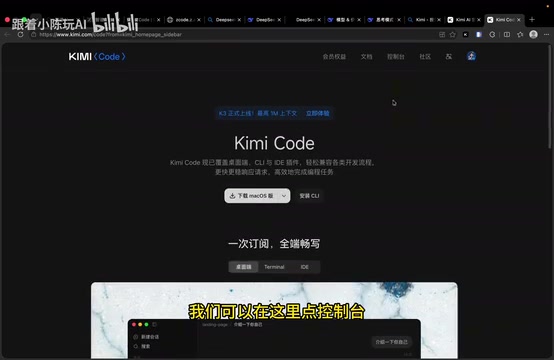
Kimi: Choosing Among Four Model IDs
Kimi Code currently offers four models with meaningfully different profiles:
- K3: Context window 1,048,576 (~1M), max output 131,072, supports images and video, reasoning level defaults to High.
- K3-256K: Context window 262,144, roughly half the cost of K3, standard speed.
- Kimi4Coding: Overall performance close to K3 with more efficient reasoning, optimized for code completion and everyday development tasks. Note that ZCode auto-detects the context window as 200K — manually correct this to 1M. Supports images and video; reasoning level is configurable as Low/High/Max.
- High Speed: 5–6× faster output than standard versions at roughly 3× the cost, context window 262,144, supports images and video, with only a Disable/Enable toggle for reasoning.
Use the domestic Base URL, set the protocol to Anthropic format, and generate an API Key from the Kimi console.
MiMo: The Value-for-Money Option
Xiaomi's MiMo open platform Token PlanAd — the ¥34/month tier — offers high quota, fast speeds, and stands out as one of the best value options right now. Its strength is full-modal understanding: text, images, audio, and video are all supported, along with structured output. Native web search requires a separately activated web browsing plugin billed at ¥16 per 1,000 calls, which is not enabled in this guide. The reasoning level only has Disable/Enable, corresponding to the deep thinking toggle in requests.
Configuring V2.6 Pro and V2.6 Flash is sufficient — the 2.5 series is nearing end-of-life. Set context to 1M and max output to 128K; ZCode will misdetect both values, so enter them manually.
Qwen Token Plan: One Key for Multiple Providers
Alibaba Cloud's Qwen Token Plan comes in ¥39/79/139 monthly tiers, with cheaper quarterly options. Its biggest advantage is that a single API Key lets you call not only Qwen's own models (3.8 Max, 3.8 Flash) but also DeepSeek directly, as well as Zhipu's GLM-5.3 and 5.2. The protocol is also Anthropic format; find the endpoint URL on the API keys page in the console.

The "Token Plan" is a prepaid quota subscription mechanism offered by Alibaba Cloud's Bailian platform: users pay a fixed fee monthly or quarterly upfront in exchange for a corresponding number of Token call credits at a lower per-token rate than pay-as-you-go. Token Plan makes sense for stable, predictable monthly usage; occasional users are better served by pay-as-you-go. The reason Qwen's Token Plan can call external models like DeepSeek and GLM is that Alibaba Cloud Bailian has unified multiple third-party models behind its own API gateway — users access them through a single Base URL and API Key, with all billing consolidated under one Alibaba Cloud account, eliminating the hassle of managing separate keys and balances.
GLM: Getting Around the Lack of Image Support
GLM-5.3 is text-only, with reasoning levels of Low/High/Max. An interesting behavior emerged during testing: when an image was passed to GLM-5.3 — which has no multimodal capability — it didn't throw an error. Instead, it wrote a script to read the image and managed to identify it with decent accuracy. ZCode's built-in tools let you open and inspect this script directly, or you can open it in your own terminal. This perfectly illustrates the difference between an Agent client and a plain chat tool — beyond model capabilities, the client's tool chain can compensate for gaps in the model itself.
The core distinction between an Agent client and a standard chat interface lies in how deeply tool-calling (Tool Use / Function Calling) is integrated. In a plain chat tool, the model's output is what you see. In an Agent framework, the model can generate structured tool-call instructions — such as executing a script, reading/writing files, or controlling a browser — which the client executes locally and feeds back to the model, creating a think → act → observe loop. GLM-5.3 writing its own image-reading script is exactly this mechanism in action: the model has no visual decoding capability, but it can leverage the code execution tool provided by the Agent environment to complete the task indirectly. The upper bound of this capability combination depends on what tools the client provides, not on the model's parameter count alone.
Real-World Testing: Speed and Multimodal Comparison
Using the same prompt — "Hi, what model are you?" — with an attached screenshot, the five providers showed noticeably different results:
| Model | Context | Multimodal | Image Recognition Time |
|---|---|---|---|
| DeepSeek Flash | 1M | Text + Image | Near-instant |
| K3 | ~1M | Image + Video | ~27 seconds |
| K3-256K | 262K | Image + Video | ~40 seconds |
| Kimi4Coding | 1M | Image + Video | 30+ seconds |
| High Speed | 262K | Image + Video | ~7 seconds |
| MiMo V2.6 Pro | 1M | Full modal | ~11 seconds |
| MiMo V2.6 Flash | 1M | Full modal | ~14 seconds |
| Qwen 3.8 Max | ~1M | Text + Image | ~28 seconds |
| Qwen 3.8 Flash | ~1M | Text + Image | ~10 seconds |
| Qwen v4.1 Flash | ~1M | Text + Image | ~16 seconds |

The pattern is clear: versions labeled "Flash" or "High Speed" are consistently faster, at the cost of higher token consumption or a smaller context window. Flagship models with major version numbers tend to have stronger reasoning, but they're poor value for lightweight tasks like image recognition.
Configuration Tips Summary
Don't fully trust auto-detection. Kimi4Coding was detected as 200K, and both MiMo models had incorrect context window and output values. Cross-referencing official documentation before saving is a necessary step.
Set reasoning levels deliberately. The Low/High/Max tiers directly affect cost and latency — the default isn't necessarily right for your use case.
Rename your providers after setup. If you leave them as-is, your workspace model list will show "Custom Provider 1/2/3" with no way to tell them apart when switching models.
Don't enable features you haven't paid for. Native web search, browsing plugins, and similar capabilities are billed separately — don't check them unless you've actually subscribed.
The author's final verdict: among domestic Agent clients, ZCode offers one of the smoothest experiences. The desktop client is open source, signing in may earn you free credits, and it's worth considering as your first Agent tool. The onboarding barrier is low — just plug in your existing API Keys and you're running. That's what makes it friendlier than products that lock you into their own subscriptions.
Related articles

Felix Rieseberg Personal Homepage
Felix Rieseberg's personal homepage sparks attention on Hacker News. This article covers the Slack engineer's technical background, the rise and fall of nativefier, and the value of a developer homepage as a tech calling card.

@ai-sdk/vue 3.0.306 Patch Release Syncs with [email protected] Update
@ai-sdk/vue 3.0.306 released, synced with [email protected]. A routine patch release for the Vercel AI SDK ecosystem with no public API changes; the Vue adapter layer stays version-aligned with the core package.

Gemini 4 Argon API Launches: The Era of Million-Token Output Begins
Google launches Gemini 4 Argon with sparse MoE architecture, up to 1M output tokens, and a 68.90% Vals Index score, available across API, AI Studio, and the Gemini app.