Zero-Cost Local Jarvis: Open-Source Voice Cloning and Task Automation in Practice

Jarvis uses Ollama and Voice Studio to bring LLMs and voice cloning on-device, delivering a switchable offline AI assistant at zero API cost.
The article introduces the local AI assistant Jarvis demonstrated on the AI Workshop channel: it uses the open-source framework Ollama to run models like Qwen 3.5 9B and Gemma 12B locally, and supports dynamic switching between cloud and local models via voice commands. The voice layer migrates from paid ElevenLabs to open-source Voice Studio, cloning a voice from a 5-to-15-second audio clip while preserving personality-driven reply style. Three tests verify local file retrieval, Google Calendar tool calling, and webpage reverse-engineering with Reverse Engineering Anything. The article also notes that hardware performance determines latency and usable model size, with 9B as the demo baseline for most devices; localization buys zero bills and on-device data, at the cost of device-online dependency and tool-calling quality still behind top cloud models.
A New Paradigm for Local AI Assistants: When Jarvis Learns to Think Offline
Local AI assistants are moving from concept to practical personal tools. The Jarvis demonstrated on the AI Workshop channel runs at zero API cost by moving both the large model and voice cloning entirely on-device. The core lies in two open-source components: Ollama handles local model orchestration, and Voice Studio handles voice cloning. According to the demo by creator Zubair Trabzada, Jarvis can freely switch between local and cloud models while retaining tool-calling and personality-driven responses.
Ollama lets you filter and download locally runnable models across different parameter sizes.
The Local Brain: Model Switching and Hardware Thresholds
Jarvis's "brain" can be switched dynamically. In the demo, the user simply says "switch to your local brain" and the backend switches from the cloud model to a local Qwen 3.5 9B; saying "switch to Gemma 4 12B" switches to another local model. This switching relies on Ollama's model management—users can filter locally runnable options from Ollama's model library and choose versions from 0.8B up to larger parameter counts based on their machine's performance. According to the demo, the Qwen 3.5 9B model is about 7.6GB in size and can run inference offline once downloaded.
Hardware differences directly affect the experience. The creator uses a Mac Studio-class device with low response latency; running on a standard MacBook Pro (e.g., an M4 chip) would noticeably increase latency. Larger models are smarter but consume more resources. The 9B model was chosen as the demo sample precisely because it runs on most devices while retaining basic tool-calling capability.
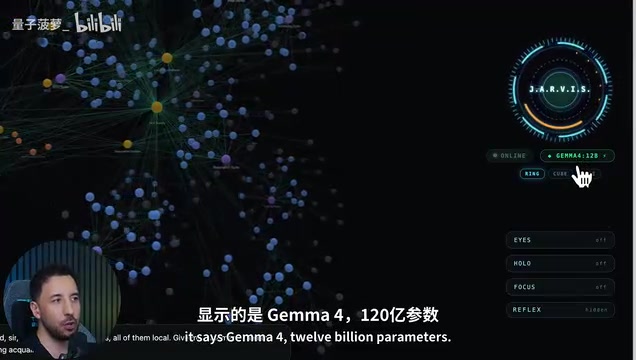
The demo keeps multiple Gemma parameter versions locally at once, which can be specified on demand.
Ollama is an open-source local large language model runtime framework that packages model weight downloads, quantization format adaptation, and inference engine startup into a unified command-line interface. After users pull a model via ollama pull, Ollama manages model loading and memory allocation in the background and exposes the service through a local API. Its model library is categorized by parameter size and quantization level; the same model often has different size versions such as 4-bit and 8-bit, and larger parameters with more aggressive quantization make significantly different demands on memory and compute. The article's "filter Local" refers to checking the option on the Ollama model page to show only locally runnable items, avoiding accidentally selecting oversized models that require cloud compute.
The relationship between model parameter size and hardware thresholds can be understood through rules of thumb: a 7B–9B parameter model under 4-bit quantization needs roughly 6–8GB of memory, a 12B model approaches 10GB, and 70B-class models typically require 40GB or more of unified memory or a professional GPU. The key difference between Mac Studio and MacBook Pro lies in unified memory capacity and memory bandwidth—the M4 chip's bandwidth is lower than that of M-series Max/Ultra, so first-token latency and generation speed both drop when loading the same model. This also explains why the demo chose 9B as the baseline: it fits within the memory budget of most consumer devices while retaining a certain level of reasoning and tool-calling capability.
Voice Cloning: Voice Studio Breaks the Paywall
The voice layer is another major cost component. Previously Jarvis synthesized speech through the ElevenLabs API, requiring an ongoing subscription; after switching to Voice Studio, voice cloning became fully local. Voice Studio is a rapidly rising open-source project on GitHub (ranked 5th on trending at the time of the demo), supporting voice cloning, design, dubbing, and transcription. The basic version is free; the Pro version is paid, but the basic version already meets personal use needs.
The cloning process is simple: upload a 5-to-15-second clean voice clip to generate a custom timbre. In the demo, Jarvis first cloned a voice on ElevenLabs, then cloned two voices on Voice Studio—"Jarvis" and "Zubair B" (the creator himself). Through voice commands like "switch to your local voice" or "switch your voice to Zubair B," you can switch in real time. After switching, the humorous tone of the replies is still preserved—meaning personality-driven prompts and local voice can coexist.
Voice cloning typically refers to zero-shot or few-shot voice replication: the model extracts timbre, prosody, and pitch features from a few seconds of reference audio, then transfers them to synthesized speech for new text. Mainstream approaches are based on neural vocoders and speaker encoders, and the quality of the reference audio (signal-to-noise ratio, no background music, single speaker) directly determines cloning similarity. 5–15 seconds is the recommended range for most few-shot models—too short and features are insufficient, too long and noise may be introduced. ElevenLabs is a cloud-based commercial service billed by characters or subscription; Voice Studio localizes similar capabilities, so the essence of "free" is transferring inference costs to local compute.
Three Practical Tests: File Reading, Tool Calling, and Reverse Engineering
The demo includes three task tests to see whether the local combination approaches cloud-level performance.
File retrieval: The command "pull up my brand voice" triggers Jarvis to access the local "second brain" folder and return brand-related content, verifying local file interaction capability.
Tool calling: The command "pull up my calendar" triggers the Google Calendar tool. Jarvis accurately lists three events for the next day (DFY service launch, 11 a.m. team sync, 1 p.m. "busy" block, 3 p.m. gym) with a teasing remark. The interface shows "run via Google calendar," proving the toolchain still works with a local model.
Third-party tool integration: The command "reverse engineer igloo.inc" invokes the open-source project Reverse Engineering Anything (about 381.9k stars at the time of the demo). Jarvis automatically opens the browser and scrolls the page, while REA reads the code in the background, identifies the tech stack (Three.js, GSAP, Svelte shell, bloom depth of field, and anti-aliasing), and generates a complete breakdown report. The creator emphasizes that this is not hacking—all the information already exists in browser developer tools; REA simply presents it in a structured form.
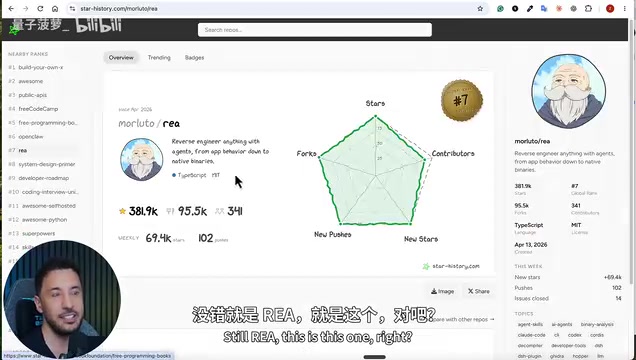
Reverse Engineering Anything has an extremely high star count on GitHub—about 381.9k at the time of the demo.
Tool calling (also known as function calling) refers to a large model outputting structured function names and parameters during a conversation, which an external runtime executes and then returns the results to the model for continued reasoning. The Google Calendar query and local folder retrieval in this article both involve the model first determining which tool to call, then the orchestration layer actually executing it. The main weakness of small local models in tool calling is that small parameter sizes lead to weaker adherence to function names and parameter formats, and multi-step toolchains are prone to interruption. Therefore, there is still a gap between "it runs" and "it's reliably usable," which is the technical reason the demo emphasizes that 9B is only a starting point.
Deployment Path and Cost Comparison
Building a local Jarvis takes three steps. First, install Ollama and download a model: visit the Ollama website and register, go to the models page and filter Local, search for the target model (e.g., Qwen 3.5), and copy and run the ollama pull qwen3.5:9b command. Second, install Voice Studio: get the one-line install command (starting with curl) from the GitHub repository and paste it into the terminal. Third, use the prompt pack to generate Jarvis's frontend and 3D interface in tools like Claude Code.
The creator provides a free prompt pack containing a feature comparison of cloud vs. local Jarvis, model selection advice, and installation guidance. It is available in the Classroom section of the free community "AI Workshop Light"; the paid community offers a packaged, ready-made Jarvis (5-minute installation).
In the demo, Jarvis calls REA to automatically break down a target website and output its tech stack and interaction logic.
The Boundaries and Trade-offs of Localization
Full localization is not without cost. In the demo, the creator admits that local models still lag behind top cloud models in tool calling, and that 9B parameters are only the starting point for "it runs"; pursuing reasoning quality close to the cloud requires larger models and stronger hardware. The "free" aspect of voice cloning is also limited to basic features, and advanced features may still lead to paid options. In addition, local operation means the assistant is unavailable when the device sleeps or shuts down, unlike the 7×24 online experience of the cloud.
But the benefits are equally clear: no API bills, no subscriptions, and data never leaves the device. For individual users who use assistants frequently and care about privacy, this open-source combination offers an alternative they can control themselves.
Related articles
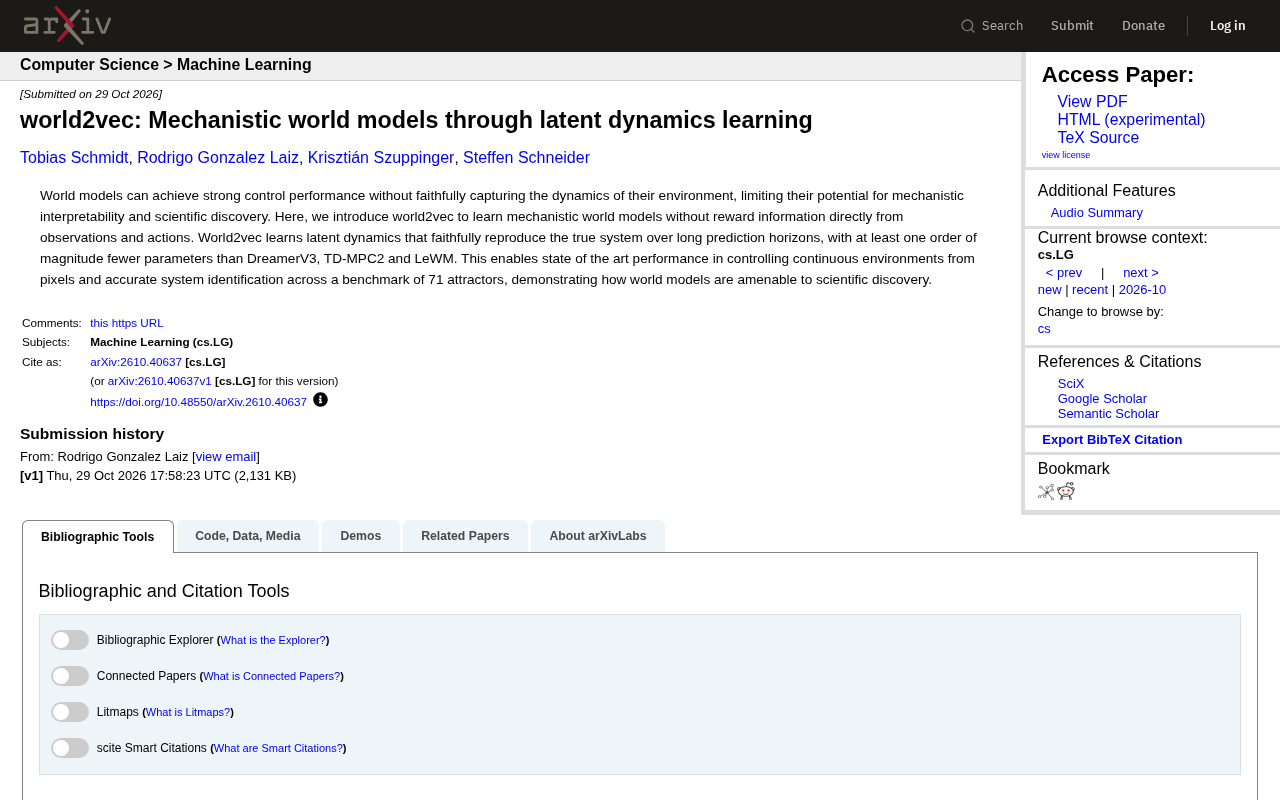
world2vec: Building Mechanistic World Models with Latent Dynamics Learning
world2vec proposes a reward-free method for learning mechanistic world models via latent dynamics, faithfully reproducing systems over long horizons with at least an order of magnitude fewer parameters than DreamerV3, TD-MPC2, and LeWM, and achieving accurate system identification on 71 attractor benchmarks.

A New KL-DRO Paradigm: Adaptive Scenario Generation Around a Learned Density Model
KL-DRO research proposes centering the KL ball on a learned density model instead of the empirical distribution, with adaptive scenario generation guiding sampling toward the worst case. Experiments show lower cost under distribution shift when records are scarce and the model can extrapolate, with comparable in-distribution cost.

ODE Samplers for Discrete Diffusion Models: Exponential Residual Flows Accelerate Generation
Discrete diffusion models lack deterministic ODE sampling? This article introduces Exponential Residual Flows (ERFs), which introduce continuous residual variables per token to construct piecewise ODEs for deterministic sampling and support consistency distillation acceleration. Superior to prior methods on code and text generation tasks.