2B Parameters Can See Images! Qwen 3.5 Runs on RK3588 in Local Deployment Test
Qwen 3.5 2B runs local text and image Q&A on RK3588, with web interaction.
The article documents the deployment and testing of Qwen 3.5 2B on an RK3588 embedded board. Two model files are needed: the language model in RKLLM W8A8 quantized format and the vision encoder in RKNN format. The process covers model prep, runtime configuration, extending open-source code with web service, model residency, and streaming output, then verifying command-line text Q&A, image Q&A, and web interaction. Measured data: text starts in ~0.38s, short answers complete in 0.7–1.4s; image Q&A starts in ~4.2s, completes in ~5.5s. The author stresses step-by-step verification.
Squeezing a large model onto an embedded development board, letting it recognize images, and chat through a web page—this sounds a bit cyberpunk, but it has actually been done. A Bilibili creator gave a complete demonstration of deploying and testing the 2B version of Qwen 3.5 on an RK3588, covering everything from model preparation to web-based Q&A.
Why 2 Billion Parameters Still Need Two Inference Paths
This deployment uses the 2B version of Qwen 3.5, with roughly 2 billion parameters. Because it needs to support image Q&A, the entire project requires two model files: a language model that generates answers and a vision encoder that processes images. For text-only questions, only the language model is used; when an image is uploaded, it first passes through the vision encoder to extract features, which are then combined with the question and fed to the language model.
Understanding these two paths is crucial. If, during later debugging, text Q&A works but image Q&A fails, the problem is most likely in the vision encoder chain, not the language model itself.
Preparing Model Files: Formats and Quantization Scheme
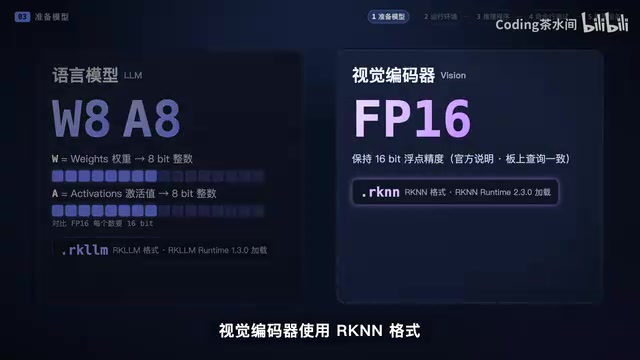
The creator directly used already-converted weights rather than doing model conversion from scratch. The language model uses the W8A8 quantized version in RKLLM format; the vision encoder uses RKNN format. This step defines the scope of this episode—starting from converted weights and focusing on deployment and runtime.
After downloading, the creator verified file checksums to confirm model integrity. This step may seem redundant, but without verification, a later loading failure could lead to hours of troubleshooting environment issues, only to discover the file was incomplete.
RKLLM is Rockchip's dedicated large language model inference framework for its NPU platform. Model weights must be converted through the official toolchain to be callable by the NPU; common GGUF or PyTorch formats cannot be loaded directly. RKNN is Rockchip's NPU inference format for vision models, commonly used in classification, detection, OCR, and similar tasks. Both belong to the Rockchip ecosystem but target different scenarios: RKLLM focuses on autoregressive Transformer language decoding, while RKNN targets convolutional and vision encoding structures.
W8A8 quantization means both weights and activations are compressed to 8-bit integers. Compared to FP16, it significantly reduces memory footprint and improves NPU throughput, at the cost of possible slight accuracy loss. On edge chips like RK3588, W8A8 is often a compromise between speed and runnability, and vision encoders are usually more sensitive to quantization, so many projects retain higher-precision versions for them.
Runtime Environment on the Board: Making the Program Find the Model and NPU
The project is placed in the board's deployment directory, with models, runtime libraries, and inference programs stored separately. The core issue here is: after the program starts, can it find the model, find the runtime libraries, and properly invoke the NPU?
The startup script configures dynamic library paths so the program can find needed libraries. In the video, the creator shows the runtime library and driver versions for easy verification during reproduction. If startup fails, the first thing is to see which step the error occurs at—is it a missing library or a model loading failure? Pinpoint the location first, then troubleshoot; this is much more efficient.
RK3588 is Rockchip's flagship edge SoC with a built-in独立 NPU, rated at about 6 TOPS (INT8), often used in development boards, industrial PCs, and edge servers. Its NPU accelerates matrix operations in AI inference scenarios, but requires matching drivers, runtime libraries (such as librknnrt, librkllmrt), and kernel modules to work.
Dynamic library paths are typically specified by environment variables in the startup script (such as LD_LIBRARY_PATH). Without configuration, the program searches default system paths for dependencies, and if not found, reports errors like "cannot open shared object file." Therefore, when reproducing on a new board, checking whether driver and runtime versions match is often more effective than repeatedly modifying code.
Inference Program: Extending Open-Source Code with Additional Capabilities
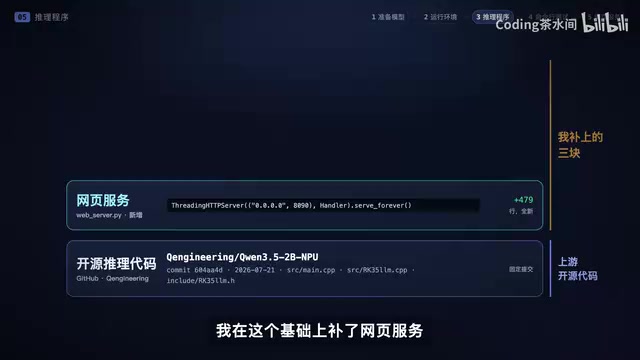
This project is based on Q-engineering's open-source inference code. The creator added three capabilities: web service, model residency, and streaming output.
Both vision encoding and language model inference use the RK3588's NPU. The inference logic has been described earlier—text goes through the language model, images first pass through the vision encoder and then merge for inference. What needs verification here is whether these two paths truly work.
Command-Line Testing: Text First, Then Images
The creator first asked a simple question: "Please introduce yourself in one Chinese sentence." Short questions make it easy to observe whether the model loaded successfully and can output text normally.
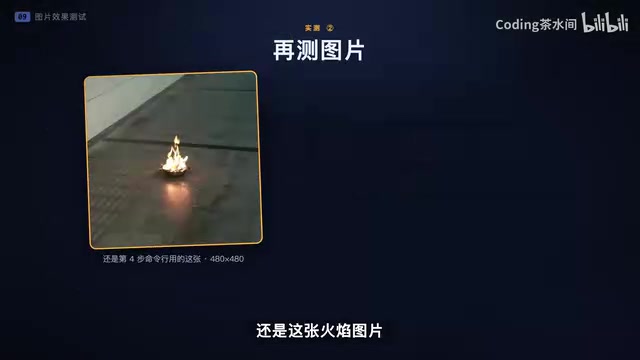
After text Q&A worked, a flame image was passed in, asking "Is there open fire in the image?" Why test separately? Because throwing in images, web pages, and conversation history all at once makes it hard to tell where a problem occurs. Text first, then images, confirms the underlying inference works, providing a foundation for the web interface later.
Web Interaction: Two Designs That Directly Affect Experience
After terminal testing passed, the creator added a web interface. Within the same LAN, opening the board's address allows chatting and uploading images.
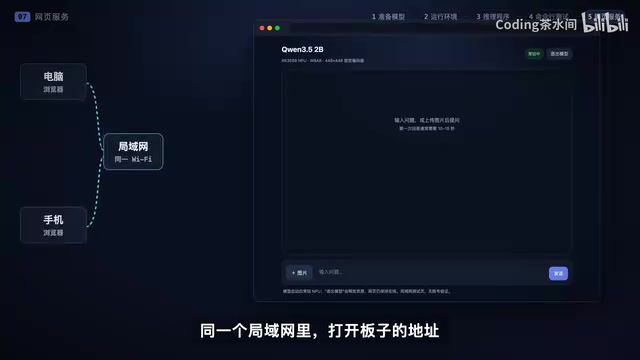
Two processing choices directly affect the experience:
Model residency: The model loads when the service starts, and all subsequent queries reuse the same process, eliminating repeated loading waits.
Streaming output: The model generates a segment, the web page displays a segment. You can see the answer start to appear and then wait for it to finish. When resources need to be released, the model can be exited from the web page.
Streaming output relies on the token-by-token generation characteristic of large models: the model does not compute the entire answer at once but outputs a fragment each time a token is produced. The server pushes these fragments to the browser in real time via Server-Sent Events (SSE) or WebSocket, so users see the answer appear "word by word." The benefit is significantly reduced first-token latency and a stronger interactive feel; the cost is that the frontend must handle incremental concatenation, connection interruptions, and other details.
Model residency solves the overhead of repeatedly loading weights. LLM weights are often several GB, and each load requires reading from storage into memory and initializing, which can take seconds to tens of seconds. Keeping the model in a resident process allows subsequent requests to reuse it directly, reducing response latency to milliseconds—crucial for high-frequency interactions like web chat. Resources are unloaded uniformly when released, avoiding long-term occupation of NPU and memory.
Measured Data: Text is Fast, Images Require Waiting
First, text Q&A. The creator noted two timings—how long until the answer starts appearing and how long until it fully completes. According to previous test records, after model residency, pure text starts outputting in about 0.38 seconds, and short answers complete in about 0.7 to 1.4 seconds.
For image Q&A, still that flame image. Because it first goes through vision encoding, there is an extra wait before the answer starts. Previous test data: about 4.2 seconds to start outputting, and the entire Q&A completes in about 5.5 seconds. Longer answers change the completion time.
From the measured results in the video, the complete answer retains the original text, allowing verification of whether it described things correctly and whether it mentioned things not present in the image.
Significance and Next Steps
Currently, this RK3588 can locally run the 2B version of Qwen 3.5, complete text and single-image Q&A, and be used directly through a web page. Looking back at the deployment process, it's really just a few steps: prepare adapted models, configure the runtime environment, get text and image inference working, then connect the user interface. Confirm each step before moving on, and troubleshooting becomes much clearer.
The creator also said they will continue testing with different images and questions to see which scenarios it answers correctly and where it tends to make mistakes. The model starting is only the first step of successful deployment; real performance must be tested question by question.
One-line Summary
Qwen 3.5 2B runs local text and image Q&A on RK3588, with web interaction.
Paragraph Summary
The article fully documents the deployment and testing of the Qwen 3.5 2B version on an RK3588 embedded development board. The project requires two model files: the language model uses the W8A8 quantized version in RKLLM format, and the vision encoder uses RKNN format. The overall process goes from model preparation and runtime environment configuration to extending Q-engineering's open-source code with web service, model residency, and streaming output, then gradually verifying command-line text Q&A, image Q&A, and web interaction. Measured data shows: after model residency, pure text starts outputting in about 0.38 seconds, and short answers complete in 0.7–1.4 seconds; image Q&A, due to vision encoding, starts outputting in about 4.2 seconds and completes in about 5.5 seconds. The author emphasizes a step-by-step verification debugging strategy and notes that a model starting is only the first step of successful deployment.
Related articles
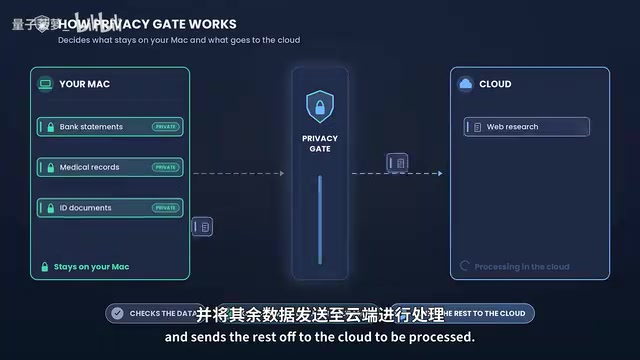
Perplexity Hybrid Compute Tested: Privacy Data Never Leaves the Mac
Perplexity Hybrid Compute tested: how PrivacyGate intercepts sensitive data, how local and cloud models divide work, model differences on 16GB vs 32GB Macs, and privacy protection in real scenarios like bank statements and medical records.
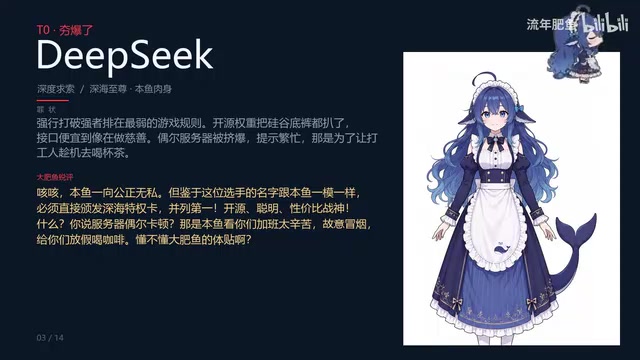
Big Fat Fish Roasts Mainstream LLMs at Home and Abroad: Doubao Takes the Crown, DeepSeek Tied for First
Bilibili creator Big Fat Fish roasts mainstream LLMs: Doubao tops for emotional value, DeepSeek ties first for open-source value, with ERNIE, Hailuo, Yuanbao, Kimi, Qwen, Kling, Claude, Gemini, and Grok each branded with a distinct persona.
How to Truly Test AI Agents Before Production? A Practical Testing and Monitoring Framework
BotGage founder Pramin Pradeep shares a three-step framework for testing AI Agents before production: Agent registration visibility, red teaming, and production observability — plus a real case cutting QA costs from $180K to $80K and an analysis of IT roles shifting to Agent supervisors.