$6,000 Local AI Machine Hands-On: Is the Dell DGX Spark Worth It?

A blogger tests local AI's four-layer architecture on a $6,000 DGX Spark and concludes most people don't need one.
Based on a video posted on Bilibili by an IT blogger, this article lays out the full path to running large models locally. It first clarifies local AI's four-layer structure: the harness handles interaction, agents are processes that can take action, the LLM provides reasoning, and the inference engine (llama.cpp/vLLM) actually runs the model. It then shows two typical setups: Open Web UI + Ollama for quickly building a local chat interface; and Hermes, which bundles the harness, engine, and model pulling and can actually execute tasks on the machine. An advanced approach separates the inference engine as vLLM + Sparkrun for multiple clients to call. On hardware, the DGX Spark's 64GB unified memory and dual-machine QSFP direct connection leave room for scaling, but the $6,000 price tag exceeds mainstream consumer territory. The blogger's core conclusion: most people don't need this machine — a $20-a-month cloud subscription is more cost-effective.
Running large models locally sounds cool, but the question of "where do I start" puts most people off. In a video posted on Bilibili, a blogger working in the IT industry walked through the entire local AI setup process on a $6,000 Dell ProMax DGX Spark — from spinning up a chat interface to running agents that can actually execute tasks, all fully offline.
This article follows his hands-on path, explaining the key concepts of local AI, two typical configurations, and the hardware trade-offs, to help you decide whether you really need to spend this kind of money.
First, Get the Four Layers of Local AI Straight
Agents Are Processes, Not Applications
The video spends considerable time clearing up a common misconception: names like Hermes, OpenClawAd, Perplexity, and CloudCode are not agents themselves. The blogger's definition is blunt — an agent is "a process that runs AI workloads and can take actions." Those applications are harnesses, the interfaces you actually interact with, responsible for coordinating agents to execute tasks.
Separating the applications in your hands from the processes behind them makes troubleshooting and selection much clearer.
Models, Quantization, and Inference Engines
The agent in the harness talks to a model, and that model is an LLM (large language model). Models come in two types: closed-weight models from companies like Anthropic, OpenAI, and Google, which can only be used in the cloud via subscription; and open-weight models that can be downloaded locally and used however you like. The popular open-source models named in the video include Qwen, DeepSeekAd, and GLM.
The numbers and letters in model filenames also matter: the number before B is the parameter count (in billions), and the number after Q is the quantization bit width. Full precision is usually 16-bit, followed by 8-bit or 4-bit versions that are smaller but slightly less precise.
The models are run by inference engines, the most common of which today are llama.cpp and vLLM.
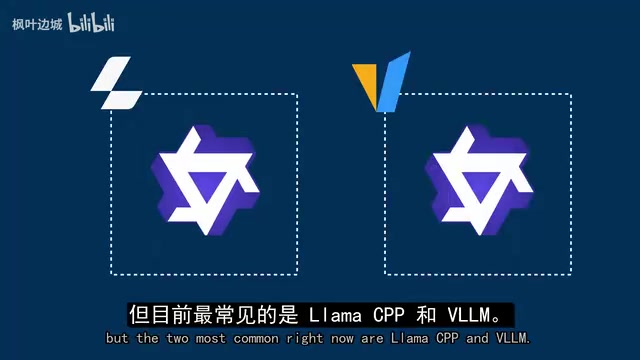
The entire chain links up as: harness → agent → LLM → inference engine. The inference engine is sometimes built into the harness (for example, Hermes uses llama.cpp underneath) and sometimes in the cloud.
Quantization is the process of converting model weights from higher precision (such as 16-bit floating point) to lower precision (such as 8-bit or 4-bit integers), in order to shrink model size, reduce memory usage, and speed up inference. The cost is a loss of numerical precision, which may slightly affect output quality. Common quantization formats include GGUF (used by llama.cpp) and AWQ/GPTQ (used by vLLM and others). "Q4" in a model filename usually refers to 4-bit quantization, while suffixes like "Q4_K_M" indicate specific quantization algorithm variants. Understanding quantization helps you choose an appropriately sized model under limited VRAM.
Inference engines are software backends specifically designed to efficiently execute the forward computation of large models, responsible for managing memory, scheduling computation graphs, and leveraging hardware acceleration. llama.cpp is written in C++, lightweight, and supports hybrid CPU/GPU inference, making it suitable for local desktop environments; vLLM focuses on high-throughput GPU scenarios, optimizing memory utilization through techniques like PagedAttention, and is commonly used for server-side deployment. Both support multiple quantization formats, but vLLM has deeper optimization for NVIDIA GPUs and is better suited to scenarios requiring concurrent processing.
Option One: Open Web UI + Ollama, Chat Running in Ten Minutes
The blogger chose to start with the officially recommended Open Web UI + Ollama, on the grounds that "they recommend it, I recommend it, so it must be right." The whole process is basically following the Playbook step by step in the DGX Dashboard: configuring Docker permissions, pulling the Open Web UI image with built-in Ollama, accessing it on port 8080, and creating an account.
At this point the harness is there, but there's no model. Open the Ollama model list in the connection management, pick one, and download it. The blogger chose Qwen 3.8's 27B version, quantized Q4 — four-bit quantization corresponding to a 27-billion-parameter scale (note: the video explicitly states 27B parameters).
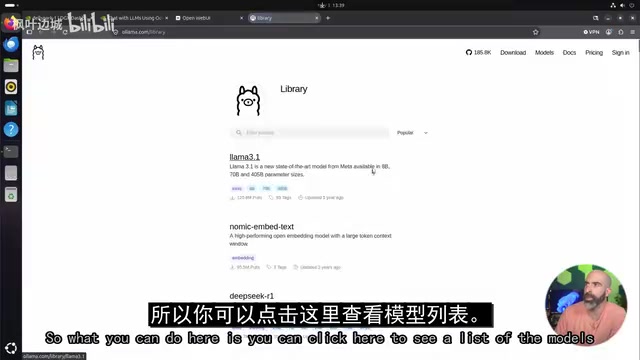
Once the download is complete, switch back to the chat page and the model is in place. Ask it to write a Python script that monitors a folder, and you can see the model's thinking process displayed in a dropdown, while GPU usage in the Dashboard kicks in as well.
You can stop here: if all you want is a local AI that can chat, with multiple users able to log in over the local network, this combination is already enough.
Option Two: Hermes, Letting AI Actually Get Its Hands Dirty
If you want AI to do more than write scripts — to run scripts directly on the system — you need a harness that can access system resources. The blogger chose Hermes and completed environment verification, inference backend configuration, and gateway installation with three commands.
Interestingly, he skipped the officially recommended vLLM backend and instead used the local runtime bundled with the Hermes desktop app — still llama.cpp underneath. Select "run model locally" in settings, and Hermes downloads the runtime itself and pulls the model. This time the blogger switched to Qwen 3.6's 35B version and set it as the default model.
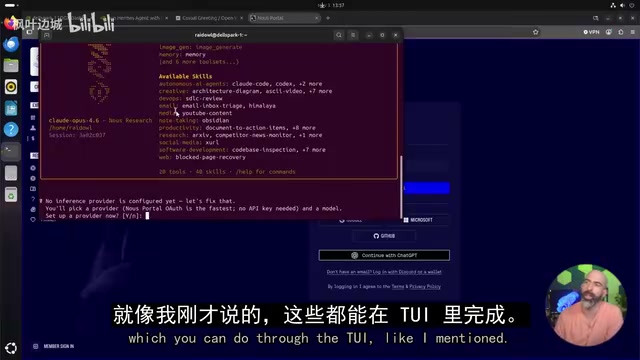
The difference is immediately visible: asked to write the same Python script, Hermes not only generated the code but created and tested it on the actual system. This is the core value of installing the harness directly on your machine — it can create, run, and manipulate files.
The blogger's assessment of Hermes is that "it covers everything": harness, engine, model pulling, all in one package.
Separating Engine from Harness: vLLM + Sparkrun
If you want the inference engine to be independent of the harness and callable by any client, you need a different path. The blogger recommended Sparkrun — a tool built specifically for the DGX Spark series. Install it with one command, then use Sparkrun run plus a recipe name to spin up an "engine + model" combination.
This time he didn't stick with Qwen but instead ran NVIDIA's own Nemotron Nano, running on vLLM at NVFP4 precision, independent of Hermes. Going back to Hermes settings to add a custom endpoint pointing to vLLM's native port 8000, the interface then shows two selectable models at once: Qwen 3.6 under llama.cpp, and Nemotron Nano under the vLLM endpoint.
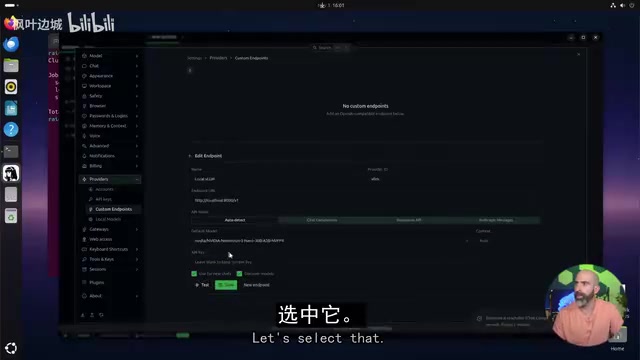
The point of showing both setups in parallel is clear: there's no single correct answer in local AI — dozens of combinations each have their own use cases.
Tensor Parallelism (TP) is a model parallelism technique that splits the weight tensors of a single large model across multiple devices, so that each device collaboratively computes the forward pass of the same layer. Unlike pipeline parallelism, TP splits within each layer, effectively reducing per-GPU memory pressure, but it requires high-bandwidth communication between devices. NCCL (NVIDIA Collective Communications Library) is NVIDIA's multi-GPU communication library, responsible for implementing collective communication operations such as All-Reduce in TP. Whether it's configured correctly directly affects multi-machine scaling performance.
The Hardware Ledger: 64GB Unified Memory and Dual-Machine Scaling
The DGX Spark's core selling point is its 64GB unified memory, which the blogger describes as "a compact entry-level all-around AI device." He's also blunt: $6,000 is expensive, but "everything is expensive in 2026."
For budget-constrained beginners, his alternative is a previous-generation NVIDIA consumer GPU (such as an RTX 4070) — but such cards have far less VRAM than dedicated AI devices, limiting their ability to run newer large models.
To estimate in advance what models you can run, you can use modelfit.io as a rough reference. Although the site doesn't have a DGX device option, selecting the similarly configured Mac Studio 64GB version gives you an approximate answer: the suitability of Gemma 4 26B, Qwen 3.6 35B, Nemotron Lightning 30B, Qwen 3.8 27B, and others at different quantizations. The Qwen 3.8 27B Q4 that the blogger actually ran is on this list.
In terms of scalability, two GB10 machines can be directly connected via the rear ConnectX-7 using QSFP cables, and combined with vLLM's tensor parallelism (TP) to pool memory and run larger models. Sparkrun automatically handles network configuration and NCCL settings, making the barrier lower than you'd think. Another route is NVIDIA Pair, which pools hardware into a cluster and routes requests to the least busy device based on load. The blogger mentions that in theory you could even form a cluster of eight machines.
Unified Memory refers to an architecture where the CPU and GPU share the same physical memory pool, commonly found in superchips like NVIDIA Grace Hopper. Unlike dedicated VRAM, unified memory allows the GPU to directly access all system memory without explicit copying, thereby supporting models far larger than a single card's VRAM. However, unified memory bandwidth is typically lower than dedicated HBM, so inference speed may not match a high-end GPU of the same capacity. The DGX Spark's 64GB unified memory lets it load larger models, but you need to weigh bandwidth against capacity.
Conclusion: Most People Shouldn't Buy It
The blogger's judgment is quite direct: for most people, you probably shouldn't buy it. This kind of device no longer fits the truly consumer-grade positioning envisioned a few years ago. But if you have plenty of budget and are a heavy user of the NVIDIA ecosystem, it really is the path of least resistance to local AI.
If a $20-a-month cloud AI subscription already meets your needs, continuing to use it is entirely reasonable. The real barrier to local self-hosting isn't the hardware price — it's whether you're willing to spend the time understanding the layered structure described above.
Related articles
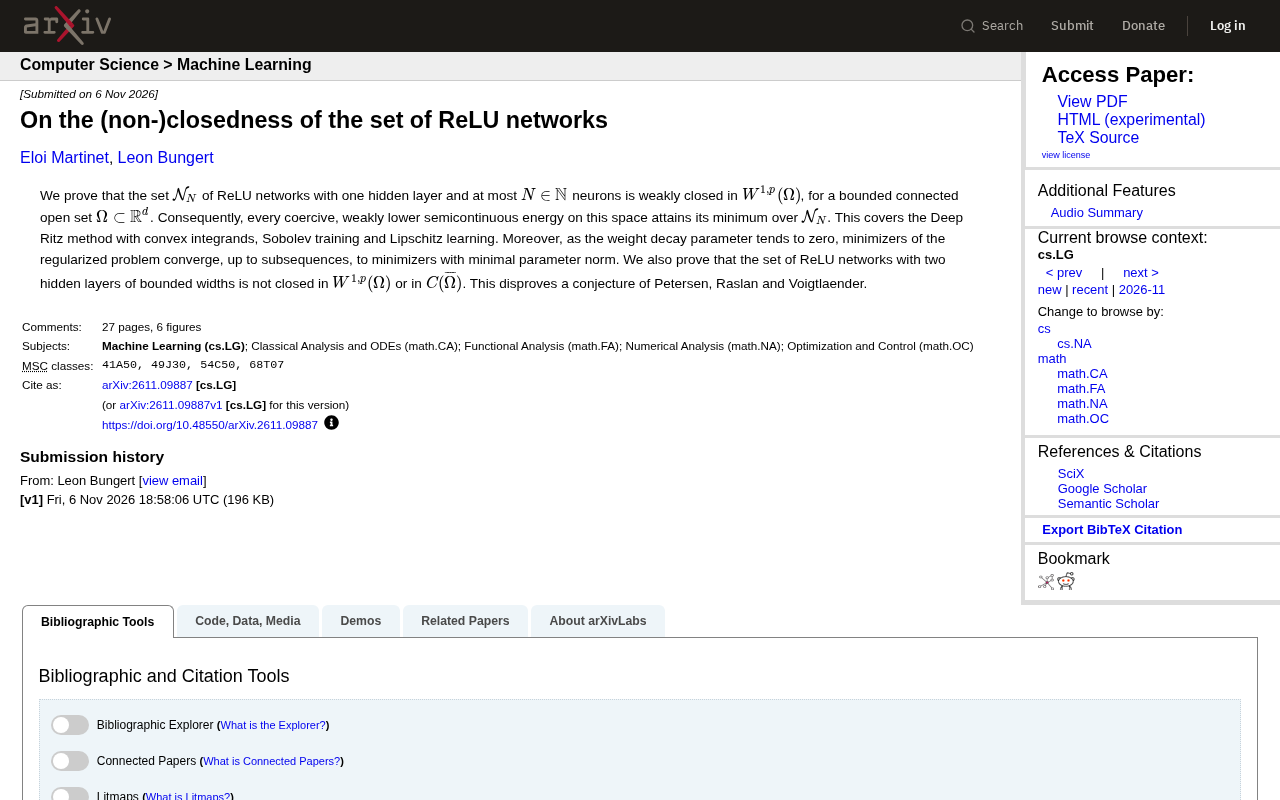
A New Proof on the Closedness of ReLU Network Sets: Single Hidden Layer is Weakly Closed, Two Hidden Layers is Not Closed
New research proves single-hidden-layer ReLU network sets are weakly closed in W^{1,p}, ensuring existence of solutions for Deep Ritz and similar methods; two-hidden-layer network sets are not closed, refuting an existing conjecture.
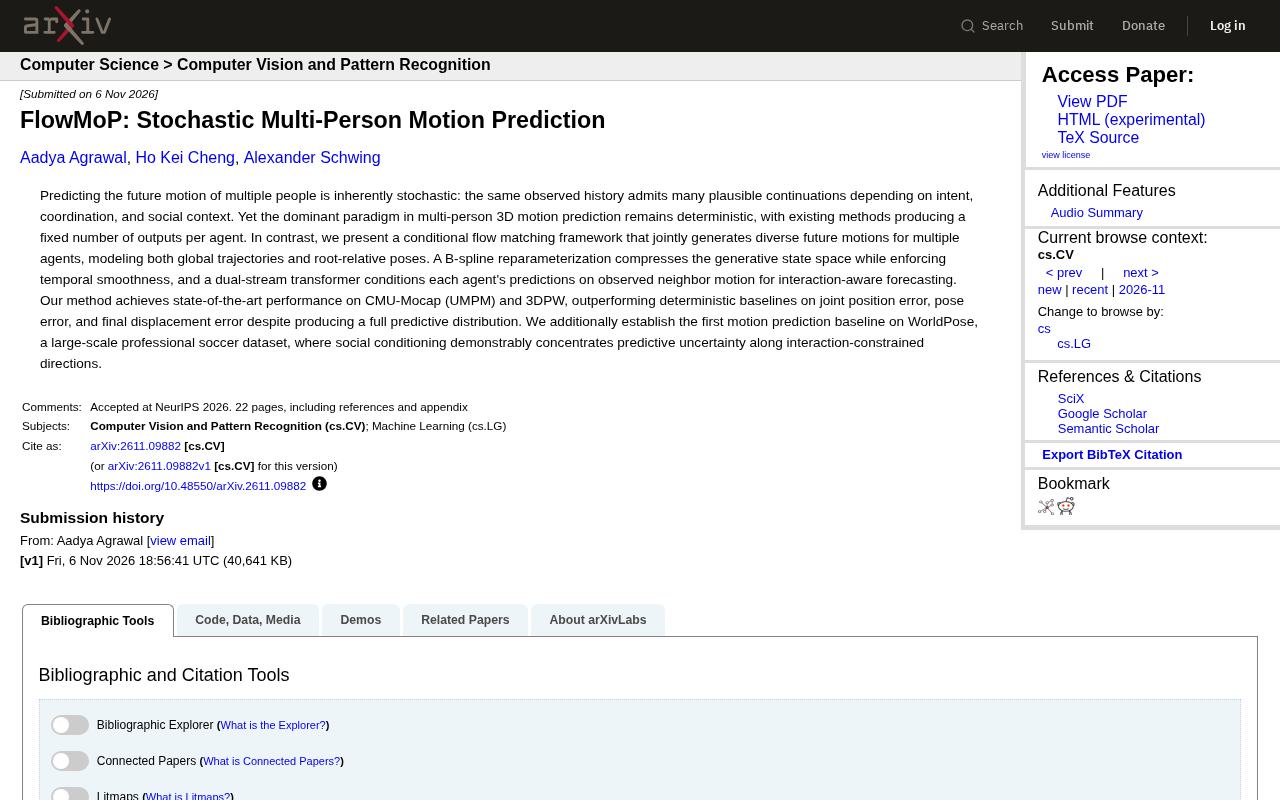
FlowMoP: A New Framework for Stochastic Multi-Person Motion Prediction
FlowMoP introduces a conditional flow matching framework that jointly generates diverse future motions for multiple agents, using B-spline reparameterization and a dual-stream Transformer for interaction-aware prediction. It outperforms deterministic baselines on CMU-Mocap and 3DPW and establishes the first motion prediction baseline on WorldPose.
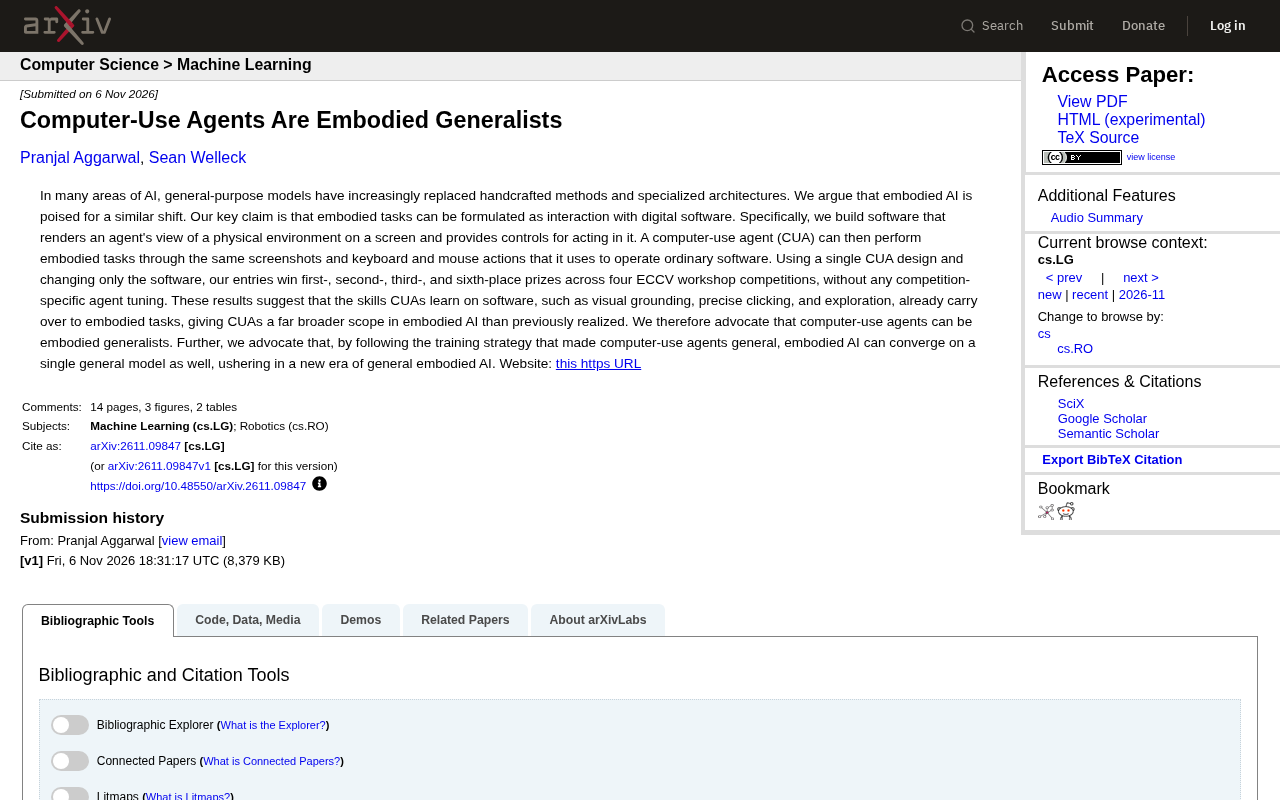
Computer-Using Agents: A New General-Purpose Paradigm for Embodied AI
ECCV workshop competitions show computer-using agents (CUAs) can win multiple contests by turning embodied tasks into software interaction, without specialized tuning—revealing their potential as embodied generalists and a new path to general embodied AI.