8 Dify Workflows That Transform Test Engineer Productivity

8 Dify workflows transform test engineers from manual executors to AI commanders.
This article details 8 AI workflow scenarios built on the Dify platform that help test engineers automate repetitive tasks including test case generation, automation script writing, performance report analysis, and more. By leveraging LLM capabilities and RAG knowledge bases, the workflows compress what traditionally takes 2.5 days into under 1.5 hours, enabling engineers to focus on higher-value work like architecture design and quality strategy.
When Test Engineers Become "Human AI Peripherals"
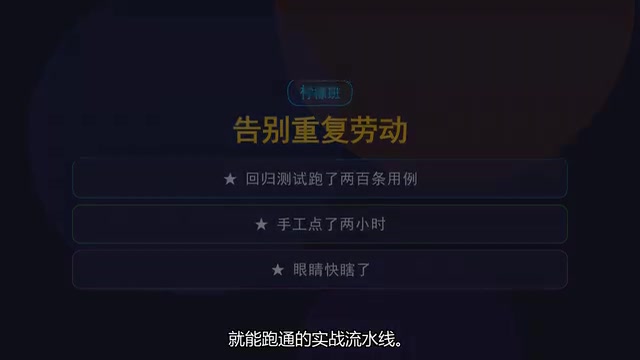
Many test engineers' daily routines have long been consumed by repetitive labor: a 20-page PRD needs to be reviewed tomorrow but you haven't even read it once; developers say the API is ready for load testing but your JMeter scripts are still blank; 200 regression test cases take two hours of manual clicking until your eyes blur; the boss wants a performance report before end of day while you're still dragging averages cell by cell in Excel.
This "click-click-click" and "stay-up-late-debugging-scripts" mode essentially treats humans as machines. After exhausting yourself, leadership still thinks your work lacks technical depth. The root problem isn't that bugs are hard to reproduce—it's that a massive portion of testing work that could be automated still relies on manual effort.
According to content shared by relevant creators on Bilibili, by leveraging AI application orchestration platforms like Dify, test engineers can offload these repetitive tasks to AI, transforming from "human executors" to "AI commanders." Dify is an open-source large language model (LLM) application development platform that allows users to orchestrate AI workflows through a visual interface without writing extensive code. It supports integration with multiple mainstream large models (such as GPT-4, Claude, Qwen, etc.) and provides core capabilities including RAG (Retrieval-Augmented Generation) knowledge bases, Agent intelligence, and workflow orchestration. For test engineers, Dify's value lies in its "low-code + AI orchestration" combination: users can connect input nodes, LLM nodes, conditional branches, and code execution nodes like building blocks to construct automation pipelines suited to their business scenarios, without needing a deep machine learning background. Below are the 8 core workflow scenarios proposed.
Test Case Generation: From Two Hours to Ten Minutes
One-Click Conversion from Requirements Documents to Test Cases
The first and most straightforward scenario is eliminating the anxiety of writing test cases. Feed requirements documents, prototypes, or even chat records of product requirements into a Dify workflow, and AI can directly output a complete test case table—positive cases, negative cases, boundary values, and exception scenarios all neatly arranged according to templates.
It's worth mentioning the concept of "boundary value" testing here. Boundary Value Analysis is one of the most classic test case design methods in software testing, based on the theory that programs are most likely to fail at the boundaries of input ranges. For example, for a field requiring integer input between 1-100, boundary value testing would focus on covering critical points like 0, 1, 2, 99, 100, and 101, rather than randomly selecting middle values. Traditionally, test engineers need to manually identify boundary conditions for each input field from requirements documents and write cases one by one—a mechanical process prone to omissions. AI intervention excels at exactly this kind of "exhaustive enumeration + pattern matching" work.
What originally took two hours to write manually now yields a first draft in 10 minutes, with delivery after human review and fine-tuning. This doesn't replace the tester's judgment—it offloads the mechanical "form-filling" work to AI, letting humans focus on the rationality of test case design.
API Logic Decomposition and Validation Rule Generation
When facing vague API documentation or confusing parameter rules, AI can help decompose the API logic and automatically generate parameter validation rules and debugging scenarios. This way, many low-level defects can be caught before code submission, reducing rework costs. This "Shift-Left Testing" philosophy—moving quality assurance activities as early as possible in development—has been widely recognized by the industry. Research data shows that the cost of fixing defects found during the development phase is only one-tenth or even one-hundredth of those found after deployment.
Script Writing: Generate Automation Code by Speaking Plain Language
Automation Scripts: Just Describe in Natural Language
Script anxiety is a mental block for many test engineers. Flows like login, add-to-cart, place-order, and payment used to require memorizing APIs and finding element locators. With this Dify workflow, you only need to describe the business flow in plain language, and AI can generate Playwright or POM (Page Object Model) style automation scripts. No need to memorize APIs or look up locators—just express your intent in natural language.
Playwright is an end-to-end (E2E) automation testing framework developed by Microsoft, supporting Chromium, Firefox, and WebKit browser engines with faster execution speed and more stable waiting mechanisms compared to traditional Selenium. POM (Page Object Model) is a widely-used automation test design pattern whose core idea is encapsulating a page's UI elements and operations into independent classes (Page Objects). Test scripts only need to call methods on these classes rather than directly manipulating underlying HTML elements. This decoupled design means that when UI changes occur, only the corresponding Page Object needs modification rather than all test cases, significantly improving script maintainability. When AI-generated code follows the POM pattern, it means the output isn't just scripts that "can run," but test code with engineering standards that's sustainably maintainable.
Automatic Analysis from Source Code to Test Code
After developers submit code for testing, AI can automatically analyze the code's branch structure and generate JUnit or Pytest unit test code, thereby improving submission quality. JUnit is the most mainstream unit testing framework in the Java ecosystem, while Pytest is its counterpart in the Python ecosystem. AI's core capability in this step is "code comprehension": it can parse a function's input parameters, conditional branches (if/else/switch), and return values, then automatically generate coverage cases for each logical path. This approach is essentially performing "path coverage" in white-box testing, ensuring every possible execution path has a corresponding test assertion.
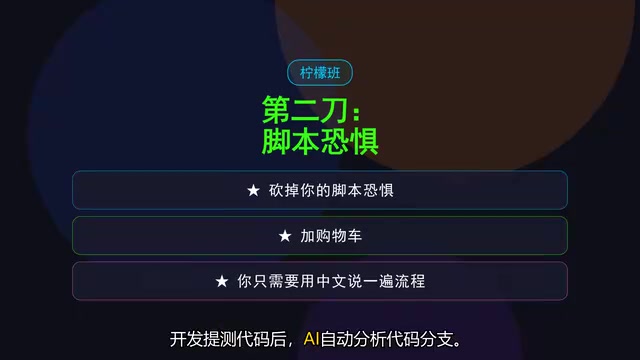
Additionally, for the most headache-inducing BeanShell syntax (a scripting language commonly used in JMeter), AI can handle it too. BeanShell is a lightweight Java scripting language commonly used in JMeter for custom pre/post-processing logic, such as MD5/AES encryption signing of request parameters, extracting dynamic tokens from response JSON, or dynamically assembling request bodies based on business rules. Because its syntax is close to Java but lacks modern IDE intelligent suggestions and breakpoint debugging capabilities, debugging BeanShell scripts has always been a pain point for test engineers—error messages are cryptic, and often a single semicolon or type conversion error can take half an hour to troubleshoot. Now you just need to say "encrypt this parameter" or "extract that variable," and AI generates the corresponding script code—no more staring at error logs.
Performance Reports: Conclusions in Five Minutes
Interpreting performance test reports often requires experience. Feed JMeter's aggregate report into the workflow, and AI can tell you within five minutes what the throughput is, which interval the 95th percentile response time falls in, and where bottlenecks might be occurring.
This involves several key performance metric concepts. P95 (95th percentile) response time means that 95% of all requests have response times below this value. Compared to averages, percentile metrics more accurately reflect actual user experience because averages are easily skewed by extreme values. For example, if the average response time is 200ms but P95 is 2000ms, it indicates a significant proportion of users are experiencing severe latency. In performance analysis, P50 (median), P90, P95, and P99 are typically monitored together to form a complete response time distribution profile. Throughput measures the number of requests a system processes per unit time, usually expressed as TPS (Transactions Per Second) or RPS (Requests Per Second), and is the core metric for evaluating system capacity. When throughput reaches a plateau while response time begins to spike, it typically indicates the system has hit a performance bottleneck.
While others are still spending half an hour adjusting report formatting, you've already posted your analysis conclusions in the work chat. The value of this scenario is that AI doesn't just generate data—it helps you complete preliminary performance diagnosis, turning reports from "piles of numbers" into "actionable conclusions."
Hidden Skills: Leverage Points That Double Your Personal Value
Beyond core testing activities, this Dify workflow suite includes several scenarios that boost personal competitiveness:
- Interview Practice: Based on your resume and target position, AI acts as an interviewer conducting technical Q&A and project deep-dives, helping you rehearse repeatedly before real interviews. This scenario leverages LLMs' role-playing capability—by setting "You are a senior testing interviewer" in the System Prompt, the model can simulate real interview follow-up styles, such as drilling from "responsible for performance testing" on your resume down to "how did you identify database slow query bottlenecks," helping candidates expose knowledge blind spots in advance.
- Requirements Q&A Bot: Feed all PRDs, API documentation, and design drafts into the knowledge base, and any team member's question about requirements gets an instant response. Communication costs from constantly being interrupted with questions like "who wrote this requirement" or "where is this logic" are drastically reduced.
The requirements Q&A bot relies on RAG (Retrieval-Augmented Generation) technology. It works as follows: first, files like PRDs, API documentation, and design drafts are split into text chunks, each chunk is converted into a high-dimensional vector via an Embedding model and stored in a vector database; when a user asks a question, the system similarly converts the question into a vector, retrieves the semantically closest text chunks from the database, then sends these chunks as context along with the user's question to the LLM to generate an answer. The advantage of this architecture is that the LLM can "read" enterprise private documents without retraining, and answers are traceable, effectively mitigating the LLM "hallucination" problem (i.e., fabricating non-existent information). In the Dify platform, creating a RAG knowledge base only requires uploading files, selecting a chunking strategy, and choosing an Embedding model—the technical barrier is extremely low.

Efficiency Comparison: 2.5 Days Compressed to 1.5 Hours
Taking an e-commerce APP iteration as an example, the traditional time allocation is roughly:
| Task | Traditional Time | AI-Assisted Time |
|---|---|---|
| Test case writing | 0.5 days | 15 minutes |
| Automation scripts | 1 day | 30 minutes |
| Performance scripts + report | 1 day | Report analysis 5 minutes |
| Total | ~2.5 days | Under 1.5 hours |
Calculated out, including human review and fine-tuning, the original 2.5 days of work can be compressed to under 1.5 hours. It's important to note that this efficiency gain is mainly concentrated in the "first draft generation" phase. AI-output test cases and scripts still require human review: Do the cases cover implicit business rules? Does the assertion logic in scripts match expectations? Do the performance analysis conclusions align with the actual architecture? The "review and fine-tuning" time for these steps varies by project complexity, but even accounting for this additional time, the overall efficiency improvement remains orders of magnitude. The time saved can be invested in studying more valuable architectural design rather than being trapped in endless repetitive labor.
Conclusion: Test Engineers Who Use AI Are Already Replacing You
The debate about "whether AI will steal test engineers' jobs" has never stopped. But a more realistic answer might be: It's not AI that's replacing you—it's test engineers who know how to use AI that are replacing you.
One more point: this workflow suite is not positioned to have AI completely replace humans. The repeatedly emphasized "review and fine-tuning" step demonstrates exactly what remains indispensable about test engineers' core value—business judgment, scenario design, and quality gatekeeping. AI handles repetitive labor at the execution level, while humans upgrade to process designers and result reviewers. This aligns with the "Human-in-the-Loop" philosophy in software engineering: AI is responsible for rapidly generating candidate solutions, humans are responsible for decision-making and quality control, forming a complementary rather than replacement relationship.
The transformation from "human executor" to "AI commander" has a low barrier to entry. You don't need to become an AI expert—you just need to learn how to decompose testing scenarios into instructions AI can understand (which is essentially the practice of "Prompt Engineering") and maintain professional judgment over the output results. This is perhaps the most pragmatic path of self-evolution for test engineers in this wave of AI tools.
Related articles

Random Pruning of the DPO Computation Graph: 1.4x Training Speedup and Lower Peak Memory
DPO training too slow and memory-hungry? This paper proposes a random pruning framework for the DPO computation graph, sampling independently across position, sequence, and branch dimensions; branch pruning achieves a 1.426x step-time speedup and cuts training time by about 30%, with in-depth attribution of memory and time gains.

Why Does JEPA Underperform MLM in Longitudinal EHR Representation Learning?
New study compares JEPA and MLM for longitudinal EHR representation learning on MIMIC-IV: three JEPA variants train stably without collapse but underperform MLM; target size, not heterogeneity, drives prediction error.

Transfer Learning + Visible Light Communication: A New Approach to Energy-Efficient Indoor Positioning
A study proposes a transfer learning-based visible light communication indoor positioning method, achieving 47% accuracy improvement on the BOSCH factory dataset, 67.5% model efficiency under high noise, and introducing the ME composite metric for energy-efficient positioning in energy-constrained industrial IoT scenarios.