Add Scripts to Cursor Skills in 45 Seconds: A Three-Step Tutorial

Add a scripts directory to a Cursor Skill in three steps, taking the Agent from reading instructions to actually executing scripts.
The article introduces a method for giving Cursor Skills real execution capability. A pure `skill.md` can only describe tasks, and the Agent cannot actually act; by adding a `scripts` folder to the Skill directory and pointing to scripts with relative paths in `skill.md`, the Agent can run real code such as Python and Bash. The tutorial provides three configuration steps: create the scripts directory, declare scripts with relative paths, and move long documents and templates into references and assets respectively to keep context lean. The article also emphasizes that scripts should be self-contained with clear error messages, and explains the design philosophy behind directory separation—distinguishing executable content from reference content for the Agent.
Cursor's Skill mechanism lets Agents work in predefined ways, but a Skill with only a skill.md is more like an instruction manual—it tells the Agent what to do, but can't actually do anything. This short tutorial from YouTube shows how to give a Skill "hands and feet" in three steps, so that when executing a task it directly runs real Python, Bash, or other scripts instead of staying at the level of written description.
From Description to Execution: Adding Script Capabilities to a Skill
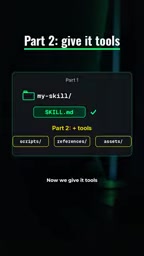
The previous stage of work was to write a good skill.md, clearly explaining the task's goals, steps, and constraints. But descriptive text has a natural ceiling: the Agent can only "understand," not "execute." The core idea the tutorial gives is very direct—add a scripts folder to the Skill's directory structure and put the actual code that needs to run into it.
This change qualitatively shifts the boundaries of a Skill's capabilities. The Agent no longer merely restates the process; it can call scripts when needed to perform concrete operations, such as processing files, calling APIs, or running calculations. The scripting language is unrestricted—Python, Bash, and others all work, chosen according to the task's needs.
In the Skill mechanism, the Agent is typically a language model with tool-calling capabilities. The key to understanding "calling scripts" is distinguishing two modes: in pure text mode, the Agent can only read skill.md and generate responses based on it; in tool-calling mode, the Agent can initiate a function call, and the runtime environment actually executes that command and returns the result. The purpose of the scripts directory is precisely to provide the Agent with a set of commands it is explicitly allowed to call, and the relative paths in skill.md act as "function signatures," telling the Agent which executable entry points exist and how parameters are passed. Therefore, script capability essentially expands the Agent's space of action rather than changing how it reasons.
Complete Configuration in Three Steps
Step 1: Create the scripts directory
Inside the Skill folder, create a new scripts folder and put the prepared scripts into it. This directory is the fixed location where the Skill stores executable code, and the Agent will later locate and run scripts from here.
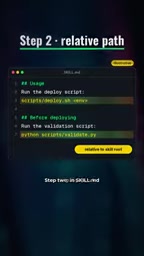
Step 2: Point to the scripts with relative paths in skill.md
This step is key. Open skill.md and use relative paths to specify the script locations, telling the Agent exactly which file to run. Using relative paths ensures the Skill can correctly find the scripts in different environments without relying on absolute paths.
Step 3: Use references and assets to manage non-code content
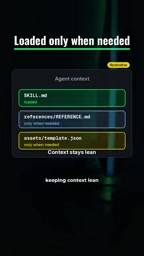
The tutorial also offers a practice for keeping context lean: move long documents into the references directory and template-type files into the assets directory. The benefit is that the Agent loads this content only when truly needed, avoiding irrelevant information taking up the context window. For Skills with a large volume of documents or many templates, this separation can significantly reduce the context burden of each call.
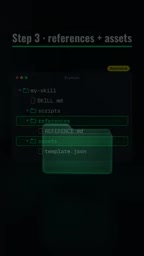
The context window is the maximum number of tokens an LLM can process in a single call, including the system prompt, skill.md, conversation history, and tool return results. If all long documents and templates are written directly into skill.md, every call carries this content, which not only squeezes available reasoning space but also increases latency and cost. After moving long documents into references and templates into assets, the Agent can first judge whether the current task needs these materials and then load them on demand by reading files. This "lazy loading" strategy is especially critical in large Skills, keeping the context budget focused on information directly relevant to the current task rather than filled up by static materials.
Two Practical Principles for Script Design
The tutorial particularly emphasizes that each script should remain self-contained and include clear error messages. Self-contained means the script does not depend on external implicit state and can run on its own; clear error messages let the Agent get readable feedback when a script fails, rather than facing a meaningless stack trace. These two points directly determine the reliability of scripts when called by the Agent.
In engineering terms, "self-contained" means the script does not depend on the caller's working directory, implicit configuration in environment variables, or undeclared external files. For scripts called by an Agent, this is especially important: the Agent may trigger scripts under different project paths, and if a script relies on relative paths or the current shell state, it will silently fail in some scenarios. Clear error messages require scripts to output structured, readable prompts on failure, such as "Input file does not exist: /path/to/file," rather than throwing an uncaught stack trace. With this information, the Agent can determine the cause of failure and decide whether to retry, change parameters, or report back to the user, turning a failure into a recoverable interaction.
The Design Philosophy Behind the Directory Structure
Separating scripts, references, and assets is essentially about distinguishing "executable content" from "reference content" for the Agent. Scripts are meant to be run; documents and templates are meant to be consulted. Mixing the two types of content together makes it hard for the Agent to judge what to do with them. Once separated, the Skill's structure itself becomes a kind of instruction: seeing scripts means there are executable capabilities here, and seeing references means these are materials to read on demand.
This organization also makes maintenance easier. Script updates do not affect documents, template replacements do not involve code, and the responsibility boundaries of each part are clear. For a Skill that needs long-term iteration, this structure is easier to extend than piling everything into a single directory.
Use Cases and Caveats
Adding scripts to a Skill is best suited to tasks with clear execution actions—scenarios that require reading and writing files, calling external commands, doing data processing, or executing fixed workflows. If the Skill only provides knowledge or writing guidelines, a pure skill.md may already be sufficient.
Note that once a script is called by the Agent, its behavior directly affects the result, so script correctness and error handling deserve more attention than ordinary code. The "clear error messages" mentioned in the tutorial are not optional; they are a prerequisite for the Agent to correctly handle failures.
The value of this approach lies in advancing a Skill from "telling the Agent how to do it" to "letting the Agent actually do it." The three-step configuration itself takes very little time, but the capability improvement it brings is structural.
Related articles
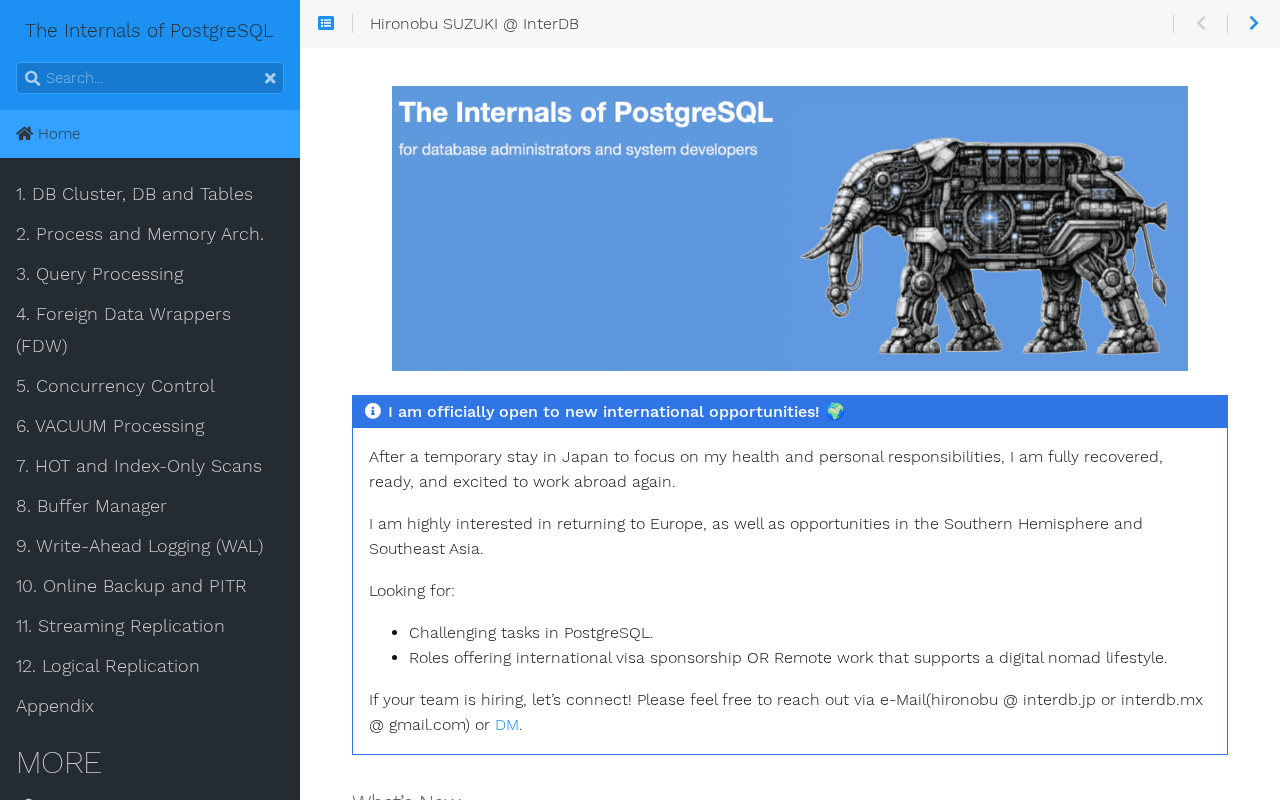
Diving into PostgreSQL Internals: A Free, Open-Source Guide to Database Principles
*The Internals of PostgreSQL* is a free online book covering process architecture, storage layout, query processing, MVCC concurrency control, and WAL logging—ideal for DBAs and backend engineers who want to understand database internals.

Hinton Warns Again: We Might Be Better Off Without AI
Geoffrey Hinton's remark that we might be better off without AI sparks Hacker News debate. This article analyzes the two layers of meaning, the shift in tech community attitudes, and counterarguments questioning the "better off" baseline—plus what it means for AI practitioners.

Why The Legend of Zelda: Ocarina of Time Never Fades
Why is The Legend of Zelda: Ocarina of Time still a classic after all these years? This article analyzes its paradigm revolution from 2D to 3D, its relationship with Breath of the Wild, and why its design philosophy remains timeless.