Affinity Creative Suite Launches Free on iPad, Canva Challenges Mobile Design Market

Canva brings Affinity creative suite to iPad for free, challenging Adobe's subscription model with full professional features.
After acquiring Affinity, Canva launches the iPad version of the Affinity creative suite, fully porting professional tools like vector drawing, illustration, and photo editing to mobile, adopting a completely free strategy. This continues Canva's logic of lowering the barrier to professional creation and building an ecosystem through the freemium model, putting direct pressure on Adobe's Creative Cloud subscription. As iPad hardware performance improves, competition in mobile professional creative tools heats up—Procreate is strong in illustration, Adobe maintains stickiness through its ecosystem, and Affinity fills the gap with "free + professional." For creators, this provides a professional option without subscription, but mobile workflow maturity and desktop compatibility still require hands-on verification.
Affinity Creative Suite Launches Free on iPad, Canva Challenges Mobile Design Market
Canva has been making bold moves since acquiring Affinity. After rebundling the Affinity creative suite into an integrated desktop app last year, Canva has now officially launched Affinity for iPad, bringing professional-grade vector drawing, illustration, and photo editing tools to the iPad platform—completely free.
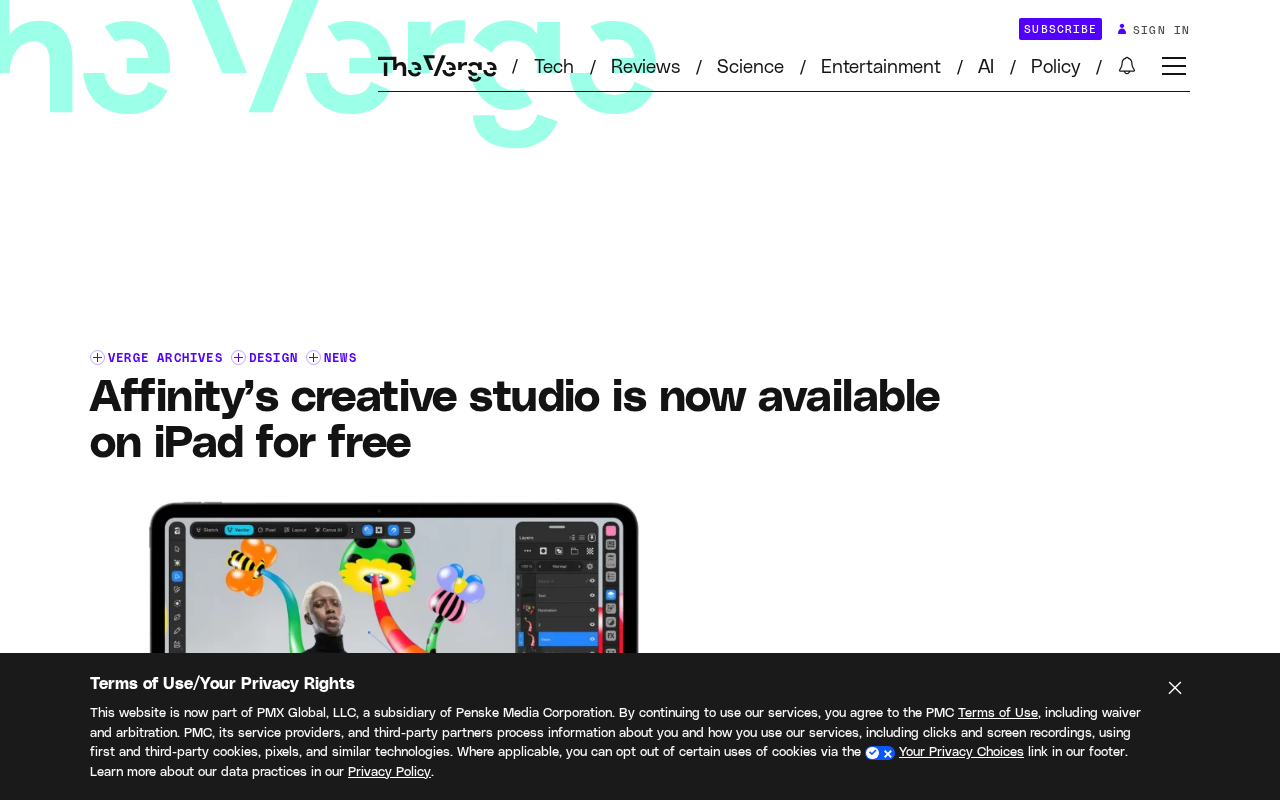
From Desktop to Mobile: Affinity's Strategic Extension
The Affinity product line (Designer, Photo, Publisher) has long been known for its professional capabilities rivaling Adobe Creative Cloud, previously running primarily on macOS and Windows. Canva re-released it as an integrated desktop app last year, lowering the cost of acquisition and switching for users. Now, with the iPad version, Canva aims to extend Affinity's professional capabilities into mobile creative scenarios.
The iPad version is not a simple feature cut-down—it offers the same professional-grade toolset as the desktop version, covering core capabilities such as vector graphic design, illustration drawing, and photo editing. For illustrators and designers accustomed to using Apple Pencil, this is clearly an attractive option.
Affinity vs. Adobe Creative Cloud: Product Mapping
Each of the three Affinity products has a clear counterpart: Affinity Designer corresponds to Adobe Illustrator, focusing on vector graphics and UI design; Affinity Photo corresponds to Adobe Photoshop, focusing on bitmap photo editing and retouching; Affinity Publisher corresponds to Adobe InDesign, used for layout and publication production. All three products use a one-time purchase model rather than Adobe's monthly subscription—a core selling point that attracted users early on. After the Canva acquisition, the three products were integrated into a single app, with functional modules retaining the above division of labor but sharing a unified project file format and interface framework. This provided the architectural foundation for the "full-feature port" to iPad.
The Ecosystem Logic Behind the Free Strategy
Affinity for iPad adopts a completely free strategy, consistent with Canva's long-standing "freemium" product philosophy. On desktop, the Affinity suite has already been integrated into a single app and significantly lowered the barrier to entry. Making the mobile version free further lowers the threshold for professional creative tools.
This strategy puts direct pressure on Adobe. Adobe's iPad apps (such as Photoshop for iPad and Illustrator for iPad) typically require a Creative Cloud subscription to access full features, while Affinity for iPad's free positioning may attract independent creators and small teams unwilling to bear subscription costs.
The Freemium Model
Freemium is a product business model: basic features are offered free to acquire a large user base, with revenue generated through premium features, cloud storage, team collaboration, or template resources. Canva itself is a prime example of this model—individual users can freely use a vast library of templates, while brand tools, team collaboration, and premium assets require a Canva Pro subscription. Affinity for iPad's completely free strategy means Canva does not expect to charge directly for the app itself, but rather views it as an ecosystem entry point: attracting professional creators into the Canva system, converting them into Canva Pro or team plan paying users, while using the free barrier to squeeze Adobe's subscription market.
Intensifying Competition in Mobile Design Tools
As iPad hardware performance continues to improve, competition in mobile professional creative tools is heating up. Procreate holds a strong position in illustration, while Adobe maintains professional user loyalty through its Creative Cloud ecosystem. Affinity for iPad's entry adds a "free + professional" variable to this market.
For Canva, Affinity for iPad is also an important step in extending from a lightweight design platform to professional creative tools. Canva's template-based design targets mass users, while Affinity targets professional creative workers—together they form a gradient coverage from entry-level to professional.
Procreate and the iPad Professional Creation Ecosystem
Procreate is an iPad-exclusive painting app from Australian developer Savage Interactive, known for its one-time purchase, low-latency Apple Pencil experience, and powerful brush engine, with extremely high loyalty among illustrators. It has long been regarded as the benchmark for professional painting on iPad, but its capabilities are concentrated in bitmap painting, lacking vector design and layout features. Affinity for iPad's differentiation lies in covering three types of professional workflows—vector, photo, and layout—forming a complementary rather than fully substitutive relationship with Procreate. In addition, iPadOS's continuous improvements in file management, external display support, and multitasking split-screen are important prerequisites for mobile professional tools to become viable.
What It Means for Creators
If you already use an iPad for creation, Affinity for iPad offers a professional option with no subscription fees. For users needing vector design, fine photo editing, or illustration, it is worth including in your tool evaluation. However, the maturity of mobile workflows still requires hands-on verification, and file compatibility and collaboration capabilities with the desktop version are also key considerations.
The launch of Affinity for iPad signals that Canva's investment in the professional creative software market is deepening, and the competitive landscape of mobile design tools may change as a result.
One-line Summary
Canva brings Affinity creative suite to iPad for free, challenging Adobe's subscription model with full professional features.
Paragraph Summary
After acquiring Affinity, Canva launches the iPad version of the Affinity creative suite, fully porting professional tools like vector drawing, illustration, and photo editing to mobile, adopting a completely free strategy. This continues Canva's logic of lowering the barrier to professional creation and building an ecosystem through the freemium model, putting direct pressure on Adobe's Creative Cloud subscription. As iPad hardware performance improves, competition in mobile professional creative tools heats up—Procreate is strong in illustration, Adobe maintains stickiness through its ecosystem, and Affinity fills the gap with "free + professional." For creators, this provides a professional option without subscription, but mobile workflow maturity and desktop compatibility still require hands-on verification.
Related articles

Deleted Reddit Post Sparks Debate Over AI Content Moderation
A Reddit post removed with only a 'Removed by Reddit' notice highlights AI content moderation's transparency gaps, misjudgment risks, and appeal challenges for platforms and creators.

DSH + Ollama Local LLM Deployment in Practice: Free Chat with Da Fei Yu
Bilibili creator tests DSH + Ollama local LLM deployment end to end: Ollama install, Xunlei-accelerated downloads, ModelScope GGUF model import, DSH custom API address setup, and a comparison of Qwen 3.5 4B, 8B, Gemma, and other models on 8GB VRAM, with advice on choosing local deployment vs. API calls.

Tested: A $899 Mac Mini vs. a $200/Month AI Subscription
Real-world test of whether an M4 Mac mini can replace a $200 AI subscription: 16GB can't fit large models, and both speed and quality fall short—but privacy, no caps, and near-zero running costs make it an ideal host for an always-on agent. Includes buying advice per configuration and money-saving strategies.