After Breaking My Hand: How I Code Productively Without Typing
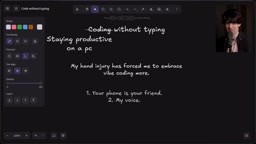
A developer rebuilt his entire workflow after a hand injury using voice input, AI Agents, and Computer Use — and shipped more than ever.
A developer who normally typed at 160 WPM was forced into a cast after a hand injury — and used it as an opportunity to completely rebuild his workflow. His core insight: voice coding's value isn't dictating code, but combining speech recognition, code generation, and Computer Use so AI can take over almost everything that used to require hands. A $70 desk mic solved the open-office awkwardness of talking to a computer. A `fleet` project let Agents understand his entire device network, nearly eliminating terminal use. The bigger mindset shift: bring Agents in earlier (let them propose solutions, not just execute instructions) and let them run longer — including self-verifying and auto-merging PRs. With ~150 autonomous PRs and only two minor regressions, "productive laziness" proved itself.
A developer known for typing at 160 words per minute was forced into a cast for one to six months after a hand injury. Rather than grinding to a halt, he rebuilt his entire workflow and ended up with higher GitHub output than ever before. The secret: a new way of working built around voice input, AI Agents, and Computer Use — and the lessons apply just as well to developers with fully functional hands.
The Truth About Voice Coding: It's Not "Dictating Code" — It's Staying Productive
The author is upfront about this: while the title says "coding without typing," a more accurate framing is "staying productive without typing." Dictating code directly is a non-starter — try narrating a loop like let x = 4; while (x < y) x++; out loud and you'll immediately see why.
What actually makes this possible is AI's three converging capabilities: converting speech to text, writing code directly, and — what he considers most critical — controlling the computer. He takes a moment to acknowledge the disabled developers who have been genuinely coding by voice for decades, while noting his own luck in encountering this injury in an era of mature AI.
The injury pushed him deeper into vibe coding than he'd ever gone before. It wasn't just typing that became painful — switching apps and navigating the system became a struggle. Now his working hand can only manage an index finger on Command and a ring finger on Tab, with almost no thumb function. He made a lot of small adjustments, like keeping apps windowed rather than full-screen so he could click the edges to switch between them.
Whisperflow is a system-level voice input tool designed for macOS, powered by OpenAI's Whisper speech recognition model. Unlike the built-in dictation feature, it supports a global hotkey, works across any application, has minimal latency, and handles technical English vocabulary (variable names, command-line arguments, etc.) with high accuracy. The Whisper model itself was trained on large-scale multilingual speech data, outperforming traditional rule-based recognition engines in noisy environments and with varied accents. The real value of tools like this isn't replacing every keystroke — it's handling large chunks of natural language input, like describing requirements to an AI, writing comments, or sending Slack messages, so that hand movements are reserved for the few moments that truly require precise control.
The $70 Desk Mic That Changed Everything
Of all the tips he shares, the one he keeps coming back to as most impactful is a ~$70 gooseneck podium mic — something he once swore he'd never buy.
The core problem wasn't speech recognition quality. It was social. Using Whisperflow in an open office felt uncomfortable when teammates were nearby — talking out loud at his computer felt "rude and awkward," to the point where he'd retreat to conference rooms or private offices to get work done.
That little mic solved the social barrier entirely. He demonstrates live: while reading from his $500 recording microphone, nobody around him can hear him whispering into the podium mic — yet the computer picks it up accurately. "Whatever volume you think is reasonable, you can go four times quieter than that." The monitoring level drops from a peak of -4dB at normal speech to -40dB at a whisper. The noise rejection is equally impressive — he played a video loudly on his phone right next to the mic, and it still only captured his whisper.
His practical advice: start with the MacBook's built-in mic for a while — at normal volume it works well enough. But for true whisper-level operation in an open office, a dedicated mic like this is necessary. He recommended it to his whole team, and everyone went out and bought one.
Ditching the Terminal: Using Agents to Manage an Entire Fleet of Machines
Operating a terminal by voice is "hell" — he makes no apologies for that take. The injury amplified his existing belief that "the terminal is not the right place for agentic development" by a factor of a hundred. He's barely opened a terminal in weeks.
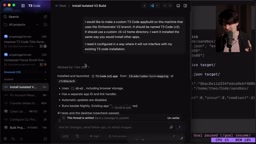
One of his solutions is a project called fleet, which documents every machine he uses for work and vibe coding: how to SSH in, what each one is for, and what's installed. This gives AI Agents a map of his entire device network.
He gives two examples. First: wanting to transfer a downloaded game ISO from one machine to another. Old workflow — SSH in, write an SCP command, wait for the download to finish, move the file manually. New workflow — open a thread in fleet, tell the Agent "once this file is done downloading, transfer it to the right directory on the other machine," and walk away. He gets notified when it's done. He started this from his phone, by voice, while the file was still downloading. Second: wanting to try a not-yet-merged T3 Code orchestrator V2 branch locally. One sharable prompt, and the Agent finds the PR, pulls it, builds it as a standalone app in a custom home directory — all while he does something else.
He also used GPT's Computer Use capability to have the model automatically log into a hospital web portal he described as "terrible," download and organize 49 medical PDFs, in about 20 minutes. Tasks he "wouldn't have minded doing but that eat time" get handed off to AI, freeing up significant energy.
Computer Use refers to the ability of an AI model to perceive screenshots, move a mouse, click UI elements, and type text — effectively operating any GUI application the way a human would, rather than being limited to tools with APIs or command-line interfaces. Anthropic was first to ship this capability in Claude in 2024, with OpenAI following with "Operator." The significance is that it breaks the constraint of "automation only works on systems with structured interfaces" — for scenarios involving web forms, PDF download buttons, or legacy system UIs, Computer Use lets an Agent work around the absence of an API and complete the task directly. The hospital portal PDF example in this article is a perfect illustration: boring for a human, poorly designed interface, no API — exactly where Computer Use shines.
The Core Mental Shift: Bring Agents In Earlier and Let Them Run Longer
This is the section the author considers most valuable for all developers, hand injury or not. He uses a "spectrum" to explain it: at one end is an idea in your head; at the other end is a completed task you're happy with. The question is: where do you slot the Agent in?
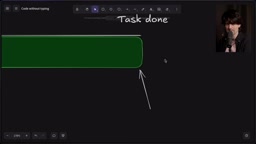
His Agent usage used to be scattered: describe the idea, iterate, revise. As models got stronger, he shifted to "think it through, kick off one long run, test it myself, then have the Agent patch things up." Now he's stretching both ends of the spectrum outward:
- Earlier involvement: Instead of handing the Agent a specific plan, he throws it a vague problem and asks it to propose multiple approaches — or just tells it to go build something and open a PR.
- Longer independence: He tells the Agent to use Computer Use to verify its own changes, call the repo's AI code review bot for feedback, spin up sub-agents to review the code, and "don't bother me until you're fairly confident there are no user-visible regressions."
The most radical change is at the far end — the "merge line." He no longer personally gatekeeps whether a PR can be merged. He trusts the model to make that call. By his count, Astra has auto-merged 100+ PRs and Fable at least 50 — roughly 150 fully autonomous PRs with only two regressions, both minor (animations accidentally removed). He draws the analogy to Waymo: per mile driven, the accident rate is far lower than a human's.
The sub-agent pattern refers to a primary Agent that, while executing a task, can dynamically spin up independent child Agents to handle specific sub-tasks — each with its own context window and tool-calling permissions, reporting results back to the parent Agent when done. This architecture dramatically increases the complexity a single task can handle: the main Agent plans and coordinates, while sub-agents run code reviews, execute tests, or search files in parallel. The "dispatch a sub-agent to review the code" approach described here is essentially replicating the human team workflow of develop → code review → self-test → merge, but executed entirely by models, with humans only stepping in when a regression surfaces at the end. This structural design is precisely why he can keep the regression rate so low across ~150 autonomous PRs.
Embrace "Laziness": Don't Do What the Agent Can Do
The author makes a counterintuitive point: laziness is good — laziness is efficiency. He's even stopped caring about model speed. Except for urgent bug fixes, he starts a thread and walks away, moving on to the next thing. T3 Code supports Cmd+Enter to open multiple threads simultaneously without leaving the input field — perfect for "brain-dump mode" batch tasking.
He also shares his approach to context-passing: because the hand injury makes Cmd+C/V painful, he just lets the Agent build its own context rather than passing it manually. "Have Codex review recent PRs and help me prioritize" — it's slower and costs more than copy-pasting, but he doesn't care, because he's doing something else at the same time.
He leaves readers with an exercise: the next time you find a bug or want to build a feature, don't plan, don't write notes, don't craft a prompt — just dump everything in your head into the Agent and let it run while you go about your day. Come back and compare what it did to what you would have done. "I'd bet you'll be surprised at how much of the process you can hand off directly."
Final Thoughts
The hand injury became a forcing function, pushing the author deeper into a "bring it in earlier, let it run longer" mental model — one he says he'll never walk back from. He still misses the days of typing out a snarky quip with his own hands, but this new way of working has left him unexpectedly energized. For developers with two perfectly functional hands, the lessons around voice input, Agent autonomy, and productive laziness are just as worth trying.
Related articles

Sugra MCP: One-Click Access to 200+ Data Sources, Connecting Mainstream AI Applications
Sugra MCP connects mainstream AI apps like Claude, ChatGPT, and Cursor through a unified MCP protocol, offering 200+ data sources and 1,600+ endpoints. Listed in Anthropic, OpenAI, and GitHub directories—integrate with one command.
 Tech Frontiers
T3 Code: Free, Open-Source, and a Unified Way to Manage All AI Coding Agents
T3 Code is a free open-source app that aggregates AI coding tools like Cloud Code and Codex into one interface, with conversation handoff, branch isolation review, automatic PR creation, and remote access.
 Tech Frontiers
Conductor Cloud Service Shutting Down? A Comparative Review of Three Parallel AI Coding Agent Solutions
Conductor's cloud service is shutting down—how can developers keep running AI coding agents in parallel? This article compares three alternatives: Orca, Codex, and Cursor: Orca is open-source and free and compatible with old workspaces, Codex is built into the ChatGPT desktop app and supports cloud handoff, and Cursor offers multi-agent windows within the editor. Choose the tool that best fits your workflow.