AgentDump: One-Click Search Across All Your AI Coding Sessions

AgentDump is a local CLI tool that searches historical sessions across multiple AI coding tools, solving the pain point of scattered prompts.
AgentDump is a fully local command-line tool designed to solve the problem of scattered, hard-to-search session records when developers use multiple AI coding tools (such as Claude Code, Cursor, Gemini CLI) simultaneously. With a single command, it searches chat, reasoning, and tool-call records across tools, returning precise session URIs in milliseconds, and supports exporting clean Markdown or JSON for reuse in note-taking tools or the next agent. The tool emphasizes not touching source files, reducing security concerns. However, current information mainly comes from a single YouTube channel, and its claimed broad compatibility and stability await independent verification; long-term maintenance also faces the challenge of changing storage formats across tools.
How Many AI Coding Tools Do You Have Installed?
It's 4:59 PM on a Friday, and Authbug is back. You clearly remember that some AI fixed it last Tuesday—but which one? Claude Code? Codex? Cursor? Or Gemini CLI?
This isn't a joke—it's the reality many developers face today. With the explosion of AI coding tools, your "genius prompts" and critical debugging records are now scattered across a dozen different apps, hidden databases, and bizarrely formatted JSON files. Finding a past session feels like digital archaeology.
AgentDump, a new tool introduced by a YouTube channel, is aimed squarely at this pain point.
What Is AgentDump: Cross-Tool Search with a Single Local CLI
AgentDump's positioning is clear: a fast, fully local command-line tool that can read the session records of every coding agent you have installed—without touching any source files.
The official typical usage is straightforward: run agent-dump search-auth, and it will surface all the chat content, reasoning, and tool-call records from related sessions, returning the exact session URI in milliseconds.
This means you no longer need to open Claude Code, Cursor, or Gemini CLI one by one to dig through history, nor guess which tool a particular fix happened in. One command, cross-tool search.
CLI (Command-Line Interface) refers to an interface for interacting with a computer through text commands, as opposed to a graphical user interface (GUI). Developers often use CLI tools for automation and scripting because they are lightweight, composable, and easy to integrate into existing workflows. As a CLI tool, AgentDump means users can run commands directly in the terminal (such as agent-dump search-auth) without opening a separate application or browser. This design fits developer habits and makes it easy to embed search functionality into scripts or aliases for greater efficiency.
Core Capabilities: Search, Export, and Handoff
Millisecond Session URI Returns
According to the demo, AgentDump can "peel open" each AI session's chat, reasoning, and tool calls, directly returning a locating URI. For developers who switch back and forth between multiple agents, this solves the "can I find it" problem.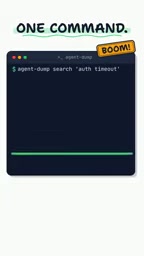
URI (Uniform Resource Identifier) is a string used to identify the name of an internet resource, commonly in the form of a URL. In the context of local tools, a session URI may point to the unique path or identifier of a session record in local storage, enabling the tool to quickly locate and extract specific session content. When AgentDump returns a session URI, it means it can not only find the relevant session but also provide a precise reference for users to access directly or process further. This is akin to assigning an "ID number" to each session, avoiding confusion amid large amounts of data.
Export Clean Markdown or JSON
Finding the session is only the first step. AgentDump supports exporting results as clean Markdown, convenient for putting into note-taking tools like Obsidian; it can also output JSON directly for the next agent to continue processing.
This design approach is worth noting: it does not try to replace any AI coding tool, but serves as a "unified exit" for session data, allowing historical context to flow between tools.
Markdown is a lightweight markup language that uses simple symbols to represent formatting (such as headings, lists, and code blocks). It is easy to read and write, and widely used for documentation and notes. JSON (JavaScript Object Notation) is a lightweight data interchange format that uses a key-value structure, making it easy for machines to parse and generate. AgentDump's support for exporting Markdown makes it convenient for users to organize session content into highly readable notes (e.g., importing into Obsidian); exporting JSON makes it easy for other programs or AI agents to consume the data directly, enabling automated workflows. These two formats target humans and machines respectively, reflecting the tool's balance between usability and interoperability.
Fully Local, Does Not Touch Source Files
The official emphasis is specifically on "local" and "does not touch source files." For developers concerned about code security and privacy, this lowers the mental burden of trying it out—the tool only reads session records and does not modify project code.
Why Such Tools Are Becoming Important
The shift of AI coding assistants from "one" to "a bunch" is one of the most obvious changes in developer workflows over the past period. Each tool has its own way of storing sessions—some use hidden databases, some use JSON files, and the formats are mutually incompatible.
The result is that valuable debugging context gets fragmented across different tools. AgentDump's value lies not in model capability, but in reaggregating scattered session records into searchable, exportable assets. For developers who use multiple agents simultaneously, this kind of "session infrastructure" may go from optional to essential, much like clipboard managers did back in the day.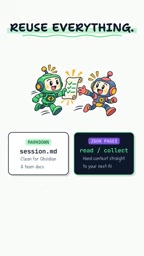
A Calm Observation
It should be noted that current information about AgentDump mainly comes from a single YouTube channel's product introduction, with no independent third-party reviews or large-scale user feedback yet. It claims to support "every coding agent," but the actual coverage and real-world stability still need to be verified by actually installing it.
Additionally, cross-tool search involves reading each agent's local storage, and different tools' storage formats may change with version updates. Long-term maintenance cost is an unavoidable challenge for such tools.
If you are being tormented by "which AI fixed it," AgentDump at least offers an approach: install it first, and with one command, retrieve your scattered AI sessions.
Related articles

A 19-Year-Old's Rental Horror Story: Ceiling Collapse, Bug Infestation, and the Lessons It Taught Me
At 19, my first off-campus rental brought bug infestations, no heat, a collapsed ceiling, and a ruined laptop with no renter's insurance. Here are the hard-won lessons for first-time student renters.

Veda Nurse's Cranial Nerve Exam: Why ASMR Role-Play Is Going Viral
Bilibili creator Veda's cranial nerve exam ASMR video goes viral, blending humor and sensory triggers through nurse role-play. This article analyzes its unique appeal and the audience psychology behind ASMR role-play.

LG Cinebeam AI Review: 120-Inch Giant Screen + 3000 Lumens, a New Choice for the Living Room Theater
LG Cinebeam AI projector review: 3000 ANSI lumens, 4K, 100 inches from about 8 cm and 120 inches from about 18 cm. Built-in webOS, AI Concierge voice recommendations, AI Sound Pro 11.1.2 virtual surround, and Game Optimizer—positioned for fixed living room installation, complementing the portable Cinebeam S.