AI Automatically Learns Viral Video Styles: Feed It a Few Samples to One-Click Replicate Similar Content

Feed a few viral videos to AI and it auto-learns their style to one-click replicate similar content.
A new AI approach shifts from template replication to style learning: feed 3-5 viral videos and the AI decomposes their structure, rhythm, and creative points into a reusable custom Skill. With 20+ built-in vertical skills and a product-image-to-video workflow, it dramatically lowers the barrier for content creators.
From "I Want to Make That Too" to "One-Click Execution"
When scrolling through short videos, many people hear two voices in their head at the same time: one marvels "this is incredible," while the other quietly says "I want to make something like this too, but it's too hard." Content creators know this dilemma especially well—writing scripts, adjusting visuals, adding music, tuning the pacing. You can spend an entire afternoon on it, and the final result still often falls short.
Now, a new creative approach is changing this workflow: instead of building from scratch, you "feed" 3-5 viral videos you like to the AI, let it actively learn the production logic behind these videos, and then generate content in the same style based on your own materials.
Behind this lies a key capability leap for AI—from "template replication" to "style learning." The technical foundation for this leap is the coordinated maturation of multimodal large models and video understanding technology. Computer Vision (CV) analyzes composition, color, and shot transitions; Natural Language Processing (NLP) understands subtitles, voiceovers, and script pacing; and temporal modeling captures the motion logic between frames and the editing rhythm patterns. Only when these three work together can AI truly "read" the inner structure of a video, rather than merely memorizing surface-level pixels.
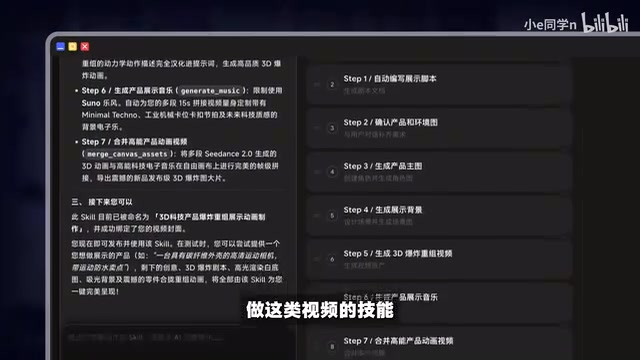
How AI "Learns to Copy a Style"
Not Replication, but Decomposition
Most traditional AI video tools follow the "template" route: throw in a material, apply a fixed template to replicate it once, and you're done. The core difference with this tool is that it doesn't simply copy—it actively decomposes.
When you drag a few videos of similar style into the tool, the AI automatically breaks down and analyzes the structure, rhythm, and creative points of these videos, extracting the unique expressive logic of that style, and ultimately generates a "Skill" dedicated to producing content in that style.

There's a key detail here: the sample materials fed to the AI must be videos of the same style. Only with a consistent style can the AI accurately capture common features and precisely extract the "unique points." If the materials mix different styles, the generated Skill loses focus and the results deteriorate significantly.
Build Once, Reuse Long-Term
The generated Skill is not a black box—users can manually adjust every process step within it. In terms of engineering implementation, a Skill is essentially a structured workflow composed of prompt templates, parameter configurations, and post-processing rules. The sample videos fed by users are converted into style vectors or style descriptors, stored in the Skill's configuration file. Each time it's invoked, the AI uses these descriptors as conditional constraints to guide the generative model to anchor to the target region within the style space. This design philosophy is similar to the concept of LoRA fine-tuning (Low-Rank Adaptation): instead of changing the underlying large model weights, it uses a lightweight style constraint layer for directed output, balancing generality and personalization.
More importantly, this workflow has long-term reuse value—once built, the same type of product video can be continuously applied without starting over each time.

For creators who need to frequently produce similar content, this "build once, use for a long time" model essentially solidifies repetitive creative labor into a readily callable asset.
The Actual Workflow: From Product Images to Finished Videos
Take a common product showcase video for content creators as an example. The entire creative process is greatly simplified:
- Create a Skill: Find a few viral videos of similar style, drag them into the tool, and select "Create Skill"
- AI Decomposition and Analysis: The system automatically analyzes the video structure, rhythm, and creative points to generate a dedicated Skill
- Upload Materials: Enter the generation interface, select the corresponding Skill, and upload your own product images
- One-Click Generation: The AI continues that style and automatically produces creative videos based on the product images
In the past, shooting products required tedious set design, lighting, and multiple takes. Now you only need to upload a single product image to quickly produce a finished video. As the author says, this is basically "build once, then reap daily."
20+ Ready-Made Skills, Covering Multiple Verticals
Beyond supporting custom skills, this tool also comes with more than 20 ready-made Skills, covering multiple vertical fields such as industry categories, content creation, storytelling, advertising and marketing, gaming, and beauty product design.

The most practical aspect of these ready-made skills is that they've already pre-packaged and fine-tuned the creative workflows for each vertical.
Take FPV aerial photography style as an example—it's worth specifically explaining how high the technical barrier is. FPV (First Person View) aerial photography uses cameras mounted on racing drones, producing footage with highly impactful camera movements such as high-speed dives, ground-hugging flight, and spiral orbiting shots. The production chain for professional FPV content is extremely long—pilots need to be licensed and master flight control techniques, post-production requires professional color grading and multi-axis stabilization based on Log-format raw footage, and the music needs precise beat-matching. "Pre-loading" this complete professional knowledge system into a Skill means the AI has simultaneously internalized three layers of logic: camera language, editing rhythm, and visual style. Users only need to select the corresponding skill, upload a product image, click send, wait a moment, and a stylistically on-point FPV aerial video is automatically generated—all without any aerial photography knowledge or professional editing skills.
What These AI Video Tools Mean
Another Lowering of the Creative Barrier
From this case, we can see that the capabilities of AI video tools are evolving from "generating a single clip" to "understanding and replicating an entire creative methodology." What it lowers is not just the operational barrier, but more importantly the barrier of aesthetics and professional technique—ordinary creators can now borrow the camera language and rhythm design distilled in viral videos.
The Value and Limitations of Style Extraction
A detail worth noting: the effectiveness of these tools heavily depends on the quality and consistency of the input materials. The AI extracts the "common style," so the more precise and consistent the samples fed in, the better the output. Conversely, if a creator lacks the judgment to know "what constitutes a good style," the AI can't help you choose truly worthwhile directions to replicate.
The tool replaces the execution phase, but aesthetic judgment and topic-selection ability still rest in human hands. This is especially worth noting in the broader context of generative AI's popularization: OpenAI founder Sam Altman once proposed that the scarcest ability in the future is not execution, but "knowing what to ask for." In the field of video creation, this corresponds to the perception of viral patterns, the judgment of target audience aesthetic trends, and the discernment for "which video is worth replicating." When execution costs approach zero, topic selection and style judgment become the decisive variables in content output quality—creators with high aesthetic judgment will gain greater leverage. This may well be the new core dividing line among creators after AI creative tools become widespread.
Summary
From "I want to make that too" to "one-click execution," what stands in between is no longer a tedious wall of skills, but simply an AI tool that can decompose styles and reuse workflows. For content creators, this is both a liberation of efficiency and an opportunity to rethink "what humans should do and what AI should do." When execution is automated, what's truly scarce is the discernment that decides "what to copy."
Key Takeaways
Related articles

CSS Anchor Positioning: A New UI Positioning Approach Without JavaScript
A deep dive into CSS Anchor Positioning: from anchor-name and position-anchor to the anchor() function, position-area shorthand, position-try-fallbacks, anchor-size, and upcoming anchor queries.

New AI Chart Interaction: Continuous Follow-up Questions and Visualization in Conversation
Explore a new AI interaction method for continuously generating charts in conversation. Use the /visualize command to ask follow-up questions and visualize answers in the same chat window, improving data analysis efficiency.

Cursor Merges Into X Subscription: Paid Plans Share Unified Usage Pool, Grok Model Coding Usage Doubled
Cursor joins The X Subscription with a unified usage pool and doubled Grok coding quota. Third-party models shift to API pricing. Existing users can keep or migrate plans.