AI Coding Assistants Keep Making the Same Mistakes? TokenEconomizer Lets Experience Carry Across Sessions
TokenEconomizer carries experience across sessions, trims tools, and detects stuck loops—cutting AI coding costs 18.4%–30.9%.
TokenEconomizer, developed by Berkeley, Microsoft Research, and Microsoft Security, tackles repeated trial-and-error from session isolation in AI coding assistants. It passively records assistant operations, distills project-specific experience once evidence is sufficient, and injects it into later sessions; it also tracks never-used tools to reduce token overhead and detects when the assistant is stuck on the same error. In official tests across 277 fix tasks in 6 repositories with 5 assistant-model combinations, average costs fell 18.4%–30.9% with stable success rates. Experience recording is off by default and consumes model quota.
Why AI Coding Assistants Keep Stumbling on the Same Problems
If you regularly use AI coding assistants like Codex or Claude Code, this scenario probably feels familiar: yesterday you just taught it how to run the project's tests, and today you open a new session and it's back to hunting around for the command, throwing an error, trying a different approach, and finally getting it to work—only to potentially repeat the whole detour again next time.
The problem is session isolation. Most coding assistants don't automatically inherit experience from a previous session; all the exploration vanishes when the conversation ends. TokenEconomizer, jointly developed by UC Berkeley, Microsoft Research, and the Microsoft Security team, targets exactly this waste. The project has over 7,000 stars on GitHub, with integration options for Codex, Claude Code, GitHub Copilot CLI, and Pi. Its approach is straightforward: passively record what your coding assistant does, distill recurring situations into experience, and feed that into subsequent sessions.
Session isolation is the default design in most current AI coding assistant architectures. Each new conversation starts the model from scratch, inheriting no context, tool call results, or environment configuration from prior interactions. The original intent is to ensure session independence and reproducibility, preventing early error information from contaminating subsequent tasks. But it also means the project-specific commands, test paths, or dependency versions the assistant figured out yesterday must be rediscovered through trial and error today. TokenEconomizer's core idea is to add a persistent experience storage layer on top of the session-isolation architecture, so the assistant can read accumulated operational patterns at the start of each new session instead of walking the same detour again.
Experience Accumulation: Wait for Enough Evidence Before Concluding
Take running tests as an example. There may be more than one Python installed on the machine; the assistant runs the tests directly and gets a "test tool not found" error. Later it switches to the project's bundled Python and the tests pass. If this pattern recurs across multiple tasks, the plugin has an opportunity to record an experience: "This project needs the specified Python to run tests." Next time it starts working, the assistant sees this note first and skips the earlier detour.
According to a local demo by a Bilibili creator, when running the official test samples, the first few rounds produced no output prompt, and only on the fourth round did the program generate this experience. This delayed judgment is deliberate: a command that fails once occasionally may just be an environment issue at the time, and immediately writing it as a long-term rule could easily mislead subsequent tasks. If contradictory records appear later, the old experience is re-evaluated and removed when conditions warrant.
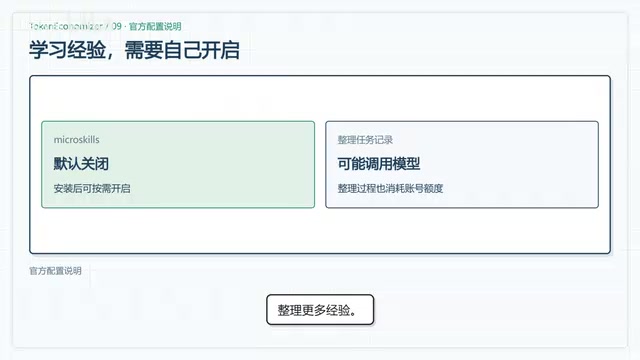
There's an easily overlooked setting after installation—the experience-recording feature is off by default and must be enabled manually. Because it calls the model to read recent task records and distill more experience, and this distillation step also consumes quota, the author left the switch to the user. According to the video demo, this switch is located in the configuration options and must be actively turned on.
This plugin doesn't conflict with handwritten project documentation. Test methods and directory conventions you already know are more efficiently written directly into documentation; the plugin continues to observe actual work records and supplements experience from recurring situations. There's no need to deliberately let the assistant make mistakes to teach it things you've already written down clearly.
Tool Trimming: Cutting Abilities Never Touched
When you connect terminals, files, browsers, and various extensions to an AI, the model's requests often carry usage instructions for these tools too. Some tools aren't needed at all this time, yet their descriptions are still sent along with the request, becoming hidden token overhead.
TokenEconomizer tracks which tools have been used in the project and which have never been touched. Once there's enough record, it reduces the tools loaded in subsequent sessions in the way the coding assistant supports. Different assistants allow different ranges of adjustment—for Codex, for example, the project documentation lists some capability packages such as sub-assistants, goal management, and image capabilities; web access and asking the user questions won't be turned off together. Capabilities that have been used are retained, and removed ones can be restored.
So whether tool trimming helps depends on what your assistant originally loads. If it only has a few common tools to begin with, the space saved here is naturally limited. According to the video author's reminder, confirm what capabilities your assistant loads by default before evaluating the effect.
In tool-calling systems based on large language models, each model request contains two parts: the conversation context and the list of available tool definitions. Each tool definition typically includes metadata such as name, description, and parameter schema, and this content is counted as part of the prompt's token consumption. When an assistant connects to multiple tool categories like terminal, file system, browser, and code search, the tool definitions alone can occupy a considerable context window. TokenEconomizer's tool-trimming logic identifies tools that have never been invoked in the project's history and reduces their definition loading in subsequent sessions, directly lowering the input token count per request. This mechanism is especially meaningful for models with tight context windows, since the freed space can be reserved for actual task content.
Stuck Detection: Don't Let the AI Spin on the Same Error
Another kind of waste is more familiar: the AI runs a command, gets an error, changes two lines, runs again, and it's the same error. You watch it busy for a dozen rounds while the problem never changes.
The plugin observes these records. When signs of repeated failure appear, it has a model judge whether the assistant is stuck or investigating new clues. Once stuck is confirmed, it gives a brief hint suggesting another approach. It doesn't chime in on every error—fixing code naturally involves errors, and sometimes several consecutive attempts are ruling out different causes. The judgment model also consumes quota, and intervening too frequently increases overhead instead.
After the hint, if the assistant is still spinning in place, the plugin reminds the user but doesn't forcibly end the task itself. This sense of proportion matters: the tool provides hints, but the decision remains in your hands.
Official Experiment Data: Average Cost Reduced by 18.4% to 30.9%
How much do these actions actually save? The official team ran a set of consecutive-task experiments: selecting 277 fix tasks across 6 code repositories and testing with 5 coding assistant and model combinations. Each repository started with no historical experience and processed subsequent tasks in order.
The results showed average cost reductions of 18.4% to 30.9%, with the plugin's own model calls already included in the statistics. Task success rates remained stable overall—rising in 4 of the 5 combinations and slightly declining in 1.

This result should be read in context. Earlier tasks may be more expensive because the plugin is still accumulating records and distilling experience; in the official experiment, the cumulative cost for each repository was lower than the default approach by the 6th task. This figure describes their experiment and shouldn't be understood as meaning every project will break even by the 6th use. According to the video author, what was run locally was a mechanism sample, not a reproduction of this cost evaluation.
Installation and Usage Notes
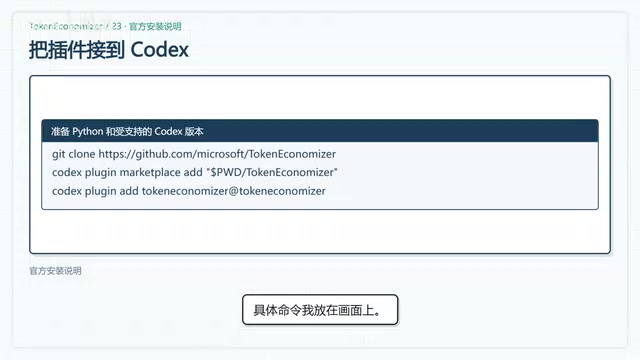
To connect it to Codex, you need Python and a supported Codex version ready. Download the project, add the plugin source, and install the plugin. On first launch, check and trust the hooks the plugin needs to run—small programs triggered at moments like session start and tool execution. After approving, exit and open a new session to let it start working.
After installation you can check the status to see what experience it has accumulated and which tools it has adjusted; these checks can also run directly in the terminal without having the model do it every time. The plugin doesn't require separate model API keys—when it needs the model to help distill or judge, it calls through your existing coding assistant, using the original account or interface, with quota counted there as well. Experience, project addresses, and configuration are all stored locally.
Hooks are the key mechanism for integrating the plugin with the coding assistant's lifecycle. In assistants like Codex, hooks allow third-party programs to insert custom logic at specific moments—such as session start, before and after tool execution, and session end. TokenEconomizer uses hooks precisely to passively record the assistant's operation sequences, inject historical experience at session start, and insert hints when stuck is detected. The installation requirement to "trust the hooks" exists because these small programs execute automatically while the assistant runs, with the ability to read session records and modify request content. Users must confirm trust on first launch for the plugin to properly intervene in the workflow.
A Brief Observation
What's noteworthy about TokenEconomizer is that it singles out the wasted effort AI repeatedly performs and handles it separately. It doesn't expect the model to become smart all at once; instead, it acknowledges that the exploration process itself has value—it just shouldn't be paid for repeatedly. Next time you see the assistant busy for a long while, you can check the records: is it advancing the task, or is it searching again for what it found last time?
For developers who work with coding assistants every day, this idea of "externalizing experience" may be more practical than simply switching to a stronger model—after all, remembering lessons is much cheaper than relearning them.
One-line Summary
TokenEconomizer accumulates experience across sessions, trims tools, and detects stuck loops, reducing average AI coding costs by 18.4% to 30.9%.
Paragraph Summary
TokenEconomizer, jointly developed by Berkeley, Microsoft Research, and the Microsoft Security team, aims to solve the repeated trial-and-error caused by AI coding assistant session isolation. It passively records assistant operations, generates project-specific experience once evidence is sufficient, and injects it into subsequent sessions; it also tracks never-used tools and reduces their loading to save token overhead; and it can detect whether the assistant is spinning on the same error and provide timely hints. In official tests with 277 fix tasks across 6 repositories and 5 assistant-model combinations, average costs dropped 18.4% to 30.9% with overall stable success rates. The experience-recording feature is off by default and must be enabled manually, and distilling experience consumes model quota.
Related articles
Why Trump Didn't Deliver on Campaign Promises: A Political Capital Retrospective
A YouTube analysis finds only immigration partially fulfilled among Trump's five campaign principles. This retrospective examines political capital depletion via the SAVE America Act, Epstein Files, and economic failures.

distribution.dev: One Campaign, Multiple Developer Sites
distribution.dev is a developer ad network jointly launched by daily.dev and DEV, enabling one campaign across multiple developer sites with ads adapted to each platform's reading environment.
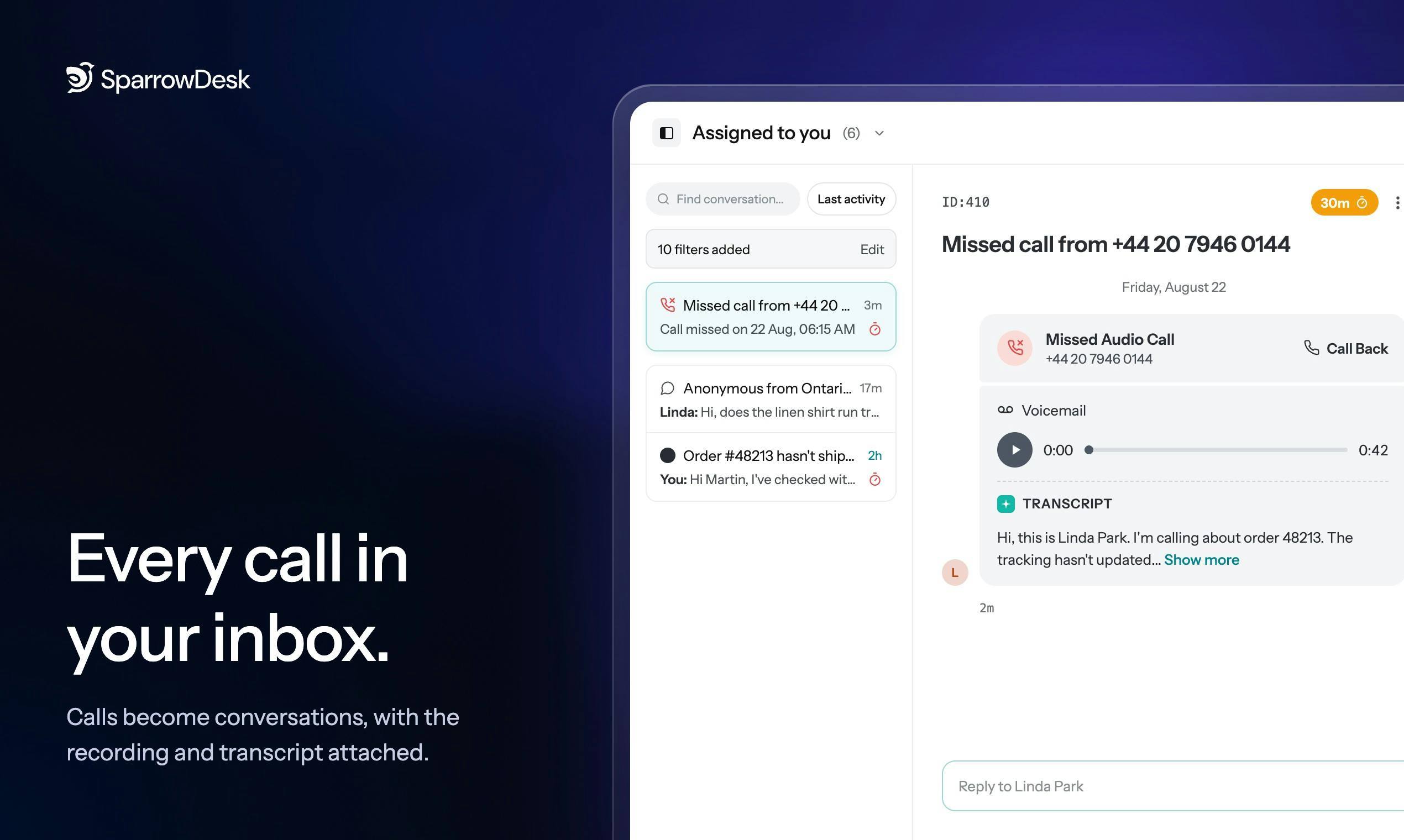
SparrowDesk Puts Phone Support Into an Omnichannel Inbox With Usage-Based Pricing
SparrowDesk launches Phone Calls on Product Hunt, bringing phone support into the same inbox as email, chat, and WhatsApp, with numbers in 51 countries, visual IVR, AI agent routing, call recording and transcription into tickets, and a prepaid Voice Wallet with usage-based pricing that avoids per-seat fees.