ai-coding-guide: A Practical Guide to 66 Claude Code Tips and 9 AI Coding Tools
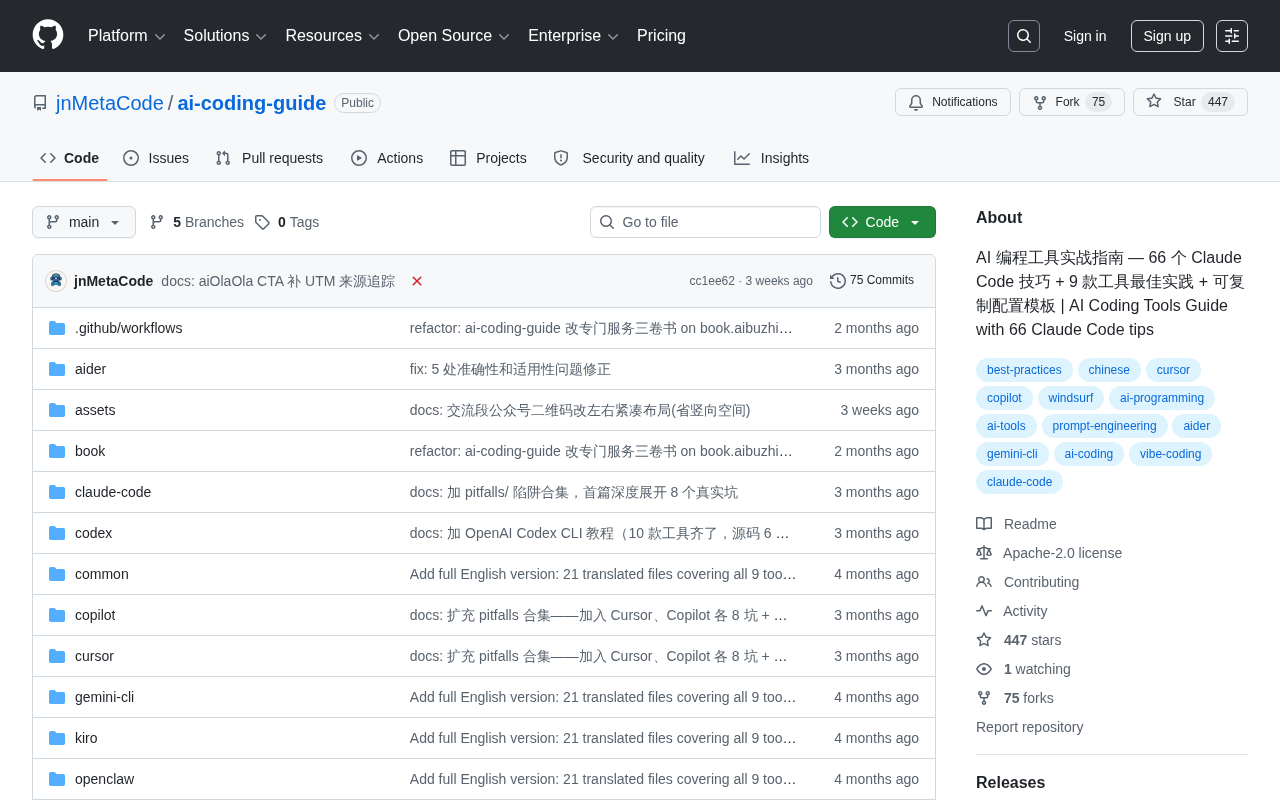
ai-coding-guide systematizes 66 Claude Code tips, 9-tool best practices, and ready-to-use config templates.
The open-source GitHub project ai-coding-guide tackles three key pain points for AI coding tool users — shallow feature usage, unclear tool selection, and high configuration overhead — by compiling 66 advanced Claude Code tips, cross-tool best practices for 9 mainstream tools (including Claude Code, Cursor, GitHub Copilot, and Windsurf), and copy-ready configuration templates. It helps individual developers move beyond beginner usage into context management and workflow automation, while giving technical teams a ready-made starting point for team-wide adoption. Currently in early growth stage with 159 Stars, it's best used as an experience reference rather than a definitive standard.
ai-coding-guide: A Practical Guide to 66 Claude Code Tips and 9 AI Coding Tools
AI coding tools are rapidly transforming how developers work day-to-day — but the more tools there are, the harder it becomes to use them well. The open-source GitHub project jnMetaCode/ai-coding-guide aims to address exactly this problem. It systematizes hands-on experience with Claude Code and other mainstream tools into a practical, ready-to-use handbook. The project has already earned 159 Stars and 32 Forks, and is primarily written in JavaScript.
What This Project Actually Offers
In terms of positioning, ai-coding-guide isn't just another vague "resource collection." It focuses on three concrete areas: 66 Claude Code usage tips, best practices for 9 mainstream AI coding tools, and copy-ready configuration templates.
For developers already using AI coding tools, these three areas map directly onto real pain points: not knowing a tool's hidden capabilities (tips), being unclear about when to use which tool (best practices), and having to figure out configuration from scratch every time (templates). By distilling these lessons, the project fundamentally lowers the learning curve for both individuals and teams.
The Value of 66 Claude Code Tips
Claude Code, Anthropic's command-line coding assistant, is powerful — but it doesn't have a gentle learning curve. Many users stay at the beginner level of "ask it to write some code," never reaching advanced capabilities like context management, project-level configuration, or workflow automation.
The project's claim of 66 tips signals that the author has dug deep into the tool. Tips like these typically cover writing effective prompts, using project configuration files (like CLAUDE.md) to give the assistant context about your codebase, and structuring multi-step tasks. For developers, this kind of knowledge usually takes a long time and many mistakes to accumulate — a well-organized checklist can significantly shorten that exploration cycle.

CLAUDE.md is Claude Code's project-level configuration file. When placed in the root of your repository, Claude Code automatically reads it at the start of every session, treating its contents as persistent system context. Developers can use it to declare the tech stack, coding standards, directory structure conventions, commonly used commands, and even team-specific business rules. It's essentially a "project briefing" for your AI assistant — eliminating the need to re-explain background information at the start of every conversation. Properly leveraging CLAUDE.md is the key step in upgrading from "occasional use" to "deep integration," and it forms the foundation for many advanced tips.
Why a Side-by-Side Comparison of 9 Tools Matters
The AI coding tool market is already crowded, with Claude Code, Cursor, GitHub Copilot, Windsurf, and others each carving out their own niches. The real challenge developers face isn't a lack of options — it's having too many options without knowing which one to pick.
The project's coverage of best practices across 9 tools is valuable precisely because of its cross-tool perspective. Rather than treating each tool in isolation, it helps readers understand which tool is best suited for different scenarios — rapid prototyping, large-scale refactoring, code review, and so on. This comparative thinking is especially useful for teams making tooling decisions, helping them avoid the "when all you have is a hammer, everything looks like a nail" trap.
Today's mainstream AI coding tools have distinctly different strengths: GitHub Copilot is deeply integrated with VS Code and JetBrains IDEs, excelling at line-level and function-level completion suggestions — ideal for speeding up everyday coding. Cursor is a heavily AI-native fork of VS Code that emphasizes multi-file context understanding and codebase-level conversational edits. Windsurf (formerly Codeium) similarly focuses on agentic capabilities within the editor. Claude Code, on the other hand, runs in the terminal and is better suited for engineering workflows that involve large-scale cross-file refactoring, executing shell commands, and integrating with CI/CD pipelines. Understanding each tool's "optimal range" is the prerequisite for making a sound choice.
Copy-Ready Configuration Templates: Lowering the Bar for Adoption
The configuration templates are arguably the most practically valuable part of the entire project. The effectiveness of AI coding tools is highly dependent on configuration quality — a well-crafted project-level config helps the assistant accurately understand your coding standards, directory structure, and team conventions, leading to outputs that are far more aligned with your actual needs.
Offering "copy-ready" templates means users don't have to start from scratch — grab one, make a few tweaks, and you're off. For tech leads looking to roll out AI coding practices across their team, this is a ready-made starting point that can quickly turn individual experience into a team standard.
The principle that "configuration quality determines output quality" has been validated repeatedly in real engineering practice. With Claude Code specifically, configuration goes beyond the CLAUDE.md file to include permission settings (allowing or blocking the tool from running specific commands), custom slash commands (wrapping common operations into reusable instructions), and hook scripts (automatically running checks or formatting before or after specific events). For tools like Cursor, the .cursorrules file plays a similar role. Writing these configurations from scratch requires familiarity with each tool's documentation ecosystem — ready-made templates provide a battle-tested starting point, so teams can tailor rather than build from a blank slate.
How to Think About This Kind of Practical Guide
It's worth being clear-eyed about projects like this: the quality of experience-aggregation resources depends heavily on how deeply the author has practiced with the tools. With 159 Stars, this project is still in its early growth stage with limited community validation. The use of JavaScript as the primary language also suggests it likely includes some companion scripts or example utilities, rather than being purely documentation.
The recommendation: treat it as a reference based on experience, not an authoritative standard. AI coding tools evolve rapidly, and any tips or configurations have a shelf life — you'll still need to validate and adjust based on your own project's context. That said, as a checklist for getting up to speed quickly or filling in gaps in your knowledge, a well-organized resource like this can genuinely save a lot of trial-and-error time.
Summary
The core value of ai-coding-guide lies in systematizing scattered experience. The 66 tips address the "not using it deeply enough" problem. The 9-tool comparison addresses the "can't figure out which one to use" problem. The configuration templates address the "can't get the setup right" problem. For developers and teams currently using or planning to adopt AI coding tools, this is a practical reference worth bookmarking. Interested readers can visit the GitHub repository to explore the full content.
Related articles
 Tech Frontiers
Buoyant Open-Sources Kinference: An Inference Control Plane for vLLM on K8s
Buoyant open-sources Kinference, an inference control plane for vLLM on Kubernetes, with declarative routing, KV-cache-aware load balancing, and per-tenant metrics—claiming 95% lower median TTFT in official benchmarks.
 Tech Frontiers
The Truth Behind Anthropic's 2x R&D Speedup: A Deep Dive into the METR Report
METR's external evaluation shows Anthropic's AI testing progress over the past year roughly equals the prior two years, with R&D accelerating about 2x—and roughly 80% likely from AI assistance. The report also admits key evidence was redacted, the range spans 1.3x to 3x, and Anthropic says it hasn't doubled yet, diverging from METR's judgment.

Sugra MCP: One-Click Access to 200+ Data Sources, Connecting Mainstream AI Applications
Sugra MCP connects mainstream AI apps like Claude, ChatGPT, and Cursor through a unified MCP protocol, offering 200+ data sources and 1,600+ endpoints. Listed in Anthropic, OpenAI, and GitHub directories—integrate with one command.