AI Design Skills: Giving AI Coding Tools a Sense of Design with Markdown

AI Design Skills uses Markdown skill files to inject structured design knowledge into AI coding tools
AI Design Skills is an open-source project that aims to solve the pain point of AI coding tools producing interfaces lacking design sensibility and developers having to repeatedly enter design instructions. It packages design knowledge into self-contained Markdown skill files that take effect when placed into the rules directories of tools such as Claude Code, Cursor, Codex, and Windsurf, enabling design specifications to be written once and reused across tools. Its representative skill, Landing Page Design Skill, guides the AI through four steps—intake questions, page structure, copy, and visual system—and defines fonts, colors, and spacing centrally for global propagation, similar to the design tokens approach. The project has a low deployment barrier: you can drag files into the rules directory or upload them to cloud.ai, though the site redesign skill is in a separate repository.
AI coding tools are getting better and better at writing code, but the interfaces they produce often lack design sensibility. To get AI to generate "good-looking" pages, developers have to repeatedly enter similar design instructions in every conversation—how to choose fonts, how to set spacing, how to unify the color scheme. These trivial rules consume a huge amount of communication overhead. According to a YouTube channel, an open-source project called AI Design Skills is trying to solve this pain point with Markdown files: it packages structured design knowledge into skill packs, so that tools like Claude Code, Cursor, Codex, and Windsurf "come with" design judgment when writing code.
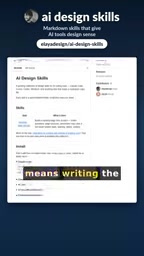
Core Idea: Turning Design Specifications into Reusable Skill Files
The essence of AI Design Skills is a set of Markdown-format skill files, where each skill is a self-contained folder that takes effect simply by placing it into the AI tool's rules directory. This is in line with the "rules file" mechanism currently popular among AI coding tools—through project-level configuration files, the model is made to follow specific constraints when generating code.
Unlike scattered design prompts, these skill files provide structured design knowledge: not a single line like "make the page look nicer," but a decomposition of the design process into executable steps and parameter systems. According to the video, the collection supports Claude Code, Cursor, Codex, and Windsurf, covering the mainstream AI coding environments today.
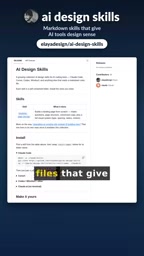
The clever part of this approach is reusability: design specifications only need to be written once, and they take effect in all tools that follow this mechanism, eliminating the hassle of repeated input. For developers who need to frequently produce front-end interfaces, this is equivalent to equipping the AI with an on-call design specification manual.
Rules directory is the conventional project-level configuration location for AI coding tools. In Cursor, for example, rule files are stored in .cursor/rules under the project root; Claude Code uses CLAUDE.md or the .claude directory; Windsurf has .windsurf/rules. The tool automatically reads these files and injects them into the system prompt before each model request, so whatever is placed in them acts as a long-term instruction to the model. This mechanism lets teams manage prompts the same way they manage code, tracking the change history of design specifications through version control.
Landing Page Design Skill: A Complete Workflow from Requirements to Visual System
The most representative item in the collection is the Landing Page Design Skill. Rather than simply listing design rules, it guides the AI through a complete design workflow:
- Intake questions: first clarify the page goal, audience, and content key points through questions, avoiding blind generation by the AI when information is insufficient;
- Page structure: plan the block divisions and information hierarchy;
- Copy: generate text content that matches the page positioning;
- Visual system: define design variables such as fonts, colors, and spacing.
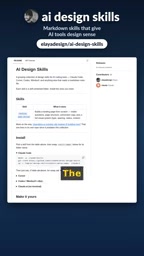
The way the visual system is organized deserves attention: fonts, colors, and spacing are isolated in a single dedicated block, and modifying these variables propagates synchronously across the entire page. This design resembles the design tokens approach in front-end development, decoupling visual decisions from concrete implementation—to change the color scheme, you only need to modify one definition rather than searching and replacing line by line in the generated code.
Design tokens are a foundational concept in the design systems field, referring to the abstraction of visual decisions such as colors, fonts, spacing, corner radius, and shadows into named variables, for example --color-primary and --space-md. Their value lies in establishing a single source of truth: designers modify tokens in Figma, developers reference the same set of variables in code, and both ends stay consistent. AI Design Skills has the model first generate token definitions and then write styles based on the tokens when generating pages, precisely leveraging this idea to avoid hard-coded color values and make skinning, theme switching, and brand adaptation controllable.
Deployment: Drop into the Rules Directory, or Upload Directly
The barrier to use is deliberately kept to a minimum. According to the video, each skill is a self-contained folder, and developers only need to drag it into the rules directory of the tool they use. For users who don't want to fiddle with terminal configuration, there is another path: upload the skill files directly to a project on cloud.ai, where they can likewise be invoked.
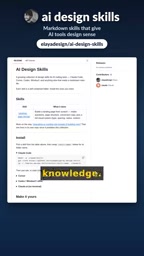
It's worth noting that the video explicitly states that the site redesign skill is stored in a separate repository and is not included in this collection. If the goal is to refactor an existing site rather than create a new landing page, you'll need to look for it separately. Finding the project is straightforward: search for "AI Design Skills" on GitHub.
What Problems Do These Skill Files Solve
From a broader perspective, AI Design Skills reflects an evolutionary direction in the AI coding tool ecosystem: making implicit experience explicit and turning repetitive instructions into assets. Design specifications have long existed in the intuition of senior designers and in team design system documentation, and skill files attempt to translate this knowledge into a format the model can directly consume.
Its limitations are equally obvious. Skill files are essentially engineered packaging of prompts, and their effectiveness depends on how well the underlying model understands and follows the rules; different tools may support rules directories in different ways, and the cross-tool experience may not be entirely consistent. In addition, the project currently focuses mainly on landing page design, with relatively limited coverage, and still has some distance to go before "general design intelligence."
For developers who frequently use AI to generate front-end pages, this is still a starting point worth trying: rather than repeatedly describing design preferences each time, it's better to distill them into a reusable Markdown skill file. The project is open source on GitHub; search for "AI Design Skills" to find it.
Prompt engineering refers to transforming improvised prompts that rely on personal experience into structured, versionable, reusable assets. Unlike prompts in one-off conversations, engineered prompts usually include role settings, input/output specifications, step-by-step workflows, and constraint checklists, and are incorporated into the project repository as files. It solves the problem of prompt maintainability: when the model is upgraded or design preferences change, you only need to modify the file rather than re-explore the conversation. Note, however, that the effectiveness of such assets depends heavily on the model's ability to follow long instructions; when there are too many instructions, rules may be ignored or conflict with one another.
One-line Summary
AI Design Skills injects structured design knowledge into AI coding tools via Markdown skill files
Paragraph Summary
AI Design Skills is an open-source project that aims to solve the pain point of AI coding tools producing interfaces lacking design sensibility and developers having to repeatedly enter design instructions. It packages design knowledge into self-contained Markdown skill files that take effect when placed into the rules directories of tools such as Claude Code, Cursor, Codex, and Windsurf, enabling design specifications to be written once and reused across tools. Its representative skill, Landing Page Design Skill, guides the AI through four steps—intake questions, page structure, copy, and visual system—and defines fonts, colors, and spacing centrally for global propagation, similar to the design tokens approach. The project has a low deployment barrier: you can drag files into the rules directory or upload them to cloud.ai, though the site redesign skill is in a separate repository.
Related articles

The Truth Behind Titanic's Sinking: Key Decisions and Communication Failures in the National Geographic Documentary
National Geographic's The Unsinkable Ship uses survivor testimony to reconstruct Titanic's fatal decisions—from the missing MSG telegram prefix and the broken boiler-room-to-bridge link to how 'unsinkable' thinking delayed damage control and evacuation.

74M-Parameter Open-Source Model Partially Outperforms Jev AI in Testing
Fastino AI's Glider 2.5 models, with just 74M–300M parameters, reportedly outperform Jev AI in some guardrail benchmarks per YouTube testing, run on consumer hardware, and even play Doom. We analyze small models' competitiveness and deployment value on specific tasks.

Gemini 4 Argon Hands-On: Aggressive Pricing, 3D Capabilities Need Coaching
Gemini 4 Argon hands-on: limited-time $2/$10 pricing, million-token output, strong 3D and reverse-engineering work, but weak front-end aesthetics and zero-shot ability need coaching.