@ai-sdk/vue 4.0.164 Patch Release: Stability Fixes for the AI SDK Vue Edition

@ai-sdk/vue releases patch version 4.0.164, aligned with ai@7.0.164, with no breaking changes.
The article centers on the release record for @ai-sdk/vue 4.0.164, noting that it is a patch version automatically published by github-actions with a GPG-verified signature and kept aligned with ai@7.0.164. Following Semantic Versioning conventions, patch updates usually involve only bug fixes, type adjustments, and dependency synchronization without changing the public API, so upgrade risk is low. However, the release notes do not list specific change items, so the details of the fixes cannot be confirmed. The article suggests that Vue developers check the version change in the lockfile before upgrading and verify adapter-layer interaction paths such as streaming responses and tool calls in a test environment. Overall, it emphasizes that the value of small version release records lies not in information density but in being a pulse signal that the ecosystem continues to iterate and that framework packages keep pace with the core package; teams should develop the engineering habit of subscribing to the releases page and regularly aligning versions.
A Low-Key Version Iteration
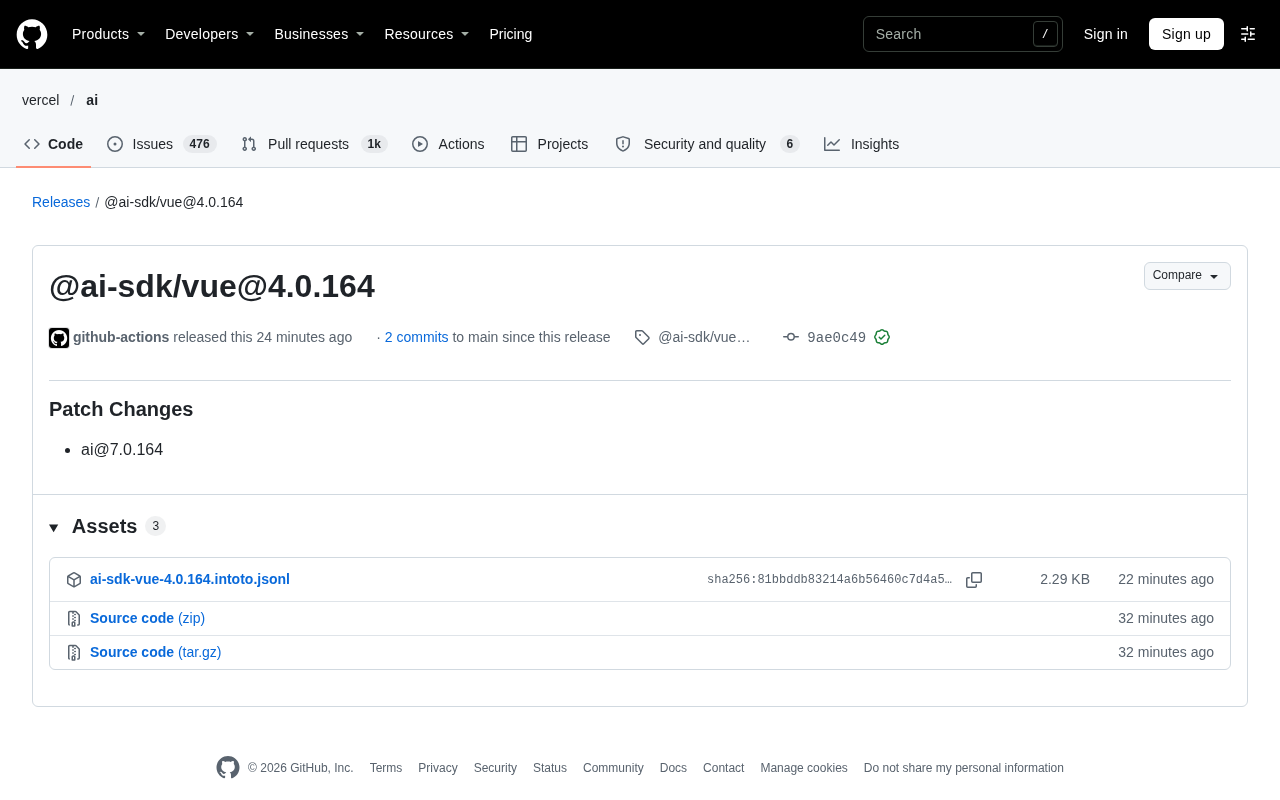
According to the GitHub Releases page, @ai-sdk/vue has released version 4.0.164, a patch-level update. The page shows the release was published by github-actions on November 6 at 19:46, associated with 2 commits, and tagged with commit hash 9ae0c49. For frontend teams building Vue applications with the AI SDK, the significance of such a small version bump often lies not in new features, but in what it fixes.
What a Patch Update Actually Means
Judging from the release notes, this change is explicitly marked as Patch Changes and references ai@7.0.164 as the associated version. Following Semantic Versioning (SemVer) conventions, patch versions typically correspond to bug fixes, type definition adjustments, dependency synchronization, and other changes that do not alter the public API. In other words, upgrading to 4.0.164 should not introduce breaking changes, and users can update with relative confidence.
You may not have noticed that the release notes do not detail the specific changes. This relates to how the AI SDK ecosystem manages versions: the main package ai and the framework adapter packages (such as @ai-sdk/vue) tend to keep their version numbers aligned. Changes to the framework package itself may simply follow the main package's version synchronization, or may include adapter fixes for the Vue binding layer. Based on this release information alone, it is impossible to determine exactly what 4.0.164 fixed.
Semantic Versioning (SemVer) was proposed by Tom Preston-Werner around 2011. It splits a version number into three parts, MAJOR.MINOR.PATCH: a major version change indicates incompatible API modifications, a minor version change indicates new backward-compatible functionality, and a patch number change indicates backward-compatible bug fixes. The core convention of SemVer is that "the version number is the contract"—downstream dependencies can use it to judge upgrade risk without reading the changelog line by line. In practice, this specification has given rise to lockfile range notations like ^ and ~, and has also spawned automation tools such as changesets and semantic-release: they collect change types when PRs are merged and automatically increment the corresponding digit and generate release notes when publishing. The "Patch Changes" label mentioned in the article is exactly the standard classification tag output by such tools.
The Release Mechanism Behind the Version Number
The github-actions and Verified signature information appearing in the release record reveals that the AI SDK's release process is already highly automated. Releases triggered by a CI bot and commits carrying GPG-verified signatures indicate that version output goes through a standardized pipeline rather than manual packaging. This is a positive signal for downstream users: the traceability and consistency of releases are better guaranteed.
At the same time, the "No results found" and loading error prompts on the page are common frontend issues with GitHub Releases pages when comparing tags or loading resources, and do not affect the usability of the version itself. The actual downloadable Assets show 3 items, which is a normal distribution of package artifacts.
GPG signatures and the Verified badge are GitHub's way of vouching for the trustworthiness of a commit's origin. Developers sign commits or tags with a private key, GitHub verifies them with the corresponding public key, and a green "Verified" badge appears once verification passes. In CI automated release scenarios, bots (such as github-actions) typically use organization-managed keys or GitHub's built-in signing mechanism to sign release tags, so that downstream users can confirm that "this package was indeed produced by that repository's pipeline" rather than published under a false identity. For the npm ecosystem, this layer of signing can also work with npm provenance to form a complete chain of evidence from source commit to release, which is an important part of supply chain security practices.
What It Means for Vue Developers
For projects using @ai-sdk/vue, a reasonable approach when a patch update arrives is: first check the version change in the lockfile to confirm that only the patch digit has changed; then run through the interaction paths related to streaming responses and tool calls in a test environment. The Vue binding layer of the AI SDK is mainly responsible for mapping the core SDK's capabilities onto Vue's reactivity system and Composition API. Version synchronization updates typically do not affect existing code structure.
If your project has high stability requirements, you can proceed with the upgrade gradually after confirming the scope of changes. The design intent of patch versions is to reduce the psychological burden of such upgrades—but "patch" does not mean "no verification needed," especially when the framework adapter layer is coupled with the core package; version alignment itself is also a detail worth watching.
The Right Way to View Small Version Information
A release record like 4.0.164 is not particularly dense in information; it is more like a pulse signal of an operating ecosystem: the AI SDK is still iterating continuously, and the Vue adapter package keeps pace with the core package. For teams focused on AI application development, rather than obsessing over the specific items in a single patch, it is better to build the engineering habit of subscribing to the releases page and regularly aligning versions.
One-line Summary
@ai-sdk/vue releases patch version 4.0.164, aligned with ai@7.0.164, with no breaking changes.
Paragraph Summary
The article centers on the release record for @ai-sdk/vue 4.0.164, noting that it is a patch version automatically published by github-actions with a GPG-verified signature and kept aligned with ai@7.0.164. Following Semantic Versioning conventions, patch updates usually involve only bug fixes, type adjustments, and dependency synchronization without changing the public API, so upgrade risk is low. However, the release notes do not list specific change items, so the details of the fixes cannot be confirmed. The article suggests that Vue developers check the version change in the lockfile before upgrading and verify adapter-layer interaction paths such as streaming responses and tool calls in a test environment. Overall, it emphasizes that the value of small version release records lies not in information density but in being a pulse signal that the ecosystem continues to iterate and that framework packages keep pace with the core package; teams should develop the engineering habit of subscribing to the releases page and regularly aligning versions.
Related articles
 Tech Frontiers
Google Omni 1.2 Flash: 15-Second AI Video at Just $0.07 per Second
Google DeepMind releases Gemini Omni 1.2 Flash: 15-second video, 720p at $0.07/sec (30% cheaper), multi-turn editing without regeneration, draft upscaling to 4K.
 Tech Frontiers
No AI Ghostwriting: Writer's Quarter Reinvents Novel Writing with a Visual Workbench
The Writer's Quarter is an AI-free novel writing and planning tool that unifies character building, story planning, and manuscript writing in one visual workbench. This article analyzes its positioning, target users, and differentiated value amid the rise of AI writing tools.
 Tech Frontiers
Fleeep: A Unified Inspiration Collection Notes App for Creatives
Fleeep is a notes app for creatives that unifies screenshots, bookmarks, saved posts, and inspiration into one calm, cross-device, offline-capable space. This article analyzes its positioning, differentiation, and target users.