AI Video Editing in Practice: How to Compress 5 Hours of Rough Cuts Down to 30 Minutes

How two AI editing tools — ChatCat and VSCALE — cut rough-edit time from 5 hours to 30 minutes.
This article compares two AI video editing tools, ChatCat and VSCALE, through real production testing. It covers how VSCALE's LLM-driven transcript annotation and multi-cam speaker diarization compress talking-head rough cuts from five hours to 30 minutes, while ChatCat democratizes AI editing for non-technical editors. Both tools prioritize lossless integration with DaVinci Resolve over one-click automation.
When AI Starts "Drawing Lines" to Edit
Video editing has long been one of the most time-consuming steps in content creation. A finished piece running 25 to 30 minutes can take a professional team an entire week — from importing footage to final delivery. Yet within that week, the portions that actually reflect creative value are surprisingly slim. As one video creator analyzed, roughly 60% of the work is repetitive rough-cut labor.
That pain point has fueled a wave of "AI editing" tools. In this article, we examine two representative products — ChatCat and VSCALE (an intelligent agent focused on talking-head editing) — to explore just how much of the editing pipeline AI can realistically take over, and where its true limits lie.
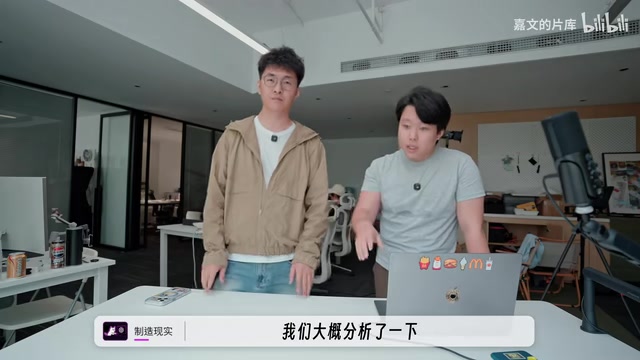
The creator's core finding is blunt: with this intelligent talking-head editing system, rough-cut time can shrink from roughly five hours down to 30 minutes. This isn't a concept demo — it's a real result measured in an actual production environment.
ChatCat: Democratizing Professional AI Editing
The creator's first impression of ChatCat was that it "looks a lot like a Hyperframe wrapper," but more fully featured — effects, transitions, FX plugins all laid out within the interface, feeling like "a hybrid of FinalCut and CapCut."
The product positioning is worth noting. The creator points out that AI editing software like Hyperframe is essentially an intelligent agent, but pure editors without any AI or development background find it genuinely hard to use. ChatCat's approach is to repackage those capabilities — which normally require a degree of computing knowledge — into a general-purpose AI editing tool that "doesn't require much of a technical background to operate."
Current AI editing tools broadly fall into three architectural categories: the "generative" approach (Runway, Pika), which focuses on AI-generated video content; the "transcription-driven" approach (Descript, VSCALE), which uses ASR transcripts as an intermediate layer for semantic editing; and the "computer vision + timeline automation" approach (Adobe Premiere Sensei, Hyperframe), which assists editing decisions through shot detection, face tracking, and other CV capabilities. ChatCat and VSCALE both belong to a hybrid of the second and third categories. Their core value lies in grafting AI capabilities onto existing professional NLE (Non-Linear Editor) workflows, rather than attempting to replace DaVinci Resolve or Premiere. This philosophy of "tool augmentation" rather than "tool replacement" aligns closely with the "rough-cut assistant" positioning described at the end of this article.
A Clever Workaround for Codec Licensing Fees
One easily overlooked but quite critical detail: H.265 encoding requires licensing fees. H.265 (also known as HEVC, High Efficiency Video Coding) is a video compression standard jointly developed by ITU-T and ISO/IEC that reduces file size by roughly 50% compared to H.264 at equivalent quality. However, H.265 patents are held by three major patent pools — HEVC Advance, MPEG LA, and Velos Media — and commercial software that bundles an H.265 encoder must pay licensing fees to these pools, a cost that's quite substantial for smaller developers. This is why some open-source or free tools choose to sidestep H.265 in favor of royalty-free codecs like AV1.
To avoid this cost, ChatCat provides users with timeline project files — you complete your timeline edit within the software, then import it into DaVinci Resolve and choose your preferred codec for export. This design effectively shifts the licensing cost to professional software the user already legitimately owns. It preserves full flexibility in the professional post-production pipeline, and reflects the team's understanding of real production workflows rather than chasing the surface-level appeal of "one-click video generation."
VSCALE: A Vertically Focused Solution for Talking-Head and Multi-Cam Editing
Unlike ChatCat's generalist approach, developer Xuanze's VSCALE takes a deep vertical path. Its original inspiration came from CapCut's interaction design for talking-head editing — "cutting like drawing a line" — which is intuitive and efficient, but too rough for professional workflows and only suitable for basic rough cuts.
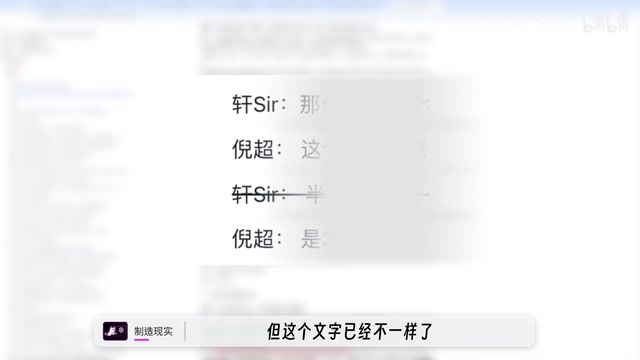
VSCALE's core logic is: AI doesn't cut for you directly — it helps you mark the segments that need to be removed. The system first uses ASR (Automatic Speech Recognition) to generate a verbatim transcript, then a large language model (LLM) performs semantic analysis on the text, understanding the editing meaning behind semi-professional terms like "repetition," "breath pause," and "keep only the last line." It maps these instructions to specific in/out point annotations on the timeline, then reverse-maps text timestamps back to video frames. You can give instructions in natural language — for example, "Keep only the last take of any repeated lines, and cut the breath pauses" — and the model annotates accordingly. After the cut is generated, you review and confirm. The final step is exporting an XML file and importing it into DaVinci Resolve for fine editing. The accuracy of this pipeline directly determines rough-cut quality, which is why the creator emphasizes that human review remains essential — there is still a non-trivial gap between the model's contextual understanding and real-world creative intent.
Multi-Cam Sync Rough Cutting: The Real Efficiency Breakthrough
VSCALE's most competitive upgrade is its multi-cam support. Multi-cam editing is one of the most complex rough-cut scenarios in interview, variety show, and livestream replay production. The traditional workflow requires first completing multi-track audio sync (typically relying on the clap of a slate or audio waveform alignment), then manually judging cut timing segment by segment. The more cameras and guests involved, the more cross-annotation workload grows exponentially.
VSCALE's multi-cam solution combines speaker diarization with timeline sync to automatically annotate "who is speaking." At its core, it embeds two AI capabilities — source separation and speaker identification — into the editing decision pipeline, transforming rough cuts from "watch the footage to find the person" to "read the transcript to find the logic." The creator shared a real-world case: recording seven guests across five camera angles, where the system simultaneously performs sync rough cuts across all five feeds and automatically annotates "who is speaking" in the generated transcript. What was once an arduous multi-cam alignment task became something that "flies by in an hour," with the editor only needing to select the best angle at each moment.
The team's next planned feature is automatic cut switching: the logic being to cut to whichever feed has audio, or cut to the wide shot when all tracks are active. The direction is clear and worth following.
Lossless Workflow: The Core Benchmark for Professional AI Editing
Whether it's ChatCat's project file export or VSCALE's real-time SRT sync to the timeline, both products point to the same consensus: AI editing must integrate into professional workflows without loss.
XML timeline project files (such as FCP XML, FCPXML, or DaVinci Resolve-compatible formats) are universal project exchange formats in non-linear editing. They don't record rendered video — they record metadata instructions: which clip, from which frame to which frame, with which effects applied. This means the original source files are never touched; all edits are non-destructive. VSCALE can output SRT subtitles in real time to the timeline, completing a lossless rough cut with subtitles already embedded. After importing into DaVinci Resolve, the footage remains in its original state — the codec is unchanged, and colorists and VFX artists can still work on full-quality original media without any quality loss from re-encoding (the so-called "transcode generation loss" problem).
This is precisely what sets it apart from many "webcoding" auto-edit tools: those may look flashy, but in practice they often degrade footage quality or break workflow integrity.
The creator admitted that before this, they had seen plenty of automated editing software that "wasn't really that good in practice." ChatCat's usability and stability this time, however, "reached a level that's genuinely workable" — giving them a "refreshing feeling."
The Real Limits of AI Editing: Creative Decisions Still Belong to Humans
Both creators align strongly on one core point: give repetitive labor to AI, keep the creativity for humans.
Their approach: hand over rough cuts, annotation, and multi-cam alignment — the mechanical tasks — to AI, and use the time saved to concentrate on fine editing, packaging, sound design, and cut optimization — the parts that genuinely require creativity. "You only need to think about the parts that need to be created."
AI's limitations are equally real. Take a locally trending joke — "Don't treat our Hangzhou as Shanghai's backyard garden" — which AI simply doesn't know about due to data lag, and even with real-time search, it may not grasp the cultural context and layers of humor. This kind of in-the-moment judgment reveals a structural limitation of current LLMs: training data has a knowledge cutoff, and models lack deep contextual awareness of regional, community-specific internet culture and language. This is precisely where human creators are irreplaceable.
Summary: Two Diverging Paths in the AI Editing Race
This hands-on comparison reveals two clear trajectories forming in the AI editing market:
- The generalist path (ChatCat): Lower the barrier to entry so that editors without an AI background can get up to speed quickly — comparable to Hyperframe but more accessible;
- The vertical path (VSCALE): Go deep on talking-head and multi-cam scenarios, pursue lossless integration with professional workflows, and push efficiency to its limits in specific use cases.
Neither promises the fantasy of "one-click video generation." Both pragmatically position AI as a "rough-cut assistant," returning creative decision-making to the human. This may be the most sensible form AI-assisted video production can take right now — not replacing professional workflows, but doing the subtraction work upstream, so creators can focus their energy on the parts that truly require human judgment.
It's also worth noting that the VSCALE team has mentioned they are building an AI company in Hangzhou and actively recruiting experienced talent — practitioners who are interested may want to keep an eye on their future developments.
Related articles

zCAD AI: Generating Editable Parametric 3D Parts with Natural Language
zCAD AI tops Product Hunt with natural-language generation of editable parametric 3D parts and assemblies, browser CAD editing, and STEP export. We break down its boundaries and use cases.

myPip: Building Monetizable Games with AI Vibe Coding
myPip is an AI game creation tool that generates playable games from natural language descriptions, with built-in in-app purchases and ads for monetization. This article covers its features, use cases, and challenges.

AI Code Documentation Isn't Just Boring Text: The Practice of Visual Interactive Docs
AI-generated code is outpacing static docs. Learn how visual, dynamic, interactive documentation—with Linear/Jira integration and interactive PR review—keeps engineers in sync.