Alt Text Passing Automated Checks ≠ Truly Accessible: The Gap Between Compliance and Usefulness

GitHub shows that alt text passing automated checks doesn't mean it's actually useful — and builds a plugin to close that gap.
A GitHub engineering blog post exposes a widespread blind spot in web accessibility: alt text that passes automated checks isn't necessarily useful to real users. Traditional scanners only verify whether an alt attribute exists, not whether it's semantically accurate — leading teams to mistake "checks passing" for genuine accessibility. GitHub built a dedicated scanner plugin that adds content quality evaluation on top of rule-based checks, identifying alt text that is technically valid but practically useless. This shift from compliance verification to quality assessment is a signal to the entire industry that automated detection is a minimum bar, not a destination.
The Overlooked Accessibility Trap: The "False Pass" Problem with Alt Text
In web development, image alternative text (alt text) is a cornerstone of accessibility. It allows visually impaired users who rely on screen readers to understand the images on a page. Yet a recent engineering blog post from GitHub has shed light on a long-overlooked problem: just because your alt text passes automated checks doesn't mean it's actually useful.
This might seem contradictory — if an automated tool gives it a pass, why would there still be an issue? The answer lies in the fundamental limitations of automated detection. Most accessibility scanning tools can only verify whether alt text exists, not whether it means anything. An image with alt="image" or alt="photo1" will sail through automated checks just fine — yet for the users who actually need it, those strings are completely worthless.

Where Does Automated Detection Draw the Line?
Detecting "Presence" Is Easy; Judging "Quality" Is Hard
Traditional accessibility checkers follow a well-defined ruleset: Does the image have an alt attribute? Is the attribute empty? Does it contain a redundant "image of" prefix? These are all metrics a machine can quantify. But the core value of alt text lies in semantic accuracy — does it genuinely describe the information the image conveys, and does it fit the surrounding context?
This kind of semantic judgment has long required human intervention. Consider a screenshot of a data chart: a good alt text should summarize the trends and conclusions the chart communicates, not just say "a bar chart." This fine-grained quality assessment is precisely the blind spot that pure rule-based engines struggle to reach.
How GitHub's Accessibility Scanner Approaches the Problem
The GitHub team built a dedicated plugin for the GitHub Accessibility Scanner in an attempt to bridge this gap. According to their engineering blog, the plugin's goal goes beyond verifying whether alt text "exists" — it aims to evaluate whether alt text is "truly accessible," meaning whether it provides users with a meaningful description of the image.
This marks an evolution in accessibility tooling from compliance checking to quality assessment. The former ensures you don't break any rules; the latter actually cares about user experience.
From Compliant to Useful: Why This Shift Matters
The Mental Trap of "Passing Checks = Job Done"
Many teams have fallen into the mindset that passing automated accessibility checks means they're done. To keep the accessibility checks green in a CI pipeline, developers might hastily fill in alt text or even use scripts to bulk-generate placeholder strings. This approach is technically "compliant" on paper, but it creates a false sense of accessibility in practice.
GitHub's work here is a reminder to the entire industry: accessibility isn't a checkbox to be mechanically ticked — it's a user-centered design commitment. When we treat alt text as just another item to pass inspection, we've already betrayed the reason it exists.
How the Plugin Works
While the blog post doesn't cover every technical detail, the plugin's positioning suggests it adds a content quality evaluation layer on top of the standard scanner's ruleset. It aims to catch scenarios that are "technically valid but practically useless," such as:
- Hollow descriptions: like
alt="image"oralt="screenshot" - Text that doesn't match the image: irrelevant descriptions copy-pasted from elsewhere
- Decorative images incorrectly given redundant descriptions: purely decorative elements should use an empty alt attribute
The value of tools like this is that they partially automate and scale the kind of judgment that previously required a senior accessibility expert to review manually — allowing more teams to catch problems early in the development process.
Practical Advice for Developers
For engineers and product teams who work with code every day, GitHub's insights offer a few immediately actionable takeaways:
First, don't treat passing automated checks as the finish line. A green result is just the minimum bar. Truly accessible experiences require supplementary human review, especially for images that carry critical information.
Second, write alt text from the user's perspective. Imagine a user who cannot see the image — how would you describe the core message of that image in one sentence? Decorative images can have an empty alt attribute (alt=""), while informational images need precise descriptions of the content they convey.
Third, embrace smarter accessibility tooling. As plugins like GitHub's mature, teams can integrate quality assessment into CI pipelines, creating a complete loop from compliance checking to genuinely useful output.
Closing Thoughts: A Passing Mark Is Just the Starting Point
GitHub's blog post is brief, but it pinpoints a widespread misconception in the accessibility space. Automated detection is a powerful efficiency tool — but its limitations must be clearly understood. When the real goal is "ensuring every user can actually access the content," a tool's passing mark is only the beginning, not the answer.
As accessibility requirements increasingly become both a legal obligation and a moral responsibility worldwide, the leap from "passing checks" to "being genuinely useful" is one every development team deserves to take seriously.
Related articles
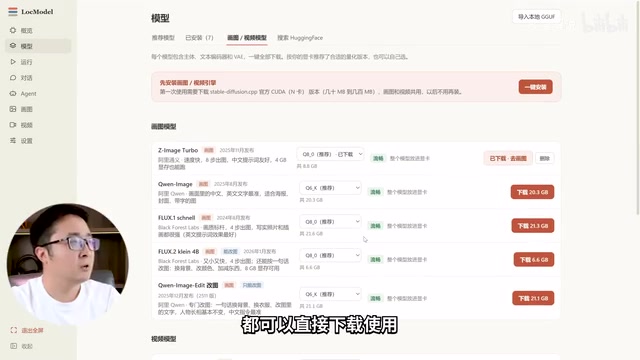
LocModel: The Local AI Deployment Powerhouse — Run Open-Source Models and AI Generation with One Click
LocModel is a local AI deployment tool that auto-adapts to hardware, downloads open-source models with one click, and supports image/video generation, uncensored LLMs, and Agents — completely free.
Antigravity CLI: Free Access to Top Gemini and Claude Models in the Terminal
Antigravity CLI (agy) claims to offer free access to top models like Gemini 3.1 Flash and Claude Sonnet in the VS Code terminal, with installation in seconds. This article breaks down its workflow, the value of in-terminal model calls, and the security and sustainability questions behind the free claim.

Chatbots vs. AI Agents: Key Differences and How to Choose
Chatbot vs. AI agent: how do they differ? We break down the three dimensions—tools, memory, workflow—compare four real scenarios, and offer risk-control advice and selection criteria.