Android Apps Running Natively on macOS: The Technical Ambitions Behind Mac.apk

Mac.apk uses a compatibility-layer approach to let Android apps run natively on macOS, bypassing emulators.
Mac.apk is an open-source project that sparked discussion on Hacker News, aiming to let Android apps run natively on macOS rather than in an emulator or virtualized environment. Its technical route resembles Wine running Windows programs, providing a compatibility layer on the macOS side that the Android runtime needs and translating app calls to system services into corresponding macOS capabilities. The article analyzes three major technical challenges: equivalent implementation of Binder IPC and system services, mapping Android's rendering stack to Metal/Core Animation, and coordinating the two permission sandboxes of Android and macOS. Compared with emulators, Waydroid, and the stalled WSA, it attempts to find a better balance between resource overhead and desktop integration, but early compatibility coverage is limited, and Android apps' lack of willingness to adapt to desktop scenarios is a long-term ceiling.
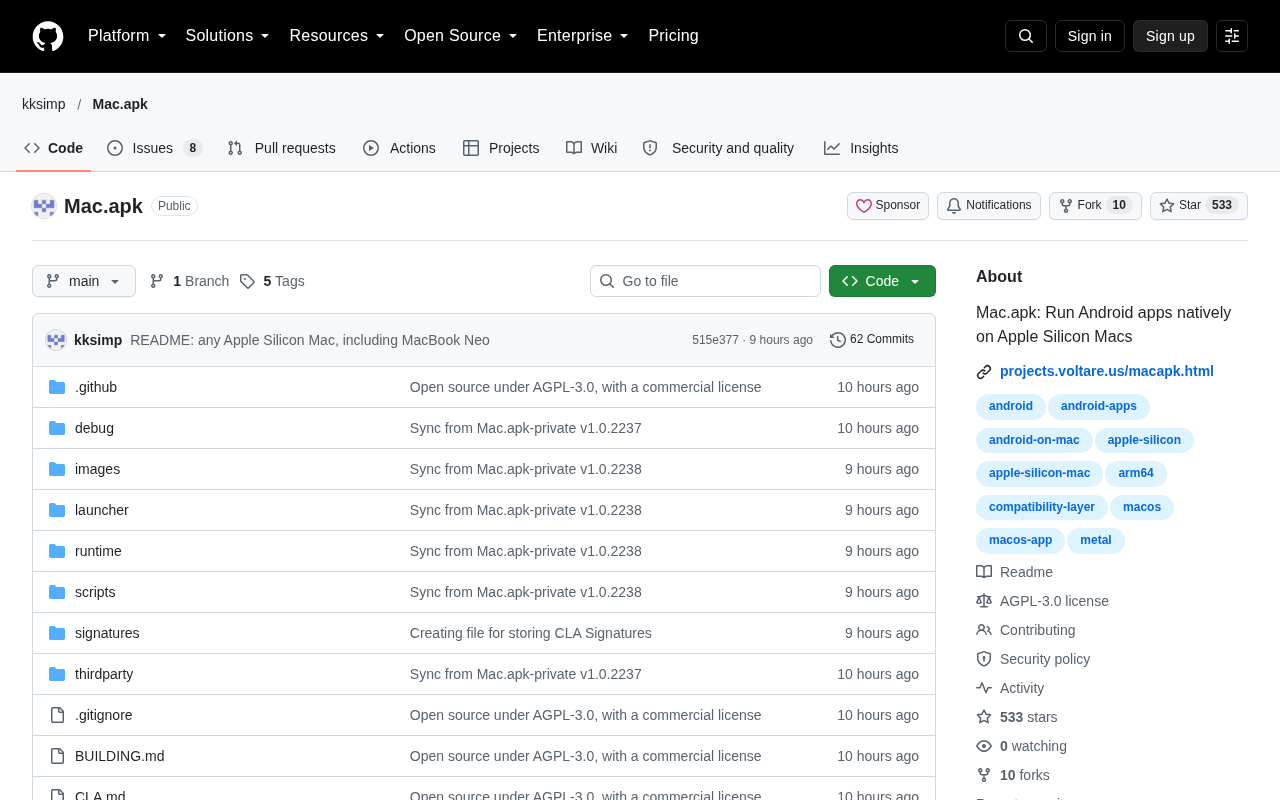
An open-source project called Mac.apk sparked a discussion on Hacker News with 228 points and 107 comments. Its goal can be stated in one sentence: to let Android apps run natively on macOS.
This isn't the first attempt to bridge Android and desktop systems, but the technical path it chooses—rather than a simple emulator wrapper—is worth examining on its own.
Why "native execution" is a different goal
For most people, the way to experience Android on desktop is through emulators: BlueStacks, Genymotion, or the AVD bundled with Android Studio. What these solutions share is that the entire Android system (or most of it) runs virtualized, and apps see a virtual device. The cost is high memory usage, slow startup, and limited integration with the host file system and window management.
Mac.apk points to another path: letting Android apps execute directly on macOS, rather than running inside an emulated Android environment. According to technical details in the project's discussion, its approach is closer to providing a compatibility layer on the macOS side that the Android runtime needs, translating app calls to system services into corresponding macOS capabilities. This is the same engineering approach as Wine running Windows programs and Waydroid running Android in containers on Linux.
The difficulty of this path isn't "getting the program to start," but making it behave like a normal app without the support of a complete Android framework.
The real challenges of a compatibility layer
Binder and system services
Android apps' dependence on the system is far more complex than that of an ordinary binary program. Activity lifecycle, Intent dispatch, ContentProvider, Binder IPC—these form the runtime skeleton of an Android app. When an app calls startActivity or binds to a system service, the compatibility layer must provide behaviorally equivalent implementations.
According to discussions in the Hacker News comments, projects like this most easily hit walls with Binder communication and background services: a foreground UI running doesn't mean the app is usable, and many apps crash within seconds of launching because some system service is missing.
Binder IPC is an Android-specific inter-process communication mechanism through which the vast majority of calls between apps and system services (such as ActivityManager, PackageManager, WindowManager) are made. In native Android, Binder is supported at the low level by the kernel driver binder, and a complete chain is formed by components such as libbinder and servicemanager. The compatibility layer must implement an equivalent IPC channel itself: it must correctly parse and route Binder transactions sent by apps, and ensure that return values from system services match app expectations. Since Binder calls are often synchronous and blocking, and involve handle passing and death notifications, any timing or semantic deviation can directly cause an app to crash—making this the hardest part of the compatibility layer to achieve "behavioral equivalence."
Graphics and rendering
Android's rendering stack (SurfaceFlinger, Hardware Composer, Skia) and macOS's Metal/Core Animation are two completely different abstractions. A native execution solution needs to map Android's graphics calls onto macOS's compositor while ensuring correct behavior in desktop scenarios such as window scaling, multiple displays, and HiDPI. This is the part that emulator solutions handle automatically through a virtual GPU but that a native solution must implement item by item.
SurfaceFlinger is Android's system compositor, responsible for compositing each app's Surface into the final frame; Hardware Composer (HWC) offloads compositing work to the display hardware. On the app side, drawing to a Surface happens through Skia or a GPU driver, and then SurfaceFlinger composites it. macOS's corresponding system is Metal (GPU graphics API) and Core Animation (window compositing and animation). The compatibility layer needs to map Android's Surface/SurfaceFlinger semantics onto macOS's layer tree and Metal rendering pipeline, and handle details such as buffer formats, vertical sync, and frame callbacks. Unlike a virtual GPU, there is no ready-made compatibility layer to use here—every mapping must be implemented by hand.
Permissions and sandboxing
Android's permission model is built on app sandboxing, and macOS has its own sandbox and privacy authorization system (camera, microphone, file access). When the two models overlap, who shows the prompt and who records authorization state requires clear design decisions.
Its place among existing solutions
Placing Mac.apk within the existing spectrum of solutions makes its position clearer:
- Android emulators: full virtualization, best compatibility, highest resource overhead, weakest desktop integration.
- Waydroid (Linux): based on containers and LXC, shares the kernel, performance close to native, but tied to the Linux ecosystem.
- Windows Subsystem for Android: an official solution once provided by Microsoft, no longer being pursued, showing that this path is not commercially easy.
- Mac.apk: aimed at macOS, takes the compatibility-layer route, aiming for a better point between resource overhead and desktop integration than emulators.
Interestingly, WSA's retreat offers a real-world reminder: technical feasibility and product viability are two different things. The Android app ecosystem has always had limited willingness to adapt to desktop, and many apps offer poor experiences on large screens, with keyboard and mouse, and in multi-window scenarios—a ceiling that any Android-on-Desktop solution faces.
Waydroid is a solution for running Android on Linux based on LXC containers: it shares the kernel with the host and directly uses the host's hardware drivers, so performance is close to native, but it requires the host kernel to include necessary Android patches (such as binder, ashmem) and is tied to the Linux ecosystem. Windows Subsystem for Android (WSA) was Microsoft's official solution on Windows 11, based on virtualization and a customized Android Open Source Project, and once supported sideloading APKs, but Microsoft announced in 2024 that it would end support and formally removed it in 2025. The experience of both shows: the container route depends on kernel modifications, the virtualization route depends on long-term investment by the platform vendor, and the compatibility-layer route shifts the burden to continuous maintenance of a user-space translation layer.
Who will use it, and for what
From the direction of the discussion, the appeal is mainly concentrated in several scenarios:
First, users who depend on specific Android apps but whose main machine is a Mac—for example, certain tools, banking, or local service apps available only on mobile. Second, engineers doing Android development on Mac who want a lighter validation environment than an emulator. Third, technical observers interested in cross-system compatibility layers themselves, who care not about "whether it works" but about "how far this path can go."
What needs to be viewed soberly is that early open-source projects like this usually cover only a small number of apps, and the compatibility list will remain in a "partially usable" state for a long time. Before treating it as a daily primary solution, first confirm whether the few apps you depend on are within the supported range.
A judgment
Mac.apk appearing on the Hacker News front page shows that the demand to "run mobile apps natively on desktop" has long existed, while existing solutions have never given a satisfactory answer. Apple's own approach of bringing iPad apps to Mac through the Mac App Store is essentially proactive adaptation by app developers, with limited coverage.
The value of the compatibility-layer route lies in bypassing app developers' cooperation and directly bringing the existing ecosystem over. The cost is endless compatibility maintenance—every Android version update and every vendor's custom ROM difference can turn into new adaptation work.
Whether this project ultimately becomes a practical tool or a technical demo depends on whether it can attract enough contributors early on to build out the compatibility list. For developers interested in system internals and cross-platform technology, now is a good time to read the code.
One-line Summary
Mac.apk uses a compatibility-layer approach to let Android apps run natively on macOS, bypassing emulators.
Paragraph Summary
Mac.apk is an open-source project that sparked discussion on Hacker News, aiming to let Android apps run natively on macOS rather than in an emulator or virtualized environment. Its technical route resembles Wine running Windows programs, providing a compatibility layer on the macOS side that the Android runtime needs and translating app calls to system services into corresponding macOS capabilities. The article analyzes three major technical challenges: equivalent implementation of Binder IPC and system services, mapping Android's rendering stack to Metal/Core Animation, and coordinating the two permission sandboxes of Android and macOS. Compared with emulators, Waydroid, and the stalled WSA, it attempts to find a better balance between resource overhead and desktop integration, but early compatibility coverage is limited, and Android apps' lack of willingness to adapt to desktop scenarios is a long-term ceiling.
Related articles

Amphibious Transforming Drone: Beyond 100x Power Savings, What Are the Real Needs?
Is the amphibious transforming drone just a gimmick? Starting from the 100x power difference of the M4 Morphobot, explore real application scenarios and thesis topic ideas, analyzing boundary conditions where pure drones and pure ground robots both fail.

Warhound Raises $200 Million: Genetically Engineered "War Dogs" Paired with Anduril Gear
Warhound raises $200M, backed by Ben Lamm and Palmer Luckey, to genetically engineer dogs for military and law enforcement use and equip them with Anduril gear. This article analyzes its technology direction, funding logic, and ethical controversy.

Claude API Comes to Google Cloud: IAM Integration and SDK Access Guide
Anthropic hosts the full Claude API on Google Cloud with IAM-controlled permissions and unified billing. This guide covers the Vertex AI and Anthropic-hosted entry points, IAM role configuration, and SDK access.