Android DIY Widgets: Vibe-Coding Your Way to an AI That Reminds You to Catch the Bus

AI lets users generate Android home screen widgets in natural language, validating a pragmatic path for lightweight vibe-coding.
Starting from the everyday need of "reminding me not to miss the bus," the article explores how Android DIY widgets become a lightweight embodiment of vibe-coding. It analyzes how AI-generated widgets work, the challenges of data sources and refresh mechanisms, and the practical limitations and potential value of this low-barrier customization approach.
From "Checking the Bus" to "A Widget": A Daily Need Redefined by AI
Every morning before heading out, I instinctively open my phone, find the transit app, enter the route, and wait for it to refresh—a seemingly simple sequence that becomes especially annoying when I'm in a hurry. The original author puts into words what many people feel: aside from handling calendars, the one thing he most wants AI to help with is reminding him not to miss the bus. And the vehicle for that wish isn't another standalone app—it's a widget on the Android home screen.
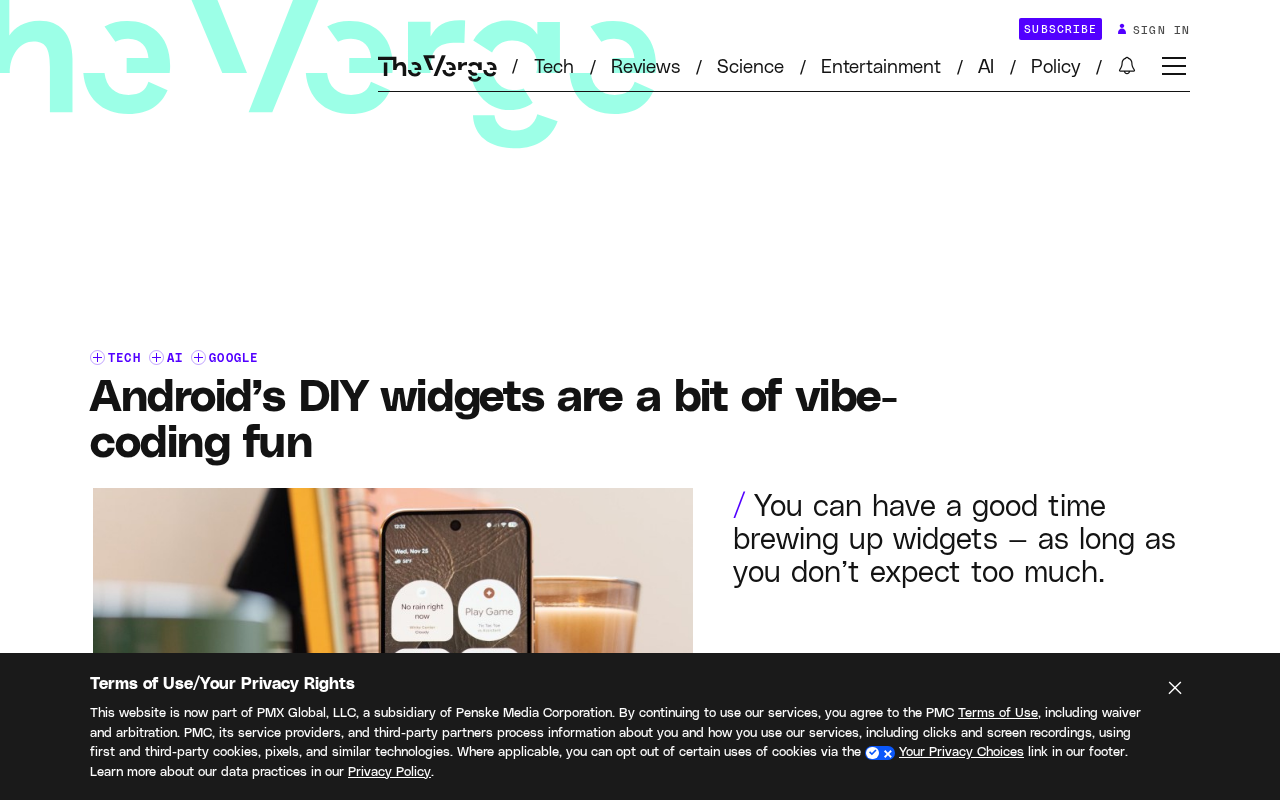
Behind this need lies a product logic: users don't want to "open an app," they just want to "see the information." A widget pushes real-time arrival data straight to the home screen, eliminating navigation and waiting. The rise of "DIY widgets" means this kind of customization no longer depends on developers—ordinary users can "describe" the functionality they want in natural language. This is precisely the lightweight, mobile-side embodiment of "vibe-coding."
What Is "Vibe-Coding"? Why Widgets Became Its Playground
"Vibe-coding" isn't a strict technical term; it describes a feel-driven, low-barrier, conversational programming experience: users don't need to write code, they simply describe the desired outcome in everyday language, and AI generates runnable logic. The original title calls Android DIY widgets "a bit of vibe-coding fun," highlighting the playful, experimental nature of this experience.
Widgets are naturally suited to this model for several reasons:
- Small scope: A bus arrival widget only cares about one route and one stop, making it easier for AI to understand the intent;
- Fast feedback: Changes on the home screen are immediately visible, keeping the cost of trial and error low;
- High fault tolerance: Even if the data display isn't perfect, users can delete or adjust it at any time without serious consequences.
This "small steps, quick iterations" approach to customization turns AI from "helping you write code" into "helping you make decisions"—you just need to clearly state what you want, and the rest is left to the model. According to the original author's experience, the whole process feels more like playing with a configuration tool than developing software.
The Key to a Real-Time Arrival Widget: Where the Data Comes From and How It Updates
For a widget to tell you "the bus arrives in a few minutes," the core challenge isn't the interface—it's the data source and refresh mechanism. The original article doesn't delve into technical details, but the requirements themselves reveal several key points:
Data Acquisition: Public APIs or Web Scraping
Most cities have public interfaces for real-time bus arrival data, or at least make it available on a webpage. AI-generated widget logic typically needs to connect to such data sources. If the API requires a key or has cross-origin restrictions, the DIY process hits its first hurdle—and this is where "vibe-coding" reaches its limits: AI can generate the code framework, but when it can't access the data, human intervention is still needed.
API (Application Programming Interface) is an agreed-upon method of data exchange between different software systems. Real-time bus arrival data is typically provided by city transportation departments or third-party services via REST APIs. Calls require sending requests in the agreed format (e.g., a URL containing route ID and stop ID), and the server returns arrival times in JSON or XML. Many public APIs can be tried without a key but have call limits; commercial APIs require registration for a key and may charge based on usage. Cross-origin restrictions (CORS) are a common obstacle for web-based widgets: browsers, for security reasons, block web pages from making requests to APIs on different domains unless the server explicitly allows it. Native Android widgets aren't subject to browser same-origin policies, but if you use a WebView or web-based approach, you may be blocked by CORS. Web scraping involves programmatically parsing HTML pages to extract data—flexible but fragile: if the page structure changes, the scraping logic breaks.
Balancing Refresh Frequency and Battery Life
Widgets need periodic refreshes to display "real-time" information. Too frequent and they drain the battery; too slow and they lose their purpose. A reasonable approach is to increase refresh frequency only during specific time windows (e.g., around commute times) and lower it the rest of the day. The original article doesn't give specific numbers, but this trade-off is a design decision every DIY widget must confront.
Android widgets aren't persistent processes; their refresh depends on the system's AppWidgetProvider mechanism and background task scheduling. Traditionally, AlarmManager could be used to set timed wake-ups, but after Android 6.0 introduced Doze mode and 8.0 further restricted background services, frequent wake-ups get suppressed by the system. A more modern approach is to use WorkManager to schedule periodic tasks—the system intelligently schedules based on battery level, network status, and user activity, with a minimum interval typically of 15 minutes. If more real-time updates are needed, you can consider foreground services or push-triggered updates, but the former keeps a persistent notification in the status bar, and the latter depends on server-side support. Thus, "real-time" on mobile is often an approximation with a cost—understanding these system constraints is essential to judging whether a DIY widget's refresh strategy is viable.
Exception Handling: What If You Miss a Bus
The original author's core need is "tell me whether I'm about to miss the bus." This means the widget should not only display arrival times but ideally also alert you when time is tight. This kind of conditional trigger logic is exactly where AI-generated code shines—describe in natural language "if the bus arrives within 5 minutes and I haven't left yet, remind me," and the model can translate it into specific conditional statements.
Conditional trigger logic refers to a program continuously monitoring a state and executing an action when preset conditions are met. In the bus scenario, typical logic is: "if the next bus's arrival time is less than the walking time needed to commute, and the current time is within the departure window, then send a reminder." AI models can translate such natural language descriptions into if statements, time comparisons, and notification calls. But note that the widget itself typically only handles display; proactive reminders require notification channels or background tasks—and Android has permission requirements for background notifications (such as notification permission starting from Android 13), which users must grant manually. This means "remind me not to miss the bus" is often implemented as two things: the widget handles "seeing," and notifications handle "waking you up," with both linked by the same AI-generated logic.
The Real Limitations and True Value of DIY Widgets
Calling Android DIY widgets "fun" is accurate, but they're still a ways from being "reliable tools." The original article stays at the level of requirements, without finished screenshots or usage data—which itself says something: these attempts are more exploratory than anything else.
The limitations manifest in three areas: data source stability depends on third-party services; AI-generated logic may need repeated debugging; and widget system permissions and background restrictions vary by manufacturer. In other words, vibe-coding lowers the starting point but doesn't eliminate maintenance costs.
However, its true value isn't in building a perfect bus widget—it's in validating a new interaction paradigm: users express needs in natural language, and AI directly generates usable components at the system level. Today it's a bus arrival reminder; tomorrow it could be package tracking, weather alerts, or any repetitive information query. When this capability is natively supported by platforms, DIY widgets may well become a standard feature on Android home screens.
The original author wanted to use AI to solve a very small problem, but that small problem happens to demonstrate a pragmatic path for AI applications to land—not pursuing an all-encompassing assistant, but building a small tool for a specific scenario that can sit on your home screen.
One-line Summary
AI lets users generate Android home screen widgets in natural language, validating a pragmatic path for lightweight vibe-coding.
Paragraph Summary
Starting from the everyday need of "reminding me not to miss the bus," the article explores how Android DIY widgets become a lightweight embodiment of "vibe-coding." The author points out that what users really want is to "see information" rather than "open an app," and widgets are naturally suited to this. Their small scope, fast feedback, and high fault tolerance mean natural language descriptions alone can generate runnable components. The core challenge of real-time arrivals isn't the interface but data source acquisition (public APIs or web scraping), balancing refresh frequency with battery life, and designing conditional trigger reminders. The article also acknowledges the limitations: data stability depends on third parties, AI-generated logic needs debugging, and system permissions vary by manufacturer. Its true value lies in validating the interaction paradigm of "natural language generating home screen components," rather than any single tool.
Related articles

A 19-Year-Old's Rental Horror Story: Ceiling Collapse, Bug Infestation, and the Lessons It Taught Me
At 19, my first off-campus rental brought bug infestations, no heat, a collapsed ceiling, and a ruined laptop with no renter's insurance. Here are the hard-won lessons for first-time student renters.

Veda Nurse's Cranial Nerve Exam: Why ASMR Role-Play Is Going Viral
Bilibili creator Veda's cranial nerve exam ASMR video goes viral, blending humor and sensory triggers through nurse role-play. This article analyzes its unique appeal and the audience psychology behind ASMR role-play.

LG Cinebeam AI Review: 120-Inch Giant Screen + 3000 Lumens, a New Choice for the Living Room Theater
LG Cinebeam AI projector review: 3000 ANSI lumens, 4K, 100 inches from about 8 cm and 120 inches from about 18 cm. Built-in webOS, AI Concierge voice recommendations, AI Sound Pro 11.1.2 virtual surround, and Game Optimizer—positioned for fixed living room installation, complementing the portable Cinebeam S.