Apple M5 Pro for Local AI Deployment: The Best Balance of Performance and Price

Geekerwan recommends M5 Pro as the sweet spot for local AI inference, citing memory bandwidth and price-to-performance ratio.
Drawing on Geekerwan's analysis, this article explores the best Apple Silicon option for running small-to-mid-sized LLMs like DeepSeek locally. The M5 Pro emerges as the clear winner: it shares the same CPU as the M5 Max, delivers far superior memory bandwidth versus the standard M5, and costs significantly less than the Max. Two key insights stand out — 16GB Unified Memory triggers constant swap and ruins the experience, and LLM inference speed is bottlenecked by memory bandwidth rather than raw compute. The M5 Pro Mac Mini adds a compact, affordable desktop option for local AI inference.
As Apple Silicon continues to evolve, more developers and AI enthusiasts are looking to run large language models locally on their Macs. In a recent Q&A session, Geekerwan gave a clear recommendation to a highly representative question: if you want to deploy small-to-mid-sized models like DeepSeek-V4-Flash on an Apple M5 chip, which one should you choose? The answer is — M5 Pro.
This article draws on Geekerwan's analysis to explore why the M5 Pro strikes the best balance between performance, price, and practicality, and why memory bandwidth is the single most critical factor for local AI inference.
Memory Capacity: Why the 16GB Base Model Falls Short
For anyone looking to run models locally, the first — and most commonly overlooked — hurdle is memory capacity. Geekerwan put it plainly: "Even for small-to-mid-sized models, you really need adequate memory. The 16GB base configuration will genuinely make your life miserable."
This highlights a core reality: model parameters, context cache, and the operating system itself all compete for Unified Memory. Under Apple Silicon's architecture, the GPU and CPU share a single memory pool. This means 16GB can easily become insufficient when loading even a quantized small-to-mid-sized model. Once memory runs out, the system constantly resorts to swap, and inference speed drops off a cliff — the experience becomes genuinely painful.
So before asking "which chip," the first principle of local AI deployment is simple: make sure you have enough memory. This immediately rules out base-tier machines.
Why M5 Pro Is the Best Value for Local AI Inference

Geekerwan's core logic for recommending the M5 Pro is that it sits precisely at the "sweet spot" between performance and price.
Versus the Standard M5: Across-the-Board Superiority
According to Geekerwan's analysis, the M5 Pro's specs are "significantly stronger than the standard M5 in almost every way." One key detail: the M5 Pro uses the same CPU as the top-tier M5 Max, meaning it doesn't fall behind the flagship at the processor level. For AI workflows that frequently call on the CPU for data preprocessing and task scheduling, this is a genuine, tangible advantage.
Versus the M5 Max: A Much More Reasonable Price
While the M5 Max offers greater GPU scale and bandwidth — and may indeed be "pretty impressive" for AI inference — it comes at a steep cost. Geekerwan was direct: the M5 Pro "is priced much more reasonably — it's nothing like the M5 Max."
In other words, the M5 Max represents peak performance, but it doesn't win on value. For the small-to-mid-sized model use case, the M5 Max's extra compute headroom is simply overkill, and the added cost doesn't translate into a proportional improvement in real-world experience. The M5 Pro delivers what the vast majority of local AI inference workloads actually need, at a far more accessible price.
How Much Does GPU Bandwidth Matter for AI Inference Speed?

The M5 Pro isn't without trade-offs. Geekerwan honestly acknowledged that the M5 Pro's GPU bandwidth is "somewhat lower" than the M5 Max, and that GPU scale also has an impact on AI performance.
To understand why this matters, you need to grasp a fundamental principle of local AI inference: the speed of large language model inference is largely bottlenecked by memory bandwidth, not raw compute. Every time the model generates a token, it needs to read the entire set of model weights from memory. Higher bandwidth means faster reads, which means faster token generation.
So yes, the bandwidth gap does affect token generation speed. But for small-to-mid-sized models, the M5 Pro's bandwidth is more than sufficient to deliver a smooth experience, and the difference is unlikely to become a real bottleneck in practice — especially once you factor in the price difference.
Mac Mini M5 Pro: A New Option for Desktop Local AI

One development worth highlighting is that Apple has released a brand-new Mac Mini powered by the M5 Pro. Geekerwan's take: "That's actually pretty great."
This is more significant than it might seem. Previously, getting M5 Pro-level performance typically required buying a MacBook Pro or Mac Studio at a considerably higher price. The Mac Mini, with its compact form factor and relatively accessible pricing, brings the M5 Pro's capabilities into a much wider range of desktop setups.
For anyone looking to build a dedicated "local AI inference box," the M5 Pro Mac Mini is an extremely compelling option — compact, quiet, capable enough, and reasonably priced.
Can the Standard M6 Replace the M5 Pro for AI Models?

When asked about the M6 — which hasn't been fully tested yet — Geekerwan was appropriately cautious: "I'd need to benchmark it before I could say. Haven't tested it yet, so I don't know what the M6 is actually capable of."
That said, based on architectural patterns, Geekerwan concluded that "the M6 is still nowhere close to the M5 Pro — the memory bandwidth gap alone is substantial." This reinforces the central point this article keeps coming back to: in local AI inference, memory bandwidth is one of the decisive factors.
Standard-tier chips — regardless of generation — typically can't match the Pro/Max lineup on memory bandwidth. So even a next-generation M6 standard chip may not outperform the previous-generation M5 Pro for AI inference specifically. This is a reminder that when choosing hardware for AI, you can't just look at the generation number — you need to pay close attention to specs like bandwidth and memory capacity.
Mac Buying Guide for Local AI Deployment
Based on Geekerwan's analysis, here are some clear purchasing recommendations:
- Prioritize memory: Avoid the 16GB base configuration entirely. Local model deployment requires ample Unified Memory.
- M5 Pro is the sweet spot: It shares the same CPU as the M5 Max, vastly outperforms the standard M5, and costs far less than the M5 Max.
- Go top-spec only if you need it: The M5 Max offers stronger performance and higher GPU bandwidth, but it's overkill for small-to-mid-sized models and doesn't win on value.
- Take a close look at the Mac Mini M5 Pro: It offers a compact, cost-effective solution for desktop local AI inference.
- Beware the generation-number trap: A newer standard chip isn't necessarily better than the previous generation's Pro chip. Memory bandwidth is the metric that matters.
For the vast majority of users who want to run small-to-mid-sized models like DeepSeekAd-V4-Flash locally and smoothly, the M5 Pro is genuinely the optimal choice — balancing performance, price, and real-world usability.
Related articles
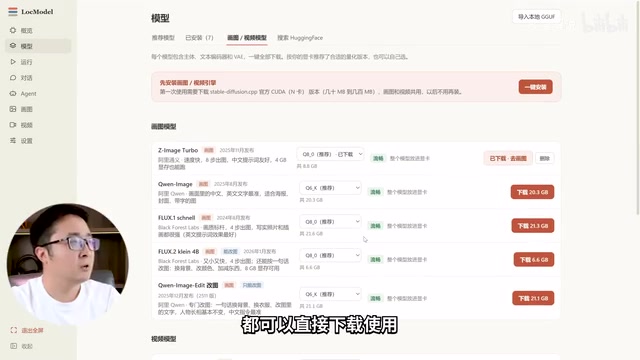
LocModel: The Local AI Deployment Powerhouse — Run Open-Source Models and AI Generation with One Click
LocModel is a local AI deployment tool that auto-adapts to hardware, downloads open-source models with one click, and supports image/video generation, uncensored LLMs, and Agents — completely free.

Antigravity CLI: Free Access to Top Gemini and Claude Models in the Terminal
Antigravity CLI (agy) claims to offer free access to top models like Gemini 3.1 Flash and Claude Sonnet in the VS Code terminal, with installation in seconds. This article breaks down its workflow, the value of in-terminal model calls, and the security and sustainability questions behind the free claim.
Chatbots vs. AI Agents: Key Differences and How to Choose
Chatbot vs. AI agent: how do they differ? We break down the three dimensions—tools, memory, workflow—compare four real scenarios, and offer risk-control advice and selection criteria.