Arazio: The Mac Tool That Converts Files Right Inside Finder with One Gesture
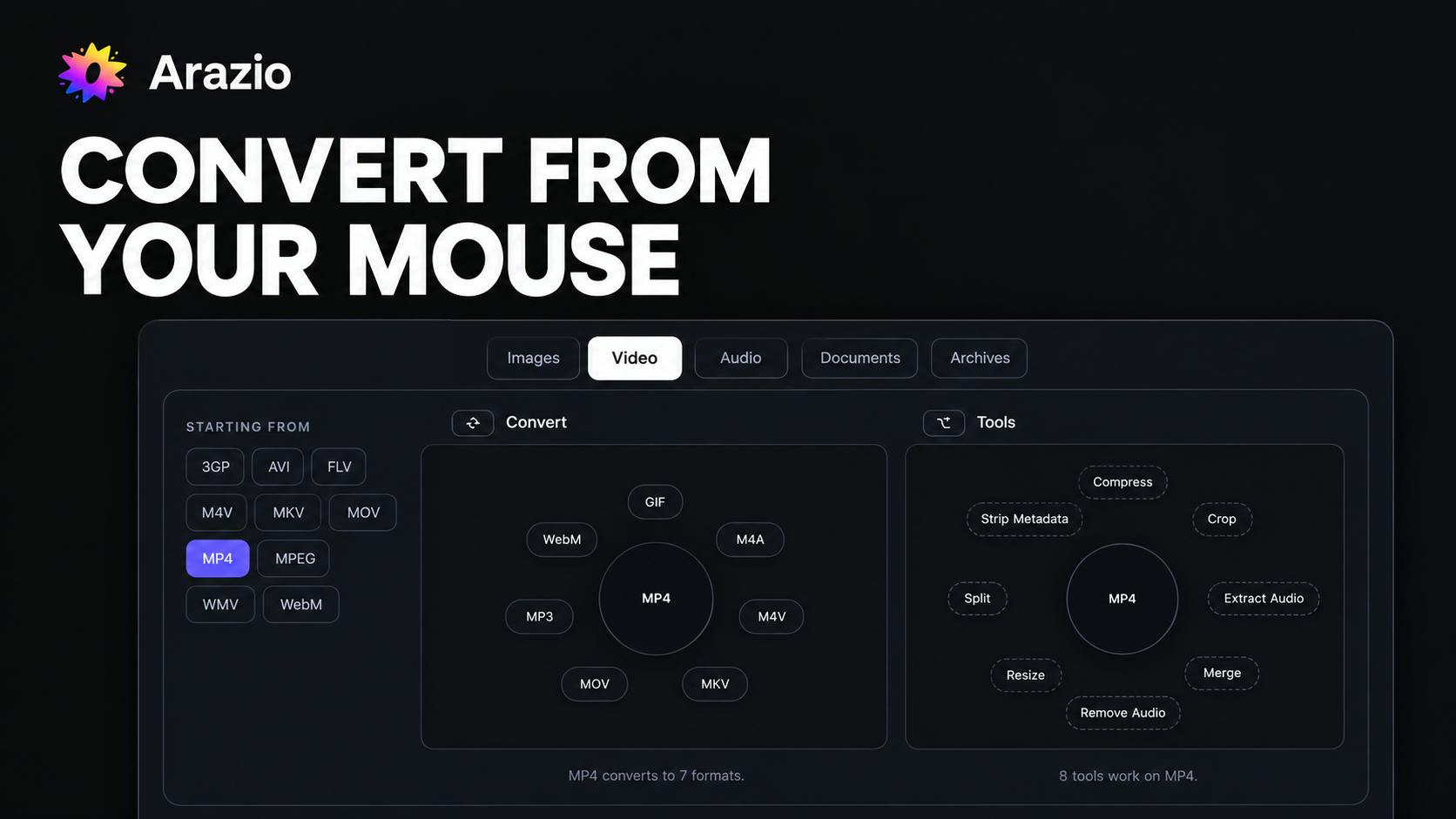
Arazio converts files directly inside Mac Finder with one gesture, fully offline for privacy.
Arazio is a Mac productivity tool that embeds a radial menu into Finder to streamline file format conversion — hold Shift on any file to summon the menu, point to a target format, and the converted file appears instantly beside the original. It supports 283 conversion paths across 43 formats and intelligently filters options to show only valid conversions. All processing happens locally with zero network code, enforced by an automated build test. Built by indie developer Ritesh Sethia, it exemplifies the principle of making tools fit seamlessly into existing user workflows.
File format conversion is a routine task no Mac user can avoid — but traditional conversion tools make it a tedious, multi-step ordeal. A Mac app called Arazio aims to completely reimagine this experience by embedding file conversion directly into Finder, reducing the entire process to a single gesture.
Redefining the File Conversion Workflow
Almost every traditional converter follows the same four-step logic: open the app, import the file, choose the target format, locate the output file. Arazio eliminates all four steps.
Its core interaction is refreshingly intuitive: select a file in Finder, hold the Shift key, and a radial menu floats up around your cursor. The clever part? This menu only shows formats that the current file can actually be converted into — no sifting through a long list of irrelevant options. Release the mouse toward your target format, and the converted file appears right next to the original.
This "convert in place" design compresses what used to require juggling multiple windows into one fluid mouse gesture. For users who frequently work with images, documents, and audio/video formats, the savings go beyond fewer clicks — it eliminates the cognitive cost of constantly switching context.
A radial menu is a UI control that arranges options in a circle centered on the cursor. Compared to traditional dropdown menus, its key advantage is that all options are equidistant from the cursor — users don't need to move the mouse in one fixed direction, resulting in shorter wrist movements and faster selection, which is an efficiency win under Fitts's Law. This design has long been used in games (like the item wheels in The Witcher series) and professional creative tools (like Blender's context menus), but it's relatively rare inside an OS file manager. Arazio integrates it with Finder's native interaction model, keeping the conversion action visually and gesturally seamless — without interrupting the user's file management flow.
Coverage: 283 Conversion Paths and 43 Formats
According to official figures, Arazio supports 283 conversion paths across 43 file formats, powered by 14 integrated tools. That kind of coverage signals an ambition to serve as a universal conversion hub, not just a niche tool for one file type.
Particularly noteworthy is its smart filtering by file type. Traditional converters typically dump every possible format in front of you, leaving users to figure out what's actually compatible. Arazio's radial menu only surfaces valid options for the file at hand — essentially offloading the "format compatibility judgment" to the software itself, which significantly lowers the barrier to use.
Local Processing and Privacy Protection
A significant selling point of Arazio is privacy. The developer explicitly states that all conversions happen locally on the user's Mac — the conversion engine contains zero networking code.
What makes this more credible is the engineering approach behind it: this "no network" guarantee is enforced by an automated test, meaning any network call introduced into the engine code will cause the build to fail outright. Baking a privacy principle directly into the CI/CD pipeline is far more trustworthy than a verbal promise, and reflects a genuine commitment to the local-first philosophy.
For users handling sensitive documents, business materials, or personal files, "your files never leave your machine" is a concrete security guarantee, not just a marketing line.
CI/CD (Continuous Integration/Continuous Delivery) is a software engineering practice where automated pipelines run build, test, and deployment steps on every code commit. By encoding "no network calls" as an automated test rule within the build process, Arazio ensures that every time a developer changes the code, the system automatically checks whether any new network requests have been introduced — and if detected, the entire build is halted and no new version can ship. This approach is known as "encoding constraints," and it's far more auditable than a privacy policy statement: text can be changed at any time, but a build-breaking test is enforced before every release. It's a concrete engineering implementation of what might be called an "auditable privacy commitment."
Product Positioning and Reception
Arazio was built by indie developer Ritesh Sethia and is categorized on Product Hunt under design tools, productivity tools, and menu bar apps. It received solid attention after launch, ranking 18th on its launch day.
In terms of product philosophy, Arazio takes the "small but excellent" indie tool approach — rather than chasing broad feature coverage, it focuses on doing one high-frequency pain point (file conversion) with exceptional smoothness. Tools that embed deeply into native system workflows tend to earn their place among Mac users through differentiated experience rather than feature count.
A Product Design Lesson Worth Taking
Arazio's value lies not just in solving the file conversion hassle, but in demonstrating a broader design principle: instead of making users adapt to the tool, make the tool fit into workflows users already have. Finder is somewhere every Mac user visits daily — embedding conversion capabilities directly there is simply more natural than launching yet another standalone app.
Equally worth noting is its approach to privacy. Turning "no network access" into a hard test that fails the build is an example of using engineering to honor product promises — and as data security becomes ever more important, this kind of approach may well become the standard for local-first tools.
For Mac users who care about an efficient workflow and take data privacy seriously, Arazio is a productivity tool worth watching.
Related articles

LLM Application Development: A High-Paying Career Guide for Ordinary People
LLM application development offers fresh graduates up to 35K/month, with SP offers reaching 600K. This article explains the core skills, how to break in, and how ordinary people can seize AI opportunities through learning by doing.

Say Goodbye to AI Influencer Faces: A Complete Guide to Creating Visual Assets for AI Comic Dramas from Scratch
Bilibili creator shares a full workflow for zero-basics AI comic drama visual assets: use Doubao Work skills with script-first, visual references, and real-person texture to escape AI influencer faces, then lock character and scene consistency with asset sheet layouts, weapon detail images, scene nine-grids, and cinematic color palettes.

The AI Production Pipeline Behind Great Videos: From Research to Agent Validation
AI video production isn't just a model race. This article breaks down a transferable four-step pipeline: researching professional workflows, organizing a skill checklist, configuring agents, and experimental validation—and explains how general-purpose LLMs like DeepSeek can replace paid tools to run the entire process.