Arsaze: Bringing Cursor's Tab Completion to Video Editing

Arsaze ports Cursor's Tab completion logic to video editing, supports deleting transcript words to trim clips, but uploading and exporting require an account.
Arsaze is an AI-native video editor introduced by a YouTube channel. Its core interaction borrows Cursor's Tab completion: after the user manually performs an edit, pressing Tab automatically repeats similar subsequent operations in the same style. It also supports deleting words in the transcript to instantly trim the corresponding video clips, making it suitable for refining speech-centric material such as talking-head videos and interviews. The main limitation is that uploading custom footage and exporting finished videos both require registering an account, so the full workflow cannot be completed anonymously. The review gives a "Keep" verdict, considering that it validates the AI-native editor direction of "demonstration instead of instruction," but it is currently more of an experimental product, and data on Tab repetition accuracy for long footage and high complexity is still lacking.
The interaction paradigm of video editing is being quietly reshaped by design ideas from AI coding tools. A tool called Arsaze, recently introduced on YouTube, attempts to bring the "press Tab to repeat the last action" experience from Cursor into a video editor.
When video editing learns "Tab completion"
According to the YouTube channel, Arsaze is positioned as an "AI-native editor for agents and humans" (Tool number 54). Its core interaction logic mirrors Cursor: the user first performs an edit manually—say, cutting out a segment—then presses Tab, and the editor automatically "repeats forward" similar subsequent operations in the same style.
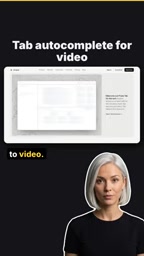
The interesting part of this design is that it shifts the burden of "learning the user's intent" from complex parameter panels to a minimal keyboard shortcut. In traditional editing software, batch-processing similar clips often requires manual box selection or setting up rules; Arsaze lets users define a rule with a single demonstration and execute it by pressing Tab. For creators dealing with large amounts of repetitive editing (such as recurring pauses and filler words in talking-head videos), this can save a lot of mechanical work.
Cursor is an AI coding editor built on VS Code, and its Tab completion feature (often called Tab autocomplete or Copilot++-style completion) not only completes code snippets but also predicts the next edit based on the user's recent editing behavior, shown as a gray preview that is accepted by pressing Tab. The key to this interaction is that the AI implicitly learns intent from the user's continuous operations rather than requiring the user to describe the task in natural language. Arsaze migrating this logic to video editing means the editor needs to record the user's last editing action (such as cut-point selection, deletion duration, transition style) and automatically repeat it after identifying similar patterns on the subsequent timeline. This involves pattern matching on the video timeline structure, which is harder than code completion because the definition of "similarity" in video editing is fuzzier and lacks the strict grammatical structure of code.
Deleting video in reverse from transcripts
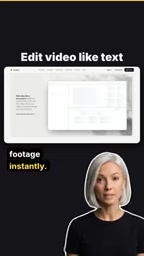
Arsaze's second highlight is directly connecting text editing and video editing. Users can delete words in the video transcript, and the corresponding video clips are instantly trimmed.

This idea is not new—there are already some transcript-based editing tools on the market—but Arsaze puts it together with the Tab completion workflow. This means creators can use the intuition of "editing text" to refine talking-head content instead of repeatedly dragging on the timeline. For speech-centric material such as interviews, tutorials, and podcasts, text-layer operations are often more precise than waveform-layer operations.
Transcript-based video editing typically relies on automatic speech recognition (ASR) to generate a timestamped transcript, where each word or phrase corresponds to start and end timecodes in the video. When a user deletes text in the transcript, the tool locates and trims the corresponding video interval based on word-level timestamps. Representative tools in this category include Descript and Adobe Podcast's text editing features. The technical difficulty lies in timestamp alignment accuracy: word-level timestamps output by ASR may have errors ranging from tens to hundreds of milliseconds, and trimming directly by timecode when deleting a single word can easily clip adjacent speech or leave fragments. Therefore, mature tools usually perform silence detection or waveform analysis near word boundaries to fine-tune cut points. Arsaze combining this capability with the Tab repeat workflow means that after a user deletes words, subsequent similar deletions may also be automatically applied by Tab, which places higher demands on timestamp consistency and the accuracy of repeated operations.
The catch: uploading and exporting require an account
There is a clear limitation in the experience: uploading custom footage or exporting a finished video both require registering an account.
This point deserves separate mention in a tool review. It means you cannot complete a full "import—edit—export" loop in a fully anonymous state; you must first establish an account relationship. For creators who just want to try it out quickly, this constitutes a mild psychological barrier; for users concerned about footage privacy, it also requires additional evaluation.
Browser-based video editors requiring an account to upload or export usually stems from two reasons. The first is resource and cost control: video files are large, and uploading and transcoding consume substantial bandwidth and computing resources, so an account system can be used for rate limiting, abuse prevention, and billing. The second is data persistence and collaboration: accounts bind projects, assets, and export records to users, making it easier to continue editing across devices or share. For users, this means footage must pass through third-party servers, and privacy assessments should focus on the provider's data retention policy, transport encryption (HTTPS), and whether a local processing mode is offered. Some browser editors use WebAssembly and IndexedDB to perform part of the processing locally, but uploading custom footage may still trigger cloud storage. Arsaze's specific data policy is not detailed in the original article, so it is worth checking its privacy terms before trying it.
Verdict: worth trying in the browser
The YouTube channel's judgment is "Keep"—it considers this a clever workflow worth testing in the browser.

This conclusion is appropriately measured. Arsaze currently looks more like an experimental product that validates an interaction direction than a productivity tool ready to replace mature editing software. Its value lies in demonstrating a possibility: perhaps the future of AI editors is not about stacking more auto-generation buttons, but about deepening low-friction interactions like "demonstrate once, repeat with one key."
From an industry perspective, Cursor's Tab completion is recognized because it embeds AI capabilities into users' existing habits rather than requiring them to learn new prompt syntax. Arsaze tries to replicate this logic: editors do not need to tell the AI "please cut out all the pauses"; they just cut once by hand and then press Tab. This paradigm of "demonstration instead of instruction" may be a direction worth watching for AI-native tools going forward.
Of course, a single-source review is not enough to judge Arsaze's stability in real projects, especially whether Tab repetition remains reliable as footage length and complexity increase—there is currently no more data. Treating it as a tool worth bookmarking in the browser and trying on lightweight projects is a more reasonable expectation.
Related articles

Building an AI Agent with Claude Code from Scratch: From Workspace to Cloud Autonomy
No coding required: build an AI Agent in four steps with the Claude Code desktop app—from workspace setup and Agent Designer to Skills, Memory, and cloud autonomy.

No Python Required: How Cursor AI Coding Is Reshaping Automated Testing and Test Development
Test engineers can do automated testing without learning Python? This article examines how Cursor and other AI coding tools empower functional testing, automation scripts, test platform development, and performance tuning, compares the cost and access restrictions of mainstream domestic and foreign tools, and offers capability transformation advice for testers.

Nearly 5,000 Affected! AI Coding Plugin Found with Backdoor, Officials Urgently Remove It
Claude Code's VS Code extension version 2.1.313 was maliciously tampered with, implanting a backdoor for remote login and persistent control, potentially affecting up to 5,000 users. Officials have removed the malicious version; this article details the attack method and cleanup steps.