Awesome-Mac: The 110K-Star GitHub Repository — The Ultimate macOS Software Guide for Developers

A 110K-star GitHub repo offering a curated, categorized list of the best macOS software for all users.
Awesome-mac is a community-maintained GitHub project with over 110K stars that curates hundreds of high-quality macOS applications across categories like development tools, productivity apps, multimedia, and system utilities. It helps users navigate macOS's fragmented software ecosystem, marking entries as open-source, free, or App Store apps, making it an essential setup guide for both new and experienced Mac users.
An Open-Source Project Every Mac User Wishes They'd Found Sooner
Among the vast ocean of open-source projects on GitHub, there's a unique category that contains no code — instead, they're meticulously curated resource lists known as Awesome Lists. The Awesome List is a distinctive cultural phenomenon on GitHub, originating from the "awesome" project created by Sindre Sorhus in 2014. These projects contain no executable code; rather, they maintain theme-based resource indexes in Markdown format. GitHub has even established a dedicated "awesome" tagging system for such projects. A high-quality Awesome List must follow strict contribution guidelines, including uniform entry formatting, link validity checks, and content deduplication. The Star count of these projects typically reflects the activity level of a particular tech community and has become one of the key entry points for developers to discover new tools.
awesome-mac, maintained by Chinese developer jaywcjlove, stands out as one of the finest examples. This project is dedicated to collecting high-quality macOS software and organizing it systematically by category, making it easy for users to find and use.
As of now, the project has accumulated over 110,158 Stars and 8,399 Forks, with daily Star gains reaching 414 — its popularity shows no signs of slowing down. For any Mac user, this list can essentially be called the ultimate "setup guide."

What macOS Software Does awesome-mac Actually Cover?
Unlike resource lists that merely dump links, awesome-mac's value lies in two key aspects: "curation" and "categorization." The project meticulously classifies hundreds of macOS applications by function, covering everything from daily office work to professional development.
It's worth noting that macOS software distribution differs significantly from Windows and Linux. Beyond the official Mac App Store, many excellent applications are distributed through independent developer websites, the Homebrew package manager, the SetApp subscription service, and other channels. While the Mac App Store's sandbox mechanism ensures security, it also restricts the capabilities of certain system-level tools, causing many professional tools to distribute outside the App Store. This fragmented ecosystem makes aggregated resource lists like awesome-mac extremely valuable in practice — they help users discover quality software scattered across different distribution channels.
Comprehensive Mac Software Categories for Every Scenario
The project offers remarkably rich categorization, including:
- Development Tools: Covers code editors, IDEs, terminal enhancements, Git clients, API debugging tools, and more — an essential reference for programmers setting up their Mac development environment.
- Productivity Tools: Includes launchers (such as Alfred and Raycast), window management, clipboard managers, keyboard shortcut enhancements, and more, directly addressing macOS productivity pain points. Alfred and Raycast are two iconic launcher applications on macOS, essentially deep enhancements of the native Spotlight search. Alfred, born in 2010, allows users to create complex automated workflows through its Workflow extension mechanism and has become synonymous with Mac productivity tools. Raycast emerged after 2020 as an upstart, attracting a large developer user base with its more modern UI design and native plugin ecosystem. These launcher applications represent the core philosophy of macOS productivity tools: reducing mouse operations through keyboard-driven interactions, shortening the trigger path for common operations to a single shortcut key plus a few characters of input.
- Multimedia Processing: Audio/video players, image editing, screen recording, format conversion, and other professional software are all covered.
- System Enhancement & Utilities: Disk cleanup, system monitoring, menu bar tools, file management, and more — helping users squeeze every ounce of performance from their Mac.
- Office & Writing: Markdown editors, note-taking apps, PDF processing, mind mapping tools, and more to meet knowledge workers' needs.
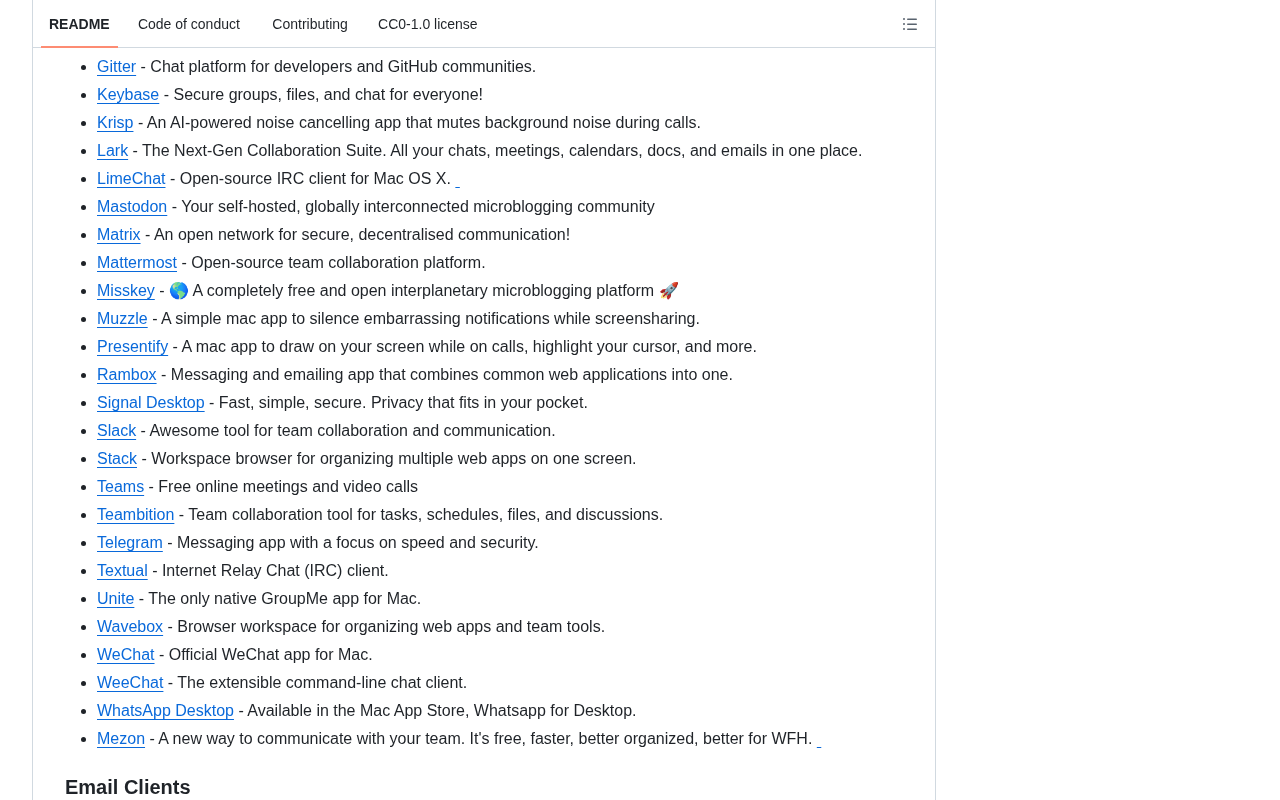
Each entry typically indicates whether the software is open-source, free, or an App Store application, allowing users to quickly assess a software's attributes and how to obtain it at a glance. The open-source labeling in awesome-mac carries different significance for different user groups. For developers, open-source software means they can audit source code to verify security, customize features to their needs, and take over maintenance if a project is abandoned. For regular users, open-source typically means free to use with no privacy tracking risks. The macOS ecosystem boasts numerous excellent open-source projects — such as the terminal emulator iTerm2, the video player IINA, and the package manager Homebrew — whose quality is on par with commercial software and has even become the de facto standard in certain niches.
Why Has awesome-mac Earned 110K Stars and Stayed at the Top?
There's a clear logic behind why a resource list can earn over 110K Stars.
Drastically Reducing the Cost of Mac Software Selection
The macOS ecosystem has many excellent software options, but quality varies widely. Regular users often spend considerable time searching and comparing across forums and blogs. awesome-mac essentially completes this filtering process in one go — users can find high-quality options within any category on a single page, dramatically reducing the cost of information retrieval.
Continuous Maintenance and Community Collaboration
The biggest risk for open-source resource lists is becoming "compiled once, never updated." awesome-mac's advantage lies in its active community contribution mechanism — any user can submit new software recommendations or update broken links via Pull Requests.
A Pull Request (PR) is a core collaboration mechanism in the Git workflow. Contributors first Fork the target repository to their own account, complete modifications on a local branch, then submit a merge request to the original repository. Maintainers can conduct Code Review within the PR, discuss changes, and merge them into the main branch once confirmed. For resource list projects like awesome-mac, the PR mechanism means any user worldwide can recommend newly discovered software, correct erroneous descriptions, or flag delisted applications. This decentralized content update approach allows the project to maintain high-frequency updates at extremely low maintenance costs, while the maintainer's review process ensures content quality isn't diluted.
This crowdsourcing model ensures the list remains timely and comprehensive — it's the core reason why the project continues to gain hundreds of Stars daily.
Structured and Searchable
The project employs a clear directory structure and anchor navigation. Combined with GitHub's in-page search functionality, users can quickly locate the categories they care about. Additionally, the project offers multilingual versions (including Chinese), further lowering the barrier for non-English users.
The Value of awesome-mac for Different Mac Users
For new Mac users: It's a ready-made setup checklist that helps them quickly build a comfortable working environment without costly detours.
For developers: The development tools category is particularly useful, covering mainstream editors, terminal tools, and debugging software — serving as a reference for tech stack selection.
For productivity enthusiasts: The list includes numerous niche power tools that boost productivity, many of which are hidden gems difficult to discover through conventional channels.
Conclusion
The success of awesome-mac fundamentally demonstrates that "information curation" itself is a high-value creative endeavor. In an era of software abundance, helping users subtract and filter is no less valuable than developing a new application. For every user who wants to use macOS more efficiently, bookmarking this project is undoubtedly a worthwhile investment.
Whether you're a newcomer who just got your first Mac or a seasoned power user, it's worth spending time browsing this macOS software list endorsed by over 110,000 people — your next game-changing tool might just be waiting inside.
Related articles

Gaussian Process Bandit Optimization: Exploration Strategies and Inference Regret Guarantees
Cumulative regret guarantees in Bayesian optimization fail to reflect final recommendation quality. This article examines a new study that provides inference regret guarantees for Gaussian process bandit optimization through exploration query strategies and fill distance analysis, validated on hyperparameter optimization and control tasks.

The Most Detailed Codex Guide on Bilibili: From Installation to Real-World Practice
The most detailed Codex guide on Bilibili: from app store installation to daily work mode configuration, with a real coffee shop project demonstrating file organization, data extraction, dashboard creation, and other practical tasks. Learn to use Plan Mode and desktop pets to leverage Codex efficiently.

Appearance Compensation in Volume Rendering: Why RGB Accuracy Cannot Guarantee Density Correctness
Volume rendering research reveals that volumetric data perfectly reproducing external RGB views may still contain density errors: appearance compensation can double central density and keep external rays unchanged even when L2 error exceeds 14.52%. Density recovery depends on appearance capacity, spatial resolution, and measurement design.