Benchmarking Startup Latency of Four Coding Agent CLIs with hyperfine

Measuring four coding Agent CLIs' startup overhead layer by layer with hyperfine to pinpoint first-token latency sources.
The article breaks down the four layers of overhead before a coding Agent CLI outputs its first token: process startup, configuration and memory file loading, MCP server handshake, and model call. The author proposes a reproducible measurement method based on hyperfine 2.0, running three rounds of benchmarks on Claude Code, Codex, GitHub Copilot CLI, and OpenCode: Round 1 uses --version to measure the pure startup floor, Round 2 measures time from a single prompt to a full answer, and Round 3 adds MCP config, AGENTS.md, and a hanging server for stress testing, with stripped-down modes (like --bare, --ignore-user-config) as controls to isolate local overhead. The article stresses that all documented timeout numbers (30s, 1000ms, 5000ms) are caps for broken servers rather than measured values, and real benchmarks must be produced by developers on their own machines. Finally, it converts measurements into daily task time cost, noting that every new worktree re-pays startup and MCP cold-start overhead.
Why Your Coding Agent Always Seems "A Beat Behind"
You type claude -p hello and then stare at the terminal. Three seconds? Five seconds? Half a minute? This wait isn't magic—it's the sum of four stacked layers: process startup, configuration loading, MCP server handshake, and the model call. The problem is that most developers only know "it's a bit slow" but have never measured how much time each layer actually eats.
This article breaks down a reproducible measurement approach: using hyperfine to benchmark the command-line interfaces of four coding Agents—Claude Code, Codex, GitHub Copilot CLI, and OpenCode—peeling back startup overhead layer by layer. Note that the original author explicitly states they did not actually run these commands—the numbers given in the article all come from the timeout limits in official documentation. Meaningful measurement data can only be produced by your own machine.
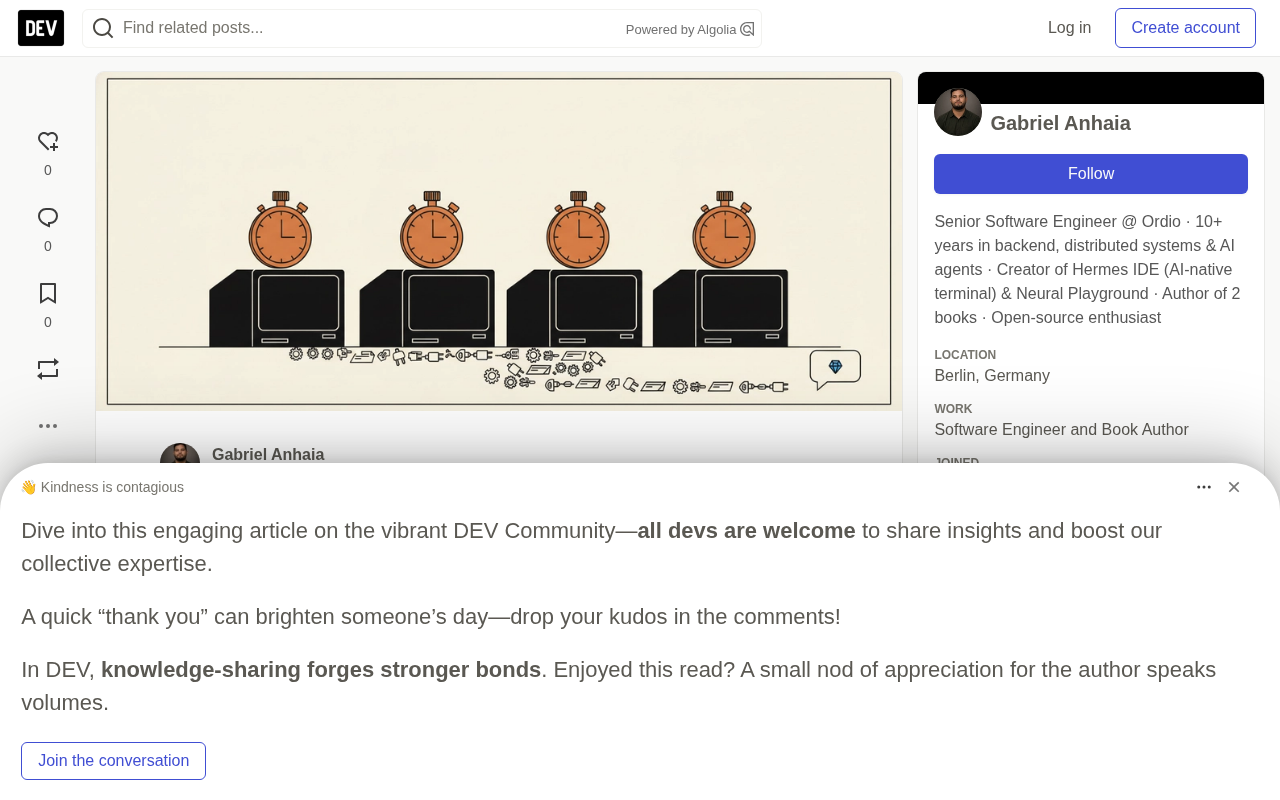
Four Layers of Overhead Before the First Token
Before a prompt reaches the model in a fresh session, four things must happen.
Layer 1: Process startup. If Codex is installed via npm, the codex on your PATH is actually a Node script (codex.js) that then spawns the native binary. This means its startup time includes the cold-start cost of the Node runtime.
Layer 2: Configuration and memory file loading. Claude Code's documentation states that a normal claude -p discovers hooks, skills, custom commands, sub-Agents, plugins, MCP servers, auto memory, and CLAUDE.md just like an interactive session; the --bare flag skips all of this to "reduce startup time." Codex builds an instruction chain at startup, reading AGENTS.md files level by level upward, with a default cap of 32 KiB.
Layer 3: MCP server startup. This is where the differences are largest. Each CLI's patience for slow MCP servers varies wildly: Claude Code in --mcp-config mode waits until all pending servers connect, with a cap of 30 seconds for MCP_TIMEOUT; Codex gives optional servers only 1000 milliseconds via mcp_optional_startup_grace_ms, and required servers 10 seconds via startup_timeout_sec; OpenCode gives servers 5000 milliseconds to deliver the tool list; the relevant pages for Copilot CLI don't specify concrete values.
Layer 4: Model call. Network, queuing, reading the entire prefix, writing out the answer. The time for this layer depends on your network conditions and model server load, and has little to do with the CLI itself.
MCP (Model Context Protocol) is an open standard proposed and open-sourced by Anthropic for letting large language model applications connect to external tools and data sources in a unified way. In the context of coding Agents, an MCP server is essentially a separate process that communicates with the CLI via JSON-RPC and, once started, announces which tools it provides to the client (i.e., the "tool list"). This means that every time an MCP server is cold-started, the CLI must not only wait for that process to finish initializing but also wait for it to return tool definitions and serialize those definitions into the prompt prefix sent to the model—the longer the prefix, the slower the model's prefill phase. This is why the article singles out the MCP handshake as the layer with the greatest variance among the four: server startup time, tool discovery time, and prefix bloat stack up and significantly lengthen first-token latency.
Setting Up the Test Environment: hyperfine and an Empty Repository
Installing hyperfine is a one-liner: brew install hyperfine, apt install hyperfine, or cargo install --locked hyperfine.
hyperfine 2.0.0 has a change critical to this measurement: by default it runs the benchmarked command directly, without going through a shell. This is exactly what you want—you're timing the Agent, not sh. If you're still on 1.x, you need to add -N to every hyperfine call to get the same behavior. 2.0 also adds an --env flag for passing environment variables, since there's no longer a shell to parse the FOO=bar cmd syntax.
Prepare an empty git repository as the test directory, then loop through recording the path and version number of each of the four CLIs. Codex refuses to run in a non-git repository (unless you pass --skip-git-repo-check), so git init is necessary. Write the version numbers down in your notes, because next month's release will change these numbers.
For the MCP test server, install it once globally to avoid npx package resolution time contaminating the timing results: npm install -g @modelcontextprotocol/server-everything.
Before running any benchmark, there's one more habit: manually run each prompt command once first. A CLI that gets stuck at a login screen or errors out early will look very "fast" in the table.
hyperfine is a command-line benchmarking tool written in Rust, designed specifically for measuring the wall-clock time of a single command. Its core mechanism is: first run several warmups to eliminate cold-start filesystem cache interference, then perform multiple rounds of formal measurements, ultimately reporting mean, standard deviation, minimum, maximum, and outlier detection results. Compared with the simple time command, hyperfine automatically handles statistics across multiple runs, supports pre-run cleanup commands (--prepare), and can export results as JSON or Markdown. The 2.0 change emphasized in the article—no shell by default—is crucial: launching through a shell introduces extra shell parsing and fork overhead, which is significant noise for millisecond-level startup measurements. The --env flag solves the problem of not being able to pass environment variables with FOO=bar cmd syntax when not going through a shell.
Three Rounds of Measurement: From Process Startup to a Hanging MCP
Round 1: Process Startup Floor Value
Use the --version command to measure the pure startup overhead of the four CLIs, with --warmup 3 --runs 30. This is your floor value: binary loads, prints a string, exits. hyperfine 2.0 by default reports both peak memory and actual elapsed time—two data points from a single command.
Floor value in performance measurement refers to the minimum fixed overhead the system must still pay after all business logic has been stripped away. For a CLI, the --version command triggers virtually no configuration loading, network requests, or model calls—it only loads the binary, prints the version string, and exits. So the time it measures is that CLI's startup floor. The reason to measure the floor first is that the times in subsequent rounds are all "floor + increment" stacked together; only by knowing how high the floor is can you determine whether the extra time in rounds two and three comes from configuration discovery, MCP handshake, or model response. In addition, warmup runs (--warmup 3) serve to let the operating system load the binary and shared libraries into the page cache, avoiding first-run disk I/O contaminating the statistics.
Round 2: From One Word to a Full Answer
'claude -p hello', 'codex exec hello', 'copilot -p hello', 'opencode run hello', with --runs 10 meaning 44 real model calls, each of which counts toward your plan or API bill. If cost is a concern, drop to --runs 5.
This round measures the "CLI + model" combination, because each CLI uses its own default model and effort settings. To compare CLIs in isolation, you need to unify them onto similar models using their respective model flags.
Round 2 minus Round 1 gives you the sum of configuration discovery, configured MCP servers, network, and model. To isolate the local portion separately, run a stripped-down version as a control:
| CLI | Stripped-down run | What's skipped |
|---|---|---|
| Claude Code | claude --bare -p hello | hooks, skills, plugins, MCP, auto memory, CLAUDE.md; requires ANTHROPIC_API_KEY |
| Codex | codex exec --ignore-user-config hello | $CODEX_HOME/config.toml and its MCP servers |
| Copilot CLI | copilot -p hello --no-custom-instructions --disable-builtin-mcps | files like AGENTS.md and the built-in GitHub MCP |
| OpenCode | --attach <url> against opencode serve | cold startup on every run |
Note that bare mode uses an API key rather than a subscription login, so the Claude row is only an approximation. OpenCode's documentation itself recommends the server route, "to avoid MCP server cold-start time on every run."
Claude Code also reports its own timings in the JSON result, from which you can extract duration_ms, duration_api_ms, ttft_ms, ttft_stream_ms, and num_turns with jq. The Agent SDK's TypeScript reference defines ttft_ms as the time until the first complete assistant message arrives, and it only exists on successful runs. Check num_turns—if the Agent ran a tool call just to answer "hello," you're timing more than one model call. Codex's --json events carry only token usage, with no timing fields, so for Codex hyperfine is the only clock.
Round 3: One MCP Server, One AGENTS.md, One Hanging Server
Prepare a small configuration file in each of the three formats: Claude Code's mcp.json, Copilot's copilot-mcp.json ("type": "local" plus "tools": ["*"]), and OpenCode's config ("type": "local", with command as an array). Then re-time with the server included.
Copilot's --additional-mcp-config accepts an @-prefixed file path and only applies to the current session. OpenCode merges the config specified by OPENCODE_CONFIG between global and project configs. Codex requires writing the config with codex mcp add everything -- mcp-server-everything, then codex mcp remove after testing.
The difference between Round 2 and Round 3 is the cost of one server starting up plus its tool definitions hitching a ride into the prompt.
Next, copy a real AGENTS.md from a working repository into the test directory and re-run Round 2. All four CLIs read it, but under different trigger conditions: Claude Code reads it only when there's no CLAUDE.md or CLAUDE.local.md in the directory or its parents; Codex reads from the git root downward; OpenCode walks upward from the current directory; Copilot CLI unless --no-custom-instructions is passed. The longer the file, the more text the model must read before answering. Remember to delete it after testing, or it will contaminate the next round.
The final experiment is the most dramatic: point an MCP config at sleep 60 to create a server that never responds. Claude Code should move on after about 30 seconds, while Codex and OpenCode will act according to their respective timeout caps. If your numbers don't match the documentation, or if a run actually waits the full 60 seconds, then you've found a problem worth filing an issue about with that CLI.
Converting Measurements into Your Daily Time Cost
The original author is also a developer of Hermes IDE, and this section should be read with that context in mind. In Hermes, ⌘N creates a separate hermes/<name> branch and worktree for each task, with the task as the Agent's first prompt. Each Agent runs its own interface in a real terminal, "exactly as it would look running anywhere else." So every task is a fresh vendor CLI startup, and every task pays the startup cost you just measured.
The "Hermes will run" preview in the interface shows the actual command to be executed—just drop it straight into hyperfine. Then do the arithmetic: Round 3 minus the stripped-down version, multiplied by the number of tasks you start per day. If your repository commits .mcp.json or opencode.json, every new worktree has a copy, because it's a tracked file, so every task restarts that server.
Hermes runs the very commands you'd type yourself, so these numbers won't shrink. Its value lies elsewhere: on macOS and Linux, Agents keep working when Hermes exits, updates, or crashes; you can pick up where you left off after reopening, and closing the app doesn't restart running Agents.
Conclusion: Measure on Your Own Machine
All the specific numbers in this article—30 seconds, 1000 milliseconds, 5000 milliseconds—are the timeout caps from documentation, targeting broken servers. A healthy session is much faster, and only your own environment can tell you how much faster.
Everything added before Round 3 is context you actively chose: an MCP server's tool list, an AGENTS.md, a memory file. Judging what should go into the prefix and what can wait until the Agent actively requests it is the core of optimizing the startup experience.
The original author invites readers at the end to post their own four lines of data in the comments, along with version numbers and operating system. This invitation is worth responding to—the difference for the same CLI across different machines may be larger than the difference between different CLIs.
Related articles

Automate Job Search with AI Agents and Residential Proxies for Precise Matching
Build an AI Agent with MCP and residential proxies to bypass recruitment site anti-scraping and geo-restrictions, scrape thousands of DevOps jobs, then have Claude score and rank each against your resume. Includes proxy comparison experiments, project structure, and cost analysis—filtering only, no auto-submission.

The AI Task Assistant That Knows When to Back Off: A Cure for Activation Struggles
One Small Step is an AI assistant for task initiation struggles, using agentic decisions for guilt-free reminders, timely retreat, and cross-platform task management. The developer shares real test results on 13 tasks and architectural trade-offs.

FastAPI: A High-Performance Python Framework and a Production-Ready API Development Powerhouse
FastAPI is a high-performance web framework based on Python type hints, supporting async and automatic OpenAPI docs. With over 100k GitHub stars, this article analyzes its core strengths, production readiness, and selection advice.