Bilibili Hit Tutorial: A Step-by-Step Guide to Building 20+ AI Apps with Dify

A rundown of the hit Bilibili Dify tutorial's core content to help you decide if it's worth learning.
Based on the Bilibili Dify tutorial dubbed "the best-explained," this article outlines its core content. Dify lowers the barrier to AI app development with visual workflows, multi-model access, and external system connections. Deployment options include online, Windows Docker, and source code, with self-hosting better for local databases and enterprise intranets. It covers five app types—chat assistant, text generation, Agent, Chat Flow, and Workflow—and recommends paid APIs or free-quota domestic models over small local Ollama models. Apps can be published as public sites, embedded, or called via API. The tutorial spans zero-to-practical with a complete framework, though workflows were still in testing at the time.
Dify is becoming a popular choice for individual developers and enterprise teams building AI applications. A tutorial on Bilibili, dubbed by viewers as "the best-explained Dify tutorial," claims to walk people through building 20+ AI apps from scratch, step by step. This article, based on the tutorial's content, outlines Dify's core capabilities, deployment paths, and learning framework to help readers judge whether this course is worth their time.
What Is Dify: A Platform for Rapidly Building AI Applications
According to the Bilibili creator's introduction at the start of the course, Dify can be understood as an AI application building platform through which enterprise-grade or personal AI applications can be built quickly. Its core value lies in lowering the barrier to AI application development, allowing users to complete the entire process from model integration to application publishing without writing large amounts of code from scratch.
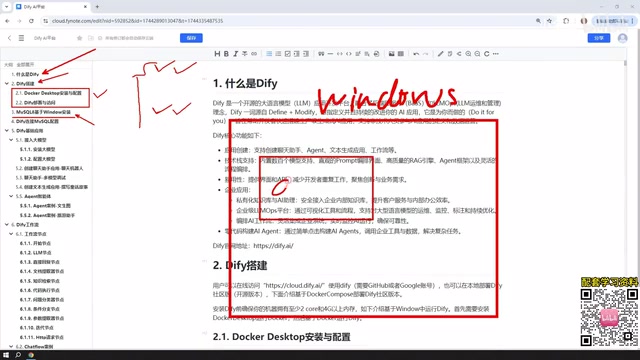
The course summarizes Dify's characteristics across several dimensions: visual workflow orchestration, multi-model integration capabilities, and support for connecting to external systems such as databases. These features make Dify suitable both for quickly validating ideas and for extending toward production environments.
Deployment Options: Online Version, Docker, and Source Code
The tutorial's deployment options cover users with different needs. According to the creator, Dify can be deployed based on Windows Docker, deployed from source code, or used directly via the official online page.
The online version and the self-hosted version have "very similar" pages, but there is one key difference: when an AI application needs to call a local database or local environment, the online version requires an intranet penetration tool to expose the local IP to the public internet. Therefore, the tutorial chooses to deploy Dify on Windows via Docker, so that MySQL or other environments on the local machine can be used directly by Dify.
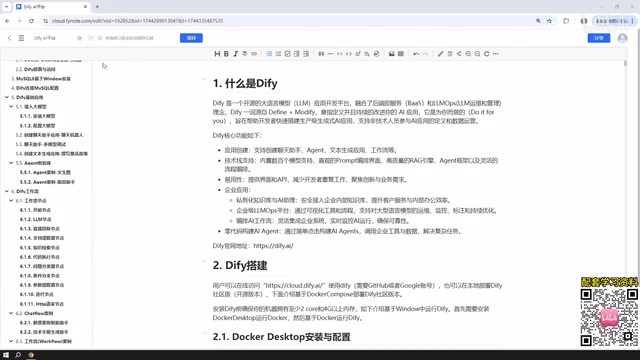
The creator also offers production environment advice: deploying to your own machine and using it for internal company applications is more convenient. This judgment aligns with the experience of many enterprise practitioners—keeping data within the intranet is an important prerequisite for internal AI applications.
You may not have noticed that the tutorial specifically covers installing MySQL 8 on Windows. The reason is that AI applications subsequently built in Dify need to access databases, and a Docker-deployed Dify network can communicate with MySQL 8 on Windows as well as with databases in VMware virtual machines. Where the database is located is not the key point—connectivity is.
Docker is a containerization technology that packages an application and its dependencies into standardized "containers," enabling the application to run consistently across different environments. For a platform like Dify, which includes multiple services (frontend, backend, database, vector store, etc.), Docker Compose can bring up the entire service stack with a single command, avoiding the hassle of manually installing various dependencies. Windows users typically install Docker Desktop first, then run the official docker-compose configuration file to complete deployment. Compared with source-code deployment, the Docker approach is less invasive to the environment and makes upgrades and rollbacks easier, which is one reason the tutorial recommends it to beginners.
Intranet penetration refers to using a public server as a relay to expose local services running inside a private network (such as a home or company LAN) to the internet. Common tools include frp, ngrok, and cpolar. The Dify online version runs on official servers and cannot directly access a user's local database or local services; the self-hosted version, being on the same network as the database, can communicate directly over the intranet. Understanding this makes clear why the tutorial emphasizes that "the online version calling a local database requires intranet penetration."
Five Application Types: From Chat Assistants to Workflows
The course categorizes Dify application creation into five directions, which is also the core framework the creator repeatedly emphasizes:
- Chat Assistant: The most basic conversational application, engaging in multi-turn chat with an AI model.
- Text Generation: Aimed at content generation scenarios such as articles, documents, novels, and stories.
- Agent: The main difference from chat assistants and text generation is the ability to call tools, such as scraping a webpage first and then analyzing it.
- Chat Flow: Supports conversational interaction with a workflow.
- Workflow: Can only produce a one-time output; it ends once the result is given.
According to the creator, the first three are basic applications, while the latter two fall under the workflow category. The difference between Chat Flow and Workflow is summarized as "whether it can chat," but the tutorial also acknowledges that this distinction is hard to understand without prior knowledge of Dify, so detailed case studies will be provided later to elaborate.
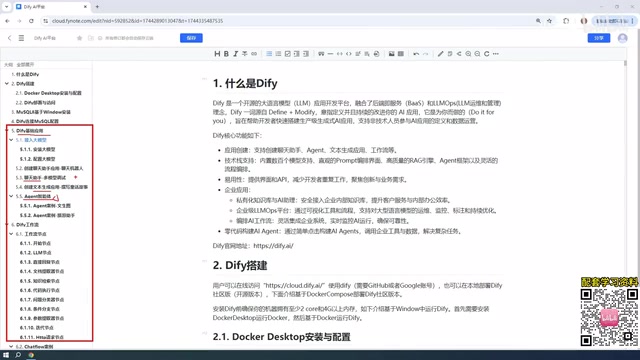
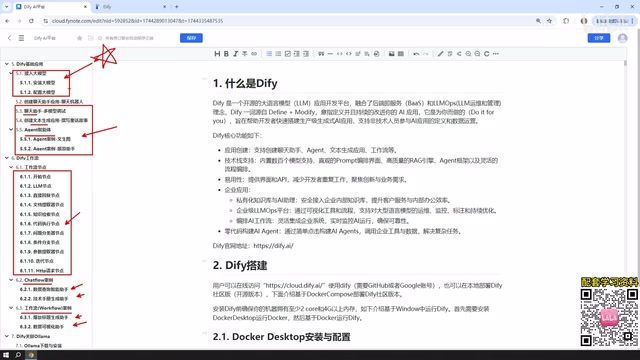
The workflow section also covers the concept of nodes. Nodes are the individual modules used when building a workflow. The tutorial states that it will cover most of the commonly used nodes provided on the official website, with a case study for each node.
Agent differs fundamentally from ordinary chat assistants in its "tool-calling" capability. A regular conversational application can only reply based on the model's own knowledge, whereas an Agent can decide during reasoning to call external tools—such as web crawlers, search engines, calculators, and database query interfaces—and continue reasoning based on the results returned by those tools until the task is complete. This typically relies on the model's Function Calling capability. After configuring tools for an Agent in Dify, the model autonomously determines when to call them and what parameters to pass, making it better suited to tasks that require real-time information or multi-step operations.
Workflow is an execution graph that breaks a complex task into multiple nodes arranged in sequence or by condition. Common nodes include the start node, LLM node, code node, conditional branch, knowledge base retrieval, HTTP request, variable aggregation, and end node. Compared with single-turn Q&A, the advantage of workflows is that the process is controllable and results are reproducible, making them suitable for scenarios such as document processing, data extraction, and multi-step reasoning. Chat Flow adds conversational context on top of a workflow, allowing users to interact over multiple turns within the process.
Model Integration: The Trade-off Between Paid APIs and Local Ollama
On model integration, the creator offers a clear recommendation: prioritize integrating external paid models. The models mentioned in the course include DeepSeekAd (misstated in the original as DeepSig), ChatGPT, and ERNIE Bot and Alibaba's Tongyi Qianwen, both of which offer free tokens—the latter's free quota reportedly in the millions.
The creator uses their own DeepSeek account as an example: after topping up 10 yuan, long-term usage consumed less than 1 yuan, illustrating that the cost of paid models is not high. As for local models, the tutorial's stance is "not recommended": although it explains how Dify integrates local Ollama models, the performance of small local models is usually not ideal. However, for users with high-performance machines or enterprise-grade cluster deployments, local large-model solutions remain viable.
Ollama is a local large-model runtime tool that provides a simple command line and API, enabling one-click download and running of open-source models such as Llama, Qwen, and Gemma. Its advantages are that data never leaves the local machine and there is no per-token charge; its disadvantages are high hardware requirements, and 7B–14B local small models are typically noticeably weaker than cloud-based large models at reasoning, instruction following, and long-context handling. Therefore, the tutorial's advice to "not prioritize local models" is mainly aimed at ordinary personal computers; if you have high-performance GPUs or enterprise-grade clusters, local large-model deployment still has value in terms of privacy and cost.
The API pay-per-use model refers to calling cloud model services billed by token usage. For individual development and prototyping, the cost per call is usually very low, and a small top-up can last a long time; domestic models with large free quotas (such as Tongyi Qianwen and ERNIE Bot) are suitable for beginner practice. When choosing a model, consider performance, cost, response speed, and data compliance requirements together.
Application Publishing: More Than Just a Local Page
The final part of the course focuses on application publishing. According to the creator, applications built in Dify can be published as public websites with accessible links; they can also be embedded in your own website or called via API. This means applications built with Dify are not limited to use on a local page—they have the ability to be delivered externally. The public website option likewise requires intranet penetration support.
Who This Course Is For
Judging from the course outline, this tutorial is positioned as zero-to-practical: first concepts and deployment, then database configuration, and finally hands-on case operations across the five application types and workflow nodes. For developers who want to systematically learn Dify and prefer hands-on teaching in Chinese, the framework is relatively complete. One caveat: the creator mentions in the course that workflows were still in a testing phase in the version being used, so learners should defer to the current official documentation.
The course's claim of "20+ AI applications" comes from the planned number of case studies, including basic application cases, workflow node cases, and comprehensive Chat Flow and Workflow cases. How good the specific cases are still requires actually watching to judge.
One-line Summary
A rundown of the core content of the hit Bilibili Dify tutorial to help you decide whether it's worth learning.
Paragraph Summary
Based on the Bilibili Dify tutorial dubbed "the best-explained," this article systematically outlines its core content. Dify is a building platform that lowers the barrier to AI application development, supporting visual workflows, multi-model integration, and external system connections. Deployment has three paths—online version, Windows Docker, and source code—with self-hosted deployment being more convenient for connecting to local databases and suitable for enterprise intranets. Applications fall into five types: chat assistant, text generation, Agent, Chat Flow, and Workflow, with the latter two in the workflow category. For model integration, it recommends prioritizing paid APIs or domestic models with large free quotas, as small local Ollama models have limited performance. Applications can be published as public websites, embedded in websites, or called via API. The tutorial is positioned as zero-to-practical with a complete framework, but workflows were still in testing at the time, so the official documentation should be the reference.
Related articles

Chain of Thought Isn't Just for AI: How Humans Can Use CoT to Improve Thinking Quality
Chain of Thought isn't just a prompt trick for large models. Starting from a Hacker News discussion, this article analyzes why CoT works for human thinking too, breaks down actionable ways to transfer it, and highlights the key differences between human CoT and machine CoT.
Cloudflare Teams Up with OpenAI: Closi…
Cloudflare Teams Up with OpenAI: Closing the Loop from Vulnerability Discovery to Defense with AI
Cloudflare uses OpenAI Daybreak to investigate security vulnerabilities and generate reviewable remediation plans, while developers use Codex to boost coding efficiency and quality.

Orca Multi-Agent Orchestration in Practice: A Guide to Parallel Collaboration with Claude and Codex
Orca is Stable AI's free open-source agent workbench supporting 34 agents like Claude Code and Codex in parallel. Learn its Git worktree isolation, multi-model orchestration, and mobile management.