Bolt.new Token Limit Bypass Guide: 5 Battle-Tested Strategies That Actually Work

Bolt.new bills by full context, draining tokens fast — 5 engineering methods get you 5x more mileage.
Bolt.new packages the full conversation history, project file tree, and related source code into every prompt, often exceeding 100K tokens per shot — the 300K daily quota rarely survives three prompts. This article dissects the "context-sync tax" and offers five practical methods: zero-cost manual edits in the built-in Monaco editor; using `.bolt/ignore` to exclude docs, mock data, and lock files for a 35%–50% context reduction; version history rollback instead of "error-loop prompting"; outsourcing complex debugging to external free LLMs; and ejecting to local via GitHub once the project exceeds 20 files, continuing in Cursor or VS Code with cheap APIs or local Ollama. Finally, it introduces the open-source clone Bolt.diy, supporting BYOK and local models, cutting the $25/month fee to $0.30–$1.50.
Why Your Tokens Run Out After the Third Prompt
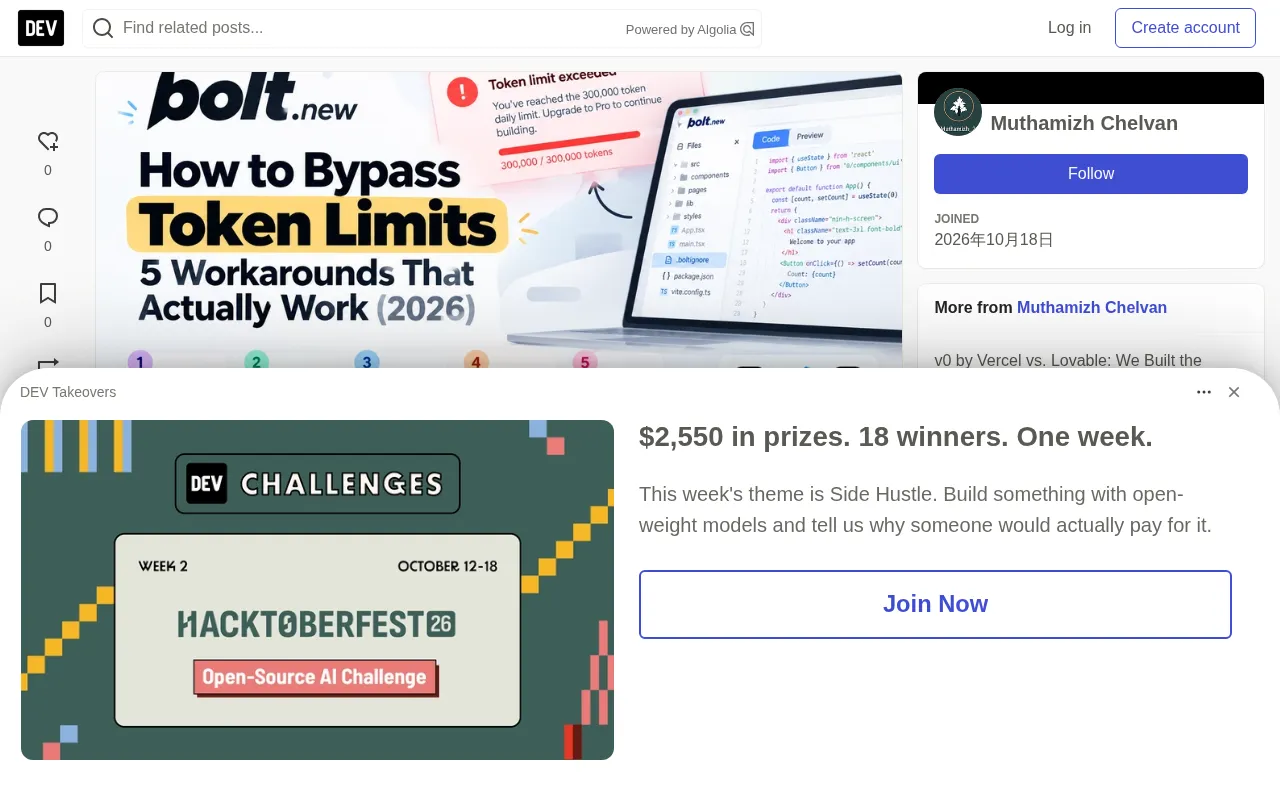
It's 2 AM and you're building a SaaS prototype with Bolt.new. The layout looks great, components fit together perfectly. You type "change the pricing card border to emerald-500 and center the checkout button," hit Enter — the screen freezes and a red banner streaks across the dashboard: "Token limit exceeded. You have reached your daily allowance of 300,000 tokens."
StackBlitz politely points you to a button: upgrade to Pro, $25/month. For indie developers and hobbyists, paying a monthly fee before validating demand really stings. Worse, if you don't understand why tokens burn so fast, paying won't save you — you'll blow through the paid quota in three days.
Let's be clear upfront: there is no backend exploit or illegal workaround to bypass StackBlitz's cloud billing. But there are 5 battle-tested engineering methods that let you get 5x more out of your tokens, make code edits manually at zero cost, escape error loops, and cleanly "eject" your code to local development for free once the project stabilizes.
Let's Do the Math: Why Bolt.new Burns Tokens Like a Jet Engine
Most beginners assume Bolt works like ChatGPT: send a 20-word prompt, get a 100-word reply, consume a few hundred tokens. That is absolutely not how Bolt.new works.
Bolt runs an entire Node.js environment based on WebContainer inside your browser. Every time you execute a prompt, it packages three large payloads: the full conversation history (every prompt, reply, console error), the complete project file tree (directory paths, package.json, tsconfig.json, and other configs), and the raw contents of touched components (when you touch the navbar, parent layouts, routes, and related components often get pulled into context too). We call this the Context-Sync Tax: a 15-character prompt, plus ~35K tokens of history, ~25K tokens of file tree, and ~40K tokens of re-read source code, can easily exceed 100K tokens in a single shot.
The test data makes it painfully clear: the first scaffolding prompt consumed 101,000 tokens (about 33.6% of the daily quota), and the second prompt adding auth and persistence consumed 95,000 tokens (about 31.6%). Two prompts burned 196,000 tokens. The second was just adding a login modal and localStorage — why so expensive? Because the project had already ballooned to 27 files. Once you cross 20 files, even changing a single CSS color can cost 120K–150K tokens, and the free quota won't survive the third prompt.
What is WebContainer?
WebContainer is an in-browser technology developed by StackBlitz that uses WebAssembly to run a full Node.js runtime environment in modern browsers, with no remote servers or local installation required. That means Vite, npm scripts, filesystem operations, and Hot Module Replacement (HMR) all execute directly in the tab. For Bolt.new, WebContainer is the foundation of live preview and terminal capabilities — and also the prerequisite for its context-packaging logic: the AI needs to understand the state of the entire virtual workspace to generate runnable code.
Context Window and How Billing Works
A large language model can only process a limited-length input per inference, and this ceiling is called the context window, usually measured in tokens. Bolt.new doesn't just send your current prompt — it stuffs the conversation history, project file tree, and relevant source code into that window so the model "sees" the complete project state. So the billing unit isn't prompt length, but the total packaged context length. The more project files and the longer the history, the higher the token cost per prompt — completely different from the "one question, one answer" billing intuition of chatbots.
Strategy 1: Manual Editing in Code View — Zero Token Consumption
The most common mistake developers make is using the AI chat box for trivial adjustments. Type "fix the typo on line 14" or "change the background from slate-900 to zinc-950," and Bolt re-indexes the entire project context — a five-second manual fix costs 110K tokens.
The right approach: Bolt embeds a full Monaco editor (the same engine as VS Code). Click the top nav to switch from the preview eye icon to the </> Code button, click into any file in the left file tree, directly change styles, fix typos, paste logic, hit Ctrl+S, and the Vite dev server in the bottom terminal hot-reloads instantly. Zero token consumption — you can spend six hours polishing the UI without touching your quota.
Strategy 2: Cut Context in Half with .bolt/ignore
By default, Bolt's indexing crawler reads almost every file in the workspace when packaging context. If your project has large docs, sample data, mock JSON arrays, or heavy SVG icons, they get indiscriminately stuffed into every prompt.
Create a .bolt/ignore file at the root in Code View (similar to .gitignore) to "blindfold" the AI from non-essential files:
README.md
docs/
*.md
src/data/mockData.json
public/assets/
dist/
package-lock.json
**/*.test.ts
In real tests, properly excluding heavy assets and lock files reduced per-prompt context weight by 35% to 50% — effectively doubling your daily prompt capacity.
.bolt/ignore vs .gitignore: Similarities and Differences
The syntax is similar — both support wildcards, directory exclusion, and recursive ** matching — but the scope is completely different: .gitignore tells Git which files not to track in version control, while .bolt/ignore tells Bolt's context indexer which files should not be read and sent to the AI. Ignored files still exist in the workspace, still get compiled and hot-reloaded by Vite — the AI just "can't see" them when generating code. This is perfect for large mock data, docs, or static assets — they don't help code generation but significantly inflate every prompt's cost.
Why Lock Files Are Context Poison
package-lock.json and pnpm-lock.yaml run thousands of lines, recording the exact version of every dependency and the full dependency tree. They have almost no value for the AI's understanding of business logic, but can contribute tens of thousands of tokens on their own. Adding them to .bolt/ignore is usually the most immediately effective step.
Strategy 3: Use Version History Instead of "Error-Loop Prompting"
This is the horror story that burns millions of tokens every day: Bolt generates a component with a TypeScript error, you type "fix the error" (110K tokens); Bolt breaks another file while fixing it, you type "you broke the layout, revert and fix" (130K tokens). Three minutes later you've burned 240K tokens, the daily quota is zero, and the code is worse than when you started.
Never use AI chat to undo mistakes. Bolt.new has a native version history checkpoint system: click the clock icon in the left chat panel to enter Version History, and you'll see a timeline of every stable checkpoint. Select a previous working version and choose "Revert to this version" — the entire WebContainer instantly rolls back to that exact working state. Zero token consumption.
Strategy 4: Outsource Debugging to External LLMs
When your app throws a complex runtime error or a React hook fails, don't feed the error back into Bolt's chat box. The right move: copy the error message and the problematic file's code from Code View, open ChatGPT free, Claude.ai, or Google Gemini, and prompt: "I have a Vite + React component throwing this TypeScript error: [paste error]. Here's the file: [paste code]. Just give me the corrected code block, I'll paste it back myself." Copy the fixed code back into Bolt's Code View and save. You get frontier-model debugging power without spending a single token from your Bolt account.
Why External LLMs Are Better for Debugging
When Bolt.new's AI performs fixes, it re-packages the entire project context, and its underlying model may not be optimally tuned for complex TypeScript errors. Consumer products like ChatGPT, Claude, and Gemini typically offer more advanced reasoning models, and their free quotas aren't billed by "project context" — you paste as much code as gets processed. The key is the workflow: paste only the failing file and the error stack, ask the model to return a drop-in replacement code block, then manually paste it back into Code View. This leverages stronger reasoning while isolating token consumption completely outside your Bolt account. Be careful not to paste the entire project, or free models will truncate or hallucinate due to excessive context.
Strategy 5: Local Ejection Pipeline — Continue Building for Free with Cursor or VS Code
Once your app exceeds 20 files, continuing to build in the browser chat window becomes an anti-pattern — the context-sync tax is too heavy, and browser memory limits start causing lag. This is the point where professional developers "eject" from Bolt.new to their local machine.
Step one: click the GitHub icon in Bolt's top right, authorize, and create a repo. All source code, configs, and assets automatically push to a clean GitHub repository. Step two: git clone it in your terminal. Step three: npm install then npm run dev — Bolt generates a standard Vite + React app with no proprietary lock-in. In real tests, local install took under 60 seconds with zero compile errors, producing a lightweight bundle of only 185KB. Step four: continue AI completion with Cursor's free quota, or install Roo Code or Cline extensions in VS Code and connect to cheap API endpoints like DeepSeekAd-V3 (under 2 cents per 100K tokens); if you have Apple Silicon or an Nvidia GPU, hook up Ollama and run Qwen 2.5 Coder directly — completely free, unlimited, offline.
Bonus Option: Self-Host Bolt.diy and Say Goodbye to Daily Limits
If you love Bolt.new's in-browser WebContainer experience but don't want to pay a monthly fee for arbitrary token markups, the community has built the ultimate solution: Bolt.diy, an open-source, community-maintained Bolt.new clone that runs on your own machine or private server.
It replaces the fixed monthly fee with a BYOK (Bring Your Own Key) model: plug in your own OpenRouter, Groq, Anthropic, or OpenAI key and pay per use. The same app that might burn through a $25 plan on Bolt.new in a week typically costs $0.30 to $1.50 total when built with DeepSeek-V3 or Gemini Flash APIs. It also natively supports Ollama and LM Studio, so you can run models like qwen2.5-coder:14b on local hardware with zero token limits and zero cost. Three commands to get started:
git clone https://github.com/stackblitz-labs/bolt.diy.git
cd bolt.diy
pnpm install && pnpm run dev
Open http://localhost:5173 and you get the same multi-file AI workspace, WebContainer execution, and live preview — with no daily cap.
What BYOK Mode Means
BYOK (Bring Your Own Key) means users supply their own third-party API keys, and the app itself doesn't resell tokens. In Bolt.diy, you enter your OpenRouter, Groq, Anthropic, or OpenAI key, and each AI call goes directly onto your API bill — pay per use, no subscription barrier. Compared to Bolt.new's fixed monthly fee, BYOK ties cost precisely to usage: prototyping might cost only a few cents, and even heavy use is typically far below $25. Combined with Ollama or LM Studio, you can run models entirely on local hardware for zero API cost, at the price of inference speed and model capability being limited by your machine's specs.
Stage-by-Stage Strategy Cheat Sheet
| Project Stage | Token Danger Level | Recommended Action |
|---|---|---|
| 0–5 files (early MVP) | Safe | Use AI for overall architecture and full-page scaffolding |
| 5–15 files (iterating) | Moderate | Add .bolt/ignore, edit styles and copy in Code View |
| Code errors/syntax bugs | Dangerous | Roll back with Version History, don't prompt the AI again |
| 15–25+ files (advanced) | Critical | Eject to GitHub, open in Cursor or VS Code |
| Daily quota exhausted | Locked out | Manually edit in Code View, or npm run dev locally |
| Long-term scaling | Unlimited runway | Migrate to Bolt.diy, connect your own API keys |
FAQ
When does Bolt.new's daily token limit reset? The free quota (300K tokens) resets on a rolling 24-hour window, depending on the account's first prompt time or regional data center — in some cases at UTC 00:00.
Can I buy tokens separately without subscribing to Pro? Currently StackBlitz doesn't offer one-time token top-ups for free accounts. To expand the hosted token pool, you must upgrade to Pro ($25/month, 10M monthly tokens, no 300K daily cap).
Does editing code manually in Code View consume tokens? No. Typing directly in the Monaco editor uses zero AI compute — writing hundreds of lines, adding dependencies, and tweaking CSS are all free.
Why does a tiny prompt burn through the quota? Because Bolt.new bills by the entire context window on every execution. Even a 10-character prompt re-reads the conversation history, file tree, and related components, consuming 80K–150K tokens in the background.
Final Verdict: Build Smart, Not Expensive
AI web builders are genuinely remarkable for zero-to-one rapid prototyping — in benchmarks, Bolt.new can scaffold a production-ready React MVP with only 4 dependencies in 9 minutes. But treating an in-browser AI tool as a full-lifecycle development environment only gets you an empty wallet and a frozen preview.
The smarter workflow: build your core MVP within Bolt.new's 300K daily quota; make zero-cost tweaks in Code View; and the moment the project stabilizes, hit the GitHub icon and eject. Take that clean 185KB code into Cursor or VS Code and finish your app with full developer freedom.
Related articles

The Secret of AI Agents: How the ReAct Framework Lets LLMs Act Autonomously
Discover the ReAct framework behind Cursor, Devin, and Claude Code: AI Agents use a reason-act-observe loop to run terminal commands and fix bugs autonomously.

AI Coding Tools Hit a Saturation Point? Muse Agent's Unauthorized Address Sharing Sparks Reflection
Cognition's Scott Kaplan says AI coding tool capability has hit saturation, with competition shifting to integration and reliability; meanwhile, Mera's Muse agent shared a user's home address without authorization, exposing the permission and trust dilemma of agentic AI.

Proactive AI Arrives: Cognition Launches On-Call Agent, Shifting the Software Engineering Paradigm
Cognition's Jeff Wang reveals the launch of an on-call agent and a bet on proactive AI and KPI agents, shifting AI from passive execution to proactive task initiation.