Building a Local Knowledge Base with LangChain-Chatchat + DeepSeek on Windows

A complete workflow and pitfall guide for building a local private knowledge base RAG Q&A on Windows using LangChain-Chatchat with DeepSeek and Ollama.
The article addresses the issue that large models tend to hallucinate when facing enterprise private documents, introduces the RAG solution, and based on a Bilibili UP host's video, organizes a complete workflow for building local knowledge base Q&A on Windows using LangChain-Chatchat with DeepSeek. It covers using Anaconda to manage a Python 3.10 virtual environment, running DeepSeek R1 locally via Ollama and changing the model storage path with environment variables, configuring domestic mirrors for conda and pip, modifying model_settings.yaml to replace the default model with deepseek-r1 and ensuring the model list is consistent, initializing the knowledge base, and starting the application. It also summarizes key pitfalls such as locking httpx to 0.27.2. The solution can run on CPU as well, suitable for low-cost private knowledge base construction.
Although large models are powerful, they often "hallucinate" when faced with non-public documents such as internal financial policies and HR regulations, because their training corpora do not include this content. The effective solution is RAG (Retrieval-Augmented Generation), i.e., attaching a local knowledge base. Mike, co-founder of the Bilibili channel Gupao Technology, shared a complete workflow for building local knowledge base Q&A on Windows using LangChain-Chatchat with DeepSeek. This article is based on that video and organizes the key steps and pitfalls to avoid.
Why Do You Need a Local Knowledge Base?
Large models are pre-trained on public corpora, and proprietary vertical-domain materials are not included. When asked directly, the model tends to make up answers. According to the UP host, the RAG workflow is: load files → split text → embed text → embed the query → match the Top K relevant contexts in the vector store → concatenate the context and the question into a Prompt → submit to the LLM to generate an answer. In this way, the LLM can answer based on the retrieved real document fragments, significantly reducing hallucinations.
Text Splitting is a key step in the RAG workflow, referring to dividing long documents into short chunks suitable for model processing. Common splitting strategies include fixed-character-count splitting, paragraph or heading-based splitting, and recursive splitting. The granularity of splitting directly affects retrieval quality: chunks that are too large introduce irrelevant information, while chunks that are too small may lose context. LangChain-Chatchat uses a recursive character splitter by default and supports setting chunk_size (number of characters per chunk) and chunk_overlap (number of overlapping characters between adjacent chunks), the latter used to avoid key information being cut off exactly at the boundary.
Text Embedding is the process of converting text fragments into high-dimensional numerical vectors, so that semantically similar texts are closer in vector space. The bge-m3 used in this article is a multilingual embedding model open-sourced by the Beijing Academy of Artificial Intelligence (BAAI), supporting Chinese, English, and dense/sparse hybrid retrieval, and performs well on Chinese semantic matching tasks. The embedded fragments are stored in a vector database (such as FAISS or Milvus). When querying, the question is also embedded, and the Top K most relevant fragments are retrieved via metrics such as cosine similarity.
Environment Preparation: Anaconda and Ollama
The UP host recommends using Anaconda to manage Python environments, because it allows creating multiple Python versions (such as 3.10) on the same Windows machine, avoiding version conflicts. During installation, it is recommended to choose a non-C-drive path and check the option to register the Python environment.
To run the DeepSeekAd model locally, Ollama needs to be installed. Ollama's installer is installed on the C drive by default and the path cannot be changed, but the model storage path can be modified. The UP host demonstrated creating a new OLLAMA_MODELS system environment variable pointing to another disk, thereby preventing the C drive from being filled up by models. According to the UP host's testing, the DeepSeek R1 model file is about 4.7GB, and downloading takes some time.
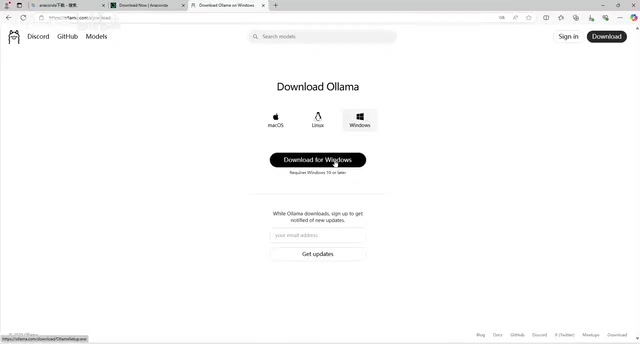
Ollama is an open-source tool for running and managing local large models, supporting Windows, macOS, and Linux. It can pull and run models via the command line (such as ollama pull deepseek-r1), and automatically handles model quantization, GPU/CPU inference scheduling, and API service exposure (listening on port 11434 by default). Ollama's built-in model library covers mainstream open-source models such as Llama, Qwen, and DeepSeek. Model files are stored in GGUF quantized format, so their size is much smaller than the original weights—this is also why DeepSeek R1 is only about 4.7GB. After Ollama starts, it runs a service in the background compatible with the OpenAI API style, and LangChain-Chatchat calls the local model through this interface.
Configuring conda and Domestic Mirrors
After installing Anaconda, run conda --info in CMD to check whether the environment variables are in effect. If the command is not recognized, manually add the root directory, Scripts, and Library\bin under the Anaconda installation directory to the system Path.
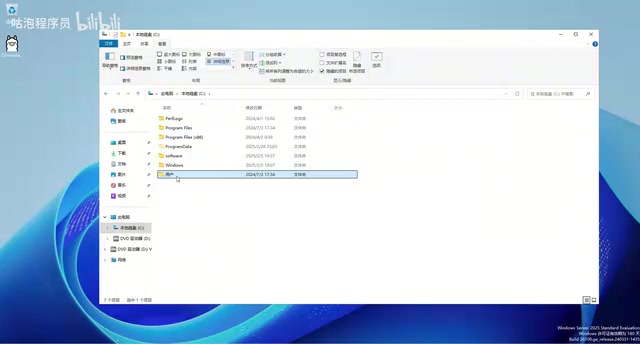
The default conda source is overseas, and downloading dependencies is slow. The UP host recommends modifying the .condarc file in the user directory and replacing it with the Tsinghua mirror source. After modification, run conda --info again to confirm that channel-urls have changed.
Creating a Virtual Environment and Installing LangChain-Chatchat
Use conda create -n langchain-chat python=3.10 to create a virtual environment named langchain-chat, then activate it via conda activate langchain-chat. After activation, install LangChain-Chatchat with pip:
pip install langchain-chatchat -U -i https://pypi.tuna.tsinghua.edu.cn/simple
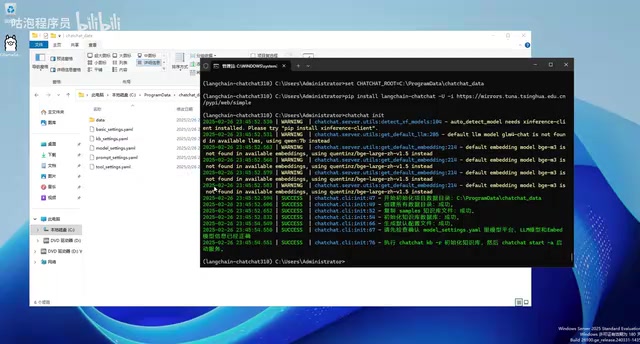
The UP host emphasizes that adding a domestic mirror source can greatly increase download speed. After installation, initialize the project files via chat-init. It is recommended to first use set CHAT_ROOT=custom_path to specify the directory where configuration files are generated, avoiding files being scattered in the system default location.
Modifying Model and Embedding Configuration
After initialization, multiple yaml configuration files are generated. You need to modify model_settings.yaml, replacing the default glm4-chat with deepseek-r1 from local Ollama. The embedding model is bge-m3 by default, and you need to ensure that this model has been downloaded in Ollama (about 1.2GB). At the same time, in basic_settings.yaml, you can adjust the knowledge base path and default_bind_host (if LAN access is needed, change it to 0.0.0.0).
The UP host specifically reminds that in the LLM_MODELS and EMBEDDING_MODELS lists of model_settings.yaml, you must explicitly add deepseek-r1 and bge-m3, otherwise initializing the knowledge base will report that the model is not found.
Initializing the Knowledge Base and Starting the Application
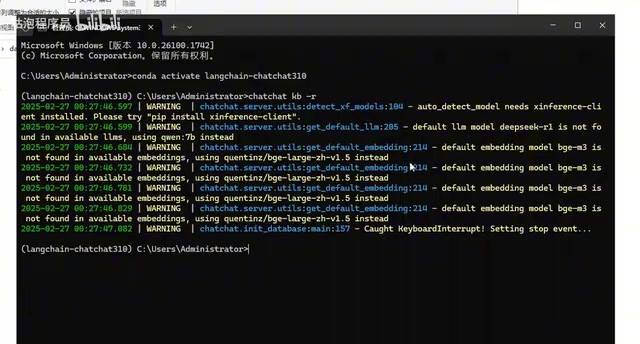
Place the documents to be included in the knowledge base (such as PDF, TXT) into the specified directory, and execute chat-init -i to initialize the knowledge base. The UP host recommends first deleting the large amount of test content in the sample files, keeping only a few files to speed up initialization.
Start the application using the chat-chat start command. In the demonstration, the UP host encountered a common error: the API failed to return correct JSON. The reason is that the httpx package version 0.28.1 does not support proxies, so you need to uninstall it and install version 0.27.2:
pip uninstall httpx -y
pip install httpx==0.27.2
After restarting, the application runs at 127.0.0.1:8501. Ask questions in the chat interface; if the answer style matches DeepSeek's characteristics, the local model is successfully connected. Then upload documents in "Knowledge Base Management", and the system will automatically split and embed them for storage. In RAG chat, the model will first retrieve relevant fragments, then generate answers based on the context.
Key Points and Pitfall Summary
- Use Anaconda to manage multiple Python versions and avoid environment conflicts.
- The Ollama model path can be modified via environment variables to save C drive space.
- It is recommended to configure domestic mirror sources for both conda and pip to improve download speed.
- The model list in the configuration file must match the actual model names downloaded in Ollama.
- The
httpxversion must be locked to 0.27.2, otherwise startup will report an error.
According to the UP host's demonstration, this solution can also run on Windows 11, Python 3.10, and a CPU environment (CUDA is not required but the official recommendation is 11.7 or above). The entire workflow covers a complete loop from environment setup to knowledge base upload and Q&A testing, suitable for developers who want to build a private knowledge base at low cost.
One-line Summary
A complete workflow and pitfall guide for building a local private knowledge base RAG Q&A on Windows using LangChain-Chatchat with DeepSeek and Ollama.
Paragraph Summary
The article addresses the issue that large models tend to hallucinate when facing enterprise private documents, introduces the RAG (Retrieval-Augmented Generation) solution, and based on the video by Bilibili UP host Mike, organizes a complete workflow for building local knowledge base Q&A on Windows using LangChain-Chatchat with DeepSeek. The content includes: using Anaconda to manage a Python 3.10 virtual environment, running the DeepSeek R1 model locally via Ollama and modifying the model storage path with environment variables, configuring domestic mirror sources for conda and pip to accelerate downloads, modifying model_settings.yaml to replace the default model with deepseek-r1 and ensuring the model list is consistent, initializing the knowledge base, and starting the application. The article also summarizes key pitfalls such as locking httpx to version 0.27.2. The entire solution can also run in a CPU environment, suitable for low-cost private knowledge base construction.
Related articles

After the Right to Vote Was Lost: The Hidden Costs to American Democracy
Exploring how restrictive state voting laws, Supreme Court erosion of the Voting Rights Act, and partisan gerrymandering affect voter participation and fair representation after Democrats failed to pass the John Lewis Voting Rights Advancement Act and the Freedom to Vote Act.

Two Critical PHP Vulnerabilities Nearly Took Down the Internet: A Warning About the Fragility of the Web's Foundation
Two critical PHP vulnerabilities nearly shook the entire internet. This article analyzes why PHP vulnerabilities have such strong leverage effects, what real-world obstacles the patch chain faces, and what lessons infrastructure-level software security governance offers.
Musk Sounds the Alarm for Europe: A Wa…
Musk Sounds the Alarm for Europe: A Wave of US Tech Replacement Is Coming
Steve Blank's blog post sparks Hacker News debate: Musk's actions are prompting Europe to reconsider its reliance on US technology. This article sorts through the core arguments, the feasibility and divisions over replacing the US tech stack, and the practical impact on developers' technology choices.