Building a Python MCP Server from Scratch: Create Your AI Agent Plugin

Write an MCP Server in Python so AI agents can manage personal health data in a structured way over the long term.
The article explains how to write an MCP Server in Python to solve the problem that AI agents cannot structurally remember personal data over the long term. Chat memory is unstructured and cannot support monthly queries, record modifications, or trend statistics, so the system is split into two parts: the AI agent handles language understanding, calorie estimation, and need analysis, while the Python program handles database CRUD, connected via the MCP protocol proposed by Anthropic. With the MCP SDK, a single decorator registers an ordinary function as an AI-callable tool. The project covers diet, exercise, weight, and fasting modules, with a tech stack of Python, SQLite, UV, and MCP Inspector, and uses Docker for cloud deployment to provide 24/7 service.
AI agents can already chat and answer questions, but many people get stuck at the same point: how do you get them to remember and manage your personal data over the long term? For example, tracking diet, weight, and fasting, and still being able to produce accurate statistics a month later—instead of starting a new conversation each time. The Bilibili channel "Daxiong Classroom" offers a clean solution in one video: write an MCP Server in Python, hand data operations to the program, and hand interaction to the AI agent.
Why Do You Need an MCP Server?
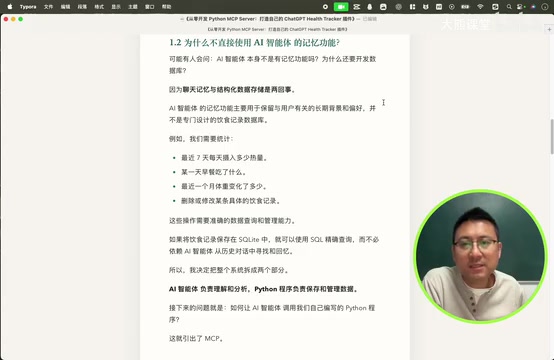
Today's AI can record "what I ate today" and answer "how many calories have I consumed in the last seven days." The problem is that these memories are conversational and unstructured. A month later, when you want to query by day, modify a record, or run trend statistics, chat memory simply can't hold up.
As the video says, an AI agent's chat memory cannot structure data. To perform operations like "how much has my weight changed in the last month" or "delete the diet record for a certain day," you must rely on a database and precise SQL queries. So the system is split into two parts: the AI agent handles understanding language, estimating calories, and analyzing needs; the Python program handles storage, querying, modification, and deletion. The two are connected via the MCP protocol.
What Exactly Is MCP?
MCP stands for Model Context Protocol. It was first proposed by Anthropic (the company behind the Claude model). Now mainstream AI agents and large model companies have accepted and follow this protocol, and various service vendors are catching up.
The video uses an animation to explain its value: AI wants to access files and call tools, but each tool has a different integration method—it's chaotic. MCP provides a standardized way to connect. The AI says "I need this information," and MCP transports the request to the correct tool and brings the result back to the AI. In one sentence: the AI is the brain, tools are the hands, and MCP is the standard connection between them.
How a Python Function Becomes an AI Tool
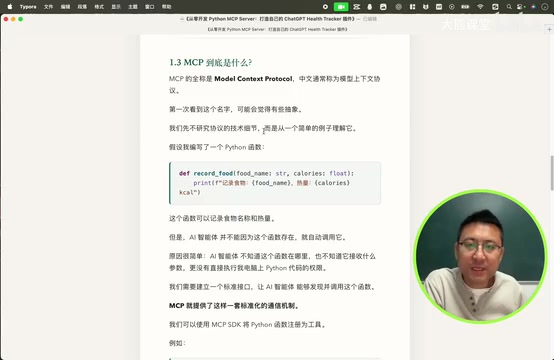
First look at an ordinary function: it takes two parameters, food name and calories, to record a meal. The function itself is fine, but the AI agent doesn't know it exists—it doesn't know where it is, what parameters it takes, or how to execute it.
With the MCP SDK, you just add a decorator in front of the function to mark it as an MCP tool, and the function body doesn't need to change at all. Once the AI agent connects to this MCP service, it can discover the tool, understand its purpose, and call it at the right time.
Technically, MCP uses a client-server architecture: the AI agent acts as the MCP client and communicates with the MCP server through standardized JSON-RPC messages. The protocol defines three core capabilities—Tools (executable operations such as create, read, update, delete), Resources (data that can be read, such as database records), and Prompts (preset interaction templates). The server declares which tools it provides and their parameter schemas (JSON Schema) to the client via methods like list_tools, and the client uses that to decide when to call and what parameters to pass. This design decouples tool integration from specific AI models; the same MCP server can be reused by different agents such as Claude and ChatGPT, which is a key reason it has been widely adopted in the industry.
The core abstraction of the MCP SDK is the FastMCP server object: after instantiating the server, developers mark functions with the @mcp.tool() decorator. The SDK automatically generates JSON Schema parameter descriptions from the function signature and type annotations (e.g., food_name: str, calories: int) and registers them in the tool list. The docstring below the function is exposed to the AI as the tool description, so writing a clear docstring directly affects whether the AI can call it at the right time. At startup, calling mcp.run() exposes the service via stdio or HTTP/SSE transport layers. This means the business logic inside the function body is completely decoupled from the MCP protocol; the same function can be called by the AI and also tested directly in an ordinary Python script.
Division of Responsibilities: AI and MCP Each Do Their Part
The design philosophy of this project is clear. The AI agent handles what it is good at: understanding natural language, identifying food names, estimating calories and nutrients, analyzing historical records, and answering users in natural language. The MCP service handles what programs are good at: receiving parameters from the AI, validating parameters, querying the database, performing CRUD operations, and returning execution results.
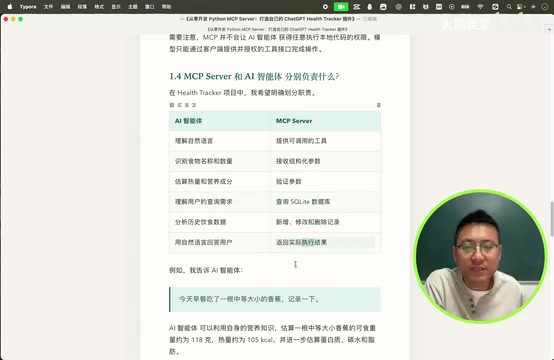
For example: the user says, "This morning I ate a medium-sized banana, please record it." The AI agent first estimates the banana's calories, protein, carbs, and fat, then calls the food-recording tool with parameters such as food name, calories, weight, nutrients, and meal type (breakfast). After the tool writes to the database and returns the result, the AI tells the user, "Recorded breakfast banana, X calories."
The entire process calls no third-party nutrition API, and no iOS app or mini-program is developed. The traditional approach requires parsing sentences, calling calorie APIs, building a food calorie lookup table, matching, statistics, and writing to the database—very tedious. Now, these tedious operations are taken over by the AI agent's own understanding capabilities, and developers only need to write good MCP tools.
What Will the Course Build?
The video defines four core data modules, each with CRUD operations: diet records, exercise records, weight records, and fasting records. The features sound simple, but they cover the main scenarios of personal health tracking.
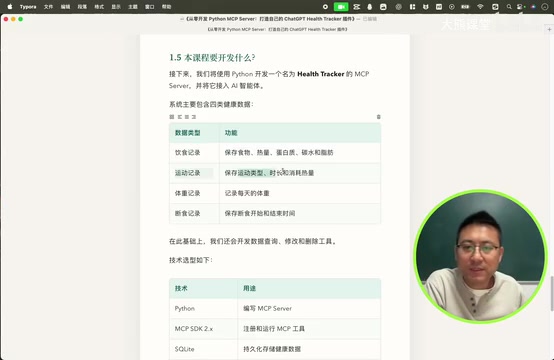
The technology choices are also pragmatic: Python for the MCP Server, using third-party packages as needed and focusing on business logic; the MCP SDK for registering and running tools; SQLite as a single-file database for persistent storage with SQL CRUD support; UV for package management (PIP also works); MCP Inspector for local debugging; and OpenAI tools as a bridge to connect to the AI agent.
Deployment: From Local to Cloud
Local testing has an unavoidable problem: once the computer is turned off, the local MCP service stops and the AI agent can't connect. The solution is to deploy the MCP service to a cloud server with Docker, running 24/7 so you can record and query data via the AI agent anytime, anywhere.
It's worth noting that the entire solution uses no Python backend framework and no frontend. The interface is simply the AI agent's existing chat window—typing, voice, and photos can all directly operate the MCP Server. Three roles are clear: the AI agent is the interaction entry point, the MCP Server is the tool, and SQLite is the data storage.
MCP Inspector is the official local debugging tool. After running it, an interactive interface opens in the browser, listing all tools registered by the server and allowing you to manually fill in parameters, trigger calls, and view the raw JSON results. It is essentially "Postman" for MCP servers, letting you verify before connecting the AI agent whether tools work as expected, whether parameter validation takes effect, and whether database reads/writes are correct. Debugging first and then configuring the agent connection can significantly reduce the cost of figuring out "whether the AI called it wrong or the tool itself has a bug" in the troubleshooting chain.
Who Is This Solution For?
If you want an AI agent to truly manage personal data, not just chat, an MCP Server is a path worth taking. It pushes the development cost of complex applications very low: no UI, no third-party APIs, no full backend—just well-defined tool functions and database operations. The AI is responsible for "understanding human language," and the program is responsible for "managing data well." The boundaries are clear and the collaboration is natural.
The video is only the opening; the next section formally enters coding. But even this architectural idea alone is enough to explain why MCP is becoming the standard way for AI agents to connect to the outside world.
One-line Summary
Write an MCP Server in Python to let AI agents manage personal health data in a structured way over the long term.
Paragraph Summary
The article explains how to write an MCP Server in Python to solve the problem that AI agents cannot structurally remember personal data over the long term. Chat memory is unstructured and cannot support monthly queries, record modifications, or trend statistics, so the system is split into two parts: the AI agent handles understanding language, estimating calories, and analyzing needs, while the Python program handles database CRUD, connected through the MCP protocol proposed by Anthropic. With the MCP SDK, a single decorator registers an ordinary function as an AI-callable tool. The project covers four modules—diet, exercise, weight, and fasting—with a tech stack of Python, SQLite, UV, and MCP Inspector, and uses Docker for cloud deployment to provide 24/7 service.
Related articles
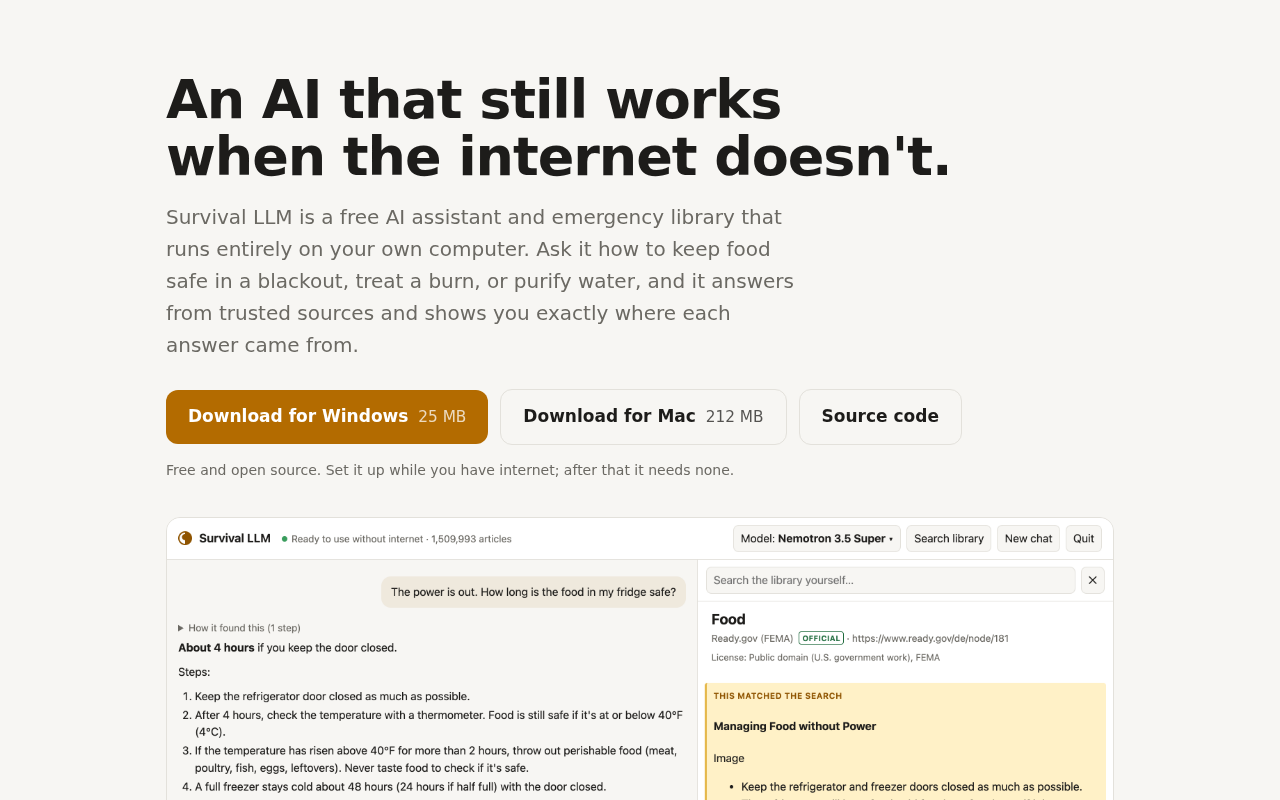
Survival LLM: An Offline Personal AI Emergency Assistant
Survival LLM is an AI assistant and emergency reference library that runs offline on a personal computer without cloud APIs. This article analyzes its offline-first design, technical trade-offs, use cases, and the significance of localized AI for resilience and privacy.

Early Progress in Accelerating Drug Discovery with Claude
Anthropic shares early progress in using Claude to accelerate drug discovery, exploring large models' potential in literature analysis and hypothesis generation, while facing accuracy and interpretability challenges.

New Trailer for 'Everest: The Other Side' Released: Ski Mountaineers Take On Ski Descent of the North Face
National Geographic's 'Everest: The Other Side' trailer follows pro ski mountaineers attempting Everest's Direct North Face and the first ski descent, with rare North Face footage and life-or-death avalanche moments.