Building a Super Floating Ball with Doubao Work: A Full AI-Powered Development Walkthrough
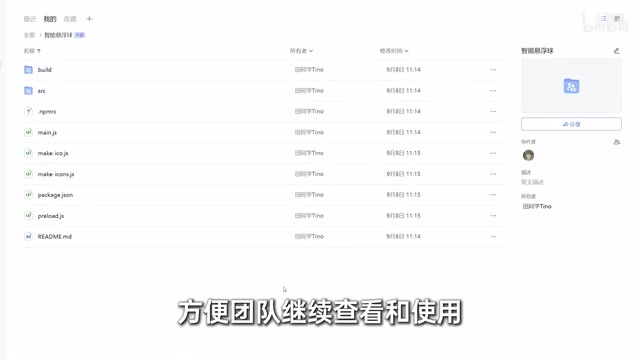
Build a custom desktop app with AI Coding tools using nothing but plain language descriptions.
A content creator used the Doubao Work AI Coding tool to build a fully functional desktop floating ball app from scratch — entirely through natural language, with no environment setup or manual coding. The app handles drag-and-drop processing of text, images, videos, and PDFs, and can beam files to a phone via QR code. The AI scaffolded the project, fixed bugs from user screenshots, polished the UI, and even generated promotional assets — all within a single workspace natively integrated with Feishu for team context and file archiving.
One Floating Ball to Handle All Your Scattered File Tasks
Imagine a floating ball sitting on your desktop. Drag a piece of text into it and it turns into a pinned sticky note. Drag in an image and you can compress it, resize it, or convert its format. Drop in a video and you can extract the audio or shrink the file size. Toss in a PDF and you can split pages, export them, or convert them to images. Processed files can be dragged straight out of the interface for immediate use — and with a single click, you can send them to your phone by scanning a QR code.
None of these features are particularly groundbreaking on their own. What makes this interesting is that it's not a product shipped by some software company. It was built from scratch by a content creator using an AI Coding tool called "Doubao Work," driven entirely by natural language descriptions of what they wanted. There was no dev environment to set up, no code written line by line — just clear explanations of the desired outcome, and the AI broke down the requirements, scaffolded the project, wrote the code, and delivered a working product.
This reflects a fundamental shift in interaction paradigms. A typical AI assistant operates on a question-and-answer basis, but Agent-based tools like this receive an entire task, then decide on their own what to do next, which capabilities to invoke, and how to operate the computer — until a finished product is actually delivered.
From Requirements to Working Product: A Full Development Breakdown
Development starts by creating a project — in this case, named "Floating Ball." The tool offers a wide range of callable "skills": document creation, design, data analysis, video editing, and more. Each skill is essentially a pre-packaged bundle of best practices, domain-specific knowledge, and output standards for a particular category of task. Invoking a skill is like plugging in the corresponding professional expertise directly.
For building the floating ball, the "App Generation" skill was selected. By describing the desired software features in plain language within the chat interface, the AI generates a complete implementation plan, installs the necessary environment and dependencies, scaffolds the project structure, and writes the core code — all without any manual intervention. You simply wait for the result.
First Delivery Having Bugs Is Normal
To be honest: the first version of the floating ball wasn't usable. Neither text nor files could be dragged into it. For a relatively complex tool, bugs in the initial delivery are completely expected. The fix was straightforward — take a screenshot of the problem and send it back to the AI, which then reviews the relevant code sections and applies a patch.

After the fix, the floating ball reached a functional state: dragged-in files were automatically identified, and format conversion, compression, cropping, and phone transfer all worked correctly. The remaining issues were cosmetic — the logo and UI looked rough. At this point, the "Creative Design" skill was invoked to tap into an image generation model, redesign the icon to feel "tech-forward yet approachable," and polish the overall interface into something more modern — resulting in the polished product shown at the beginning.
The "skills" design is essentially a productized form of Prompt Engineering. Different task domains have their own best practices — code applications require error handling and dependency management, while design tasks need style references and output specifications. Pre-encoding this domain knowledge into callable modules lowers the barrier for users to articulate their needs and reduces the chance of output deviations caused by imprecise descriptions. It's analogous to library functions in software engineering: instead of explaining how to do something from scratch every time, you reference a method that's already been validated.
The reason AI-generated code contains bugs comes down to the probabilistic nature of large language models — they predict statistically likely correct code, not code that has been run and verified. For complex features involving low-level OS APIs (like drag-and-drop event listeners), cross-platform compatibility, or multi-module interactions, logic errors or missing dependencies on first generation are an industry-wide norm — even professional developers writing code by hand go through debugging cycles. The prevailing strategy among AI Coding tools today is a "feedback-and-fix" loop: users provide error screenshots or logs, the AI re-identifies the problematic code section and generates a patch — essentially embedding a QA process into the conversational interface.
Sync Between Phone and Desktop — Add Features Whenever You Think of Them
Finishing the tool isn't the end of the story. As the creator emphasized, adding new features later doesn't require sitting at a computer — Doubao syncs in real time between desktop and mobile. You can send a task from your phone, and the desktop picks it up and executes it automatically. Something like "make it OCR the image to text when you drag a photo in" can be added with a single message.

For file management, generated files are automatically archived to cloud storage and organized by project, so you can find them by searching the name rather than hunting through folders. Sharing with a friend is as simple as generating a share link — they click it and download.
Native Feishu Integration: Keeping Project Context Alive
One of the standout design choices in this tool is its native integration with the Feishu (Lark) ecosystem. After logging in with a Feishu account, within the bounds of your permissions, previous requirements, team documents, and project materials can all be fed as context for the AI to continue working from. Generated plans, files, and final outputs are automatically saved in Feishu, making them easy for teammates to find and build upon.
For example, if you and your colleagues previously discussed in a Feishu group chat what features to add to the floating ball, the AI — once authorized — can read those conversations and pick up right where the discussion left off. The value here is clear: you don't have to re-explain context every time you switch tasks, and you don't have to hunt down files to paste to teammates — the information from before carries forward, the task in the middle gets executed, and the final output slots naturally into your existing workflow.
On the security side, the tool inherits Feishu's existing permission system: if you can't see a document, neither can the AI. Who can edit what remains fully controlled.
"Context" is a key concept in AI toolchains — it refers to the range of information a model can reference when generating a response. Ordinary conversational AI is typically limited to the current session window. By integrating with enterprise collaboration tools, historical discussion records, project documents, and requirement tickets can serve as supplemental inputs, allowing the AI to push work forward based on what already exists rather than starting from a blank slate. The technical implementation usually relies on RAG (Retrieval-Augmented Generation): relevant enterprise document snippets are retrieved and injected into the model's input for the current task. Inheriting the permission system is the critical security foundation for enterprise adoption — it ensures the AI's information access boundary stays aligned with the user's permission boundary.
From Building the Tool to Promoting It — All in One Place
Once the floating ball reached a mature state, the creator wanted to make a promotional video for it. Previously, this kind of content required jumping between multiple tools. By handing the full requirement to the same platform, its built-in image and video generation models produced promotional graphics and an animated feature demo video based on the brief.
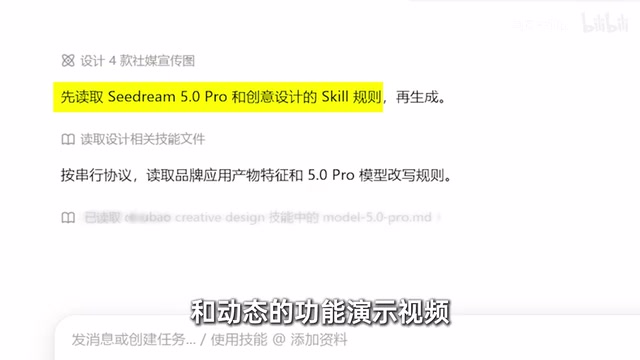
After sharing the feature descriptions and promotional goals, the tool quickly returned several composition options, with the promo video handled alongside. From building the tool to promoting it, the entire workflow was completed within a single workspace — no switching between apps.
Observation: The Power to Define Software Is Shifting
There's no shortage of productivity software on the market. But most of the time, we're the ones adapting to the software. The real time sinks are often the tiniest, most specific needs — wanting images to auto-compress on drag, needing to split PDFs into individual pages regularly, wanting processed files to appear on your phone immediately. These needs aren't substantial enough for a software company to build a product around, yet they eat up time every single day.
What AI Coding tools like this bring about is a return of the power to define software back to the user. You describe the goal, and the tool invokes skills, scaffolds the app, checks and fixes issues, refines the interface, and picks up from existing team materials to keep moving. You don't need to know in advance which tools or technologies each step requires — you just need to be clear about what you want to accomplish.
What's on offer here isn't a specific feature, but a complete working capability: understand the task → invoke the right tools → operate on files → connect to team information → keep getting things done. Where before we could only pick the closest existing software to our needs, now a single sentence is enough to start building something that's truly your own. That said, this piece is fundamentally a demo and recommendation built around a single product — real-world effectiveness and reliability still need more independent testing to validate.
Related articles
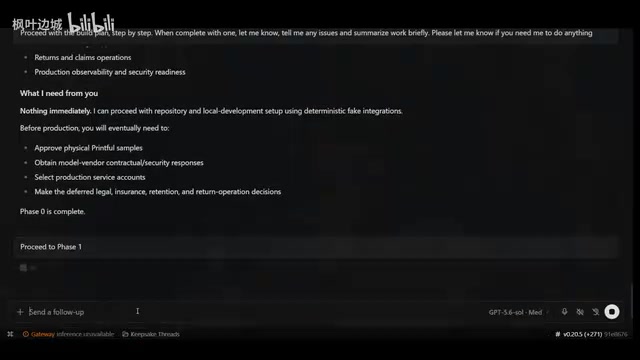
Building an AI-Powered E-Commerce Business from Scratch: A Real-World Account of Multi-Agent Architecture for Print-on-Demand
A blogger builds a print-on-demand e-commerce company from scratch using AI agents — documenting specialized Agent profiles, GPT-5.6 vs Claude Fable multi-model orchestration, and reusable skill accumulation.

AI Agent Earns $10K in One Week: 3 Key Upgrades Explained
A blogger shares how he earned $10K in a week with an AI Agent — not by adding more skills, but through verification, approval gates, and subagents to raise trust and enable true automation.
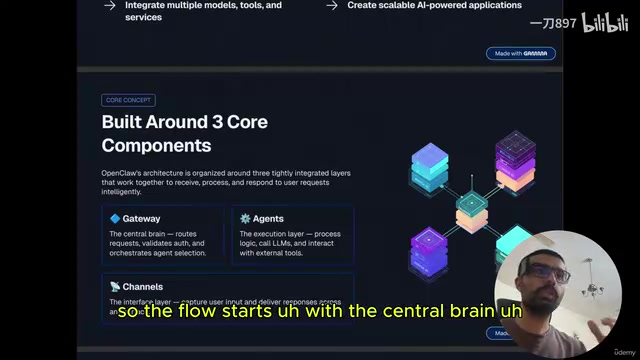
Getting Started with OpenClaw: Multi-Channel AI Agent Gateway and Automated Workflow Guide
OpenClaw is an open-source multi-channel AI agent gateway. This guide covers its three core components — gateway, agents, and channels — plus tool integration and memory mechanisms.