Building a WeChat Mini Program from Scratch with Free AI Tools: A Complete Environment Setup Guide

The first step in building a WeChat Mini Program from scratch is setting up the AI toolchain: free coding tools, image generation, developer tools, Git, and registration.
The article outlines the complete pre-development setup for building a WeChat Mini Program from scratch with AI: the primary AI coding tool is Q-Oder connected to the free Qianwen 3.8 Flash model, with thinking intensity and context window maxed out to fully leverage free quota; assets are generated via Doubao or XGBT on the web; the official WeChat stable build suffices for development, though the Nightly build is needed for WeChat AI Xiaowei integration; Git serves as a rollback safety net for solo developers, with commands handled by AI; GitHub repositories should be set to private to prevent key leaks. It also covers category differences in Mini Program registration, the costs of filing and verification, cloud resources available from development competitions, and a reminder that only the tools category supports personal virtual payments—something to plan for at registration.
Building a WeChat Mini Program from scratch with AI sounds daunting, but the real first step isn't writing code—it's setting up the toolchain. This article is based on a hands-on tutorial from a Bilibili creator that walks through the full configuration process, from AI coding tools and image generation tools to the Mini Program developer tools and Git version control, plus creating a private GitHub repository and registering a WeChat Mini Program. Below, we break down this setup chain and fill in some details the original video glossed over that are critical for beginners.
Choosing an AI Coding Tool: Free Quota Determines How You Start
The creator chose Alibaba's Q-Oder as the primary AI coding tool, for a straightforward reason—the Qianwen 3.8 Flash model it connects to was free during the tutorial recording, with a multiplier of 0, consuming no quota. For learners who want to run through the entire Mini Program workflow, this means they can freely iterate and make mistakes without watching their token balance while debugging.
Of course, this isn't the only option. The video also mentions Zcode, overseas Codex, Claude Code, as well as Doubao Work and WorkBuddyAd as alternatives. The underlying logic is: first get the workflow working with a free solution, then decide based on actual experience whether to pay for a tool that suits you better.
Two configuration parameters are worth noting. First, set the thinking intensity to maximum in the model management settings. Second, set the context window to 1 million tokens (1 mega). The creator's explanation is vivid: the larger the context window, the more conclusions from previous rounds the AI can remember each time it answers, resulting in more coherent and integrated solutions. The trade-off is faster token consumption with paid models, so this "max everything out" strategy suits free-quota scenarios.
Additionally, you can switch between general mode and coding mode in the upper left corner; keep it in coding mode when developing Mini Programs.
Context window refers to the total amount of text a large model can simultaneously "see" and process in a single conversation, typically measured in tokens (1 token is roughly 0.5–1 Chinese character or 0.75 English words). The larger the window, the more historical dialogue, code files, and instructions the model can retain, making it less likely to "forget" previously established interfaces or variable names during cross-file modifications. A 1-million-token window is roughly equivalent to loading hundreds of thousands of lines of code at once, making it suitable for handing an entire Mini Program project along with requirement documents to AI. Thinking intensity corresponds to the amount of internal reasoning a reasoning-type model expands before answering; raising it makes the model spend more time self-checking, reducing error rates on complex logic, but resulting in slower responses and higher token consumption.
Image Generation and Development Tools: Each Tool Has Its Role
For interface assets, the creator uses Doubao or XGBT to generate banner images and logos directly through web-based conversation—a lightweight need that doesn't require a complex design workflow. XGBT requires a VPN to use, which the video honestly notes.
For the Mini Program developer tools, downloading the official WeChat stable build is recommended. But the video buries a piece of easily overlooked information: scrolling down the download page reveals a Nightly Electron Build, whose special feature is support for WeChat AI Xiaowei's interaction capabilities—if your Mini Program wants to call Xiaowei, or have Xiaowei call your Mini Program, you'll need this version. For ordinary Mini Programs within WeChat, the stable version is sufficient.
After installation, don't rush to create a project. The creator leaves a hint: later configuration requires the AI coding tool to call the Mini Program developer tools directly via command line, involving M4P interactions, which will be demonstrated step by step after project creation. This "install environment first, integrate later" order is friendlier for viewers following along.
Git: A Version Safety Net for Solo Developers
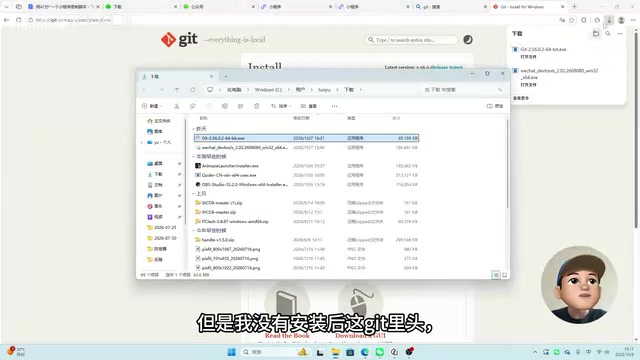
Git is called the indispensable tool for software development by the creator, with GitHub or Gitee recommended as hosting platforms. The installation process is just clicking next all the way through; Windows users select the X64 or ARM64 version based on their chip architecture. After installation, three shortcuts—GUI, Command, and Bash—appear in the Start menu; opening a command-line window means it's installed correctly.
The truly valuable insight is here: the creator explicitly says you don't need to be very familiar with Git commands. In scenarios involving AI coding tools, commits and pushes are basically handled by AI; the core purpose of Git for solo developers isn't collaboration but rollback—when AI makes mistakes or generates unexpected results, you can revert to the code from one or several versions ago. This positioning is far more practical for independent developers than memorizing commands.
Git rollback relies on the chain of version snapshots formed by "commits." Each commit records the state of all files at that moment and a hash value, so you can precisely return to any commit. The two most commonly used commands for solo developers are git log (view historical commits and hashes) and git reset --hard <hash> (force the working directory back to that version); you can also use git checkout <hash> -- filename to restore a single file. AI coding tools typically execute git add and git commit automatically, but it's recommended to manually commit before each major AI change—essentially creating a "safe save point" for your code so you can revert with a single command if problems arise.
Repository and Mini Program Registration: Privacy and Category Selection
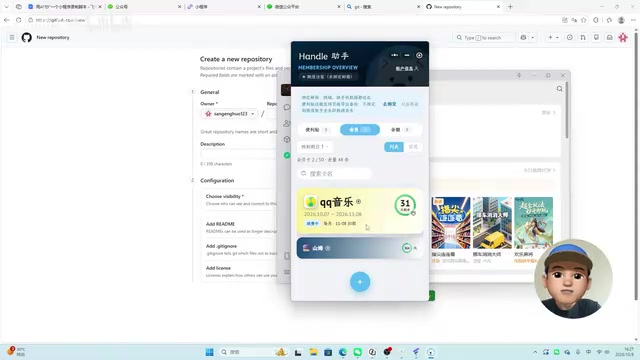
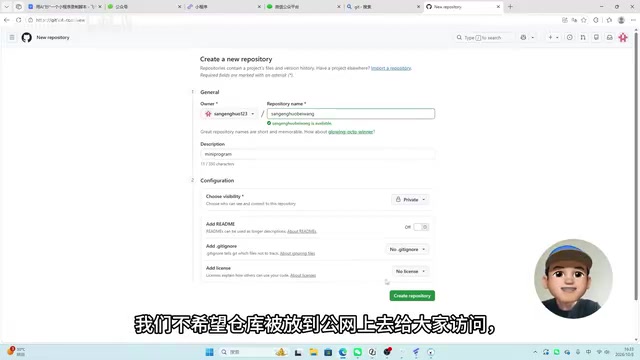
When creating a new repository on GitHub, the creator deliberately chooses private rather than public. There are two reasons: first, this demo Mini Program itself has limited value to external users; second, a private repository prevents accidentally uploaded keys, network configuration information, or Mini Program keys from being publicly accessible. Also check the option to add a README file, while skipping the license since it's a private repository. After creation, copy the clone address and run the clone in the local directory using Git Bash; the first operation will redirect to a web page for authorization.
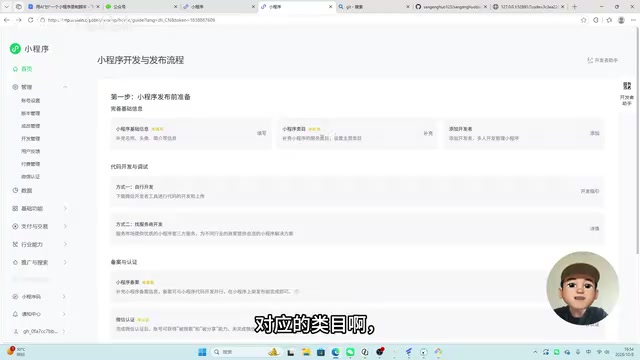
WeChat Mini Program registration is done through the public platform. There's a watershed in category selection: individual verification has more category restrictions, while individual businesses and enterprises have considerably more flexibility and can do e-commerce, community, and other types. The video demonstrates with an individual Mini Program since it's the lowest-barrier path best suited for practice.
Filing (beian) and verification are unavoidable steps before launch. Mini Programs operating in mainland China also require filing, which can be completed within the WeChat Mini Program interface. WeChat verification costs 30 yuan per year for individuals and 300 yuan per year for individual businesses and enterprises; after verification, the Mini Program gains searchability and shareability. If you're only making it for personal use and don't plan to open it to the public, you can skip verification and run it with a test account.
Mini Program filing (beian) is an extension of the ICP filing required by the Ministry of Industry and Information Technology for all internet information services provided in mainland China, applied to the Mini Program context. Unfiled Mini Programs cannot be submitted for review and publication, and already-published ones may be taken down. Filing is initiated within the WeChat public platform and requires filling in entity information, responsible person information, and Mini Program service content; typically you also need to upload documents and complete facial verification. The review period generally ranges from a few business days to twenty business days. WeChat verification is a separate matter—it's a paid audit of the entity's authenticity; only after verification can the Mini Program be searched, shared, and unlock certain open capabilities. It costs 30 yuan/year for individuals and 300 yuan/year for enterprises. The two are independent: filing is a prerequisite for launch, while verification affects distribution and certain API permissions.
Competitions and Cloud Resources: Free Quotas You Can Grab
The video recommends a specific entry point: the WeChat Mini Program Development Competition "Symbiosis with AI." After registering and submitting a project, a "Mini Program Growth Plan" appears on the Mini Program page; participating grants free quota and cloud service resources. The plan runs from January 1, 2026 to December 31, 2026. The package the creator shows includes cloud development resources and free Hunyuan tokens, with the cloud development package usage at approximately 40,000 points.
A caveat: the creator himself says the quota details are "still being studied," and the video doesn't verify whether this set of resources is sufficient to run an entire Mini Program. For solo developers, this is more of an option worth claiming first and evaluating later, rather than a fully verified solution.
Beyond Configuration: Real Constraints of Payment Models
Although this episode focuses on environment setup, the creator spends considerable time introducing the example Mini Program to be replicated: a memo, membership renewal reminders, and balance tracking across platforms—three features—and mentions that only the tools category can use WeChat Pay's personal virtual payment feature. Payment comes in two modes—virtual currency exchange (e.g., 1 yuan for 100 coins) and item mode (e.g., 10 yuan monthly card, 100 yuan annual card).
This constraint is worth noting in advance: when registering, you need to consider whether to include the tools category, otherwise you'll find the path blocked when you later want to do personal payments. This is a product-level issue to think through during the configuration stage, not something to fix by changing categories after the code is written.
Running through the entire process, the toolchain isn't complex: a free AI coding tool generates code and manages versions, a web-based image generation tool creates assets, the official developer tools run and debug, and Git provides rollback insurance. The next episode is where the real work begins: breaking down features, handing them to AI for generation, and gradually launching.
Related articles

Random Pruning of the DPO Computation Graph: 1.4x Training Speedup and Lower Peak Memory
DPO training too slow and memory-hungry? This paper proposes a random pruning framework for the DPO computation graph, sampling independently across position, sequence, and branch dimensions; branch pruning achieves a 1.426x step-time speedup and cuts training time by about 30%, with in-depth attribution of memory and time gains.

Why Does JEPA Underperform MLM in Longitudinal EHR Representation Learning?
New study compares JEPA and MLM for longitudinal EHR representation learning on MIMIC-IV: three JEPA variants train stably without collapse but underperform MLM; target size, not heterogeneity, drives prediction error.

Transfer Learning + Visible Light Communication: A New Approach to Energy-Efficient Indoor Positioning
A study proposes a transfer learning-based visible light communication indoor positioning method, achieving 47% accuracy improvement on the BOSCH factory dataset, 67.5% model efficiency under high noise, and introducing the ME composite metric for energy-efficient positioning in energy-constrained industrial IoT scenarios.