Can KoboldCpp Dethrone Ollama? Real-World Testing Reveals the Truth About Two Tools Built on the Same Engine

KoboldCpp and Ollama both run llama.cpp — the real difference is how many settings they expose to you.
KoboldCpp and Ollama share the same llama.cpp engine under the hood; performance differences trace back to default settings, not the engine itself. The "freeloading" accusations against Ollama are unsupported — upstream contributions from both projects are nearly equal. The core split is philosophical: Ollama exposes just 8 parameters for a plug-and-play experience, while KoboldCpp offers 56 tunable fields including customizable sampler ordering. Notably, KoboldCpp implements Ollama's API endpoints directly, making the two complementary rather than competing. Choose Ollama for quiet background infrastructure and ecosystem integration; choose KoboldCpp for deep parameter control and multimodal tooling.
Same Engine, Two Philosophies
The local AI community has long circulated the claim that "KoboldCpp destroys Ollama." But a deep dive into both tools' code and design reveals this rivalry is far less dramatic than it sounds — they run the same engine.
KoboldCpp is a single executable that runs AI models locally, generates images, handles speech, recognizes pictures, and ships with its own chat interface. It's built on top of llama.cpp. Ollama uses llama.cpp too. In other words, the two tools share identical foundations — the real differences lie entirely in how they're packaged and what their defaults look like.
Downloading KoboldCpp gives you a single 606 MB file (koboldcpp.exe): zero installation, no persistent background service. Ollama, by contrast, is roughly a 1,000 MB installer that runs as a persistent background service. Ironically, the more feature-rich and lighter-weight KoboldCpp gets far fewer downloads — on the releases page, Ollama's larger installer is downloaded roughly 30 times as often.
The Ethics Debate: "Freeloading" on Upstream Work
The loudest criticism of Ollama online is that it "takes community code without giving anything back." But a look at the actual GitHub commit history shows this narrative doesn't hold up.
KoboldCpp's lead developer has had 6 commits merged into the main llama.cpp repository, covering things like OpenCL kernel ports and crash bug fixes. Adding up the contributions from Ollama's 5 core maintainers, 4 of them have submitted code upstream, totaling 7 merged commits combined. In other words, the side accused of freeloading has actually contributed one more upstream commit than the fork praised for giving back.
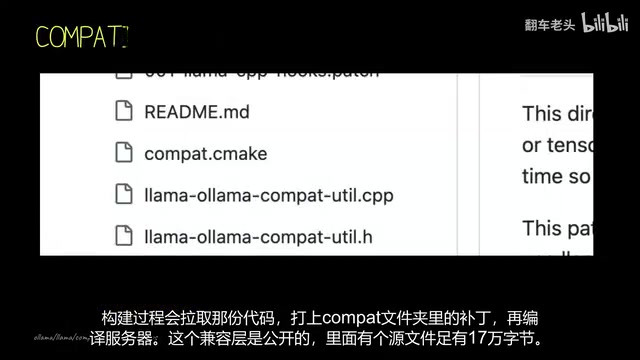
KoboldCpp has never hidden its origins — the very first line of the README names llama.cpp as its source, mentions it four times across the page, and explicitly applies the MIT license to inherited code. Ollama's repository similarly includes a llama.cpp version file that pins a specific release tag; at build time, it pulls that code, applies patches, and compiles. Both tools document their upstream dependency openly.
Ollama has over 180,000 GitHub stars — roughly 50,000 more than llama.cpp itself at 128,000. The moral outrage is loud, but the technical reality is: contribution counts are roughly even, and the engine is the same.
8 Parameters vs. 56 Parameters
The real divide between these tools is how much control they hand you.
Ollama's published OpenAPI spec has an Options object with just 8 properties, split between sampling options (Seed, Temperature, TopK, TopP, Stop) and runtime options (NumCtx, NumPredict, etc.). Browsing the Modelfile reference, you'll find roughly 11 documented parameters in total. This simplicity isn't a temporary limitation — it's a deliberate product philosophy. The flagship command is a single line: ollama run gemma.

Opening KoboldCpp reveals an entirely different picture: a single request structure with 56 tunable parameters. Beyond obscure samplers like TopA, TypicalP, and Mirostat, there are 4 independent samplers dedicated to preventing repetitive output, grammar-constrained output formatting, banned token lists, and more. Launched from the command line, the launcher registers 165 parameters and requires at least 25 command-line flags to configure.
Even more extreme: KoboldCpp exposes the sampler execution order itself as a configurable parameter. The default sequence doesn't even start at the first sampler — it begins somewhere in the middle — and every position is customizable. Ollama's sampling chain is fixed and cannot be modified.
A few of those "obscure samplers" are worth explaining. Top-A Sampling filters candidate tokens using an absolute threshold based on the highest-probability token, preventing low-probability words from polluting output. TypicalP approaches sampling from an information-entropy angle, favoring "typical" tokens over simply high-probability ones to produce more naturally flowing text. Mirostat is a dynamic algorithm that adjusts sampling parameters in real time by measuring output "perplexity" as feedback to control Temperature, keeping the model's coherence stable throughout a generation — especially useful for long-form writing. As for sampler execution order: llama.cpp's sampling chain is an ordered pipeline where each sampler sequentially filters and re-ranks the candidate token pool. Different orderings produce dramatically different output distributions. KoboldCpp exposes this order as a configurable option; Ollama locks the entire chain down, leaving users with no way to intervene between steps.
The Truth About Performance: It's the Settings, Not the Engine
One user filed an issue titled "Massive performance drop compared to llama.cpp." Running a 70-billion-parameter model across two GPUs, llama.cpp hit a prompt ingestion speed of 1,490 tokens per second; KoboldCpp managed only 34 — 44 times slower. Generation speed was also 6 times slower.
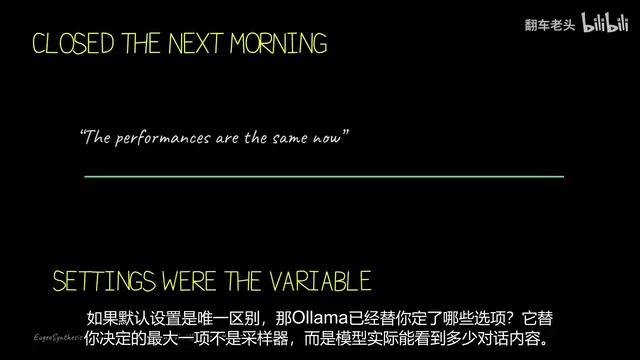
The maintainer's response was straightforward: this was a configuration issue, not a bug. The user had accidentally enabled a VRAM offloading option that prevented the KV cache from being offloaded; on top of that, Flash Attention is disabled by default in KoboldCpp, while llama.cpp enables it automatically in its source. The next day, the user toggled the relevant options off and commented: "Perfect — performance is identical now."
The engine was never the variable. Every benchmark argument eventually becomes an argument about settings.
Context Length: The Decision Ollama Makes for You
Among all the default settings, the most consequential one isn't a sampler — it's "how much conversation history can the model actually see?" Ollama doesn't ask; it reads your hardware and decides: under 24 GB of VRAM defaults to roughly 4,000 tokens, 48 GB gets roughly 32,000, and higher-end setups can reach 256,000.
But Ollama's own Modelfile reference lists the standard default as only 2,048 — while the documentation simultaneously notes that coding and agentic use cases need at least 16 times that. On ordinary GPUs, Ollama may be giving you a very short context window without telling you, and you'd have to manually raise it yourself.
What was once considered a KoboldCpp exclusive — Context Shift (automatically dropping old tokens during conversation history transcription to avoid rebuilding the KV cache) — is now built into Ollama by default. Both the Generate and Chat request types include a shift field, and it's automatically enabled for nearly every model family, with one exception being a specific generation of DeepSeekAd models.
Context length refers to the maximum number of tokens the model can "see" when generating a response — including the system prompt, conversation history, and current input combined. Anything beyond this window gets truncated; the model has no memory of earlier parts of the conversation. A token roughly corresponds to half a word to one full word in English. 2,048 tokens is approximately 1,500 English words — quite limited for tasks involving long code, long documents, or multi-turn in-depth conversations. Longer context requires more VRAM, which is why Ollama dynamically adjusts its defaults based on detected memory. Context Shift is an optimization strategy: instead of recomputing the entire history's KV cache when a conversation approaches the context window, the system rolls old tokens out and reuses already-computed portions, saving the overhead of rebuilding the cache from scratch.
KoboldCpp Is Complementing Ollama, Not Competing With It
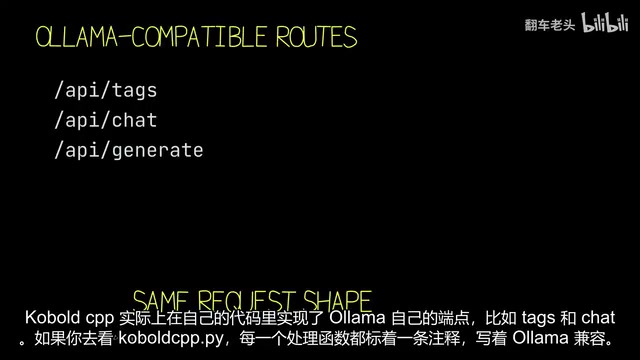
Many people assume they have to choose between a "simple interface" and a "full toolkit" — but KoboldCpp actually implements Ollama's endpoints directly in its own code.
Looking at its handler functions, each one is annotated with a comment reading "Ollama compatible": it translates incoming Ollama-formatted requests, maps parameters like Temperature to its own internal fields, then packages tool call responses back into the format Ollama expects. When queried for a version number, the server returns a hard-coded value with a comment explaining it's a disguise for compatibility purposes. The same script also responds to ComfyUI, transcription, and OpenAI endpoints.
KoboldCpp runs alongside Ollama's interface — it doesn't fight against it. Any program written for Ollama can connect directly to KoboldCpp without noticing a difference.
So Which One Should You Install?
For most people, the answer is Ollama. It's quiet infrastructure: a command-line tool with a built-in startup command, capable of configuring and launching external applications (its docs specifically name five, including Claude Code and VS Code), with models pulled directly from its own registry. KoboldCpp has no equivalent orchestration capability — instead, it mimics the API to let tools connect to it.
But if you want to sit down in a "workshop" and tinker with 56 fields, customize sampler ordering, and play with image generation and character cards, KoboldCpp is your playground. It can also query Hugging Face to pull models directly from within the launcher.
The conclusion is straightforward: both tools run llama.cpp. What you're choosing isn't an engine — it's how many technical decisions you want someone else to make for you. Ollama writes its settings into an OpenAPI spec that exposes just 8 options; KoboldCpp declares 56 fields in its source. Both sets of defaults are visible and auditable at any time — and that's the real answer to this supposed rivalry.
Related articles

Chain of Thought Isn't Just for AI: How Humans Can Use CoT to Improve Thinking Quality
Chain of Thought isn't just a prompt trick for large models. Starting from a Hacker News discussion, this article analyzes why CoT works for human thinking too, breaks down actionable ways to transfer it, and highlights the key differences between human CoT and machine CoT.
Cloudflare Teams Up with OpenAI: Closi…
Cloudflare Teams Up with OpenAI: Closing the Loop from Vulnerability Discovery to Defense with AI
Cloudflare uses OpenAI Daybreak to investigate security vulnerabilities and generate reviewable remediation plans, while developers use Codex to boost coding efficiency and quality.

Orca Multi-Agent Orchestration in Practice: A Guide to Parallel Collaboration with Claude and Codex
Orca is Stable AI's free open-source agent workbench supporting 34 agents like Claude Code and Codex in parallel. Learn its Git worktree isolation, multi-model orchestration, and mobile management.