Can't See the Small Stuff? A Hands-On Test of Vision-Language Model Scaling Strategies
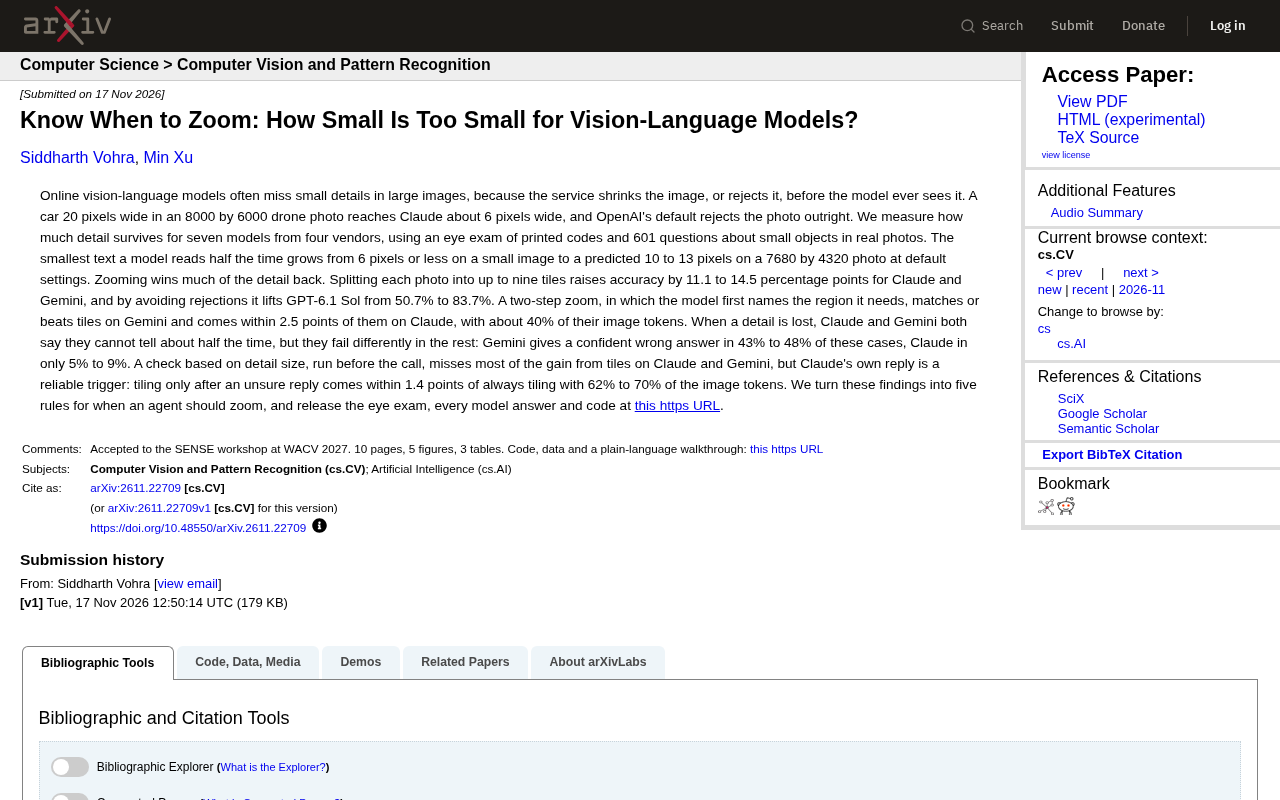
Default downscaling in online vision-language models loses small-object detail; tiling and two-step scaling effectively recover it.
The article systematically examines precision loss in online vision-language models handling large images: server-side default downscaling or rejection of large images downsamples small objects before they reach the model, worsening the minimum readable text size from under 6 pixels to 10-13 pixels. Testing seven models found that cutting images into up to nine tiles significantly boosts Claude and Gemini accuracy (11.1-14.5 points) and lets GPT-6.1 Sol avoid rejection, raising accuracy from 50.7% to 83.7%; two-step scaling achieves near-tiling results with about 40% of the image tokens. The article also reveals differing failure modes: Gemini more often answers confidently wrong, while Claude tends to admit it can't see clearly. Uncertainty-triggered tiling proves the best cost-effectiveness compromise.
When you send an 8000×6000 drone photo to an online vision-language model, the cars in the image might be only 20 pixels wide. But what the model actually sees might be just 6 pixels—or worse, the photo gets rejected outright. This is a common predicament for today's multimodal services: before the model ever processes the image, it has already been downscaled or filtered server-side.
A systematic hands-on test reveals just how serious this problem is. Using eye-chart-style printed codes and 601 question-answer pairs about small objects in real photos, researchers tested seven models from four vendors. They found that the smallest text size a model can read is no more than 6 pixels on small images, but with default settings on 7680×4320 large images, it degrades to 10 to 13 pixels. In other words, an object of the same size is more likely to be "unreadable" to the model when it appears in a large image.
Default Downscaling: The Invisible Loss of Precision
The image processing pipelines of online vision-language models are not transparent. Before a user-uploaded image reaches the model, it is often downscaled or rejected server-side. The study offers a vivid example: in an 8000×6000 drone photo, a 20-pixel-wide car is reduced to roughly 6 pixels when it reaches Claude, while OpenAI's default settings reject the photo entirely.
This means many cases of "the model got it wrong" are not due to insufficient model capability, but because information was lost during preprocessing. The study used printed codes to test the "visual acuity limits" of seven models: on small images, the smallest text size a model can reliably read is no more than 6 pixels; with default settings on large images, this threshold is predicted to rise to 10 to 13 pixels.
Image preprocessing for vision-language models is not a simple format conversion. Mainstream services typically perform two types of operations on uploaded images: first, proportional scaling to the model's maximum supported resolution (e.g., limiting the long edge to 1024 or 2048 pixels); second, rejection decisions based on file size or total pixel count. The common consequence of both operations is that high-frequency details in the original image—text, small objects, fine textures—are downsampled and erased before they ever reach the model's vision encoder. More insidiously, different vendors' scaling algorithms, target resolutions, and rejection thresholds are not public, so developers can only infer them through testing. This is why the same image performs so differently across platforms, and why "model capability" and "service pipeline" need to be evaluated separately.
Tiling and Two-Step Scaling: Getting the Details Back
The good news is that scaling strategies can recover most of the detail. One straightforward approach is to cut each photo into up to nine tiles and feed them to the model separately. Tests show this improves accuracy for Claude and Gemini by 11.1 to 14.5 percentage points. For GPT-6.1 Sol, the main benefit of tiling comes from avoiding rejection: accuracy rises from 50.7% to 83.7%.
Another, more token-efficient strategy is "two-step scaling": the model first states which region it needs to see, then that region is upscaled. On Gemini, two-step scaling matches or even exceeds the tiling approach; on Claude, it comes within 2.5 percentage points of tiling while consuming only about 40% of the image tokens.
This points to a practical direction: not every scenario requires blind tiling—letting the model "point to what it needs" first may be more economical.
Tiling works because it bypasses the resolution ceiling of global scaling: after cutting a large image into multiple tiles, each tile can be encoded at close to its original pixel density when fed to the model, effectively increasing the effective resolution. But tiling is not without cost—each tile consumes its own image tokens, and the more tiles there are, the higher the context budget and inference cost, while boundary information between tiles may also be lost. Two-step scaling is a retrieval-style "coarse-then-fine" strategy: the first round uses a thumbnail to let the model locate regions of interest, and the second round performs high-resolution cropping only on those regions. Its prerequisite is that the model has reliable region localization capability; otherwise, errors in the first step get amplified in the second. Both strategies are essentially different trade-offs among resolution, token cost, and localization reliability.
Model Failure Modes Differ Greatly: Honestly Admitting Uncertainty vs. Confidently Answering Wrong
When details are genuinely lost, different models behave very differently. Claude and Gemini both say "cannot determine" about half the time, but in the remaining cases their failure modes are completely different: Gemini has a 43% to 48% probability of giving a confident wrong answer, while Claude has only 5% to 9%.
This difference is critical for real-world applications. A model that says "I can't see clearly" at least leaves room for human review; a model that confidently fabricates may let errors silently flow into downstream processes. When choosing a model, this "honesty under failure" deserves consideration.
"Confidently answering wrong" in evaluation usually corresponds to the concept of calibration: whether a model's confidence in its own correctness matches its actual accuracy. A well-calibrated model should output low confidence or explicitly refuse when information is insufficient, while a poorly calibrated model packages guesses as definite conclusions. Calibration problems are more prominent in vision-language models than in pure text models because missing details are often "local and hard to notice"—the model sees the overall scene but mistakenly believes it has clearly seen a tiny target. This failure is especially dangerous in downstream scenarios such as medical imaging, industrial quality inspection, and remote sensing interpretation, because human review is usually only applied to samples the model flags as uncertain. Therefore, refusal rate and error rate should be evaluated as a joint pair of metrics, rather than looking at accuracy alone.
When to Zoom: Trigger Strategies Beat Thresholds
Researchers also tested how to decide "when to zoom." One idea is to check detail size before calling the model, but this approach misses most of the benefit of tiling on Claude and Gemini.
A more reliable trigger signal comes from the model's own response: only enabling tiling when the model expresses uncertainty. On Claude, this is only 1.4 percentage points below "always tiling" while consuming just 62% to 70% of the image tokens. This shows that letting the model speak first and then deciding whether to zoom is a compromise that balances cost and effectiveness.
Five Rules and Open Resources
Based on these findings, the researchers distilled five rules to guide when an agent should zoom into an image. They also open-sourced the "eye chart" test, all model responses, and the code at https://siddvoh.com/know-when-to-zoom, providing a reproducible foundation for future research and engineering practice.
For developers building multimodal applications, the core reminder from this work is: before uploading an image, think clearly about whether details will be lost during preprocessing. If so, tiling or two-step scaling are effective remedies; and if budget is limited, uncertainty-triggered scaling based on the model's own responses may be the most cost-effective choice.
Models are not omnipotent, but knowing when they "can't see clearly" and how to help them see more clearly is the key to using vision-language models well.
Related articles

AI Teams Up with Mathematicians to Attack the Riemann Hypothesis: 17 Million Lines of Code Tear Open a 167-Year Gap
In November 2026, Anthropic mathematicians and Claude claimed to have discovered a proof of the Riemann Hypothesis, publishing 17 million lines of Lean formalized code that passed machine verification. This article analyzes the event's impact on mathematics and cryptography, and the deeper questions raised by the separation of discovery and understanding.
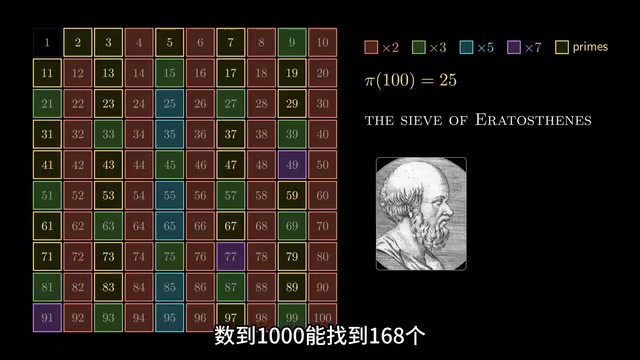
AI Claims Formal Proof of the Riemann Hypothesis — But Machine Verification Isn't a Mathematical Proof
In Nov 2026, Anthropic's Levent Alpöğe released a Riemann Hypothesis proof of 175,000 code files that passed machine formal verification. But machine verification isn't a mathematical proof: the kernel can't confirm the proposition is the Riemann Hypothesis humans understand, and there's no human-readable paper. This article breaks down how ζ function zeros determine prime-count deviation, and the core of the controversy.

Anthropic Raises Over $80 Billion in IPO, DeepSeek Secures $100 Billion in Funding: AI Weekly Roundup
This week in AI: Anthropic's Nasdaq IPO raises $93.5B in the largest ever, DeepSeek closes ~100B yuan round, AI claims formal Riemann proof, MiniMax breaks crypto candidates in seconds.