CC-Switch Full Feature Breakdown: One-Stop Management for AI Coding Tool Configurations
CC-Switch unifies provider configs, MCP, Skills, and usage stats for multiple AI coding tools.
CC-Switch is an open-source config manager for AI coding tools like Claude Code, Codex, OpenCode, and WorkBuddy. It consolidates provider configs, MCP services, Skills, system prompts, and token usage into one interface. It offers direct, routed, and aggregated connection modes—routed mode adds protocol conversion, failover, and accurate token metering. Usage stats break down cost, tokens, and cache hit rate by provider and model.
If you have Claude Code, Codex, WorkBuddy, and other AI coding tools installed on your computer at the same time, you know the pain: every time you connect a new provider, you have to manually hunt down config files and edit them item by item. The open-source tool CC-Switch was built to solve exactly this problem—it brings provider configurations, MCP services, Skills, system prompts, and even token consumption statistics for different AI tools into a single interface for unified management.
According to a full demo by a Bilibili creator, the tool currently supports over a dozen mainstream AI coding tools, including Claude Code, Codex, OpenCode, and domestic office tools like WorkBuddy. Below is a module-by-module breakdown of its features.
Three Routing Modes: Direct, Routed, and Aggregated
CC-Switch offers three ways to connect providers for Claude Code and similar tools. Understanding the differences is the key to getting started.
Direct Mode: Point-to-Point, the Simplest
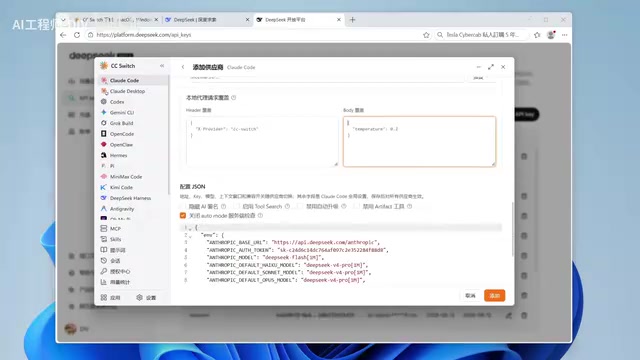
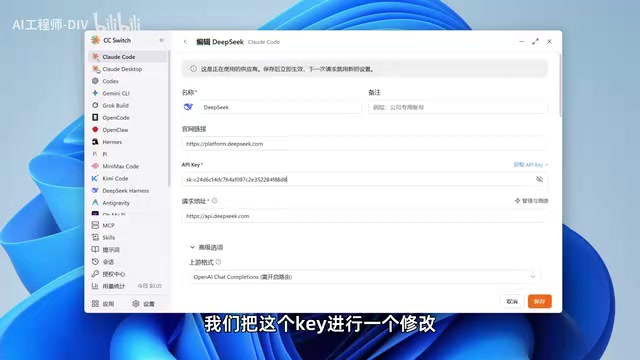
In direct mode, you pick a provider in CC-Switch, paste in the API Key, and requests go straight to that provider. In the demo, DeepSeekAd is used as an example: when adding a provider, the tool pre-fills the request URL, official website link, and icon. Users only need to paste the API Key and can map models to the Pro or Flash tier as needed. Once configured, CC-Switch automatically generates the corresponding JSON config and writes it into Claude Code.
There's one prerequisite step that's easy to miss: you need to enable the "Skip Claude Code first-run confirmation" switch in settings. Otherwise, Claude Code will ask you to log in with a Claude account on startup. With it enabled, you can use third-party models without logging in to an official account.
Routed Mode: An Extra Relay Layer That Solves Three Problems
Routed mode starts a local relay service port. Requests first hit CC-Switch, which then forwards them to the provider. That extra layer buys you three practical benefits:
Protocol compatibility. DeepSeek natively supports Anthropic's API format, but if a provider only offers the OpenAI format, using it directly in Claude Code won't work. Routed mode handles protocol conversion at the relay layer—Claude Code sends an Anthropic-format request, CC-Switch converts it to OpenAI format for the provider, then converts the response back. In the demo, the creator changed the provider's request format and removed the URL suffix to verify that this chain works.
Failover. This is the most practical capability of routed mode. You can add multiple providers as backup lines, enable the failover switch in the top-right corner, and set priorities as P1 and P2. In the demo, after the primary line's DeepSeek key was deliberately broken, requests automatically downgraded and routed to OpenCode's Go plan, and the conversation continued without interruption. The CC-Switch interface simultaneously shows DeepSeek in a degraded state.
Incidentally, OpenCode Go plan subscribers can see their remaining quota for the 5-hour, weekly, and monthly windows directly in CC-Switch, along with refresh countdowns, without having to log in to the provider's website.
More accurate token metering. Because every request passes through the relay, the number of tokens consumed and the corresponding cost can be recorded in real time. The creator noticed that after installing CC-Switch, there was no cost display in the bottom-left corner—quota statistics only appeared after the first conversation.
Protocol differences between the Anthropic API and the OpenAI API: Claude Code natively calls Anthropic's Messages API (the request body contains fields like system, messages, and max_tokens, and the response content is organized as an array of content blocks), while most domestic and third-party providers (such as some aggregation platforms) only expose OpenAI's Chat Completions format (choices[].message.content). The two are incompatible in field naming, role representation, and streaming event structure—using one directly against the other will throw errors. A protocol conversion layer needs to perform field mapping, move Anthropic's system parameter to the front of the message sequence, and convert streaming SSE event types. CC-Switch's routed mode takes on this conversion on a local port, letting Claude Code use OpenAI-only providers transparently.
Failover priority mechanism: Failover means automatically switching to a backup line when the primary line is unavailable. CC-Switch labels priorities as P1 and P2, and requests go through P1 by default. When P1 returns errors such as authentication failure, rate limiting, or timeout, the relay layer catches the exception and retries P2, presenting the result to the upstream tool as a normal response. The trigger conditions typically include HTTP 401/429/5xx and connection timeouts, rather than every error. Because the switch happens at the local relay layer, the conversation context is not lost—which is why it's more practical than manually editing configs.
Aggregated Mode: Multiple Models in One Menu
Aggregated mode writes models from multiple providers directly into the AI coding tool's model selection list. In the demo, DeepSeek, OpenCode, and Zhipu GLM were connected simultaneously, and in Claude Code you can switch at any time with /model—even switching models mid-conversation while writing code works fine.
Note that, according to the creator, aggregated mode currently only supports Claude Code and Codex; other platforms only offer direct and routed modes. For daily use, he recommends routed mode as it covers more functionality.
Unified Management of MCP, Skills, and Prompts
These three are cross-tool reusable configurations—set them up once and map them to multiple AI coding tools.
MCP Services
If MCP configurations already exist on your machine, you can "import from app" directly. For a fresh environment, add them manually—using a sequential-thinking MCP as an example, CC-Switch pre-fills the name, connection method, and startup command, and services that require environment variables can have them added here. The key step is checking the sync targets: which AI coding tools to sync this MCP set to. After checking them and restarting the corresponding tool, entering the MCP command will show the service as available; uncheck and restart, and that tool will no longer load the service. The interface also provides connectivity checks—services that fail the test are shown in gray and cannot be used.
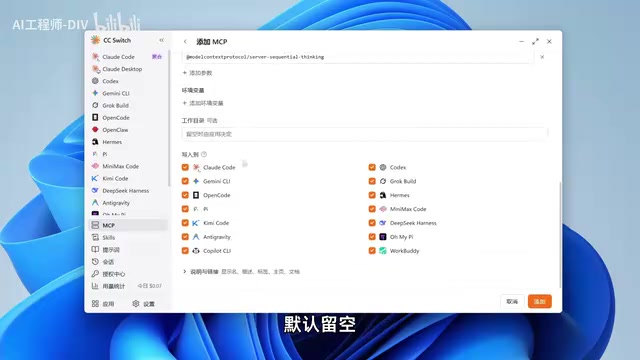
MCP (Model Context Protocol) is an open protocol proposed by Anthropic in late 2024 to let AI applications connect to external tools and data sources in a unified way. An MCP Server exposes a number of "tools," "resources," and "prompt templates" via stdio (local subprocess) or SSE/HTTP (remote service). The client (such as Claude Code) reads the configuration on startup, launches the corresponding process, and lists the available capabilities, which the model then calls as needed. This explains the phenomenon mentioned in the article that "you need to restart the corresponding tool and enter the MCP command before the service shows as available"—MCP services are loaded at client startup, so config changes only take effect after a restart. Different AI coding tools have different MCP config file locations and field formats, and CC-Switch's value lies in maintaining a single source configuration and then syncing it into each tool's own config file based on your checkboxes.
Skills Marketplace
The Skills module includes a discovery marketplace, sourced from skills.sh. Search by keyword to browse available Skills, and the list shows install counts and publishers. The creator notes that the list is not sorted by install count, and he hasn't fully figured out the sorting logic—so when choosing, use install count as a reference. When installing, you also need to check the target tools, and the checking must be done before installation; checking afterward won't sync automatically. Also watch out for directory name conflicts—in the demo, an Excel-related Skill had the same name as an existing Skill, triggering a directory-in-use prompt.
System Prompts
The prompts feature lets you configure global system prompts for AI coding tools. In the demo, two styles were created—"rigorous answers" and "lively and brief"—and enabling one and restarting Claude Code changed the answer style accordingly. Other tools like Codex can also each bind different prompt configurations.
Conversation History and Usage Statistics
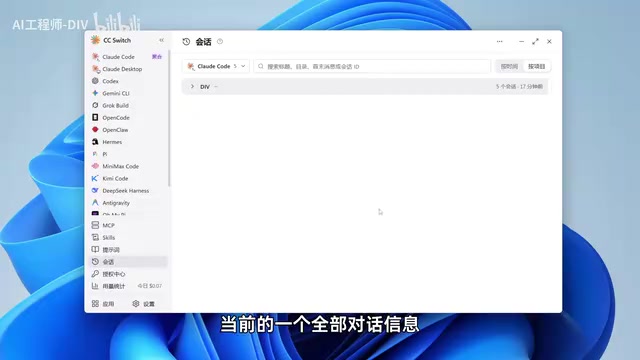
The "Sessions" page aggregates conversations with various AI tools on the current computer, grouped by project path. Expanding a single record shows the complete conversation, question time, model used, token consumption, and cost, and the thinking process can also be expanded for viewing. Important conversations can be exported as Markdown documents for sharing. If you want to know where these records are stored, there's an entry in settings that tells you the corresponding folder path directly.
The usage statistics page shows today's data by default, and you can switch to the last 24 hours, 7 days, 14 days, 30 days, or all time. In the demo, the day's usage totaled 7 cents, 14 requests, 141K tokens consumed, and 72K cache hits. Below the page, a bar chart shows consumption distribution across time periods, and each request log includes the time, application, provider, model, cost, token input/output, and cache hit rate. Statistics can be viewed by provider and by model—the latter makes it easy to see which model is used most.
The currency can be switched to RMB, with automatic exchange rate fetching. In pricing management, you can edit the per-million-token price for each model (entered in USD), and manually add new models when their pricing updates lag behind.
Token and cache-hit billing: Large models bill by token, with different unit prices for input and output, and most providers offer substantial discounts on "input tokens that hit the prompt cache" (for example, Anthropic's cache read price is about one-tenth of normal input). The "72K cache hits" mentioned in the article refers precisely to this discounted portion of input—the higher the cache hit rate, the lower the actual cost for the same conversation. Therefore, accurate cost statistics must distinguish four types of tokens: normal input, cache write, cache read, and output, and sum them at their respective unit prices. This is also why token metering is only accurate in routed mode—in direct mode, requests don't pass through CC-Switch, so it can only read the usage field returned by the provider or may not be able to get it at all, whereas relay mode can do its own accounting before and after forwarding.
One-Click Installation and Authorization Center
The "Apps" module supports one-click installation of AI coding tools, saving you the trouble of downloading each one from its official website. In the demo, Codex installed successfully and appeared in the installed list, but clicking install for DeepSeek Harness produced no error yet stayed in the uninstalled state—a one-off issue encountered in the demo; in practice you may need to use another installation method.
The Authorization Center is a new feature in v4, aimed at users who log in with official accounts rather than API Keys. After adding multiple accounts, you can view each account's subscribed plan and remaining quota and switch states in the same interface.
Conclusion
CC-Switch's core value lies in consolidating scattered configurations into a reusable asset: configure providers once, sync MCP and Skills once, and you cover multiple AI coding tools. The protocol conversion and failover brought by routed mode are its substantive differences from a simple config switcher. Aggregated mode's limited tool support, the opaque sorting logic of the Skills marketplace, and occasional one-click installation failures for certain tools are minor blemishes visible today, but they don't detract from its positioning as an efficiency tool for multi-tool users.
One-line Summary
CC-Switch brings provider configs, MCP, Skills, and usage stats for multiple AI coding tools into one interface.
Paragraph Summary
CC-Switch is an open-source configuration manager for multiple AI coding tools, supporting over a dozen tools including Claude Code, Codex, OpenCode, and WorkBuddy, and consolidating provider configurations, MCP services, Skills, system prompts, and token consumption statistics into a single interface. It offers three connection modes for Claude Code and similar tools: direct point-to-point mode is the simplest; routed mode starts a local relay port and solves three problems—protocol conversion, multi-provider failover, and accurate token metering—making it the author's recommended approach; aggregated mode writes multiple providers' models into the model selection list, but only supports Claude Code and Codex. MCP, Skills, and system prompts can be configured once and synced to multiple tools via checkboxes. Usage statistics show cost, tokens, and cache hit rate by provider and by model, and support currency conversion and custom pricing.
Related articles
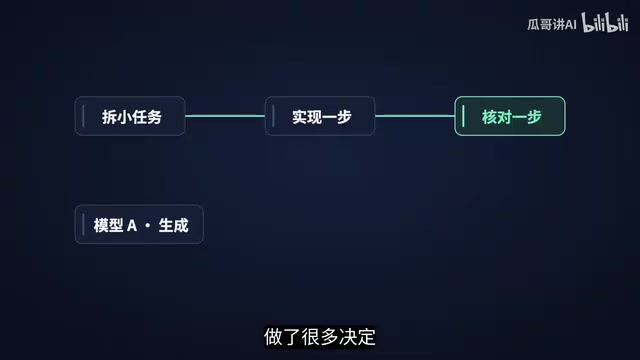
AI Code Generation Is Getting Cheaper—Validation Is the Real Challenge
Code generation is getting cheaper, and the bottleneck is shifting to validation. Drawing on Satya Nadella's interview, this piece analyzes coding agents' specifications, multi-model review, separation of permissions, organizational changes, and how engineers can turn a single fix into reusable team capability.
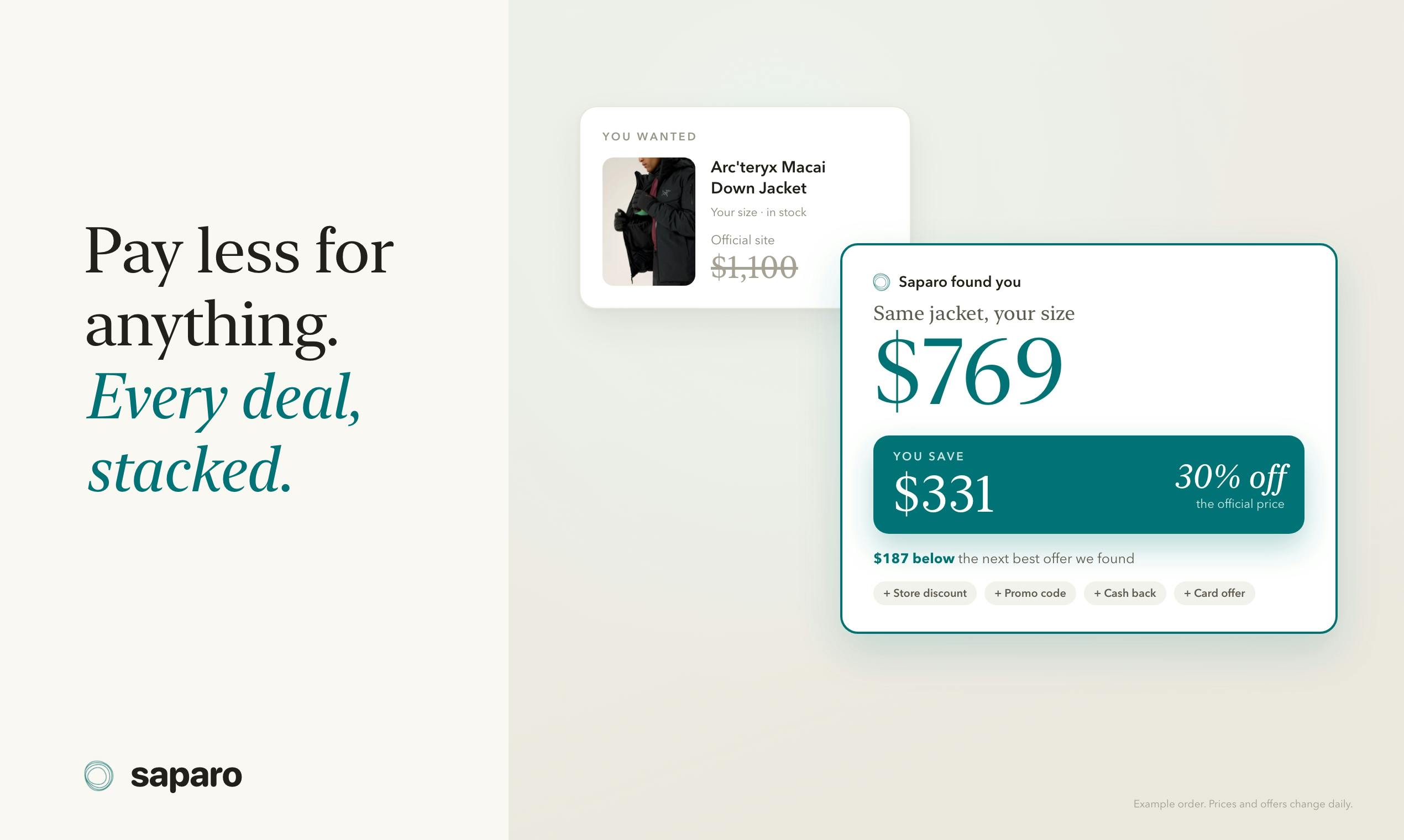
Saparo: The Shopping AI Agent That Stacks Discounts Automatically, Topping Product Hunt
Saparo is an AI shopping agent that automatically stacks discounts, topping Product Hunt. It finds the same item, matches sizes, combines promo codes and cashback, ranks by total cost including shipping and taxes, and leaves final payment to the user.

Tripmojo: The AI Travel Agent That Checks You In
Tripmojo is the #2 AI travel agent on Product Hunt: it syncs booking emails into a shared itinerary and lets Mojo attempt check-in, save boarding passes, and flag delays.