ChatGPT Voice Mode Hands-On: Chatting Like a Real Person

ChatGPT Voice Mode lets AI blend naturally into daily life through natural conversation, interruptions, and follow-ups.
Through a YouTube demo video, this article shows how ChatGPT Voice Mode changes human-AI interaction. Baking enthusiast Cida uses voice to adjust recipes, get allergy warnings, explain new concepts, get social advice, and write invitation messages—all without typing. Voice Mode supports interruptions and follow-ups and remembers context, making conversations feel like talking to a real person. The article also notes it can invoke image generation to make stickers, and highlights that Voice Mode lowers the barrier to AI use, especially for older users or those who don't type well, though it has limitations such as reduced accuracy in noisy environments and privacy concerns.
From Typing to Talking: What Voice Mode Changes
ChatGPT's Voice Mode (Modo Voz) is changing the way we interact with AI. According to a demo video on YouTube, users can now talk to ChatGPT as if chatting with a real person—asking questions, following up, and even interrupting it, all without typing. The star of the video, Cida, is an experienced baking enthusiast who uses Voice Mode to solve everything from recipe adjustments to social communication.
This shift in interaction is more than just an upgrade to the input method. It lets AI assistants blend more naturally into everyday life, especially for users who aren't comfortable with a keyboard or who want to keep their hands free.
Real-World Use Cases: From the Kitchen to Social Life
Recipe Adjustments and Dietary Needs
In the video, Cida asks ChatGPT whether she can substitute plant-based milk for dairy milk in her signature corn cake, because her son-in-law is allergic to milk. ChatGPT not only offers a substitute (one cup of oat milk for one cup of milk) but also warns her that the taste may change slightly and suggests she confirm with her son-in-law. More importantly, it distinguishes between lactose intolerance and a milk allergy—a common misconception.
When Cida then asks whether she can grease the baking pan with olive oil, ChatGPT honestly tells her it works but may affect the flavor. This kind of nuanced answer shows Voice Mode's ability to offer practical advice in real-time conversation.
Understanding New Concepts and Social Advice
Beyond baking, Cida uses Voice Mode to understand the "no-label relationship" (namoro sem rótulo) her granddaughter mentioned. ChatGPT explains in plain language what this kind of relationship means: both people are emotionally invested, but there's no defined romantic relationship or commitment. This helps Cida communicate better with her family.
Planning and Creative Assistance
Cida even starts thinking about building a website for her baking business and asks ChatGPT to help her plan it. She asks what kind of cake would suit a widowed man in his 70s who lives alone, and ChatGPT suggests a small corn cake while reminding her that taste matters more than age. She also asks ChatGPT to write an invitation message to an Argentine friend, and ChatGPT produces a gracious invitation in Spanish.

Voice Mode's Unique Capabilities
Explaining Things You Don't Understand
In the video, Cida receives a message with a tongue-out emoji and doesn't understand what it means, so she asks ChatGPT. ChatGPT explains that this emoji usually means "delicious" or "mouth-watering." This instant explanation feature is very useful for users who aren't familiar with internet slang or emojis.
Generating Images and Stickers
Cida also asks ChatGPT to turn a photo into a sticker to send to a friend. Although the video doesn't show the exact generation process, it demonstrates the possibility of ChatGPT invoking image generation during a voice conversation.

Behind Voice Mode is a pipeline of real-time speech recognition (ASR), natural language understanding, and speech synthesis (TTS). Unlike the traditional turn-based flow of "record → transcribe → generate → play," ChatGPT's Voice Mode typically uses streaming: recognizing as you speak, generating and synthesizing on the fly, bringing end-to-end latency down to near human conversation levels. The ability to interrupt relies on voice activity detection (VAD); the system must determine whether the user speaking up is an interruption rather than background noise, and promptly stop the current response. Together, these technologies support the "phone call-like" experience, and explain why noisy environments can affect recognition accuracy.
Invoking image generation within a voice session is essentially multimodal tool calling: the voice interface handles the conversation, and the backend routes the user's image request to a text-to-image or image-to-image model. When the user says "make a sticker out of this photo," the system must first complete image understanding (identifying the photo's content and people), then generate a new image with text or exaggerated expressions according to style instructions. This workflow demands high contextual consistency, because in voice conversations users often don't give precise prompts—the model needs to infer style, purpose, and recipient from the conversation history.
Conversational Naturalness and Interruption Capability
The most striking part of the video is the fluidity of the conversation. Cida can interrupt ChatGPT at any time, correct it, or ask a new question. For example, when ChatGPT suggests adding "coffee between friends" to the invitation message, Cida immediately objects, saying it feels too deliberate. ChatGPT then adjusts the wording right away.
This ability to interrupt and adjust on the fly makes the conversation feel closer to talking to a real person. ChatGPT can also remember context—such as the corn cake and the allergy issue mentioned earlier—and refer back to it in later conversation.

What It Means for Ordinary Users
Voice Mode lowers the barrier to using AI. For users who aren't good at typing or prefer speaking, especially older adults, this interaction style is much friendlier. Cida in the video is a typical example: she skillfully uses Voice Mode to handle all kinds of life problems, from baking to socializing, showing the practical value of an AI assistant.
Of course, Voice Mode has its limitations. Recognition accuracy may drop in noisy environments, and conversations involving privacy require attention to your surroundings. In addition, the features shown in the video may vary by region or version.
Conclusion
ChatGPT Voice Mode elevates AI conversation from text to voice, making interaction more natural and intuitive. Through the live demo, we see its potential in recipe adjustments, concept explanations, social assistance, and creative generation. As the technology evolves, Voice Mode is expected to become a standard feature of AI assistants, further integrating into daily life.
Related articles
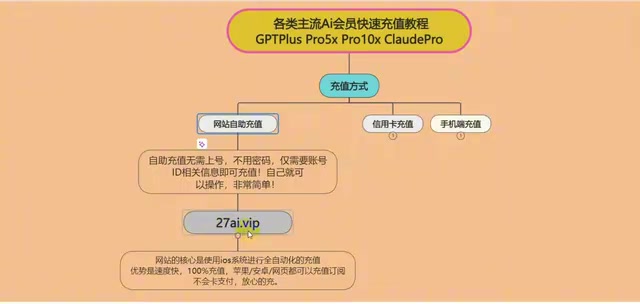
ChatGPT Plus Top-Up in China: Third-Party Website Recharge That Supports WeChat Pay and Alipay, No Overseas Card Needed
A Bilibili creator tests ChatGPT Plus top-up methods in China: comparing third-party website recharge, direct credit card, and mobile in-app purchase, with a full walkthrough of password-free WeChat/Alipay recharge and an analysis of Session credential and payment risk-control risks.

6GB Delivers Opus-Level Performance: Bonsai 2.5 27B Hands-On Test
Prism ML releases Ternary Bonsai 2.5 27B: ternary quantization brings it to just 5.9GB, runnable on a single consumer GPU while retaining 262k context and vision. Hands-on agentic benchmarks approach full-precision Qwen 3.8 27B, exceeding 150 tokens/s on a 4090, with impressive frontend and dashboard results, though game development and long tasks remain weak spots.

System Exchange Spawns an Offbeat Journey to the West: Why This Comedy Series Works
A Bilibili comedy short series reimagines Journey to the West with a system-exchange premise, as the protagonist challenges Sun Wukong, Erlang Shen, and other classics.