Chatway MCP: Let ChatGPT and Claude Take Over Customer Support Tickets Directly

Chatway uses MCP to let mainstream AI assistants manage support conversations without code, via a bring-your-own-AI strategy.
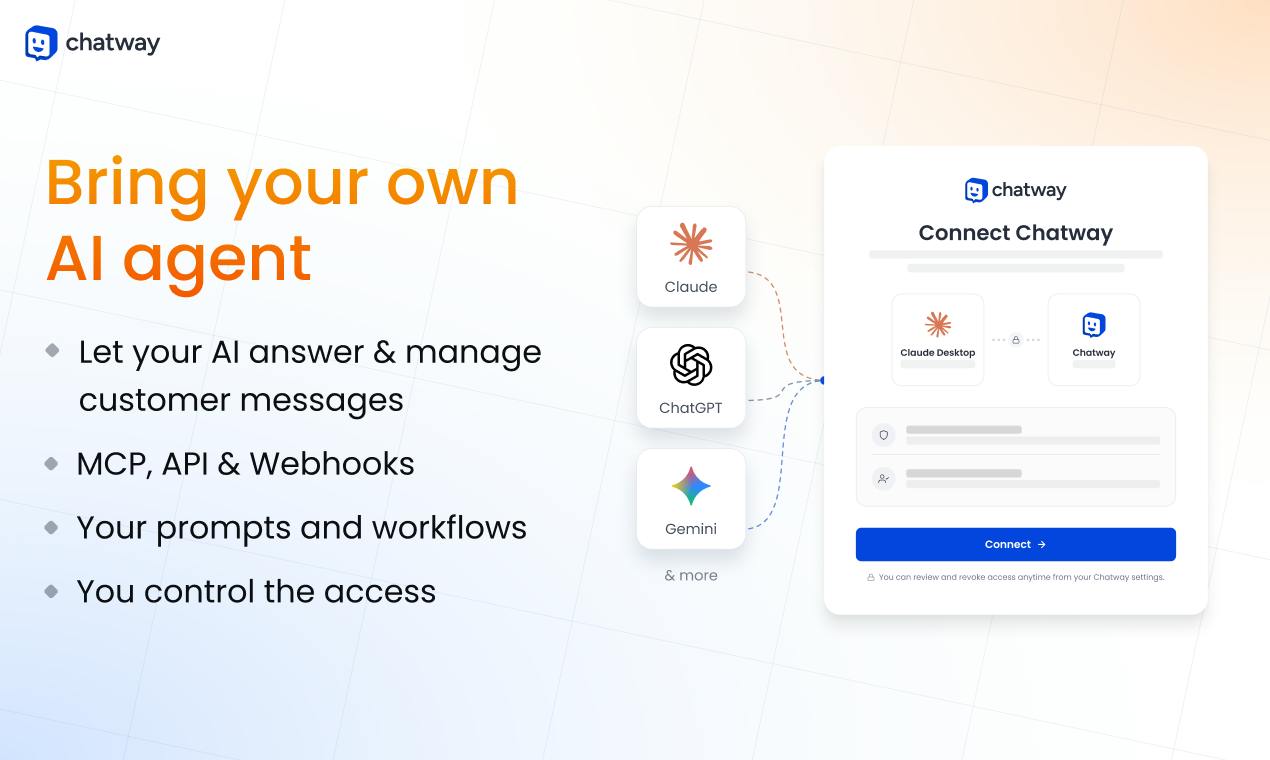
Chatway MCP is a platform that enables AI assistants like ChatGPT, Claude, and Gemini to directly manage customer support conversations through the MCP protocol, with no coding required. It turns itself into an MCP Server so AI can view tickets, reply to messages, search contacts, and access the knowledge base. The product uses a "bring your own AI" approach while also offering a built-in AI Support Agent. The MCP protocol standardizes AI-to-tool integration, but it's still early-stage, and stability and privacy depend on the chosen AI vendor.
Customer support teams face a flood of repetitive questions every day, and AI can already write decent replies—but connecting AI to an actual support system usually means writing code, wrangling APIs, and maintaining a middleware layer. Chatway MCP aims to bridge that gap: it lets ChatGPT, Claude, Gemini, and even Cursor manage customer conversations directly through the MCP protocol, without writing a single line of code.
What Is MCP, and Why Does It Change Things
MCP (Model Context Protocol) is an open protocol championed by Anthropic. Essentially, it defines a standard interface for AI assistants so they can connect to external tools and data sources. In the past, getting ChatGPT to reply to support messages meant building your own middleware: pulling messages from the support system, assembling context, calling the OpenAI API, and writing the reply back. MCP standardizes this entire flow—as long as a support platform supports MCP, any MCP-compatible AI assistant can operate it directly.
Chatway's approach is exactly this: turning itself into an MCP Server. You configure the connection in the Chatway dashboard, and then in the ChatGPT or Claude interface you can see Chatway's conversations, contacts, and knowledge base. Replying to messages, searching customer records, and looking up help articles all happen inside the AI assistant.
MCP uses a client-server architecture: the AI assistant (e.g., Claude Desktop) acts as the MCP Client, while external tools act as MCP Servers, and the two communicate via JSON-RPC 2.0 messages. The protocol defines three core capabilities—Resources (readable data, such as help center articles), Tools (callable functions, such as sending replies), and Prompts (preset prompt templates). Developers only need to implement the Server side according to the spec, and it can be discovered and invoked by all MCP-compatible clients. This is similar to how USB-C unified charging ports; MCP attempts to unify how AI connects to external systems, avoiding the need to build a separate plugin for each model. Currently, major players like Anthropic and OpenAI have all announced support for the protocol.
What It Can Actually Do: Four Core Operations
According to Chatway's Product Hunt description, once MCP is connected, the AI assistant can perform the following operations:
- Manage customer conversations: view the list of pending tickets and open specific conversation threads
- Reply to messages: compose and send replies directly within the AI interface
- Search contacts: find customer records by name, email, and other criteria
- Access the knowledge base: retrieve help center articles to assist with replies
These four operations cover the most frequent parts of the support workflow. For small and mid-sized teams, this means no more switching between multiple tabs—the AI assistant doubles as both a support workspace and a content retrieval tool.
The Pros and Cons of a "Bring Your Own AI" Strategy
Chatway's positioning is clear: it doesn't lock you into a single AI vendor, but instead lets you "bring your own AI agent." ChatGPT, Claude, Gemini, and Cursor can all connect. This kind of openness is relatively rare in today's support tools market—most platforms either bundle their own AI (like Intercom's Fin) or only support specific models.
The upside is flexibility. If you're already using Claude for your business, you don't need to learn a whole new tool just for support. If one model performs better on certain types of questions, you can switch at any time.
There are trade-offs, too. The MCP protocol itself is still in its early stages, and different AI assistants vary widely in how well and how reliably they support MCP. By outsourcing AI capabilities to third-party models, Chatway means reply quality, response speed, and data privacy all depend on the AI vendor you choose, not on Chatway itself.
MCP Servers are typically authorized via OAuth 2.0 or API Keys, and the AI assistant can only access support data after obtaining user permission. However, the authorization flows and permission granularity vary across clients—some only support read-only access, while others allow write operations. In addition, the MCP protocol itself does not mandate encrypted transmission, so actual security depends on the server-side implementation. For support scenarios involving customer privacy, enterprises need to evaluate the AI vendor's data retention policies, whether data is used for model training, and compliance with regulations such as GDPR and CCPA. As the data controller, Chatway's logging and access auditing features for its MCP Server will also affect overall compliance.
Built-in AI Coexists with MCP Integration
It's worth noting that MCP isn't Chatway's only path. It also offers a built-in AI Support Agent, along with a shared inbox, help center, automation flows, iOS/Android apps, and integrations with channels like WhatsApp, Instagram, and Facebook Messenger.
This product structure suggests a tiered strategy: users who don't want to fuss with MCP configuration can use the built-in AI Agent directly; users who want deep customization can connect their own AI toolchain via MCP. Both paths share the same support data layer, so switching costs are low.
The built-in AI Support Agent typically runs on the platform's preset models and rules—ready out of the box, but with limited customization. MCP integration, by contrast, puts the choice of AI in the user's hands, making it suitable for teams that already have a preferred model or need deep integration with internal knowledge bases. Both share the same conversations, contacts, and knowledge base data, so they can be used in a hybrid fashion—for example, using the built-in Agent for common questions and an MCP-connected Claude for complex tickets. This tiered design lowers the barrier to entry and avoids vendor lock-in. For small and mid-sized teams, it's advisable to start with the built-in Agent and migrate to MCP once AI use cases become clear.
The "Last Mile" Problem of Support AI
Customer support is one of the most natural scenarios for AI to land—highly repetitive questions, template-based replies, and clear metrics. But truly making AI work well is often less about model capability and more about the integration layer: can the AI see the complete customer history? Can it access the latest product documentation? Can replies be sent directly instead of copy-pasted?
MCP is trying to standardize exactly this layer. As one of the earlier support platforms to support MCP, Chatway has validated a direction: future SaaS tools may no longer need to build separate integrations for each AI assistant, but instead connect everything at once through a unified protocol. If this model holds, customer support is just the beginning—CRM, project management, data analytics, and other scenarios could all evolve along the same path.
Chatway currently offers a free starter plan, so for small teams wanting to dip their toes into AI support, the barrier to entry is low.
One-line Summary
Chatway uses the MCP protocol to let mainstream AI assistants manage support conversations without code, adopting a bring-your-own-AI strategy.
Paragraph Summary
Chatway MCP is a platform that lets AI assistants like ChatGPT, Claude, and Gemini manage customer support conversations directly through the MCP protocol, with no coding required. It turns itself into an MCP Server, enabling AI assistants to view tickets, reply to messages, search contacts, and access the knowledge base. The product adopts a "bring your own AI" strategy, avoiding lock-in to a specific model while also offering a built-in AI Support Agent as an alternative. The MCP protocol standardizes the integration layer between AI and external tools, potentially reducing the work SaaS tools must do to build separate integrations for each AI assistant. But the protocol is still early-stage, and support stability and data privacy depend on the chosen AI vendor. Chatway offers a free starter plan, making it suitable for small teams testing the waters of AI support.
Related articles

WorkBuddy Full Tutorial: Build an AI Office Automation Agent from Scratch
A complete WorkBuddy tutorial: installation, three working modes, multimodal picture book video practice, expert team agent building, and workflow configuration for low-cost AI office automation.

WorkBuddy Agent Complete Guide: From Beginner to Automation in 7 Days
Based on Bilibili's 256-episode WorkBuddy masterclass, this systematically breaks down Tencent's AI office workbench core capabilities: Agent principles, Skill encapsulation, cross-platform connectors, scheduled automation, knowledge bases, and zero-code development, with learning path recommendations.

8 AI Accounts, 7 Failed: An Honest Review of Using AI to Get Work Done
Only 1 of 8 AI-run Bilibili accounts succeeded. We break down the real difference between "performing AI" and "using AI to get work done."