Chopstick: Using AI Coding Agents to Auto-Generate Mac Widgets

Chopstick observes repetitive Mac actions and calls existing coding agents to auto-generate notch widgets.
Chopstick is a Mac productivity tool ranked #7 on Product Hunt. It observes your repetitive actions and calls your configured coding agent to auto-generate notch widgets. It emphasizes local activity logs and on-device behavior recognition for low privacy risk, but depends on users already having AI coding tools—positioning it as an efficiency layer, not an entry product. Notch widgets offer limited benefit in multi-monitor setups. Its 91 votes reflect the "meta-tool" trend of using AI to generate tools that manage AI tools, but recognition accuracy and false-positive risks remain undisclosed, so real-world value awaits verification.
When Your Mac Learns to "Write" Its Own Widgets: The Automation Logic Behind Chopstick
Every day on your Mac, you repeat the same actions—opening a particular folder, switching to a specific app, running a script. These actions seem trivial, but they add up and drain your attention. Chopstick, a new product ranked #7 on Product Hunt, aims to solve this: it observes your repetitive behaviors on Mac and then calls your existing coding agent to automatically generate corresponding notch widgets.
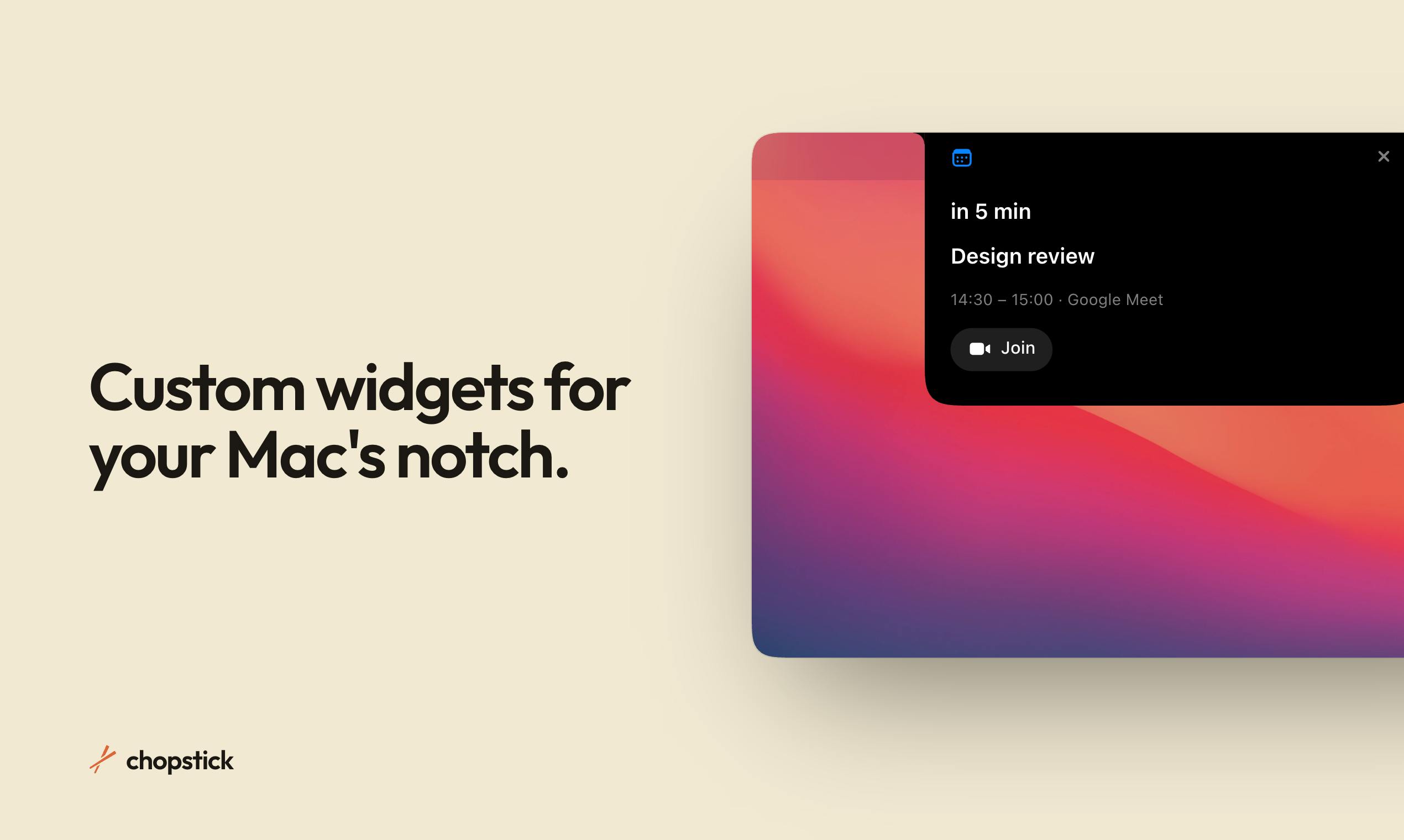
The key to this approach isn't the "widget" itself, but the generation method. Traditional widgets require manual configuration by users or pre-coding by developers. Chopstick instead delegates two tasks to an automated process: "discovering repetitive patterns" and "generating reusable tools." You don't need to tell it "make me a button that quickly opens my project folder"—it notices you doing this repeatedly and writes it for you.
Local Activity Logs: A Privacy-First Design Trade-off
Chopstick's official description emphasizes one point in particular: your activity logs stay local. In an era where AI tools commonly upload behavioral data to the cloud for analysis, this choice is noteworthy.
Localization means two things. First, recognition of repetitive behaviors happens on-device, so users' daily activity trails never become training data or analytical material. Second, the coding agent invoked to generate widgets is "your existing one"—Chopstick doesn't lock you into a specific AI service but reuses your currently configured coding tools. This design returns control over AI capabilities to users and reduces the product's dependence on any single model provider.
The trade-offs are equally real: local processing requires device compute power, and the premise of "your existing coding agent" naturally filters out users who haven't configured AI coding tools. Chopstick is essentially an efficiency enhancement layer for people who already have AI tools in place—not an entry-level product for beginners.
Coding agent refers to AI programming assistants with autonomous planning and execution capabilities, such as Claude Code, Cursor Agent, GitHub Copilot Workspace, and others. Unlike traditional code completion, coding agents can understand natural language instructions, access the file system, run commands, and iteratively modify code—essentially a programmable "digital employee." Chopstick reusing the user's configured coding agent means the task of generating widgets is submitted to that agent as natural language prompts or structured instructions, and the agent writes the results back as installable widget code. The benefit of this mechanism is that users don't need to learn a new development framework, but it requires the agent to have file read/write and code generation capabilities, and interface compatibility may vary across different agents.
Notch Widgets: A Fragmented Entry Point for Mac Interaction
Chopstick places generated widgets in the Mac's notch area. This location has long been in an awkward position in recent Mac product design—the notch at the top center of the screen both limits menu bar space and has spawned a wave of third-party tools built around it.
Placing shortcuts for high-frequency actions in the notch area makes logical sense: high visual attention frequency, short click paths, and no desktop or Dock space consumed. Generative widgets further reduce maintenance costs—if a repetitive behavior disappears, the corresponding widget can be regenerated or retired without manual configuration cleanup.
However, the usability of notch widgets depends heavily on screen size and usage habits. In external monitor scenarios, the notch area doesn't exist, so multi-monitor users get diminished returns. The Product Hunt page tags the product with Mac, Productivity, and Artificial Intelligence, indicating its positioning spans both the productivity tool and AI application categories.
Notch is the camera cutout that has appeared at the top center of the screen since the 2021 MacBook Pro, compressing the menu bar area on either side but also becoming a new interaction battleground for third-party tools. Existing tools like NotchNook and Boring Notch transform the notch into expandable control centers or information panels. Chopstick's difference is that widgets are AI-generated on demand rather than preset. However, the usable width of the notch area is affected by the number of menu bar icons, and the system doesn't provide an official API—third-party tools mostly rely on accessibility permissions or window overlays, posing stability and compatibility risks.
The Signal Behind 91 Votes: The "Meta" Trend of AI-Generated Tools
Chopstick received 91 votes and 9 comments on Product Hunt, ranking #7 for the day. That's not a blockbuster result, but it's solid for a niche tool. What's more noteworthy is the trend it represents: using AI-generated tools to manage the use of AI tools.
Over the past year, the capability boundaries of coding agents have continued to expand, from writing code to executing system-level tasks. Chopstick treats coding agents as a "widget factory," turning AI output directly into part of users' daily interface. This "meta-tool" approach may have more longevity than single-function widgets—because it doesn't presuppose what users need but infers it from behavior.
Developer Joshua Knauber didn't disclose the specific repetitive behavior recognition algorithm or the list of supported coding agents on the page, leaving several open questions: How accurate is the recognition? Will false positives generate useless widgets that cause interference? Is there a capacity limit for local activity log storage? The answers will determine whether Chopstick remains a concept demo or becomes a daily staple tool.
For users who already have AI coding agents configured on their Mac and are frustrated by repetitive actions breaking their flow, Chopstick offers a low-configuration-cost way to try. Whether it can deliver on the promise of "widgets that write themselves" still needs more real-world feedback to verify.
Product Hunt voting mechanism: Top daily rankings typically receive hundreds to thousands of votes. 91 votes ranking #7 suggests either low competition that day or the product is in an early exposure phase. Vote counts reflect early community interest more than product maturity. The ratio of comments (9) to votes also suggests limited engagement depth, insufficient to judge user retention. For products that depend on users' existing AI toolchains, Product Hunt's early-adopter audience overlaps significantly with the target audience, but there's still a large gap between voting behavior and actual daily use.
One-line Summary
Chopstick observes repetitive Mac actions and calls existing coding agents to auto-generate notch widgets.
Paragraph Summary
Chopstick is a Mac productivity tool ranked #7 on Product Hunt. Its core idea is to observe users' repetitive actions and call their configured coding agents to automatically generate notch widgets. The product emphasizes local activity log retention and on-device behavior recognition, minimizing privacy risks, but it depends on users already having AI coding tools—positioning it as an efficiency enhancement layer rather than an entry-level product. Notch widgets have limited benefits in multi-monitor setups. Its 91 votes represent the "meta-tool" trend of using AI-generated tools to manage AI tools, but key details like recognition accuracy and false-positive interference remain undisclosed, leaving its actual value to be verified.
Related articles
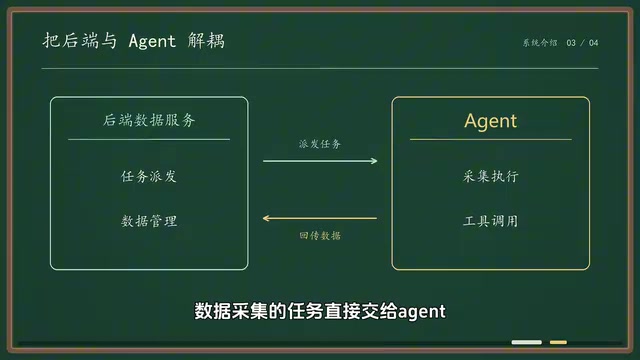
Deconstructing a Scalable AI Agent Automation System Architecture
Deconstructing a scalable AI Agent automation system from a Bilibili creator's open-source practice: backend handles task dispatch and data management, Agent handles collection and execution, with flexible extension via MCP and Skills, and explores the architecture's reuse value in workflow automation.
Stop Hand-Writing Prompts: Deconstructing the Graph Engineering Workflow for AI Agents
Deconstructing Graph Engineering for AI Agents: distinguishing control graphs, knowledge graphs, and graphs of loops, explaining the code-as-graph and model-as-graph paths, plus the Super Design team's daily bad-design triage and change-release cases with key design points.

From In-the-Loop to Out-of-the-Loop: The Next Leap in AI Agent Architecture
From in-the-loop to near-loop to out-of-loop, this article analyzes the evolution of AI agent architecture: how persistent agents, event triggers, and sandboxes form proactive agent systems, and how the four elements of context, model, prompt, and tools amplify engineers' leverage.