Claude Agent SDK in 90 Seconds: From Hello World to Automatic Bug Fixing

Build an AI Agent that autonomously finds and fixes code bugs with just a few lines using Claude Agent SDK.
Based on Anthropic's Claude Agent SDK tutorial, this article breaks down the full process of building an AI Agent that can independently discover and fix code bugs. Setup takes just two steps: install the SDK via pip and configure your API key. A basic Hello World example demonstrates querying and streaming responses. The core demo grants the Agent read, edit, and glob tools with permission_mode set to acceptEdits, enabling it to autonomously read and modify files. Given only the high-level goal of finding and fixing crashes in utils.py, the Agent locates, reasons through, and repairs two hidden bugs without developer guidance on specific changes.
How many steps does it actually take to build an AI Agent that can independently read code, find problems, and fix them? The answer might be simpler than you think. With Anthropic's Claude Agent SDK, the entire process boils down to just a few lines of code. Based on a YouTube tutorial, this article walks through the complete journey from environment setup to having an Agent automatically repair code defects.
Set Up Your Environment in Two Steps
Getting started is nearly frictionless. Step one: install the dependency by running pip install claude-agent-sdk in your terminal. Step two: set your Anthropic API Key as an environment variable. That's it — you're ready to go.
No complex framework initialization, no tedious config files. This minimalist design philosophy reflects exactly what modern Agent development toolchains are striving for: freeing developers from boilerplate code so they can focus on what actually matters — the business logic.
Hello World: Running Your First Agent
The official getting-started example is refreshingly straightforward. Import the query method from the SDK, ask the model the simplest possible question — "What is 2 plus 2?" — then iterate over the streamed messages and print Claude's text output.
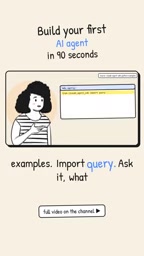
Since this task doesn't invoke any tools, the entire message loop completes in a single turn. Claude returns "4", and your first Agent is up and running. Simple as it is, this example clearly demonstrates the core mechanics of how an Agent operates: issue a query, receive streamed messages, handle the output.
Putting the Agent to Work: Automatically Finding and Fixing Bugs
The real value of an Agent shines in the second example. The official quickstart provides a small file called utils.py containing two hidden bugs:
calculate_averagecrashes with a divide-by-zero error when passed an empty list;get_usernamethrows an exception when the user isNone.

This Agent is still just a single query call, but the prompt has changed to: "Review utils.py for bugs that could cause crashes, and fix all the issues you find."
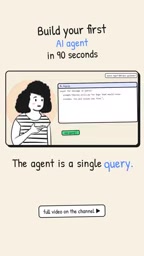
Two configuration options make this possible. The first is allowed_tools, which grants the Agent access to three tools: read, edit, and glob — giving it the ability to read files, modify files, and search for files. The second is permission_mode set to acceptEdits, meaning the Agent can make file changes directly without stopping to ask for approval at every step.
Each of the three tools in allowed_tools serves a distinct purpose: read lets the Agent access file contents, edit lets it make modifications, and glob lets it match and locate files in bulk using wildcard patterns like *.py. This whitelist-based tool authorization model is a foundational principle of safe Agent design — no capabilities are granted by default, and developers explicitly enable what they need, keeping the Agent's "action radius" within controllable bounds. The acceptEdits mode for permission_mode takes automation a step further: the Agent no longer needs to prompt for confirmation before each file write, which is ideal when you already trust the Agent's judgment. During development, however, you'd typically use a more conservative mode that lets developers review each change incrementally.
From "Executing Instructions" to "Autonomous Reasoning"
Hit run, and the whole process is genuinely impressive to watch. The Agent reads the file, reasons about which inputs would trigger a crash, then edits the code — adding a guard for the empty list case and a null-check for the missing user scenario. Task complete.

The most striking part: you never told it which lines to change. You gave it a high-level goal, and the Agent figured out the rest on its own. This is the fundamental difference between an Agent and a traditional script — traditional programs execute hardcoded instructions, while Agents plan and act autonomously toward a goal.
The Agent's ability to "autonomously locate problems" relies on the Tool Use Loop embedded in large language model reasoning: after reading the file, the model builds a mental model of the code in context, infers which execution paths could raise exceptions, then decides to invoke the edit tool and generates the specific patch. Under the hood, this is a multi-turn message exchange — the result of each tool call is fed back as new context, driving the next decision. The Claude Agent SDK wraps this entire loop behind a single query call, so developers don't need to manually manage turns. But understanding the underlying "perceive–reason–act" cycle is valuable when debugging Agent behavior in more complex scenarios.
What This All Means
This 90-second demo reflects a broader paradigm shift happening in AI-powered development tools. The developer's role is gradually moving from "writing every line of implementation" toward "defining goals and boundaries." Parameters like allowed_tools and permission_mode let developers grant Agents the power to act while retaining control over the scope of that power.
For engineers looking to explore Agent development, the Claude Agent SDK offers a low-friction entry point. It abstracts away the complexity of tool invocation, permission management, and streaming interaction, making it possible to go from concept to a working prototype in minimal time. The examples in the tutorial are admittedly simple — real production Agents need to account for error handling, security boundaries, result validation, and much more. But as a first lesson in Agent development, it communicates the core ideas with impressive clarity.
Related articles

Chain of Thought Isn't Just for AI: How Humans Can Use CoT to Improve Thinking Quality
Chain of Thought isn't just a prompt trick for large models. Starting from a Hacker News discussion, this article analyzes why CoT works for human thinking too, breaks down actionable ways to transfer it, and highlights the key differences between human CoT and machine CoT.
Cloudflare Teams Up with OpenAI: Closi…
Cloudflare Teams Up with OpenAI: Closing the Loop from Vulnerability Discovery to Defense with AI
Cloudflare uses OpenAI Daybreak to investigate security vulnerabilities and generate reviewable remediation plans, while developers use Codex to boost coding efficiency and quality.

Orca Multi-Agent Orchestration in Practice: A Guide to Parallel Collaboration with Claude and Codex
Orca is Stable AI's free open-source agent workbench supporting 34 agents like Claude Code and Codex in parallel. Learn its Git worktree isolation, multi-model orchestration, and mobile management.