Claude Code Chinese Guide: A Complete Path from Zero to an Efficient Workflow

A systematic Chinese-localized guide to mastering Claude Code, from zero basics to an efficient AI coding workflow.
The Claude Code Chinese Guide is a systematic learning resource built for Chinese developers, covering ten core modules like Slash Commands, Memory, MCP, and Hooks. With a three-tier learning path, it helps you build your own AI coding workflow in 11–13 hours, plus localized support for China-specific pain points.
The Tool Is in Your Hands, But You Can't Find the Right Way to Use It
You've installed Claude Code, opened your terminal, typed a command, the screen lights up, and the AI is waiting for you—but you find that while it looks smart, you don't know how to make it actually do work for you. You know how to type and chat, but concepts like slash commands, skills, and hooks sound like alien scripture.
This is not an isolated experience. As Claude Code has rapidly gained popularity in China's developer community, more and more people are running into the same predicament: the tool is right there in your hands, yet you can't find the right way to open it. This is exactly why the "Claude Code Chinese Guide (Claude Code How-to ZH-CN)" project exists—a systematic learning resource built specifically for Chinese developers.
Background: Claude Code is a command-line AI coding assistant released by Anthropic, built on the Claude large language model. Unlike AI coding tools that take the form of IDE plugins such as GitHub Copilot or Cursor, Claude Code makes the terminal its main battlefield—it can directly read and write files, execute shell commands, and call external tools, giving it stronger autonomous task-execution capabilities.
There's an important technical detail worth understanding here: a large language model on its own can only generate text, but through the "Tool Use / Function Calling" framework, the model can output structured invocation instructions, which the host program actually executes—performing operations like file reads/writes and terminal commands—and then feeds the results back to the model to continue reasoning. This continuous "perceive—decide—act" loop is precisely what distinguishes Claude Code from an ordinary chatbot, and why it's called an "AI Agent"—rather than just a Q&A tool. It also explains why learning it requires building an entirely new "mental model," not just memorizing a few commands.
The boundaries of Agent capabilities are worth further elaboration. The Tool Use / Function Calling framework was first systematically popularized by OpenAI in the GPT-4 era. Its core mechanism is: when calling the API, developers attach a "tool manual" (in JSON Schema format) describing each tool's name, parameter types, and purpose; when generating a response, if the model determines it needs to use a tool, it outputs a structured invocation intent rather than natural language; the host program captures this intent, actually performs the operation (such as calling a system API, reading/writing to disk, or accessing the network), and then appends the execution results to the conversation history, upon which the model continues reasoning. This mechanism upgrades the model from "only able to talk" to "able to do things," and is the shared technical foundation of all mainstream AI Agent frameworks today (LangChain, AutoGPT, Dify, etc.).
It's worth emphasizing that this is not a simple machine translation. The project has a high-quality English upstream repository, but the author found that directly translating the English word-for-word into Chinese still wasn't friendly enough for beginners in China. So what the team did was redesign the learning experience: reorganizing the knowledge system in a way that suits Chinese thinking—first explaining "what this is, when to use it, and why it's valuable," then explaining "how to install, how to configure, and how to execute."
Ten Modules: Covering All of Claude Code's Core Capabilities
The entire project is broken down into ten modules, forming a complete learning chain that starts from zero.
Slash Commands and the Memory System: Building Rapport with the AI
Module One: Slash Commands: This covers over 60 built-in commands, from the most basic /help to advanced ones like rewind and resume, helping you quickly master the core means of interacting with the AI.
Module Two: Memory: This is the key to making the AI "understand you better the more you use it." Through project-level rules, personal preferences, and directory-level configurations, Claude can remember your coding habits and project conventions, giving you responses that better fit the context.
Understanding this module first requires knowing a core limitation of large language models: the context window. There is an upper limit to the length of text a model can "see" in a single inference pass, measured in Tokens (roughly understood as "word fragments"). Even models with the longest context windows currently available (such as Claude 3.5, which supports around 200K Tokens) still fall short when facing large code projects.
It's especially worth noting that a Token is not simply equivalent to a character or a word—in English, a common word usually corresponds to 1–2 Tokens; but in Chinese, because most LLM tokenizers are trained on English corpora, a single Chinese character often consumes 2–4 Tokens. This means that Chinese content carrying the same amount of information consumes more context space than English. This has a direct practical impact on Chinese developers using Claude Code: when writing configuration files like CLAUDE.md, you should use concise Chinese expression as much as possible and avoid redundant descriptions, in order to maximize the utilization of the precious context window.
The Memory module writes project conventions into specific configuration files (such as CLAUDE.md) and automatically injects them into the context at the start of each session—effectively giving the model a kind of "external long-term memory" so that the AI "remembers" your project conventions every time it starts, without you having to repeatedly restate them.
This design approach is known in AI engineering as a simplified variant of RAG (Retrieval-Augmented Generation). A full RAG system dynamically retrieves the most relevant fragments from a large knowledge base to inject into the context; the CLAUDE.md approach, by contrast, is much lighter—loading project conventions completely as a fixed "seed document" at each session start, sacrificing a portion of context space in exchange for zero retrieval latency and highly controllable memory content. For engineering scenarios where the convention documents are small in size but must be strictly followed by the AI (such as code style conventions, API interface specifications, and prohibited-operation lists), this is currently one of the most practical engineering solutions.

Skills, Subagents, and Team Collaboration: From Individual to Team
Modules Three and Four: Skills and Subagents: Through customized AI skill packs and subagents, you can have Claude automatically execute complex multi-step tasks, rather than manually directing every step.
The concept of Subagents originates from the Multi-Agent System (MAS) architecture, a classic research field in distributed artificial intelligence. Its core idea is to decompose a complex problem and hand it off to multiple specialized agents working together: a main Agent plays the role of the "Orchestrator," responsible for task decomposition and result aggregation; the sub-Agents each focus on subdivided responsibilities such as code review, test generation, and documentation writing, and can operate in parallel. This architecture not only improves the efficiency of handling complex tasks, but also reduces the risk of single-point failure through separation of responsibilities—much like the software engineering idea of "microservices" splitting a monolithic application into independent services.
In actual engineering practice, multi-agent collaboration also faces an important engineering challenge: defining task boundaries. When multiple sub-Agents modify the same codebase in parallel, avoiding conflicts and ensuring consistency of the final result requires borrowing from the ideas of "optimistic locking" and "version vectors" in distributed systems—before distributing tasks, the main Agent defines a clear file scope for each subtask, sub-Agents can only modify their assigned files, and the main Agent is ultimately responsible for merging and resolving conflicts. This is highly similar to Git's branch-merge workflow; in fact, Claude Code's Checkpoints module is precisely the engineering embodiment of this idea at the AI coding tool level.
The multi-agent architecture also solves a deeper problem: context pollution. When a single Agent handles an overly long task chain within one session, erroneous assumptions or irrelevant information from earlier in the conversation continue to interfere with subsequent reasoning, degrading output quality—this is known in AI engineering as "context poisoning." By splitting tasks among independent sub-Agents, each sub-Agent's context is clean and focused, and the main Agent only aggregates the final results rather than the intermediate process, thereby avoiding this problem at the system level. This is also why complex software engineering tasks (such as the end-to-end automation of "from requirements document to runnable code") are better suited to multi-Agent collaboration than to a single Agent's ultra-long conversation.
Modules Five through Seven: MCP, Hooks, and Plugins: This is the complete capability matrix for moving from "one person using it" to "an entire team collaborating."
MCP (Model Context Protocol) is an open standard protocol released by Anthropic at the end of 2024, designed to solve the fragmentation of integration between AI models and external tools and data sources. Before MCP appeared, every AI application had to write dedicated integration code for different external services (such as databases, Git, Slack, etc.), which was extremely costly to maintain.
MCP's design draws on the successful experience of the LSP (Language Server Protocol) that Microsoft designed for the VS Code ecosystem: by defining a unified Server/Client interface specification, it achieves "implement once, integrate everywhere." As long as a tool implements the MCP Server interface, any MCP-supporting AI client can integrate with it seamlessly. There are already hundreds of MCP Server implementations for services like GitHub, Slack, and PostgreSQL, gradually forming a tool marketplace similar to the npm ecosystem. With MCP integration, you can connect Claude Code into CI/CD workflows, team collaboration platforms, and automation pipelines.
From a broader industry perspective, the emergence of MCP marks a key turning point where the AI toolchain is moving from "each fighting on its own" to "standardized interconnection." Before this, although frameworks like LangChain and LlamaIndex provided abstraction layers for tool integration, their implementations were incompatible with one another, and developers often found themselves trapped in "framework lock-in." As an application-layer protocol, MCP's positioning is analogous to HTTP for the web ecosystem—it doesn't dictate a tool's internal implementation, only the communication contract between the tool and the AI client. As mainstream AI development tools like Cursor, Zed, and Claude Desktop successively announce support for MCP, this protocol is rapidly becoming the de facto standard for AI tool interoperability, and its ecosystem value will grow exponentially in network-effect fashion as the number of integrated tools increases.
Hooks are an event-driven programming pattern, whose core philosophy is "don't actively poll for state; subscribe to events and respond passively." Git Hooks are one of the earliest successful implementations of this pattern in development toolchains—developers can inject custom scripts at hook points such as pre-commit and post-merge to implement quality gates like code format checking and automated testing. In the Claude Code context, Hooks allow developers to automatically run predefined scripts or logic when specific events are triggered (such as after the AI completes a code modification, or before/after executing a certain command), without having to constantly monitor every step of the AI's operations. Combining Claude Code's Hooks with CI/CD tools like GitHub Actions and Jenkins can build a complete automation pipeline of "AI assistance → automatic verification → automatic deployment," significantly improving a team's R&D efficiency.
Modules Eight through Ten: Checkpoints, Advanced Features, and CLI Reference: These help you build systematic proficiency with Claude Code, forming a complete loop. Each module comes with templates and example files that can be directly copied and used, greatly lowering the barrier to entry.
A Three-Tier Learning Path: Build Your Own Workflow in 11 to 13 Hours
Many people ask: where should I start? The project offers a clear three-tier learning path.
- Beginners: Start with the README and the Learning Roadmap, along with the quick reference—you can get your environment up and running in 15 minutes.
- Intermediate learners: Dive deep into each module, learning how to combine Slash Commands, Memory, and Skills to build your own efficient workflow.
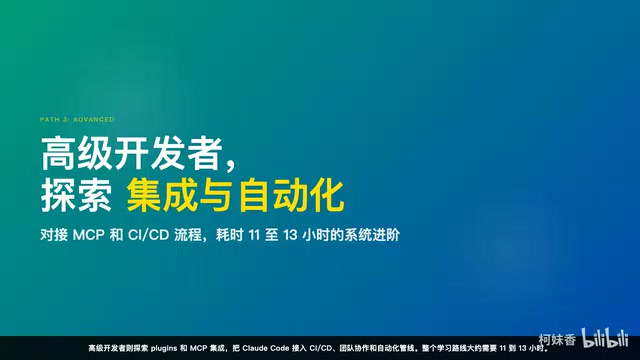
- Advanced developers: Explore MCP integration and Plugins, and connect Claude Code into CI/CD, team collaboration, and automation pipelines.
The entire learning path takes roughly 11 to 13 hours, with a clear time estimate for each step, making the learning pace controllable and plannable. The core philosophy the author repeatedly emphasizes is: learning Claude Code isn't about memorizing commands, but about building a mental model—first understand what problem each capability solves, then learn how to use it.
Hyperframes: An AI Content Pipeline from Text to Video
Beyond document-based learning, this project also has a distinctive built-in feature—the Hyperframes video skill system. This is a complete framework that teaches you how to produce videos with Claude Code, containing 17 sub-skills that cover the complete production pipeline from text to video.
Typical use cases include:
- Using HTML to generate explainer videos, quickly turning ideas into visual presentations;
- Turning GitHub PRs into code walkthroughs, helping developers vividly demonstrate code changes;
- Website screen-recording tours, automatically generating interactive demo videos;
- One-click conversion of WeChat Official Account articles into videos;
- A complete solution for migrating from Remotion/React projects to Hyperframes HTML.
At the underlying technical level, it adopts the HTML Composition approach: combining CSS layout, GSAP animation (GreenSock Animation Platform, the most mature high-performance JavaScript animation library in the industry, renowned for its smoothness and cross-browser compatibility, offering frame-level timeline control and hardware acceleration—the de facto standard library for Hollywood-grade interactive animation and data visualization), and TTS speech synthesis (Text-to-Speech, which can connect to services like Microsoft Azure TTS, Google Cloud TTS, or iFlytek to generate natural, near-human speech), rendering professional video content directly in the browser from structured text and chart data.
The technical lineage of the HTML Composition approach can be traced back to the design philosophy of "Data-Driven Documents" (which is precisely the origin of D3.js's full name). The complete tech stack typically comprises four layers: a declarative content layer (HTML/Markdown defining the content structure), a styling and animation layer (CSS+GSAP controlling the visual presentation), a rendering layer (headless browsers Puppeteer/Playwright responsible for frame-by-frame screenshots), and a composition layer (FFmpeg encoding the image sequence into an H.264/H.265 video stream and mixing in the TTS audio track). The core advantage of this approach lies in its "data-driven" nature: traditional video production relies on non-linear editing software like Adobe Premiere and Final Cut, where modifying every frame requires manual timeline operations; whereas animations built with HTML/CSS/JavaScript are essentially declarative code—changing the data automatically re-renders all content. The entire pipeline can run fully automated on the server side, without any graphical interface. The essence of this approach is to transform traditional video editing work into a structured code-generation problem—and this is precisely the domain AI coding tools are best at handling.
It's worth noting that this pipeline's viability depends on a key prerequisite: the video content must be sufficiently structured. Content in scenarios like technical tutorials, product demos, and data reports has a highly predictable structure (title → body → code → demo → summary), making it very suitable for templated production; while content that relies on narrative pacing and emotional rendering, such as documentaries and creative shorts, still requires substantial human creative involvement. This also means that the greatest value of AI video automation will first explode in areas like enterprise-internal technical communication, product documentation, and training content, rather than immediately disrupting the consumer-grade creative ecosystem.
The Rigor of Localization: The Chinese Version Still Runs
As a Chinese localization project, the team's biggest concern is: after changing to Chinese, will the commands and configurations still run properly?
To this end, the project includes a suite of localization validation scripts that automatically check Markdown links, YAML Front Matter, JSON and YAML syntax, shell script syntax, and the protection of key fields.
YAML Front Matter was first popularized by the static blog framework Jekyll and has since become a universal metadata standard in the Markdown ecosystem—embedding structured metadata at the top of a Markdown file, delimited by ---, to store fields like title, tags, and file ID. It's widely adopted by mainstream documentation frameworks like Jekyll, Hugo, and Next.js. This format's syntax requirements are extremely strict: indentation must use spaces (not Tabs), and special characters like colons and quotation marks within strings need to be escaped. For localization projects, this is where translation tools are most prone to error—translating the value of title: Getting Started to title: 入门指南 is usually safe, but if you accidentally translate id: getting-started into Chinese as well, then all downstream links referencing that ID will 404, causing the entire document build to fail. This is precisely the core motivation for the project introducing automated validation scripts.
The design philosophy of this validation mechanism is highly consistent with the "Shift-Left Testing" principle in modern software engineering—moving quality validation checkpoints as far forward into the development phase as possible, rather than discovering problems only when the build fails or users provide feedback. In large localization projects, this philosophy further extends into a complete documentation quality toolchain: "link health detection" periodically scans all external links and automatically flags dead links; "content coverage tracking" compares the section differences between the English original and the Chinese version, automatically generating a to-be-synced list; "terminology consistency validation" establishes a terminology dictionary to ensure the same technical concept uses a unified Chinese translation across the entire documentation site. Adding automated validation to the CI pipeline can catch such issues the moment a contributor submits a Pull Request, greatly reducing the maintainer's review burden—a mature practice for open-source collaboration projects to strike a balance between ensuring contribution quality and lowering the barrier to participation.

The project also establishes a detailed localization style guide, clearly specifying which content absolutely must not be translated (such as command names, environment variables, and configuration file paths), and which content can be fully localized (such as titles, introductions, FAQs, and learning path descriptions). This strategy of "change high-risk files as little as possible, rewrite low-risk content freely" allows every contributor to work within safe boundaries.
Three Core Differences Compared to the English Original
What exactly is the difference between this Chinese project and its English upstream? The author summarizes it in three points.
First, a comprehensive reconstruction of the learning experience. The knowledge structure has changed from "listing terminology" to "problem-oriented," with each chapter unfolding in the order of "what this is, when to use it, what preparation is needed, how to operate it, and what the common pitfalls are"—better suited to Chinese readers' learning habits.
Second, dedicated support for Chinese developers. How to create a GitHub Token, how to speed up npm and pip within China—these are topics the English original never touches but that are real pain points for Chinese developers, all explained in detail here. (npm and pip are the official package managers for the Node.js and Python ecosystems, respectively. Their default download source servers are located overseas, and under China's network conditions they are often extremely slow or even inaccessible. Typically you need to configure a domestic mirror source—such as the Taobao npm mirror (registry.npmmirror.com) or the Tsinghua PyPI mirror (pypi.tuna.tsinghua.edu.cn)—to use them normally. This is the "first wall" that virtually every developer in China inevitably encounters when setting up a Node.js or Python development environment.)
This content strategy of "prioritizing local pain points" reflects the fundamental difference between technical documentation localization and translation. Pure translation only converts linguistic symbols, while localization must also convert the usage context: for the same operation of "installing dependencies," the network obstacles, mirror choices, and enterprise proxy configurations that developers in China face are completely different from the experiences of overseas developers. Excellent localized documentation needs to find a balance between "faithfulness to the original" and "proximity to local users' real circumstances"—and this is precisely the core value that distinguishes this project from most machine-translated documentation.
Third, continuous upstream synchronization. The project maintains a detailed sync record, tracking more than 12 upstream updates, with each sync clearly documenting "what was synced, what was skipped, and why."

Getting Started in Three Steps: Start from Where You Are Now
Want to try it right away? Just three steps: clone the repository → read the 15-minute quick start in the README → go to the Learning Roadmap and do a self-assessment to find your starting point. Then start with the Slash Commands in Module 01, copy the command templates into your project, and you can use them immediately.
If you have ideas for contributing, simply refer to the guidelines in Localization Style to submit your Chinese optimizations.
The core philosophy of this project is actually quite simple: enable every Chinese developer to truly master Claude Code. Whether you're a newcomer who just installed the tool, or a developer who has used it for a while and wants to advance systematically, you'll find the content you need here. Open the repository and start from where you are now—the next project accelerated by Claude Code could be the very one you're working on.
Key Takeaways
Related articles

Merge: A Deep Dive into the AI-Powered Code Review Hiring Assessment Platform
Merge is an AI-native code review assessment platform that evaluates engineers' judgement through simulated PR reviews, scoring Bug Coverage, Communication, PR Quality, and Token Efficiency.

DataBlur: A Local Privacy Protection Tool That Blurs Sensitive Screen Data in Real Time
DataBlur is a 100% local privacy tool that auto-detects and blurs emails, card numbers, and API keys on screen in real time—no cloud, no AI, no signup required.

Is Cursor Worth Subscribing To? Real Developer Community Reviews and Usage Strategies
In-depth analysis of AI coding tool Cursor's real-world experience, covering community ratings, multi-model support, BYOK mode, and Chinese LLM integration strategies for developers.