Claude Code Config File Leaks Secrets: Over a Thousand Repos Affected

Apiiro found 1,122 public Claude Code config files leaking real secrets, highlighting local config risks in AI tools.
Security firm Apiiro scanned public repositories and found that more than 1,122 Claude Code `settings.local.json` files contained real API keys and access tokens. The file is auto-generated when users click "Yes, and don't ask again" to record local permission decisions and should be local-only, but committing it to public repositories exposed sensitive information. Anthropic responded that the file should not be committed to version control, which also sparked discussion about secure-by-default tool design. The article provides a 10-minute cleanup guide covering checking files, cleaning Git history, adding .gitignore, and rotating keys, and notes that as AI tools become widespread, developers need to include auto-generated config files in code hygiene audits.
An Overlooked Config File Is Leaking Your Secrets
Security firm Apiiro recently discovered that more than a thousand public Claude Code settings.local.json files contain real secrets. These files are typically auto-generated when users click "Yes, and don't ask again" in Claude Code to remember local permission decisions—but because they get committed to public repositories, sensitive information ends up exposed.
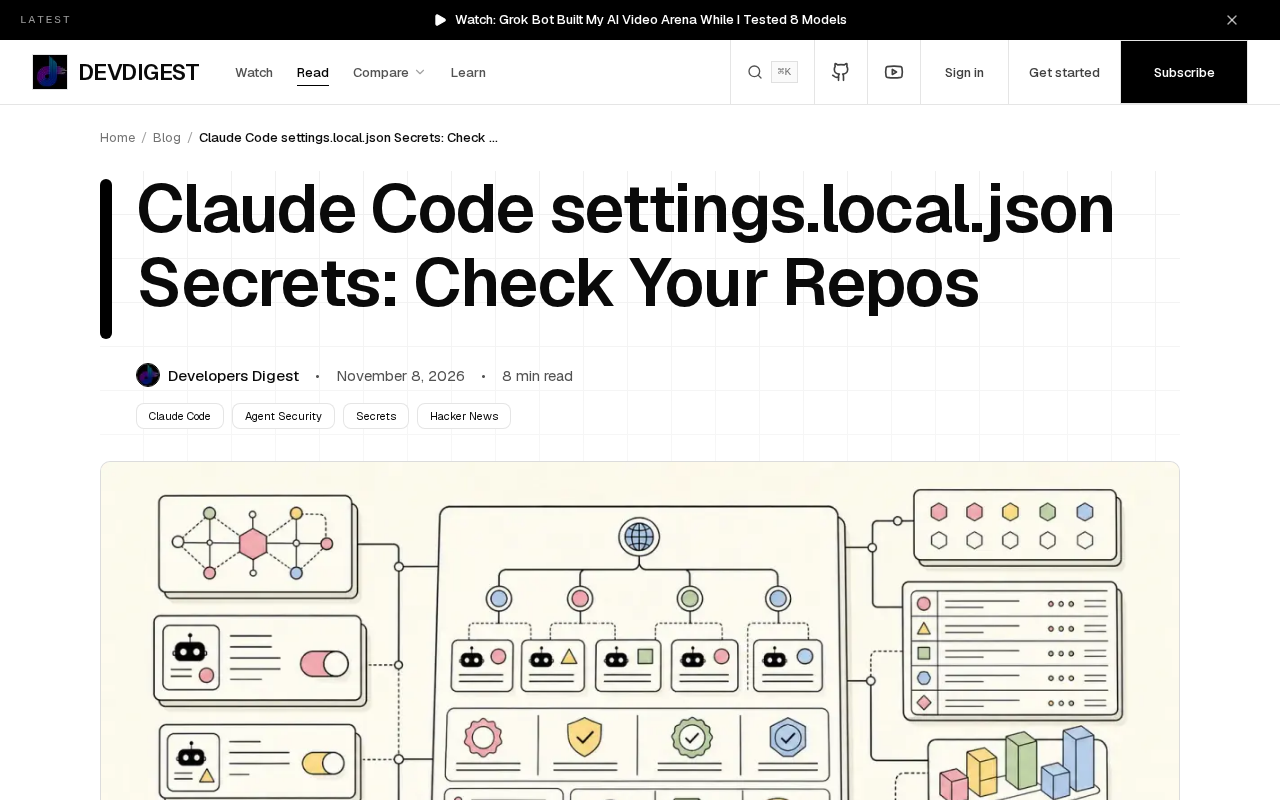
This finding is a reminder: behind the convenience of AI coding tools, there may be security blind spots developers never noticed.
What Exactly Is Stored in settings.local.json?
Claude Code is a command-line AI coding assistant from Anthropic. To reduce repeated confirmations, it lets users mark certain actions as "always allow," and these decisions are written to settings.local.json in the project root.
The problem is that this file stores more than just permission preferences. According to Apiiro's analysis, some files contained API keys, access tokens, and other credentials. When developers commit these files to public repositories, the keys are exposed to the internet.
More subtly, many developers may not even know this file exists, or may assume it won't be committed—like files listed in .gitignore.
What Apiiro Found
Apiiro scanned public repositories for Claude Code settings.local.json files and confirmed that 1,122 files contained real secrets. This number comes from actual scan results, not speculation.
That means on platforms like GitHub, sensitive information from more than a thousand projects may already be exposed. Attackers can find these files with a simple search and then use the keys to access related services.
Apiiro classified the finding as a "real secret leak," emphasizing that these are not fake test keys but credentials that can actually access systems.
Secret rotation is the core remediation for credential leaks: once a key (such as an API key or access token) is public, you should immediately revoke the old key on the corresponding service platform (e.g., AWS, GitHub, OpenAI console) and generate a new one so the old key becomes invalid right away. Deleting the file from Git history alone is not enough, because search engine crawlers, code-scanning bots, or malicious users may have already captured and cached the leaked content; objects in Git history may also persist for a long time in forks, mirrors, and caches. Rotation should be treated as a mandatory post-leak step, and you need to update all local environment variables, CI/CD configurations, and deployment environments that depend on the key to avoid service disruption.
Anthropic's Response
Anthropic responded to the finding. According to the original report, Anthropic said settings.local.json is designed for local use and should not be committed to version control.
That response partly points to user behavior, but it also raises a question: should the tool offer better protection by design? For example, automatically adding settings.local.json to .gitignore, or warning when the file contains sensitive information.
For now, Claude Code users must ensure on their own that this file is not committed. For files that have already been committed, they need to clean them up manually and rotate the keys.
10-Minute Cleanup Guide
If you use Claude Code, follow these steps to check and clean up:
- Check local files: Look in your project root for
settings.local.jsonand open it to confirm whether it contains keys or tokens. - Check Git history: Run
git log --all -- settings.local.jsonto see whether the file was ever committed. If it was, you need to remove it from history. - Add to .gitignore: Make sure
settings.local.jsonis listed in.gitignoreto prevent accidental commits in the future. - Rotate leaked keys: If the file was ever pushed to a public repository, immediately revoke and regenerate the keys on the relevant service platforms.
- Use tooling: Consider tools like
git-secretsorgitleaksto scan for sensitive information before committing.
The whole cleanup takes about 10 minutes—but only if you catch it in time. For repositories that are already public, the keys may already have been scraped, so rotation is mandatory.
Removing a file from Git history is different from an ordinary delete: git rm only removes the file from the latest commit, and content in historical commits can still be recovered via git log. To remove it completely, you need to rewrite history using git filter-repo (recommended) or BFG Repo-Cleaner, then force-push and tell collaborators to re-clone. Because rewriting history affects all branches and tags, back up the repository before you start, and recognize that content already leaked to a public repository may have been captured by third parties—so cleaning history must be done alongside key rotation, not as a substitute for it.
The Bigger Picture: Local Config Risks in AI Tools
This is not the first time AI coding tools have caused security issues through local config files. As more AI tools use local configuration to store preferences, caches, or credentials, similar exposure risks are increasing.
Developers are usually taught not to commit .env files, but they are less wary of config files generated by newer tools like settings.local.json. Tool vendors have a responsibility to consider secure-by-default design—for example, automatically ignoring sensitive files or clearly warning in the documentation.
For developers, regularly auditing config files in repositories—especially those generated automatically by tools—should become part of code hygiene.
git-secrets and gitleaks are two common types of pre-commit sensitive-information scanning tools. git-secrets uses Git hooks to match preset regular expressions (such as AWS key formats) during commit or push, blocking commits that contain sensitive information; gitleaks can scan the entire repository history, ships with a large set of credential patterns, and can be integrated into CI pipelines as a gate. The two are complementary: the former focuses on blocking local commits, while the latter focuses on history auditing and continuous detection. For config files generated by AI tools, it is advisable to add known sensitive filenames (such as settings.local.json) to scanning rules to establish default protection.
What to Do Right Now
If you use Claude Code, spend a few minutes checking your repositories. Search for settings.local.json, confirm it has not been committed, and check whether Git history ever contained it. If you find a leak, rotate the keys immediately.
Security is no small matter—especially when AI tools make development more efficient while also introducing new attack surfaces.
Related articles

Seven Years of Evolution: How Far Has the Foldable Come From the First Generation?
From the first foldable to today's latest models, what has seven years changed? Shallower creases, higher brightness, thinner bodies, and smoother software migration—has the foldable crossed the chasm from enthusiasts to ordinary users? This article discusses the question based on a video comparison.

When Did Humans Start Eating Salt? A 10,000-Year History of Salt
When did humans start eating salt? From salt use at the dawn of agriculture 11,000 years ago to ancient seawater evaporation and rock salt mining, and on to the salt trade, salt taxes, and Gandhi's Salt March, this article traces salt's key role in human civilization.
Microsoft Paza Research: How African Language Speech Recognition Breaks Through Architecture and Data Bottlenecks
Microsoft's Paza research evaluates 53 speech models across 39 African languages, revealing architecture choice matters more than pre-training coverage, 200-300 hours is the practical data threshold, and language typology deeply influences recognition performance.