Claude Code Extension Poisoned: Essential Check and Cleanup Guide for Cursor Users

Anthropic's official Claude Code extension poisoned on Cursor marketplace; versions 2.1.312/2.1.313 require immediate self-check and cleanup.
The article reports a supply chain poisoning incident where Anthropic's official Claude Code extension on the Cursor plugin marketplace was compromised: tampered versions 2.1.312 and 2.1.313 were listed, with attackers exploiting developers' trust in the "official namespace" rather than technical vulnerabilities. The article provides a low-cost one-line self-check method—checking the version number in the extension panel or local package.json; notes that public information on the payload's specific behavior is limited, but AI programming extensions naturally have access to source code, configurations, and keys, far exceeding ordinary plugins in risk surface. The cleanup path is to uninstall the problem versions, clear extension cache, reinstall from trusted sources, and rotate exposed API Keys. Hardening recommendations include locking extension sources, disabling silent auto-updates for sensitive extensions, and isolating production credentials. Finally, the article elevates the incident to the ecosystem level: AI programming assistants are essentially high-privilege agents, marketplace review intensity lags behind their permission growth, and teams should manage IDE extensions like npm dependencies.
Anthropic's official Claude Code extension has suffered a supply chain poisoning incident on the Cursor plugin marketplace, with tampered versions 2.1.312 and 2.1.313 already listed. This article compiles a one-line command self-check method, payload behavior analysis, and the configuration items that need immediate adjustment.
Incident Overview: Official Extension Tampered and Listed
According to a security advisory, tampered versions 2.1.312 and 2.1.313 of the Anthropic.claude-code extension have entered the Cursor Marketplace. These two versions did not come from the normal release process, but were malicious builds modified by third parties and pushed to the plugin marketplace.
Cursor's extension ecosystem follows VS Code's plugin mechanism, and developers typically lack vigilance toward extensions under "official namespaces"—this is precisely where the risk of this incident lies. The attacker exploited the trust chain rather than a technical vulnerability: the extension name and publisher identifier both look genuine, making it difficult for ordinary users to distinguish authenticity before installation.
Currently disclosed information focuses on three issues: how to use a one-line command to confirm whether you've been affected, what the implanted payload specifically does, and which configurations need to be changed after cleanup.
Supply Chain Poisoning refers to attackers not directly attacking the target system, but instead compromising or forging software components that the target depends on (such as libraries, plugins, build artifacts), leveraging downstream users' trust to "incidentally" implant malicious code. In the plugin marketplace scenario, common tactics include: impersonating official publisher namespaces to upload same-named extensions, hijacking normal release processes to push tampered builds, or indirectly introducing malicious code through dependencies. The destructive power of such attacks lies in bypassing users' natural trust in "official sources," with victims often completing installation without any sense of anomaly.
One-Line Command Self-Check: Confirm Whether Problem Versions Are Installed
The core of the investigation is checking the locally installed Claude Code extension version number. Open the extension panel in Cursor, locate Anthropic.claude-code, and check whether its version identifier falls on 2.1.312 or 2.1.313.
For users accustomed to the command line, you can directly check the package.json in the extension installation directory and read the version field. The original text emphasizes this is a "one-line check"—meaning the investigation cost is extremely low, and any developer using Cursor should complete this step before continuing work.
It should be noted that "not remembering installing it" does not equal safety. Cursor's extensions may be brought in through configuration sync, team templates, or historical installation records. It is recommended to rely on the actual version number rather than memory-based judgment.
Payload Behavior: What the Tampered Versions Did
The original material's description of the payload is relatively restrained, only stating that these two versions were tampered with and carry malicious payloads, without elaborating on specific network callback addresses or theft targets. Inferring from common supply chain poisoning patterns, typical objectives of such extensions include reading workspace files, obtaining credentials from environment variables, or hijacking developers' AI call traffic.
It must be stated truthfully: regarding the specific technical details of the payload, currently available public information is limited. Before official or independent security research provides complete IOCs (Indicators of Compromise), it is not recommended to over-interpret based on speculation. However, it is certain that once an AI programming extension capable of reading project context is compromised, its visibility far exceeds that of ordinary plugins—it naturally has access to source code, configurations, and key files.
IOC (Indicator of Compromise) refers to observable traces used to determine whether a system has been compromised in a security incident, typically including hashes of malicious files, callback domains or IPs, abnormal registry entries, specific process behaviors, etc. In supply chain poisoning incidents, a complete IOC list is the key basis for downstream users to conduct proactive scanning and threat hunting. Before official or independent security research publishes IOCs, users can only rely on version numbers for coarse-grained investigation and cannot confirm whether residual persistence mechanisms exist. This is also why this article emphasizes "not over-interpreting based on speculation"—without IOCs, excessive inference easily leads to misjudgment and unnecessary panic.
Cleanup and Hardening: Configurations Requiring Immediate Adjustment
The handling path after confirming infection is relatively clear: uninstall the problem version of the Claude Code extension from Cursor, clear the local extension cache directory, then reinstall from a trusted source. If the extension has run in a logged-in state, API Keys and access tokens exposed in that environment should be rotated accordingly.
At the configuration level, the original text hints at "what to change," pointing to extension sources and auto-update policies. Three practical recommendations:
- Lock to trusted sources: Prioritize obtaining extensions through official channels, and verify publisher identity for same-named extensions in the marketplace.
- Tighten auto-updates: For extensions involving code reading and environment access, disable silent automatic upgrades and switch to manual confirmation of version changes.
- Isolate sensitive credentials: Do not place long-lived production keys in environment variables directly readable by IDE extensions; use short-lived credentials or isolated development sandboxes instead.
API Key Rotation refers to the process of invalidating old keys and issuing new ones after credentials may have been leaked. The key to determining whether rotation is needed is the "exposure surface": if the tampered extension has run in a logged-in state, it could theoretically read all environment variables and configuration files visible to that IDE process, which may include model API Keys, cloud provider access tokens, Git credentials, etc. When rotating, prioritize credentials with high privileges and long validity periods, and check the relevant services' security logs for anomalous calls. Merely uninstalling the extension without rotating keys is equivalent to leaving already-leaked credentials in the attacker's hands.
Implications for the AI Programming Tool Ecosystem
The value of this incident extends beyond a single cleanup. AI programming assistants are becoming developers' "second pair of hands," and the permissions granted to them—reading code, executing commands, accessing networks—essentially constitute a high-privilege agent. Yet the review intensity of plugin marketplaces often fails to keep pace with the actual permission growth of such extensions.
For individual developers, the conclusion is to reduce blind trust in "official namespaces" and treat extensions as dependencies requiring auditing. For teams, it is worth incorporating IDE extensions into dependency inventory management, reviewing their versions and sources as rigorously as npm packages. The old problem of supply chain security has simply reappeared through a new entry point in the AI toolchain.
Quick Action Checklist: Check whether Anthropic.claude-code version is 2.1.312 / 2.1.313 → If affected, uninstall and clear cache → Rotate exposed keys → Disable auto-updates for sensitive extensions.
Related articles

64 Releases in 40 Days: How Strata Uses Release Velocity to Define Its AI Local Inference Roadmap
Strata shipped 64 releases in 40 days with 460k+ characters of notes. From 0.1.0 to 0.2.10, a three-step path: make it run, make it fast, make it trustworthy.
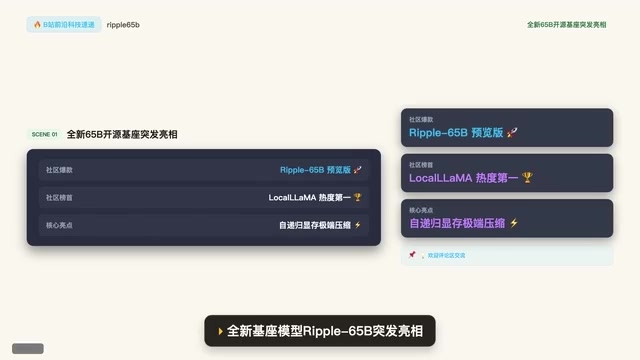
Ripple-65B Open-Source Model Tops Community Charts
Ripple-65B open-source LLM debuts atop community charts, using a self-recursive architecture to slash long-context KV cache for low-latency hundred-billion-scale inference on ordinary GPUs, with preview weights, quantized files, and one-click Olema & VLM deployment.

Deploy Open-Source Video Model MiniMax H3 Locally in 5 Minutes and Skip Cloud Generation Fees
Bilibili creator tests local deployment of open-source video model MiniMax H3: three-step ComfyUI install, 5-minute setup, no coding. Same prompt generates in 2 minutes locally vs 4 minutes online with queuing, saving about 30 RMB per 15-second 720P video. Includes VRAM requirements and RTX 5080 test results.