Deploy Open-Source Video Model MiniMax H3 Locally in 5 Minutes and Skip Cloud Generation Fees

Bilibili creator demonstrates three-step local deployment of MiniMax H3 with ComfyUI—zero cost, double speed, but needs high-VRAM GPU.
The article covers a Bilibili creator's tutorial on deploying open-source video model MiniMax H3 in three steps with ComfyUI. It compares local vs cloud generation cost and speed: a 15-second 720P video costs 390 credits (~30+ RMB) online, while local marginal cost is nearly zero; under the same conditions, online queuing plus generation takes about 4 minutes vs 2 minutes locally. The deployment process is installing ComfyUI, downloading the model, and entering prompts—no coding required, with a minimum recommended 8G VRAM, though the model exceeds 40G and 16G is more comfortable. The demo machine features an RTX 5080 16GB GDDR7 and Blackwell architecture, with cooling and dual BIOS balancing creation and gaming. The creator's conclusion is measured: local suits high-frequency trial-and-error and daily practice, refined results still need the cloud, and combining both is more reasonable.
Cloud-based AI video generation costs are becoming an expense creators can no longer ignore. A 15-second 720P video on an online platform often requires hundreds of credits, equivalent to 30–40 RMB in cash; while the same output running a local open-source model has a marginal cost of nearly zero. In a latest tutorial, a Bilibili creator demonstrates the complete process of deploying the open-source video model MiniMax H3 with ComfyUI in three steps, and compares generation speed, image quality, and hardware thresholds between local and cloud.
Why Local Deployment Is Starting to Pay Off
The cost structure of video generation is diverging. Online services bill per generation or per credit, suitable for occasional experimentation; but for short-drama or advertising creators who need to repeatedly roll the dice, revise prompts, and iterate shots, the trial-and-error cost per video quickly escalates. In the video, the creator did the math: a 15-second 720P video consumes 390 credits online, roughly 30+ RMB; switching to a local open-source model brings that cost directly to zero.
The speed gap is equally obvious. Under the same prompt, duration, and resolution, online queuing plus generation takes 4 minutes in total, while local generation finishes in just 2 minutes. After showing the two outputs side by side, the creator said the locally generated result is "also very good"—not merely a compromise at draft level.

This dual advantage in cost and speed is the direct push for local deployment to move from geek toy to productivity tool. For those who treat AI video as a daily output method, what's saved is not just money, but also the time waiting in cloud queues.
The billing logic of online video generation services is usually tied to computational resource consumption, and the inference cost of video models is far higher than that of text or image models. A 15-second 720P video requires the model to repeatedly perform denoising sampling along the time dimension, with each step involving large-scale tensor operations; VRAM usage and inference time grow nonlinearly with resolution and frame count. To cover GPU rental, queue scheduling, and maintenance costs, cloud platforms often adopt credit systems or subscriptions, pushing the price per generation up to the tens of RMB. In contrast, the marginal cost of local deployment is only electricity and hardware depreciation—once the equipment is in place, repeated generation incurs no additional cost. This difference in cost structure determines that low-frequency users are suited to pay-as-you-go, while high-frequency creators can gain significant economic advantages from local deployment.
Three-Step Deployment of MiniMax H3: Not a Single Line of Code
The creator compressed the entire process into three steps, emphasizing that "you can get it done in 5 minutes without writing a single line of code." The core tool is ComfyUI—a workflow platform for running various AI models, with a large number of ready-made open-source models built in that install automatically upon selection, quite friendly to beginners.
Step 1: Install ComfyUI
Download the version for your system from the official website and choose the desktop edition for installation. The creator mentioned that if the official website is hard to access, you can leave a comment in the comments section to get the complete installation package.
Step 2: Download the Model
After installation, open ComfyUI, choose local mode instead of cloud mode, and create a new instance—the creator said bluntly, "you don't need to understand what an instance means"; just give it a name and point the model installation location to a disk with sufficient space. Then find MiniMax H3 directly in the model list and click install; the program will automatically complete the download and deployment.

The key constraint at this stage is VRAM. The creator gives a minimum recommended VRAM of 8G, while the MiniMax H3 model is over 40G in size, placing high demands on VRAM. The demonstration machine, an ASUS ProArt prebuilt, is equipped with a ProArt RTX 5080 graphics card with 16GB GDDR7 VRAM, fully sufficient for a video large model of this magnitude.
VRAM is the core bottleneck for running video large models locally. During inference, video generation models need to simultaneously hold model weights, activations, and multi-frame latent variables, and VRAM usage is typically several times that of image models with the same parameter scale. The MiniMax H3 model is over 40G in size; even with quantization or block loading, 8G VRAM is only a bare minimum threshold for running it, and generation resolution, duration, and batch count will all be strictly limited. 16GB GDDR7 VRAM can accommodate higher-precision weights and larger latent-space tensors, reducing degradation or interruption caused by insufficient VRAM. As a new-generation VRAM standard, GDDR7 offers significantly higher bandwidth than GDDR6, and the frequent VRAM reads and writes in video generation are particularly sensitive to bandwidth—one reason high-end graphics cards deliver smoother experiences in this scenario.
Step 3: Enter a Prompt and Generate
After deployment, enter the workflow interface. Although there are many interface elements, you only need to remember two places: the area for entering prompts, and the area for viewing generated videos. Fill in the content in the prompt box, and you can select parameters such as video duration in seconds.
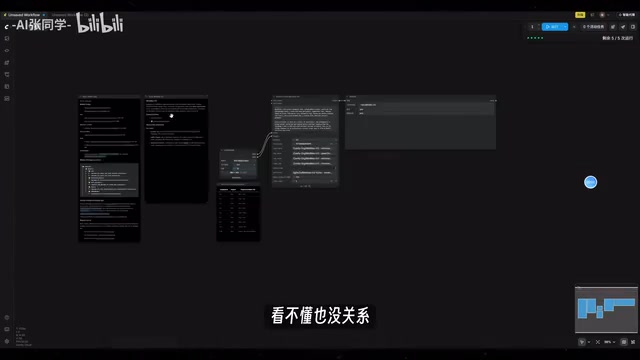
The creator tested generating a 10-second video, which took about two minutes on the ProArt RTX 5080. Compared with online C-Dance 2.5, under the same prompt and resolution, counting queue time, the online process takes about twice as long as local.
Hardware Selection: VRAM and Cooling Are More Practical Than Peak Compute
Running video models locally is a typical VRAM-intensive task, and the creator offered several perspectives on configuration choices.
The demonstration machine uses the new-generation Blackwell architecture, with AI compute reaching 1801 TOPS; the creator's phrasing is that this makes the model "both good and fast in deep thinking and video generation." For cooling, three axial fans combined with a vapor chamber and phase-change thermal pad keep fan noise "very light" during full-load generation, with no throttling and good temperature control.
For the chassis design, dual BIOS supports one-click switching between performance mode and silent mode, so gaming and video editing can each get what they need; the 2.5-slot compact design leaves room for adding another graphics card; the graphics card has a built-in Type-C port, so connecting a secondary display requires no extra adapter.
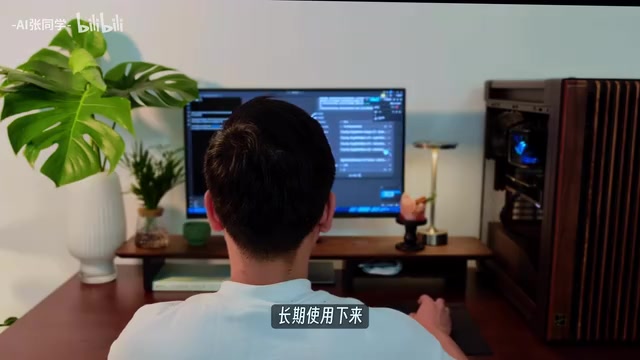
The creator's judgment is that with a computer featuring high performance and ample VRAM, over the long term "the friction in work will be much lower"—running models, editing videos, and gaming can all be covered smoothly.
Blackwell is a new-generation GPU architecture introduced by NVIDIA, succeeding the previous Ada Lovelace architecture, with emphasis on strengthening AI inference and ray tracing capabilities. Its TOPS (trillions of operations per second) metric measures comprehensive throughput of integer and tensor operations; 1801 TOPS is a high-end level among desktop graphics cards, but this number more reflects peak compute under ideal conditions. In actual video generation, VRAM capacity and bandwidth often determine more than peak compute whether a model can run and how fast it runs, because the storage demands of model loading and intermediate activations become the bottleneck before compute does. In addition, the Blackwell architecture's support for low-precision formats such as FP8 allows some models to reduce VRAM usage without significantly sacrificing image quality—another reason new-generation graphics cards have attracted attention in local AI workflows.
Local and Cloud Are Not Substitutes
At the end of the tutorial, the creator offered a relatively measured conclusion: the 5080 cannot run every model. Daily practice, rolling the dice, and batch trial-and-error locally can indeed save considerable token costs; but when pursuing more refined results, you still need to call stronger cloud models. Using local and cloud together is a more reasonable approach for advanced users.
This view deserves attention. The significance of open-source video models is not to completely replace commercial APIs, but to detach high-frequency, low-value repetitive generation from the billing pipeline, letting creators concentrate their budgets on the stages that truly require high-quality output.
Regarding cost, the creator also admitted that current graphics card prices are high, but for those who frequently use AI as a productivity tool, graphics cards with higher performance and more VRAM are still a direction worth investing in.
FAQ
Can 8G VRAM run MiniMax H3? The creator's minimum recommendation is 8G, but the model is over 40G in size; actual experience is affected by resolution, duration, and parameter settings, and 16G VRAM is a more comfortable choice.
Does ComfyUI require programming background? No. Installation, model selection, and prompt entry—three steps complete the first generation, and the workflow interface can be learned while using it.
Can locally generated videos be used commercially directly? The tutorial does not cover licensing terms; before using an open-source model, you should confirm the scope of the model license yourself.
Related articles

9 AI Subscription Plans Compared: The Real Cost Per 100M Tokens Revealed
Bilibili creator tests 9 AI subscription plans from Volcano, Alibaba, Tencent, Baidu, Zhipu, Xiaomi, MiniMax and more, converting them all to real cost per 100M tokens, breaking down fixed-quota vs. three-tier coefficient billing and how caching, time-of-day discounts, and window limits affect actual quota.
Vibe Coding for Beginners: Expressing Intent Instead of Handwriting Code
What is Vibe Coding? A 137-episode Bilibili course defines it: the core is expressing intent, not writing code. This article analyzes Vibe Coding's productivity logic, target audience, and entry expectations to help beginners decide if it's worth learning.

LangChain Beginner's Guide: An Agent Development Roadmap from LangGraph to Deep Agents
Clarify the encapsulation relationship among LangChain, LangGraph, and Deep Agents, and master the learning path and selection logic for agent development frameworks—suitable for beginners in large model development.