Claude Code for Beginners: Bypassing Account Bans and Practical Tips

A more reliable Claude Code onboarding path, from installation and bypassing login to prompts and model selection.
Based on a Bilibili creator's share, this article outlines a more reliable Claude Code onboarding path. It recommends installing via NPM (with Node.js 22+ and Git) since official PowerShell/CMD methods are unreliable, and using the open-source ccswitch tool with a third-party API Key to skip official login and reduce ban risk. It also covers permission modes as human-in-the-loop, the limits of one-sentence prompts, and why Skills and structured descriptions matter. Finally, it stresses that while large models democratize technology, commercial projects still need technical expertise and code review.
Many developers still use Claude Code at the stage of "asking it in one sentence to write a feature" — it works, but it's far from smooth. In a recent share, a Bilibili creator systematically covered installation, permission modes, MCP, Skills, Submit, and other modules, with a focus on a configuration approach that bypasses account login and reduces the risk of account bans. This article combines that share with official documentation conventions to lay out a more reliable onboarding path.
Installation: Why NPM Is Recommended Over PowerShell
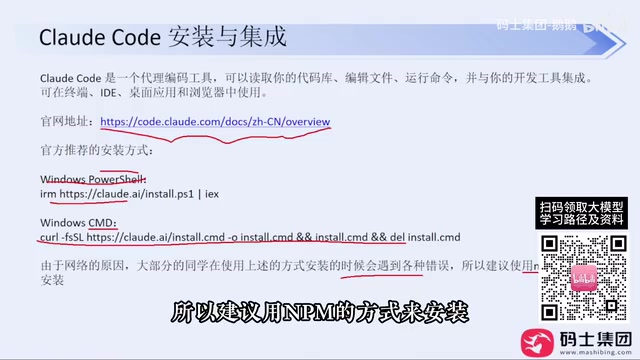
The official docs provide both Windows PowerShell and CMD installation commands, but the creator found through testing that, due to the domestic network environment, these two methods are not reliably successful — with slightly stricter network restrictions, they tend to fail. He prefers the NPM installation method mentioned under "Advanced Setup" on the official site, provided that network tools are configured and Node.js (version 22 or above required, currently latest is 24) and Git are already installed locally — both are straightforward next-next installs.

After installation, run claude --version in the command line — if the version number outputs normally, the installation succeeded. The creator says he has installed it this way for colleagues at his company many times and basically never encountered errors.
NPM (Node Package Manager) is a package management tool installed alongside Node.js, commonly used by developers to install and distribute command-line programs written in JavaScript/TypeScript. Compared with the official PowerShell script, NPM installation goes through the package registry channel, offering version locking, dependency resolution, and easy reinstallation, and is easier to troubleshoot when errors occur. Claude Code requires Node.js 22 or above because its runtime and build chain depend on newer runtime features; even-numbered Node.js versions (such as 22 and 24) are long-term support releases with greater stability. Git is used to pull and update related repositories and is also a common prerequisite for most development toolchains.
Bypassing Login: How ccswitch Configuration Works
The first time you enter claude, you go through three steps: trusting the folder, choosing a theme, and choosing a login method. The creator explicitly advises against logging in directly with an official Claude account, for a straightforward reason: high risk of account bans — he himself has been banned multiple times. The alternative is the open-source tool ccswitch: download the Windows msi package from GitHub Releases and install it, then click the plus sign in the interface, select a model provider (such as DeepSeekAd), and fill in the corresponding API Key.
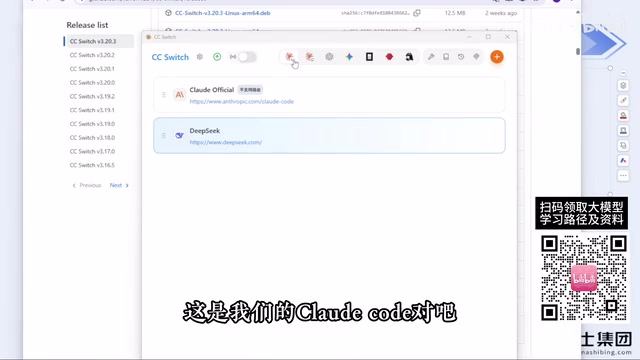
This tool skips the account login step entirely — with no account, there's no talk of bans. The creator says that after switching to this method, he hasn't been banned again for several months. Note that ccswitch configures by tool in separate tabs — the configurations for Claude Code and Codex are not shared, so remember to switch accordingly when changing tools.
ccswitch belongs to the "provider switcher" category of tools; its core idea is to write the API Key, model name, and endpoint address into the configuration file that Claude Code reads, so that it no longer goes through the official account's OAuth login flow but instead connects directly to a third-party model API. Such tools typically work based on the compatible interfaces and environment variables supported by Claude Code (such as a custom Base URL and authentication variables). Since each API Key's usage, billing, and ban policies are managed by the corresponding provider, be aware that configuration files for different tools are independent, and the same key may also have concurrency or rate limits.
Permission Modes and Human Intervention
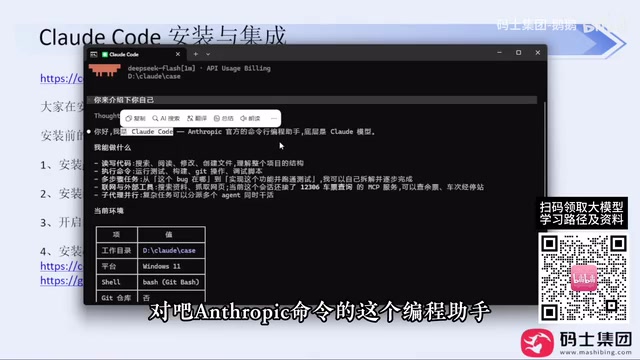
The confirmation windows that pop up frequently during generation are essentially the large model's Human-in-the-loop mechanism. The creator reminds that if you don't want to be interrupted repeatedly, you can choose an appropriate permission mode at startup. For everyday small tool development, the default mode is sufficient; only when file writing or command execution is involved do you need to grant permissions more cautiously.
Human-in-the-loop refers to the mechanism by which a system must obtain human confirmation before performing sensitive operations; in coding agents, it usually manifests as authorization pop-ups before writing files, executing shell commands, or accessing the network. Claude Code generally offers several permission levels, from "ask every time" to "auto-accept edits" to "full access" — the more permissions granted, the higher the efficiency, but the risk of accidentally deleting files or executing dangerous commands rises in tandem. A common practice is: use a looser mode during read-only exploration and solution discussion, switch back to item-by-item confirmation when production directories, databases, or deployment scripts are involved, and use project-level whitelists to limit the executable scope when necessary.
The Limitations of Natural Language Prompts
The creator demonstrated an example one-sentence prompt like "help me develop a Snake game." The new version of Claude Code proactively asks about technical choices (such as whether to implement it in HTML), which is better than older versions that just started writing, but the results are still limited — without a defined scope, the model's technical choices are highly random, and token consumption and time costs are both on the high side. A more reasonable approach is to clearly specify the tech stack, functional boundaries, and delivery format, and to combine this with built-in components such as Skills.
Skills are reusable capability units in Claude Code, which can be understood as instruction packages (or scripts) with trigger conditions and operation descriptions that are automatically invoked when specific tasks arise, thereby solidifying team conventions into stable processes. They differ from one-off prompts: prompts only take effect for the current conversation, whereas Skills can be reused across sessions, reducing repetitive description. Common uses include unified code style checks, generating components from fixed templates, and executing project-specific build and test commands. Writing tech stack conventions, directory standards, and acceptance criteria into a Skill is an effective way to reduce model randomness and control token consumption.
Technology Democratization, but Commercial Projects Still Require Technical Expertise
The demonstrated Snake game runs normally, and the creator uses this to make a point: large models bring technology democratization — non-programmers can build personal small tools with a single sentence. But to put something into a commercial environment and make money, one sentence is far from enough — without technical expertise, code quality, bug troubleshooting, and subsequent maintenance will all run into problems, and in the demo no code review was done after generation.
Practical Advice on Model Selection
Regarding models, the creator shares an observation: using the same DeepSeek, the cache hit rate in Claude Code is relatively higher than in other coding agents, making costs more controllable. He also advises against directly purchasing shared official accounts, since changing accounts after a ban is even more troublesome; for basic work needs, domestic models are already capable enough.
Overall, the barrier to this approach isn't technical — it's whether you're willing to spend ten minutes getting the installation and configuration right the first time. Once you straighten out ccswitch, permission modes, and structured prompts, the Claude Code experience will be markedly different from "only knowing how to chat in natural language."
One-line Summary
From installation and bypassing login to prompts and model selection, a more reliable onboarding path for Claude Code.
Paragraph Summary
Based on a Bilibili creator's share, this article lays out a more reliable onboarding path for Claude Code. For installation, it notes that the official PowerShell/CMD methods are unreliable due to network issues, and recommends installing via NPM after pre-installing Node.js 22+ and Git, verifying with claude --version. For login, it suggests using the open-source tool ccswitch to fill in a third-party model API Key, skipping official account login to reduce ban risk, and notes that the tool configures by tool with Claude Code and Codex settings not shared. It also explains that permission pop-ups are essentially a human-in-the-loop mechanism and that permission levels should be chosen based on task risk; one-sentence prompts are limited due to lack of tech stack and boundary constraints, so structured descriptions and Skills are needed. Finally, it emphasizes that large models bring technology democratization, but commercial projects still require technical expertise and code review.
Related articles

64 Releases in 40 Days: How Strata Uses Release Velocity to Define Its AI Local Inference Roadmap
Strata shipped 64 releases in 40 days with 460k+ characters of notes. From 0.1.0 to 0.2.10, a three-step path: make it run, make it fast, make it trustworthy.
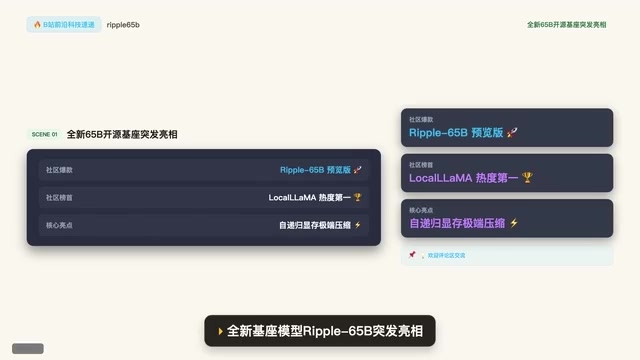
Ripple-65B Open-Source Model Tops Community Charts
Ripple-65B open-source LLM debuts atop community charts, using a self-recursive architecture to slash long-context KV cache for low-latency hundred-billion-scale inference on ordinary GPUs, with preview weights, quantized files, and one-click Olema & VLM deployment.

Deploy Open-Source Video Model MiniMax H3 Locally in 5 Minutes and Skip Cloud Generation Fees
Bilibili creator tests local deployment of open-source video model MiniMax H3: three-step ComfyUI install, 5-minute setup, no coding. Same prompt generates in 2 minutes locally vs 4 minutes online with queuing, saving about 30 RMB per 15-second 720P video. Includes VRAM requirements and RTX 5080 test results.