Claude Code in Practice: Install, Connect Models, Calculate Tokens, and Ship a Full-Stack Project with a Single Document
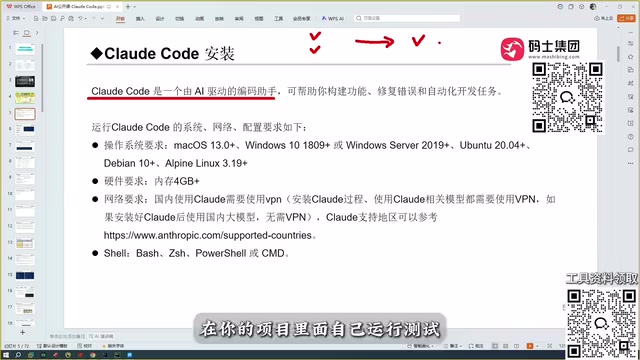
Claude Code beats conversational coding tools with full-project context and auto error correction, but token costs must be calculated.
Based on a Bilibili public course, this article covers Claude Code's positioning, installation, token costs, and practical workflow. The author finds Claude Code more accurate than Copilot, Cursor, and Trae because it relies on Sonnet models to read the whole project context and auto-debug, forming a "generate—run—modify" loop while conversational tools only offer snippets and require multiple rounds. It traces the evolution from snippet completion (Copilot) to conversational coding (Cursor, Trae) to full-project understanding (Claude Code), noting tool capability ultimately depends on the underlying model. It warns that full-project context consumes tokens, with project scale directly affecting cost. The core demo uses one document to drive Claude Code through a full-stack project. For selection: Claude Code for accuracy, free Trae domestic version for budget Chinese scenarios, and Codex shouldn't be judged firmly without hands-on comparison.
Claude Code is an AI coding tool that has been repeatedly discussed in developer circles lately. It doesn't require logging into a website—you install it directly on your local machine and can call it from within your development tools. Unlike web-based conversational coding, it can read the entire project context, automatically debug, and ultimately deliver a runnable version of the code. This article is based on a demonstration from a public course on Bilibili, and covers Claude Code's installation, model connection, token costs, and the practical path of shipping a full-stack project driven by a single document.
Why Claude Code Is Worth Paying Attention To
The author repeatedly emphasizes one judgment in the video: Claude Code's power exceeds that of Copilot, Cursor, and Trae that he has used before. The reason isn't the tool's interface but the model capability behind it—the Sonnet series models that Claude Code relies on perform outstandingly in code generation accuracy.
He makes an intuitive comparison: web-based conversational coding only gives you code snippets. You take them back to your project, run the tests yourself, and if they don't work, you go back to the conversation—repeating multiple rounds before you get correct code. Claude Code, by contrast, can read all the files in your project as context, directly generate code that fits your business logic, and automatically debug. This closed loop of "reading the whole project + automatic error correction" is where it pulls ahead of conversational tools.
However, he also admits that developers will feel a "deep sense of crisis" after using such tools. This isn't alarmism—it's a genuine feeling about the boundaries of what the tool can do.
The Evolution of Coding Assistants: From Completion to Full-Project Understanding
The author lays out a clear product evolution line to help understand where Claude Code sits.
The Completion Era: Copilot
The first disruptive experience came from the Copilot plugin, which could auto-complete code early on and made many people feel the possibility of AI coding for the first time. But its capability was limited to snippet-level completion.
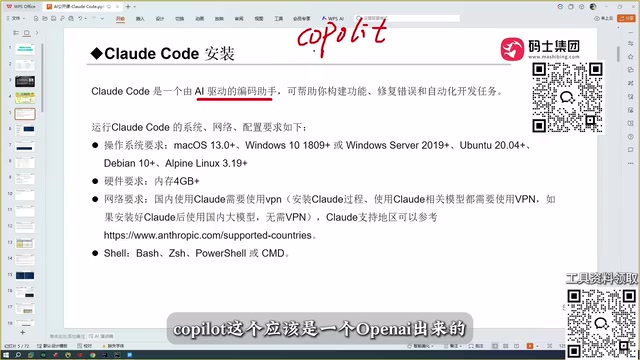
Conversational Coding: Cursor and Trae
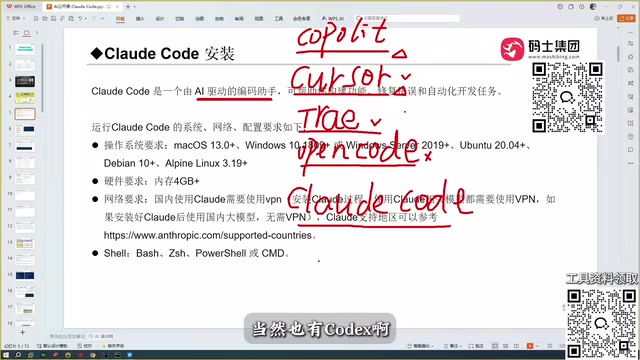
After Cursor appeared, its automatic coding capability went a step further than Copilot. Trae has a domestic and an international version; the domestic version is free, understands Chinese well, and was what the author initially considered the "most perfect" coding tool. But he also points out that Trae's code accuracy drops on slightly obscure tech stacks.
Product Positioning Differences Among Copilot, Cursor, and Trae
Copilot is essentially an IDE plugin centered on line-level or snippet-level code completion. It relies on real-time suggestions within the editor and does not proactively read the entire project. Cursor is a standalone editor built as a secondary development on top of VS Code, integrating conversation, completion, and local code editing. It supports selecting code and having the model rewrite it, but still uses "current file/selection" as its primary context unit. Trae is an AI IDE launched by ByteDance; the domestic version is free and understands Chinese instructions well, while the international version connects to different models. It adds project-level indexing on top of conversational coding, but has less training data on obscure tech stacks, so generation accuracy declines. What all three share is: limited context scope, and after errors occur, the user must manually paste error messages back into the conversation, creating multiple rounds of back-and-forth. Claude Code differs in that it runs as a command-line tool/plugin, by default uses the project file tree and key file contents as context, and can execute test commands, read errors, and modify code on its own—automating the "generate—run—correct" loop.
Full-Project Context: Claude Code
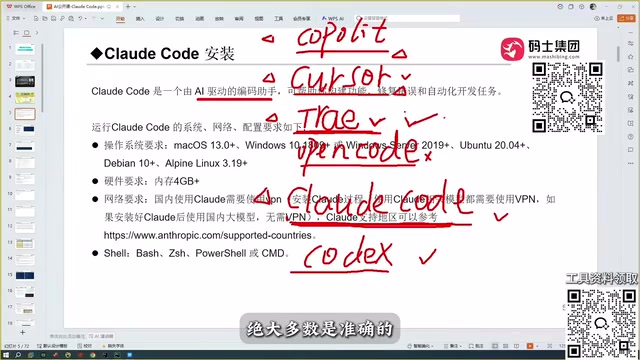
Claude Code pushes capability to full-project context understanding and automatic error correction. The author compared multiple models with it, including domestic models, and ultimately concluded that Claude Code paired with the model behind it is the most accurate combination. Regarding Codex, he acknowledges its strong capability—reportedly comparable to Claude Code—but he hasn't used it much himself and has no hands-on experience connecting Codex to GPT-5.
The Technical Meaning of Full-Project Context and Automatic Error Correction
"Full-project context" doesn't mean stuffing every file in the repository verbatim into the prompt. Instead, through file retrieval, dependency analysis, and on-demand reading, it provides the model with the file contents, directory structure, and configuration relevant to the current task. When running locally, Claude Code can call file system tools to traverse the project, search symbols, and decide which files to read based on the task. After generating code, it can also execute build or test commands, capture error messages from terminal output, and modify the code accordingly—forming an automatic error-correction loop. This mechanism depends on the model having tool-calling (function calling) and long-context capabilities; the Sonnet series' performance in code understanding and instruction following is the prerequisite for the loop to work. The cost is that every file read counts toward input tokens—the larger the project and the more iterations, the higher the consumption.
Installation and Model Connection Essentials
Claude Code doesn't require logging into any website—you install it directly on your computer and can use it in your development tools after installation. It supports most operating systems, but not all systems are compatible, so you need to confirm your system environment before installing.
Regarding model connection, the video mentions that Claude Code has the Sonnet model behind it, with stronger models also available; specific configuration is covered in the demonstration. The author emphasizes that a tool's capability ultimately depends on the model behind it, so which model you connect and how you connect it directly determines your experience.
Token Costs: The Bill You Must Calculate Before Use
The video title specifically mentions "calculating tokens clearly," which is an unavoidable part of actual use. Claude Code feeds the entire project as context to the large model—the larger the project, the more tokens consumed. The author explains this while demonstrating in the public course, reminding users to have cost expectations before use. The original text doesn't give specific price figures, but the direction is clear: full-project context is its advantage and also the source of token consumption; project scale directly relates to usage cost.
The Relationship Between Tokens and Context Windows
A token is the basic unit of text processing for large models. In English, about 4 characters correspond to 1 token; in Chinese, 1 character typically corresponds to about 1 to 2 tokens. The context window is the upper limit of tokens a single request can hold; Claude series models offer windows ranging from 200K to 1M tokens. Each Claude Code task sends the system prompt, tool definitions, read project files, conversation history, and command output to the model—all billed as input tokens. The code and explanations the model generates are billed as output tokens, and output pricing is usually higher than input. Therefore, the advantage of "full-project context" translates directly into cost: the more files read and the more automatic error-correction rounds, the higher the cumulative tokens. Ways to control costs include narrowing task scope, avoiding loading irrelevant files all at once, using prompt caching to reuse repeated context prefixes, and choosing different model tiers for different tasks.
Shipping a Full-Stack Project with a Single Document
The core demonstration of the public course is using a single document to drive Claude Code through a full-stack project. The value of this process is showing how Claude Code connects project context, business requirements, and code generation—rather than stopping at single-file completion. The author states that one public course can't cover all the details, so he adopts a style of demonstrating cases while explaining, putting installation, model connection, token calculation, and project practice on the same line.
Selection Advice
Synthesizing the video's views: for accuracy and full-project understanding, Claude Code is currently the top choice; for limited budgets and mainly Chinese communication, Trae's domestic version is free and usable, but be cautious on obscure tech stacks; Cursor and Copilot each have their positioning and suit developers at different stages. Codex is capable, but the author lacks hands-on comparison, so it's not appropriate to draw firm conclusions. Tools are only the surface—model capability is the underlying variable. This is also the key perspective for understanding this round of competition in AI coding tools.
One-line Summary
Claude Code surpasses conversational coding tools with full-project context and automatic error correction, but token costs must be calculated clearly.
Paragraph Summary
Based on a Bilibili public course, this article covers Claude Code's positioning, installation and connection, token costs, and practical workflow. The author believes Claude Code's accuracy exceeds Copilot, Cursor, and Trae, with the key being its reliance on the Sonnet series models—it can read the entire project context and automatically debug and correct errors, forming a "generate—run—modify" loop, whereas conversational tools only provide snippets and require multiple rounds. The article reviews the evolution of coding assistants from snippet completion (Copilot) to conversational coding (Cursor, Trae) to full-project understanding (Claude Code), pointing out that tool capability ultimately depends on the underlying model. It also reminds that full-project context brings token consumption, and project scale directly affects cost, so expectations are needed before use. The core demonstration of the public course is using a single document to drive Claude Code through a full-stack project. For selection: choose Claude Code for accuracy; for limited budgets and Chinese scenarios, the free Trae domestic version is an option; Codex should not be judged firmly due to lack of hands-on comparison.
Related articles

Zero-Code Replication of a $10,000 3D Website with Claude Code: A Six-Tool Breakdown
Bilibili creator Yomi used Claude Code plus five free tools to build a 3D product landing page quoted at $10,000 overseas—zero code. Breakdown of the six-tool division of labor, image-to-3D workflow, and the core collaboration method: "give AI a reference, not 'make it look better.'"
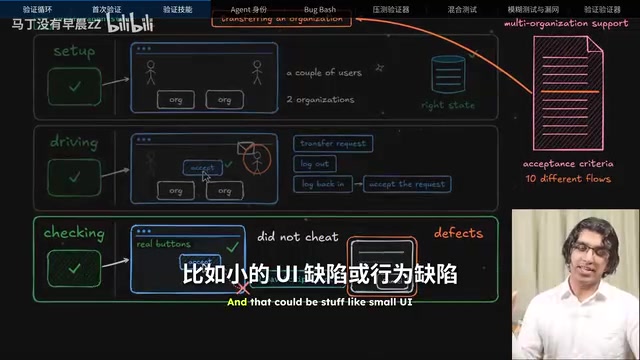
Who Accepts AI-Written Code? A 25-Minute Deep Dive into Verification Loops and the New Code Review Paradigm
After AI writes lots of code, how should Code Review verify it? This article breaks down the Claude Code team's verification loop framework: surface-level end-to-end verification, setup/drive/check three-stage skills, hybrid end-to-end testing and reliability checklists, and how to tighten the loop when issues slip through.

500,000 Robots to 'Refreeze' the Arctic? Real Ice's Wild Plan
A startup called Real Ice plans to use 500,000 underwater drones to thicken Arctic ice, with test-area ice already 50 cm thicker. This article breaks down the technology, the 4-million-fold scale gap, the controversial $10 billion annual cost, and the window before an ice-free summer in the 2030s.