Claude Code Quota Draining Fast? Context Window Management Tips Save 35%

Claude Code quota drains fast due to context management; automated cleanup saves 35% tokens.
The article points out that the root cause of fast Claude Code quota consumption lies in context window management: every turn resends the entire history, causing token costs to grow linearly with session length, and an overfull context also causes AI amnesia. The author used a three-step automation solution—saving progress with status.md, triggering cleanup by task milestones (commit/tests passed) rather than context size, and disabling idle tools while moving long commands out of CLAUDE.md—to improve cleanup timing accuracy from 1/4 to 9/10. In a controlled experiment, completing the same 20 tasks with this tool reduced token consumption by 35%, cutting API costs from $5.94 to $3.91, with greater savings on longer tasks. The minimal starting solution is to create status.md and use /clear to start a new session after each task.
Claude Code Quota Draining Fast? Context Window Management Tips Save 35%
When coding with Claude Code, many people encounter the same confusion: at the start of a conversation, the quota barely moves, but as the chat goes on, even asking it to change a single line of code suddenly drops 10%. According to real-world testing shared by a YouTube channel, the root cause isn't the model itself, but the management of the Context Window. The author used a set of automated context management tools to reduce token consumption by about 35% while completing the same 20 tasks, cutting API costs from $5.94 to $3.91.
Why Does Quota Drain So Fast?
Every Turn Re-reads the Entire History
The context window in Claude Code is essentially temporary memory—it records what you've said in this session, which files you've opened, and what commands you've run. The richer the context, the more accurately the AI can understand your needs. The problem is that the AI doesn't "remember" this content on its own: every time you send a message, Claude Code resends the entire conversation history from the first message to the model. The longer the session, the higher the cost per message.
According to Anthropic's official documentation, token usage grows with context size; the more content Claude Code needs to read, the more tokens it consumes. This also explains why in a session open all day, even asking a simple question consumes tokens comparable to the entire session length.

The Relationship Between Tokens and Context Window: A token is the basic unit of text processed by the model, roughly equivalent to 0.75 English words or half a Chinese character. The context window refers to the maximum number of tokens the model can process in a single pass; Claude's current mainstream version is 200K. For each request, the number of input tokens = system prompt + tool definitions + full conversation history + current message. Therefore, the longer the conversation history, the more input tokens per request, even if the current message is short. Output tokens also count toward cost but are usually fewer. API billing prices input and output tokens separately; input tokens are cheaper, but in long sessions the input token volume is huge and becomes the main cost.
When Context Is Full, the AI "Forgets"
Quota consumption is only one side of the problem. When context approaches the limit, Claude starts forgetting the earliest instructions, and error frequency rises. The author calls the context window "the thing that most needs managing," and Anthropic's officially recommended approach is straightforward: use /clear to start a new session.
Three-Step Evolution from Manual Cleanup to Automation
Step 1: Write a Tool to Auto-Save Progress
Starting new sessions frequently is effective but has two drawbacks: manual operation is tedious, and the memory of the old session doesn't carry over—everything must be re-explained. The author's approach was to have Claude write a skill itself: when context reaches 200k, first write the current work into a status.md file, then clear the session; the new session reads this file and continues working.
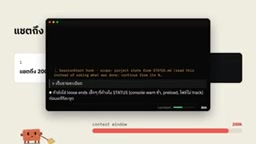
This tool solved part of the problem but wasn't good enough. The author recorded that 3 out of 4 cleanups were triggered halfway through a task, interrupting work and creating a disjointed experience—the AI could recover memory, but the human couldn't remember where the conversation had left off.
Step 2: Stop Cleaning by Size, Clean by Task Milestones
The more critical issue: after cleanup, context grows back extremely fast—re-entering the first message can consume tens of thousands of tokens. So the author changed the trigger condition—not looking at context size, but whether a background task has completed a phase, such as code committed, tests passed, or topic switched. Before cleanup, have Claude summarize what was just done; the new session reads the summary first.
The effect was obvious: the accuracy of cleanup timing improved from 1/4 to nearly 9/10.
Background Tasks and Asynchronous Execution: Claude Code supports running long tasks in the background (such as builds, tests, code checks), which don't block the conversation. When a background task completes a phase (e.g., compilation succeeds, tests pass), it means a logical work unit has ended, and the intermediate state in context (such as error logs, debug information) can be safely discarded. Cleaning by task milestones leverages this signal: clean at task boundaries to avoid interrupting the ongoing chain of thought while ensuring key results are persisted (e.g., written to status.md or committed). This aligns better with workflow semantics than cleaning purely by token count, reducing the waste of "needing to reload immediately after cleanup."
Step 3: Turn Off Unused Connectors and Tools
Another reason context balloons quickly is having many unused connectors, skills, and tools enabled—each enabled tool's name and description are sent with every message, wasting tokens. The author had Claude automatically disable unused tools, consistent with Anthropic's advice: use /mcp to view and disable unused MCP servers or connectors.

The same idea applies to configuration files: move long commands from CLAUDE.md to skills, because CLAUDE.md is loaded every conversation, while skills are loaded only when needed, and it's recommended to keep them under 200 lines. Additionally, /clear doesn't consume quota, while /compact needs to read the entire session to generate a summary, which itself incurs consumption.
Differences Between MCP, Connector, and Skill: MCP (Model Context Protocol) is an open protocol introduced by Anthropic that allows Claude to connect to external tools and data sources (such as databases, APIs). Connectors are pre-built integrations (such as GitHub, Slack), essentially MCP servers. Skills are user-defined instruction packages, usually in file form, loaded on demand. Each enabled MCP server or connector carries its tool definitions (name, description, parameter schema) in every message, and these definitions consume tokens. Skills are different: Claude reads skill files only when it determines they're needed, and they don't reside in context. Therefore, moving long commands from CLAUDE.md (loaded every time) to skills (loaded on demand) can significantly reduce resident tokens.
Real-World Comparison: Same 20 Tasks, 35% Saved
The author conducted two control experiments with the same model and same prompts, each running 20 tasks:
- Group A: Like most people, conversed continuously in one long session. Context started at 12K tokens and grew with tasks; by the 16th task, Claude Code had to compress the session itself.
- Group B: Used this context management tool, starting a new session after each task; context showed a sawtooth pattern, peaking at 124K.

The result: all 20 tasks were completed and all tests passed, but Group B used about 35% fewer tokens—if Group A is 100, Group B used only 65. Converted to API prices, cost dropped from $5.94 to $3.91. You might not have noticed that for the first 8 tasks, both groups consumed exactly the same; the gap appeared from the 9th task when the session started getting longer—the longer the task, the more obvious the savings.
The author also compared their own real usage data from 7 days before and after: token input dropped 62%, and the most bloated session went from 974K to 267K. However, the author admits that the work content in the two weeks wasn't the same, so the numbers only reflect trends, not precise year-over-year results, and the entire test was only run once.
Practical Advice: You Can Start Without Installing Tools
The author's minimal viable solution is simple: create a status.md file and clear the session after each task; this alone saves a lot. Further, you can make this logic a hook that runs automatically each session and iterate continuously—for example, when a session is idle for over an hour and the cache expires, the first message costs about double, so remind to clean up; also remind to clean up after large tasks are completed.
The author also shared an interesting anecdote: after the system went live, tokens still spiked to 396K, and it turned out a background program had skipped the recording step—the system built to solve the problem had its own problem first. This also reminds us that automated tools themselves need to be validated.
The core idea of this method isn't any specific tool, but treating context as a resource that needs proactive management: clean at task milestones, streamline resident configuration, and disable idle tools. As the author says, what really needs to be done is to reclaim the quota eaten by bloated context and ineffective background tasks.
Related articles

Zero-Cost Local Jarvis: Open-Source Voice Cloning and Task Automation in Practice
AI Workshop shows how to build a zero-cost local Jarvis with Ollama and Voice Studio: local model switching, open-source voice cloning, file retrieval, and tool-calling tests, with setup steps and hardware trade-offs.

Mistral Large 4 Released: 1T-Parameter MoE Tops Western Open-Source Leaderboard
Mistral releases its flagship Mistral Large 4: a 1T-parameter MoE architecture activating only 49B parameters at inference, trained from scratch on 3,800 Grace Blackwell GPUs, topping the Western open-weight leaderboard with third-party endorsements in law, finance, and cybersecurity.

Mistral Large 4 Review: Can Europe's Strongest Open-Source Model Challenge the US and China?
Mistral Large 4 (L-Charm) review: trillion-parameter MoE, standout cybersecurity benchmarks but behind Kimi K3 in software engineering, 3,800 GPUs, a key step for European sovereign AI.