Claude Code + Skills: A Practical Walkthrough of Automated Web Test Case Generation
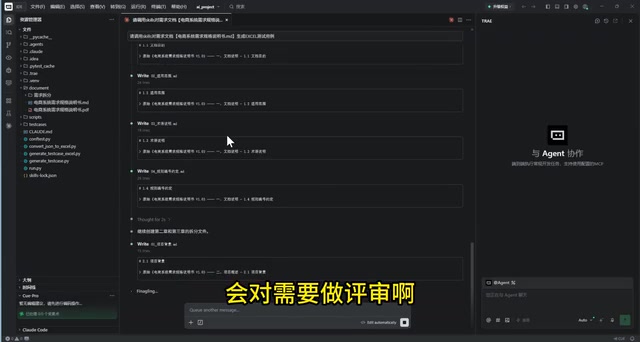
Claude Code's three-stage Skills pipeline turns requirements docs into deployable Web test cases in under 10 minutes.
This article walks through an automated test case generation workflow built on Claude Code's Skills mechanism. The three-stage pipeline splits requirements documents verbatim, intelligently extracts structured test points annotated with design methods, and generates complete test cases with steps, expected results, priorities, and a manual review column. The full process takes under ten minutes and preserves test point traceability for easy integration into existing workflows. The article also cautions that the "10x efficiency" claim is marketing language — the real value lies in breaking vague tasks into controllable stages, handling multimodal requirements, and encoding testing methodology into the AI pipeline.
In software testing, writing test cases has long been a time-consuming, repetitive chore. A practical demo shared by a Bilibili content creator shows how to combine Claude Code with its Skills mechanism to automatically transform requirements documents into deployable Web test cases — completing in under ten minutes what would traditionally take days. This article breaks down the core workflow and technical highlights from that demonstration.
A Three-Stage Automated Pipeline
The heart of this approach is an AI-driven three-stage pipeline. The user issues a single natural-language command — "Please use Skills to generate test cases from the requirements document" — and the AI automatically parses the intent, then invokes three separate Skills in sequence to complete the task.
Stage one handles requirements document splitting; stage two extracts test points; stage three generates the actual test cases. Each stage corresponds to a dedicated Skill with a clearly defined responsibility, forming a layered progression. This pattern of decomposing complex tasks into multiple reusable Skills is a textbook use of Claude Code's Skills mechanism — it keeps the process controllable and makes it easy to fine-tune each individual step.
The requirements document in the demo has nine chapters, with chapters three through six containing the core business requirements. Once the AI identifies the document, it plans out the full three-stage workflow and executes it step by step — the entire process is transparent and visible to the user.
Claude Code Skills is a reusable task modularization capability provided by Claude Code. It lets users encapsulate common operations into standalone "Skills" that can be invoked through natural language during a conversation. Each Skill is essentially a preset prompt template or script that defines an input format, processing logic, and output specification. Multiple Skills can be chained into a pipeline through orchestration, where the output of one Skill automatically becomes the input to the next. The key advantage of this design is that complex tasks are broken down into single-responsibility modules. Each module can be tested and optimized independently, and when something goes wrong, it's far easier to pinpoint the failing step rather than debugging an opaque "black box." For team collaboration, a shared Skill library that encodes established testing methodology can be reused across team members.
Stage One: Verbatim Splitting and Requirements Review
The requirements splitting phase follows one critical principle: split by chapter exactly as written — no additions, no reductions, no extraction — just "cutting." The nine chapters end up as nine separate folders, with the original requirements left intact.
The main challenge in this stage is handling tables and images. The demo instructs the AI to convert table-formatted requirements (such as field descriptions on a product detail page) and flowchart images uniformly into plain-text descriptions. The creator explains the rationale: text format is easier for the LLM to understand and process downstream — it's simply "clearer." This is a notable engineering detail worth paying attention to: structured conversion of multimodal content directly affects the quality of test point extraction in the next stage.
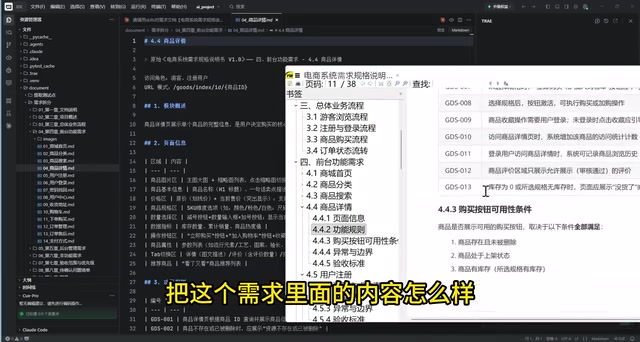
Alongside the split, the AI also performs a round of requirements review, flagging anything that's unclear or ambiguous. Taking chapter three's "guest browsing flow" as an example, the split output annotates the original location (Chapter 3, section 3.1), a module overview, the converted text-based flow, functional rules, and exception conditions, boundary cases, and acceptance criteria. This structured output gives downstream processing a solid foundation to build on.
Stage Two: Intelligent Test Point Extraction
The value of stage two lies in "noise reduction." The AI automatically skips chapters one and two — documentation descriptions and overview content that aren't actual requirements — and focuses on the functional chapters that genuinely need to be tested.
Each test point is output in a consistent structured format containing the module it belongs to, a title, status, steps, expected results, priority, and the test design method used. For instance, "verify guest access to the store homepage" would be identified as a distinct test point for a normal flow. The demo emphasizes that all extracted test points go through an automatic AI review at the end to ensure complete coverage.
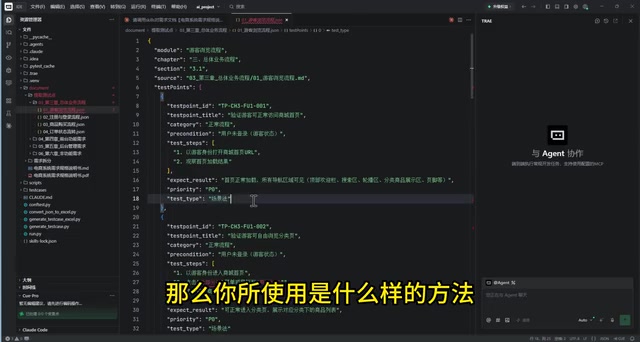
Every function under each chapter produces this method-annotated test point structure, forming an intermediate layer between requirements and test cases. This layer brings the overall process closer to the mental model of a professional tester: first figure out what to test, then decide how to test it.
The test design method annotations referenced in the test points refer to classic test case design techniques from the software testing field. Common methods include: equivalence partitioning (dividing input data into valid and invalid equivalence classes and testing a representative value from each), boundary value analysis (focusing tests on values near the boundaries, such as maximum and minimum values), decision table testing (suited for complex business logic involving multiple condition combinations), and scenario-based testing (designing end-to-end scenarios based on user operation flows). The AI automatically annotating the method used when extracting each test point means the generated cases aren't just assembled "by gut feeling" — they follow documented software testing engineering standards. This is one of the underlying reasons the approach claims to produce higher-quality output: the methodology is baked into the Skill's prompt design.
Stage Three: Generating Deployable Test Cases
The final step invokes the test case export Skill, converting test points into complete test cases. The output starts with a summary listing how many cases were generated per chapter, then expands to the specific functional level.
Taking chapter three's first guest-browsing function as an example, a single original requirement is broken down into eight test cases: normal homepage access, category browsing, search functionality, product details, and the login-prompt flows triggered when a guest attempts to use the cart, favorites, checkout, and user center. Each test case includes a title, test type, priority, preconditions, test data, operation steps, expected results, plus an extra column reserved for manual review — and it's linked back to the corresponding test point for full traceability.
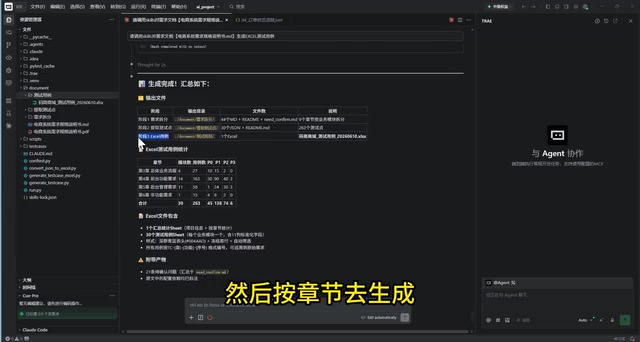
The creator describes these as "production-ready" test cases and considers their quality on par with — or even better than — some manually written counterparts.
Efficiency Comparison and Realistic Assessment
From an efficiency standpoint, the entire workflow — from issuing the command to receiving completed test cases — takes under ten minutes. The creator claims this represents "at least more than double" the efficiency of writing cases by hand. Worth noting: the "10x improvement" framing in the title is more of a marketing headline. The actual gain depends on the size and complexity of the requirements document, and the demo doesn't provide a rigorous quantitative comparison.
The real value of this approach isn't raw speed — it's three things: first, multi-Skill orchestration breaks a vague "generate test cases" task into controllable, reviewable stages; second, it solves the structural conversion challenge for multimodal requirements like tables and images; third, retaining the manual review column and test point traceability means AI-generated output can be incorporated into existing testing workflows rather than requiring an entirely new process.
For testing teams, the key takeaway is this: AI-assisted testing isn't about getting the model to do everything in one shot. It's about designing a well-staged Skill chain that encodes human testing methodology into the process. That said, AI-generated test cases still require human review — particularly for boundary conditions and edge case scenarios, where the experience of a test engineer remains indispensable in the near term.
One important caveat: the requirements document used in the demo is a well-structured, high-quality PRD (Product Requirements Document) with clear chapter organization and standardized fields — exactly the type of document where this approach performs best. In real projects, requirements often contain informal language, logical contradictions, or information scattered across meeting notes and chat logs. In those situations, the AI's splitting and extraction quality drops significantly. Furthermore, this demo only covers UI-based functional testing; it doesn't address API testing, performance testing, security testing, or other test types. When evaluating whether this approach fits your team, document quality and the range of test types you need to cover are the two critical variables.
One-line Summary
Claude Code's three-stage Skills pipeline turns a requirements document into deployable Web test cases in under ten minutes.
Related articles
Building an AI-Powered E-Commerce Business from Scratch: A Real-World Account of Multi-Agent Architecture for Print-on-Demand
A blogger builds a print-on-demand e-commerce company from scratch using AI agents — documenting specialized Agent profiles, GPT-5.6 vs Claude Fable multi-model orchestration, and reusable skill accumulation.

AI Agent Earns $10K in One Week: 3 Key Upgrades Explained
A blogger shares how he earned $10K in a week with an AI Agent — not by adding more skills, but through verification, approval gates, and subagents to raise trust and enable true automation.
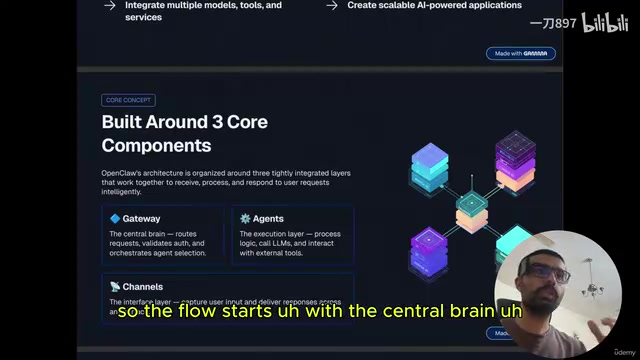
Getting Started with OpenClaw: Multi-Channel AI Agent Gateway and Automated Workflow Guide
OpenClaw is an open-source multi-channel AI agent gateway. This guide covers its three core components — gateway, agents, and channels — plus tool integration and memory mechanisms.