GPT-6.2 Sol/Astra Released! A Step-by-Step ChatGPT Plus Subscription Guide and Tier Comparison
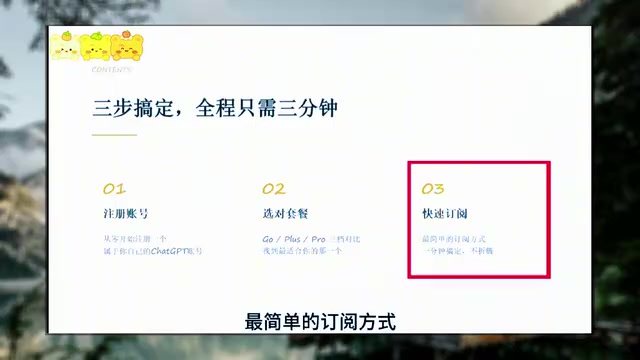
A practical three-step guide to ChatGPT registration, tier selection, and third-party subscription.
Based on a Bilibili creator's video, this article tackles three common ChatGPT subscription obstacles—unclear registration, failing payments, and tier confusion—with a three-step "register, choose, pay" method. It recommends Google login, compares Go/Plus/Pro (Plus at ~$20/month is most recommended; Pro ranges $100–$500 with the $500 tier exclusively offering Ocean mode), and walks through a Token-based WeChat Pay flow, while noting third-party channel risks.
The release of GPT-6.2 Sol/Astra has put ChatGPT back in the spotlight, but many users get stuck at the subscription stage: account registration is a hassle, payments fail, and they pick the wrong tier. In this video, Bilibili creator "23114" breaks the entire process—from registration to payment—into three steps and compares the use cases for the Go, Plus, and Pro tiers. Based on that video and the accompanying screenshots, this article lays out an actionable subscription guide.
Why subscribing to ChatGPT always goes wrong in three places
According to the creator, most people hit obstacles at three points when signing up for ChatGPT membership:
- Account registration: Not sure whether domestic email providers (QQ, 163, 126) work, or how to register a Google account.
- Subscription payment: The IPN step keeps failing on the web, and they spend ages without managing to pay.
- Choosing the wrong tier: What's the difference between Go, Plus, and Pro, and which one should you pick?
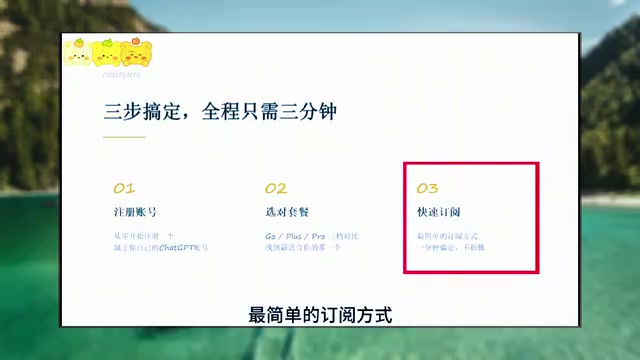
The video's solution is "three steps and done": first register an account, then pick the right plan, then subscribe quickly. The whole thing takes about three minutes, and those who already have an account can skip step one.
Step 1: Register your own ChatGPT account from scratch
There are two ways to register a ChatGPT account: sign in with a Google account, or register directly with a domestic email provider (QQ, 163, 126). The creator demonstrates the Google email registration process:
- Open the Google account sign-up page and select "For my personal use."
- Follow the prompts to enter your name and date of birth, and set your email and password.
- Complete phone verification, and your Google account is created.
- Return to the ChatGPT login page, choose "Sign in with Google," and select the account you just created.
- After logging in, enter your name and age, and your account is ready.
The key here is avoiding the verification issues that domestic email providers may run into—using a Google account as your login credential is smoother.
Step 2: How to choose between Go, Plus, and Pro
Once your account is ready, you face three membership tiers: Go, Plus, and Pro. The creator's overall framing is that usage quotas and available capabilities increase step by step, with prices rising accordingly. Here's the detailed comparison.
Go: The low-cost entry option
Go is an entry-level paid plan that sits between the free version and Plus. It suits people who mainly use ChatGPT for chatting, looking things up, translation, or self-study, who occasionally run out of quota on the free version and want more headroom at low cost, but don't yet need many advanced features. In one sentence: choose Go for a light upgrade.
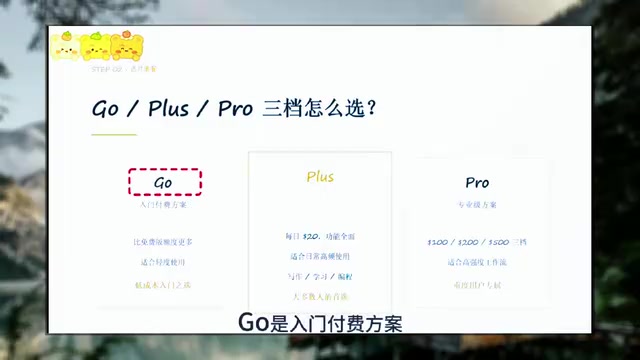
Note that names like "Go, Plus, Pro" and their specific prices and quotas change as the official product evolves. The tiers and amounts listed here come from screenshots taken at the time the video was published and may differ from the current live pages. To judge which tier you need, use a simple metric: for one week, record how many times per day you hit the "quota reached" message. If it's fewer than two or three times a week, the free version plus occasional Go is usually enough. If you hit the limit almost daily and your tasks involve file analysis, image generation, or long multi-turn conversations, Plus offers better value. Only when you're pushing several complex projects in parallel on a single day and frequently hitting the ceiling does the pricier Pro make practical sense.
Plus: The go-to choice for most people
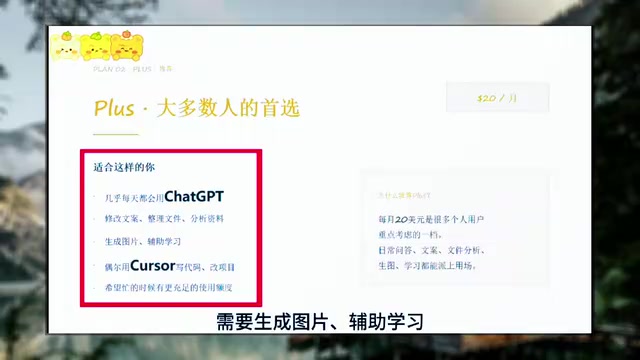
Plus costs about $20 per month and is the most recommended tier in the video. It suits people who use ChatGPT almost every day: editing copy, organizing files, analyzing materials, generating images, supporting their studies, occasionally using Kuzu to learn coding or modify projects, or wanting more generous quotas when they're busy. Everyday Q&A, copywriting, file analysis, image generation, and learning all benefit, and the feature set is comprehensive. The creator suggests that first-time subscribers who aren't sure which tier fits should start with Plus for a month, then adjust based on actual usage.
Pro: For high-intensity workflows only
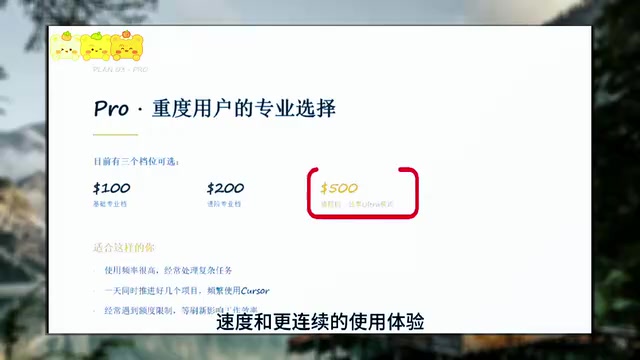
Pro has three tiers—$100, $200, and $500—corresponding to the basic professional, advanced professional, and flagship levels. The $500 tier exclusively includes Ocean mode—with the newly released GPT-6 model, this mode delivers stronger performance and lower latency. Pro suits users with very high usage frequency who regularly handle complex tasks, push several projects at once in a day, frequently use Kuzu, and often hit quota limits halfway through. If you need faster processing and a more continuous experience, look further into this tier.
The "Kuzu" mentioned in the article is not an official OpenAI product name; in context, it should be understood as the video's shorthand for a certain type of coding-assistant tool or code workflow—the creator uses it to refer to the high-frequency scenario of "using ChatGPT to help write code and modify projects." Since different versions and channels support third-party tools and plugins to varying degrees, the actual available capabilities should be based on official documentation and your account's live interface. When using this information to judge your tier needs, the safer approach is to first test your own quota consumption rate on the free version or Plus with the features you commonly use, then decide whether to upgrade to a higher tier.
Step 3: The one-minute subscription walkthrough
Once you've chosen a tier, it's time to subscribe. The video demonstrates with Plus as an example:
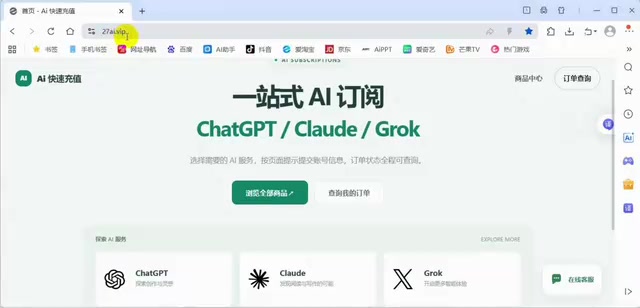
- Go to the subscription page for the relevant tier and click the product you want.
- On the top-up page, click "Official Login"; after signing in, the page will show that you're currently on the free version.
- Return to the top-up page, click "Get Token," and copy the generated string (including the brackets).
- Paste the Token back into the top-up page and verify the email address you're topping up.
- Click confirm, then click "Proceed to Payment" to create the order.
- Choose WeChat Pay to complete payment, and wait one to two minutes for the top-up to succeed.
- Go back to ChatGPT, refresh the page, click your avatar, and seeing the Plus membership badge means the subscription is active.
The key to the whole process is obtaining and pasting the Token, and choosing an available payment method at checkout. The creator notes that this channel supports WeChat Pay, with funds arriving in about one to two minutes.
The "Token" mentioned here is not a concept in ChatGPT's official subscription flow; it's a temporary credential used by third-party top-up platforms for identity verification. It typically works like this: after the user completes login authorization on the platform side, the platform generates a string tied to the order, which the user pastes back into the top-up page to prove that "the person requesting the top-up" matches "the account that will actually receive the membership," thereby preventing top-ups to the wrong account or misuse by others. Tokens are generally time-limited, must be re-obtained once expired, and should not be disclosed to unrelated third parties. Since such platforms are not official OpenAI channels, there is a risk of account risk-control flags, bans, or payment information leaks—weigh the risks before proceeding.
Who this guide is for
If you're using ChatGPT for the first time, you can follow the steps above one by one; if you already have an account, start directly from step two to choose a tier. The core value of the video is resolving the contentious points across "registration—tier selection—payment" all at once, helping you spend your money on the right tier. One caveat: third-party top-up channels carry account-security and compliance risks. Assess them yourself before proceeding, and prioritize official subscription methods.
This article is based on a video by Bilibili creator "23114"; the screenshots also come from that video.
One-line Summary
A practical three-step guide to ChatGPT account registration, tier selection, and subscribing via third-party channels.
Paragraph Summary
Based on a video by Bilibili creator "23114," this article addresses three common obstacles users face when subscribing to ChatGPT—unclear account registration, repeatedly failing payments, and difficulty choosing a tier—with a three-step "register, choose, pay" approach. For registration, it recommends signing in with a Google account to avoid domestic email verification issues. The tier comparison covers Go (a light, low-cost upgrade), Plus (~$20/month, comprehensive, most recommended for first-time subscribers to try for a month), and Pro (three tiers at $100/$200/$500, with the $500 tier exclusively including Ocean mode, aimed at high-intensity workflows). The payment section uses Plus as an example, walking through getting a Token, verifying the email, paying via WeChat, and funds arriving in one to two minutes, while warning that third-party channels carry account-security and compliance risks.
Related articles
ChatGPT Plus Subscription Pitfall Guide: Go/Plus/Pro Tier Comparison and Quick Activation
A complete ChatGPT Plus subscription guide based on a Bilibili tutorial: from registering an account, comparing Go/Plus/Pro tiers, to the practical steps for quickly completing your subscription.
Comparing Three Channels for Subscribing to GPT Plus in China: Is Website Top-Up the Easiest?
How to subscribe to GPT Plus in China? This article compares website top-up, credit card, and mobile top-up channels—process, cost, and risk—with steps and tips to help you choose wisely.
GPT-6.2 Dual-Model Hands-On Test: Astra Burns $419, Sol Just $5
OpenAI GPT-6.2 Astra vs Sol tested on Blender clock, neon shooter, and Formula racing. Astra costs $419, Sol $197, cheapest clock under $5. Cost comparison and selection advice.