Claude Code vs Codex: How Should Developers Choose Their Coding UI?

As AI coding tools converge on performance, Claude Code and Codex compete on UI and interaction experience.
As the underlying model capabilities of AI coding tools like Claude Code and Codex converge, UI and interaction design have become the key factors driving long-term developer adoption. Drawing from a Reddit discussion, this article highlights how the two tools diverge in philosophy — Claude Code favoring conversational, deep-context interaction, while Codex leans toward seamless integration with existing editor and terminal workflows. It outlines four practical dimensions for evaluating a coding UI: context management, code diff presentation, workflow integration, and multi-turn conversation readability, emphasizing that preferences are highly personal and hands-on testing with your own workflow is essential.
A Choice You Can't Avoid
As AI coding tools become part of everyday development workflows, more and more developers are using both Claude Code and Codex. Once the performance gap narrows and token costs become acceptable to most teams, a more subjective — and more practically relevant — question emerges: Setting aside performance and pricing, which UI is better suited for coding work, and why?
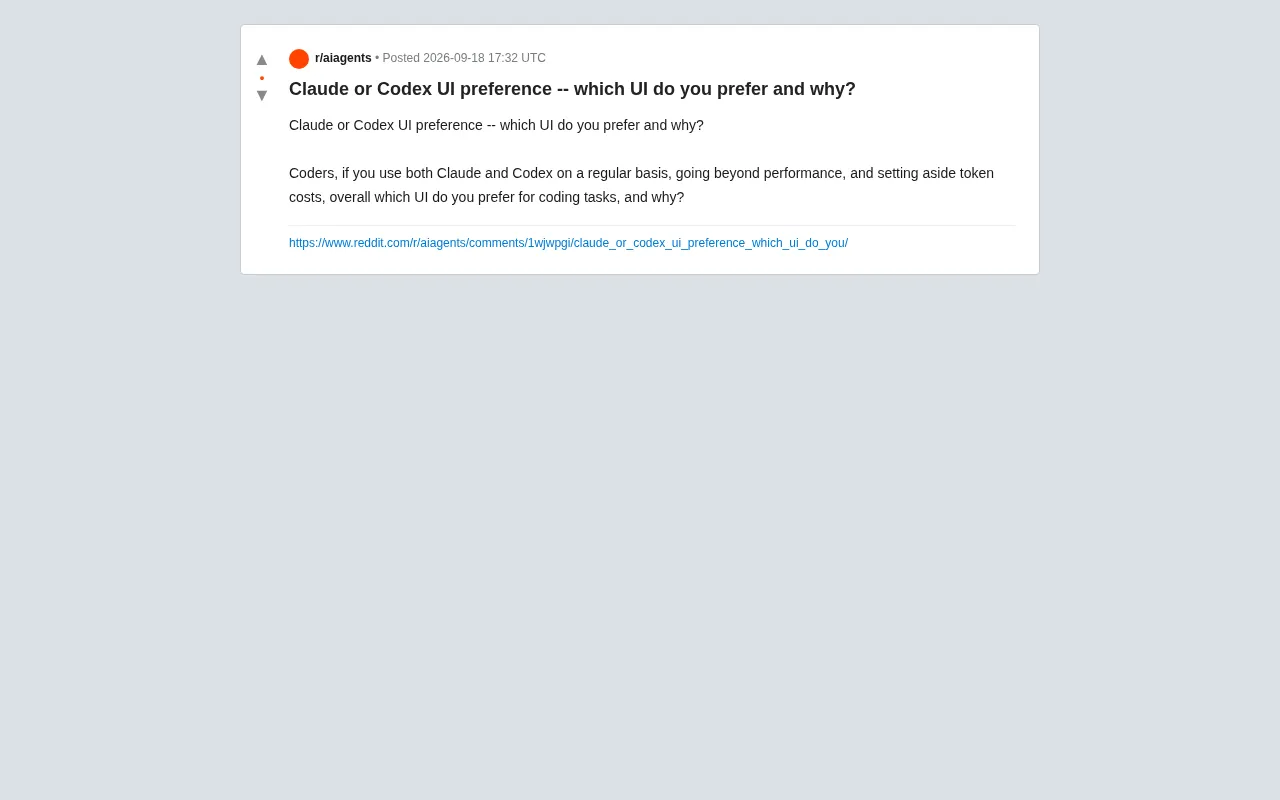
This is exactly what a Reddit user posed to the developer community. They deliberately scoped the discussion to exclude benchmarks and costs, focusing purely on "interface and interaction experience." The framing itself reflects a new phase in the AI coding tool wars: as underlying model capabilities converge, interaction design and hands-on feel become the key drivers of user retention.
Why UI Experience Is Starting to Matter
In the early days of AI coding tools, almost all attention went to model capability: Can it write correct code? Can it understand complex context? Can it fix bugs? But once tools like Claude and Codex reached a "usable" — or even "great" — level on core capabilities, differentiation shifted toward the finer details of daily interaction.
For developers who spend hours with these tools every day, UI isn't just about aesthetics — it directly impacts workflow efficiency. How smooth is the command-line interface? How intuitive is context management? How readable are multi-turn conversations? How are code diffs presented? How is session history organized? These seemingly minor experience details add up and significantly affect a developer's focus and output.
Put simply, performance determines whether you can use a tool; UI determines whether you want to keep using it. That's why this topic sparked genuine discussion in the developer community.
The Diverging Interaction Philosophies of Each Tool
While the original post doesn't go into specific comparisons, the product positioning of each tool reveals some clear tendencies. Claude Code emphasizes natural conversational interaction and deep contextual understanding, with an interface geared toward clear multi-turn communication. Codex-based tools, on the other hand, tend to align more closely with traditional editor and command-line workflows, prioritizing seamless integration with existing development environments.
This difference fundamentally maps to two types of developer preferences: those who prefer a "describe what you need → get a solution" conversational model, and those who want AI to integrate as unobtrusively as possible into their existing toolchain, minimizing context-switching costs. Neither is objectively better — what matters is how well each fits your personal workflow.
From a product background perspective, Claude Code is Anthropic's terminal-native AI coding assistant launched in 2025. It runs directly in the command line, reads and writes local files, executes shell commands, and operates across entire code repositories. Its conversational design inherits Claude's strength in long-context understanding, making it well-suited for development scenarios that require tracking complex, evolving requirements. Codex, meanwhile, refers to two things: the early OpenAI base model trained specifically for code generation (now discontinued as a standalone service), and the new cloud-based agent Codex that OpenAI launched in 2025, which executes tasks asynchronously in isolated sandboxed containers, emphasizes integration with tools like GitHub, and supports parallel task handling. The architectural difference between the two — one a synchronous terminal interaction, the other an asynchronous cloud agent — fundamentally shapes their distinct interaction rhythms and mental models.
Practical Dimensions for Evaluating a Coding UI
If you're weighing the two tools, here are a few angles worth considering when assessing your own preferences:
Context Management
How does the tool organize the files, code snippets, and past instructions involved in the current session? Can you easily add, remove, or review context? This directly determines efficiency when working on large projects.
In AI coding tools, the "context window" refers to the maximum amount of text a model can process in a single pass, typically measured in tokens. For large projects, the total volume of files in a repository often far exceeds model context limits, so how intelligently a tool selects, compresses, and updates the content fed to the model directly affects response quality. Claude Code uses a strategy of automatically retrieving relevant files and appending them to the context; the Codex cloud agent sidesteps this limitation by cloning the full repository into an isolated sandbox, allowing the model to read files on demand during execution. Understanding this underlying mechanism helps explain why the two tools diverge noticeably in interaction experience when handling tasks like "restructure the entire project."
Code Presentation and Diffs
Is the generated code clear and readable? Are change suggestions presented in an easy-to-review diff format? Can you apply or revert changes with a single action? For developers who carefully review every modification, this point matters a lot.
Workflow Integration
Does the tool run in a standalone interface, or is it deeply integrated into your editor or terminal? The lower the switching cost, the easier it is to stay in a flow state.
Multi-Turn Conversation Readability
During long debugging or iteration sessions, is the conversation history easy to scroll through? Can you quickly locate a specific earlier exchange?
What the Community Discussion Reveals
The post itself isn't particularly information-dense — it's more of an open-ended preference poll — but the trend it reflects is worth noting: the competitive focus for AI coding tools is shifting from model performance to experience quality.
For developers, the most rational approach isn't to blindly follow others' conclusions, but to try both tools in the context of your own actual workflow. UI preferences are highly personal — a backend engineer who lives in the command line and a frontend developer accustomed to graphical interfaces may reach completely opposite conclusions.
As these tools continue to iterate, polishing the interface and interaction layer will likely become the next battleground where products pull ahead of each other. As users, the best we can do is stay open-minded and let hands-on experience cast the deciding vote.
Related articles

Zero-Cost Local Jarvis: Open-Source Voice Cloning and Task Automation in Practice
AI Workshop shows how to build a zero-cost local Jarvis with Ollama and Voice Studio: local model switching, open-source voice cloning, file retrieval, and tool-calling tests, with setup steps and hardware trade-offs.

Mistral Large 4 Released: 1T-Parameter MoE Tops Western Open-Source Leaderboard
Mistral releases its flagship Mistral Large 4: a 1T-parameter MoE architecture activating only 49B parameters at inference, trained from scratch on 3,800 Grace Blackwell GPUs, topping the Western open-weight leaderboard with third-party endorsements in law, finance, and cybersecurity.

Mistral Large 4 Review: Can Europe's Strongest Open-Source Model Challenge the US and China?
Mistral Large 4 (L-Charm) review: trillion-parameter MoE, standout cybersecurity benchmarks but behind Kimi K3 in software engineering, 3,800 GPUs, a key step for European sovereign AI.