Claude Code vs Codex vs Copilot CLI: Comparing Local Sandbox Mechanisms
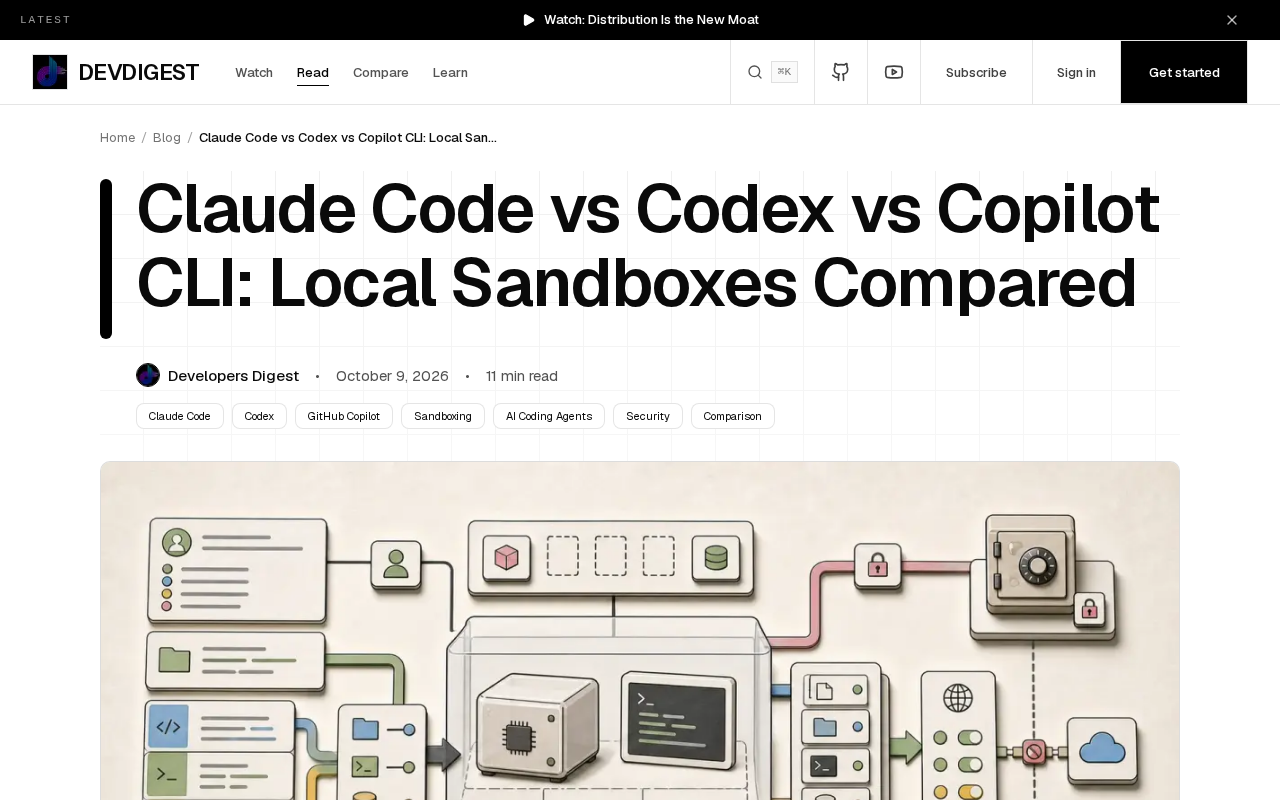
Comparing local sandbox isolation strategies and deployment differences across Claude Code, Codex, and Copilot CLI.
The article compares the local isolation strategies of three AI coding assistants along the same dimensions. On default behavior, Claude Code and Codex rely on per-command permission confirmation without system-level sandboxing, while Copilot CLI's local sandbox has reached GA and provides an isolation layer by default. Network and credentials are the real watershed: the former two are more permissive on outbound access and the AI process may read keys exported in the shell, whereas Copilot CLI imposes policy constraints on outbound traffic and keeps sensitive information outside the sandbox. Cross-platform Windows support is generally weaker than macOS/Linux, often requiring WSL. The article stresses that explicitly user-approved commands, package manager scripts, and the IDE integration layer may still run outside the sandbox, so selection should be based on clearly understanding three things: default configuration, network egress, and credential exposure surface.
AI coding assistants are moving from "completing code" to "autonomously executing commands." When Claude Code, Codex, and Copilot CLI can all run scripts, install dependencies, and modify files in your terminal, a key question surfaces: how tightly has each of them caged the AI?
Copilot CLI's local sandbox capability has now reached GA. It's worth putting all three vendors' isolation strategies side by side to see the substantive differences in default behavior, network access, credential management, and platform support.
Default Isolation: Who's Running Naked, Who's Wearing Armor
The three tools take markedly different stances on whether the sandbox is enabled by default.
When running locally, Claude Code does not enable OS-level sandboxing by default. It relies on permission prompts to intercept sensitive operations—file writes and command execution each require user confirmation. This design hands judgment to the user, at the cost of frequent interruptions and vulnerability to being bypassed through "habitual clicking of Allow."
Codex similarly leans on confirmation mechanisms. It presents a plan before executing commands, but its restrictions on network and filesystem are weak—in other words, it's more a cautious assistant than a physically isolated execution environment.
Copilot CLI, by contrast, has turned the local sandbox into a productized capability. After GA, it provides a layer of isolation by default on supported platforms, confining AI-initiated commands to a controlled scope. This puts it clearly ahead on "secure by default."
OS-level sandboxing refers to using isolation primitives provided by the kernel to narrow a process's visible scope to a whitelist. On macOS this is typically based on Seatbelt (sandbox-exec / App Sandbox), where a policy file declares which paths the process can read and which addresses it can connect to; on Linux, seccomp filters system calls, namespaces isolate mounts and network views, and cgroups limit resources. Stacked together, even if the AI generates a malicious command, its blast radius is confined within the sandbox. The difference from permission prompts: prompts belong to the policy layer, relying on the user clicking "Allow" every time—a single misjudgment means failure; sandboxes belong to the kernel layer—regardless of whether the user ever clicked Allow, out-of-bounds access is directly denied by the system. This is the fundamental reason why "isolated by default" is more trustworthy than "confirmed by default."
Network and Credentials: Where the Isolation Boundary Lies
The real test of a sandbox isn't the filesystem—it's network egress and credentials.
Claude Code allows commands to access the network but prompts when external requests are involved. Its credential handling relies on environment variables, and the AI process can theoretically read keys exported in the current shell—an exposure surface worth guarding against.
Codex's network policy is relatively permissive, with no strict outbound restrictions at the default level. This is convenient for scenarios that need to pull dependencies, but it also means a manipulated command can quietly send data out.
Copilot CLI's sandbox is more explicit about network control, with outbound access governed by policy. On credentials, it tends to keep sensitive information outside the sandbox, reducing the AI's chances of directly touching tokens.
The divergence point here is philosophy: Claude Code and Codex believe in "transparency + confirmation," while Copilot CLI believes in "isolation by default + explicit allowlisting." The former is flexible; the latter is worry-free.
Credential exposure surface is the most easily overlooked yet most consequential aspect when evaluating AI terminal tools. There are three common credential carriers: first, API keys exported in shell environment variables (AWS_SECRET_ACCESS_KEY, OPENAI_API_KEY, etc.), which child processes inherit naturally—the AI process just runs echo $VAR to read them; second, on-disk config files and credential caches, such as ~/.aws/credentials, ~/.ssh/id_rsa, ~/.npmrc; third, cloud vendors' instance metadata endpoints, such as 169.254.169.254, where a single HTTP request can trade for temporary credentials. The effective approach is to include all these entry points in the sandbox's deny list: whitelist-inject environment variables on demand, mount credential directories read-only or block them outright, and ban metadata addresses. Conversely, isolating only the filesystem while leaving network egress open is like leaving a one-way street for credential exfiltration.
Windows Support and "Escapees"
Cross-platform behavior is a practical threshold for deployment.
Claude Code offers a complete experience on macOS and Linux, but Windows support lags, with some sandbox-related capabilities relying on indirect solutions like WSL. Codex's local execution is likewise predominantly Unix-like. Copilot CLI emphasized platform coverage at GA, but whether isolation strength on Windows matches Linux still needs empirical verification.
More noteworthy is "what still runs outside the sandbox." All three tools have some operations that can't be fully isolated:
- Commands the user explicitly approves often run with full privileges;
- Scripts installed via package managers may escape control;
- The boundary between the IDE integration layer and the terminal layer isn't always clear.
In other words, sandboxes reduce risk, but they don't equal zero risk.
The reason isolation on Windows lags comes down to non-portable primitives. Linux's seccomp + namespaces and macOS's Seatbelt both have mature command-line wrappers, whereas Windows requires AppContainer, Job Objects, or Hyper-V-based lightweight virtualization—costly to integrate and highly variable in behavior. The realistic compromise is running the tool inside WSL2 and borrowing Linux-side sandboxing capabilities, but the cost is that the filesystem is split into two systems (/mnt/c and native paths), and path mapping, permission bits, and symlink behavior may all be inconsistent, blurring the semantics of isolation in turn. So when you see "Windows support," the question really worth asking is: is isolation implemented natively on Windows, or obtained indirectly through WSL? The two are not equally trustworthy.
Selection Advice
If you're handling sensitive code in a regulated environment, Copilot CLI's default sandbox is the safer starting point. If you prioritize maximum flexibility and can accept command-by-command confirmation, Claude Code's permission model is more transparent. Codex falls in between, suited to teams already accustomed to a confirmation-based workflow.
What truly determines security isn't the sandbox branding a tool advertises, but whether you've clearly understood these three things: default configuration, network egress, and credential exposure surface.
One-line Summary
Comparing the local sandbox isolation strategies and deployment differences of Claude Code, Codex, and Copilot CLI.
Paragraph Summary
The article compares three AI coding assistants' local isolation strategies along the same dimensions. On default behavior, Claude Code and Codex rely on command-by-command permission confirmation without system-level sandboxing, while Copilot CLI's local sandbox has reached GA and provides an isolation layer by default. Network and credentials are the real watershed: the former two are more permissive about outbound access, and the AI process may read keys exported in the shell, whereas Copilot CLI imposes policy constraints on outbound traffic and keeps sensitive information outside the sandbox. Cross-platform Windows support is generally weaker than macOS/Linux and often requires WSL. The article stresses that explicitly user-approved commands, package manager scripts, and the IDE integration layer may still run outside the sandbox, so selection should be based on clearly understanding three things: default configuration, network egress, and credential exposure surface.
Related articles

CSS Anchor Positioning: A New UI Positioning Approach Without JavaScript
A deep dive into CSS Anchor Positioning: from anchor-name and position-anchor to the anchor() function, position-area shorthand, position-try-fallbacks, anchor-size, and upcoming anchor queries.

New AI Chart Interaction: Continuous Follow-up Questions and Visualization in Conversation
Explore a new AI interaction method for continuously generating charts in conversation. Use the /visualize command to ask follow-up questions and visualize answers in the same chat window, improving data analysis efficiency.

Cursor Merges Into X Subscription: Paid Plans Share Unified Usage Pool, Grok Model Coding Usage Doubled
Cursor joins The X Subscription with a unified usage pool and doubled Grok coding quota. Third-party models shift to API pricing. Existing users can keep or migrate plans.