Cline CLI v3.0.75 Released: Yolo Mode Now Default for One-Shot Runs

Cline CLI v3.0.75 defaults one-shot runs to yolo mode and fixes interruption, read truncation, and reasoning parameter compatibility.
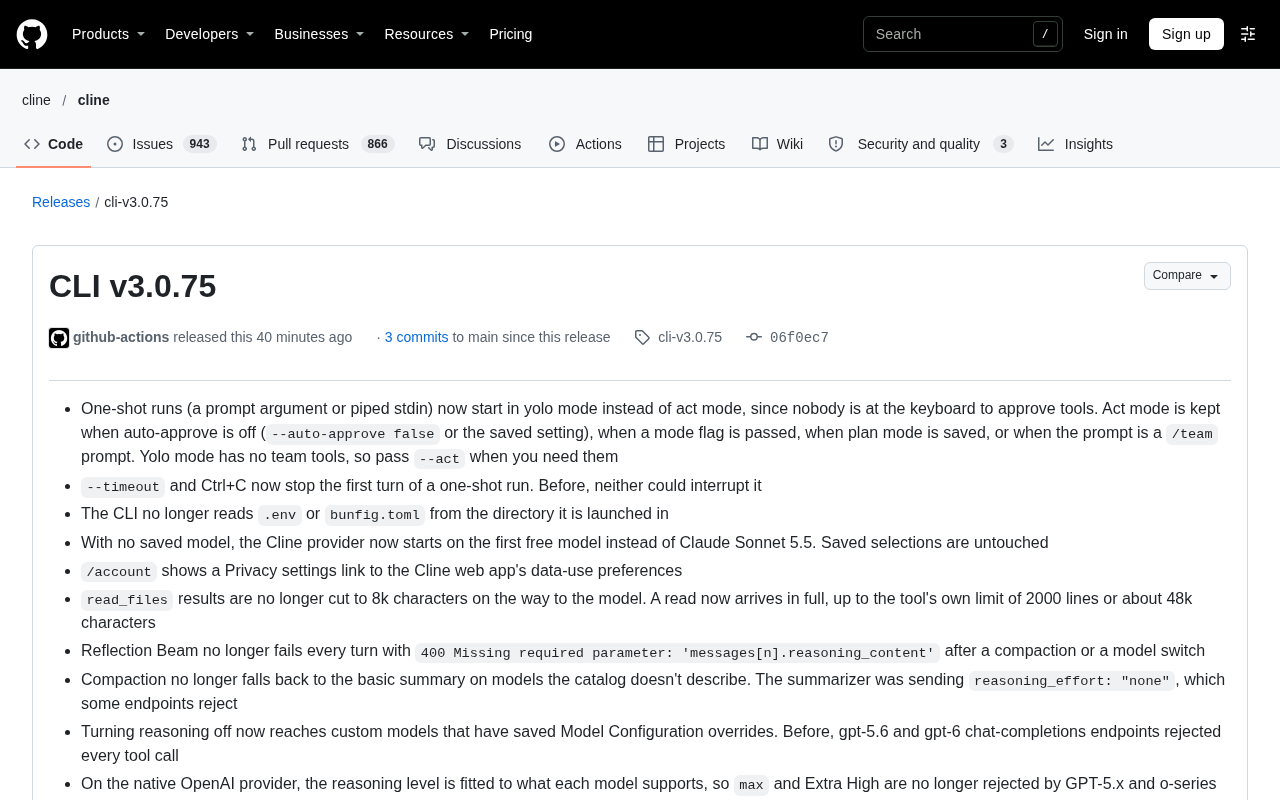
Cline CLI v3.0.75 changes one-shot runs (direct prompt or piped stdin) to default to yolo mode instead of act mode, avoiding stalls when no one can approve, while falling back to act when auto-approve is off, a mode flag is passed, plan mode is saved, or a /team prompt is used. It fixes --timeout and Ctrl+C not interrupting the first round, stops reading .env and bunfig.toml from the working directory, starts from the first free model by default, and fixes several reasoning parameter bugs. read_files is no longer truncated to 8k chars, and the catalog adds 94 providers. Overall, the changes focus on making non-interactive invocation more reliable.
One-Shot Runs Now Default to Yolo Mode
The core change in Cline CLI v3.0.75 comes down to one piece of behavior logic: one-shot runs now default to yolo mode instead of act mode. A one-shot run here means invoking the CLI by passing the prompt argument directly, or piping input through stdin.
The reasoning is straightforward — during a one-shot run there's no one at the keyboard to approve tool calls, and act mode's requirement for per-call confirmation would stall the entire flow. Yolo mode skips approval so that one-off tasks can actually complete.
That said, the team kept several fallback paths. In the following cases the CLI still stays in act mode: auto-approve is disabled (--auto-approve false or a saved setting), a mode flag is explicitly passed, the saved mode is plan, or the prompt is a /team prompt. Since yolo mode doesn't include team tools, you'll need to add --act manually when you need team capabilities.
This is a classic case of "the default value is the product decision." CLI tools are frequently invoked by scripts and CI in non-interactive scenarios — picking the wrong default makes automation fail outright, while picking the right one makes the out-of-the-box experience much smoother. The trade-off is that users now have to manage the tighter security boundary themselves.
Act mode and yolo mode represent two strategies CLI tools use for approving tool calls. Act mode requires human confirmation every time the model initiates a file read/write, command execution, or similar operation — suited to interactive sessions. Yolo mode (from "you only live once") skips approval and executes directly — suited to unattended scenarios. This binary design is common in agent-style tools: there's a direct trade-off between safety and automation. The risk of yolo mode is that the model may perform destructive operations (such as accidentally deleting files or running dangerous commands), so it's usually paired with sandboxing, read-only mounts, or version control. By changing the default from act to yolo, Cline is essentially acknowledging that the primary users of the CLI are scripts and CI, not humans clicking through each step.
Adjustments to Interruption Mechanisms and Startup Environment
Timeout and Ctrl+C Now Actually Work
Previously, neither --timeout nor Ctrl+C could interrupt the first round of a one-shot run — a clear pain point for long tasks. v3.0.75 fixes this, and both can now abort execution during the first round.
No Longer Reading Config Files from the Working Directory
The CLI no longer reads .env or bunfig.toml from the startup directory. This change reduces implicit configuration sources and makes behavior more predictable, but it also means older workflows that relied on these files to inject environment variables will need to pass configuration explicitly.
Model Selection and Reasoning Parameter Fixes
Changes to Default Model Logic
When no model is saved, the Cline provider now starts from the first free model instead of defaulting to Claude Sonnet 5.5. Saved model selections are unaffected.
A Batch of Reasoning Parameter Fixes
This version addresses several bugs around reasoning parameters:
- Reflection Beam threw
400 Missing required parameter: 'messages[n].reasoning_content'every round after compaction or model switching. Fixed. - The compaction flow no longer falls back to a basic summary when the catalog doesn't describe the model — the cause was the summarizer sending
reasoning_effort: "none", which some endpoints reject outright. - The setting to disable reasoning now correctly propagates to custom models with saved Model Configuration overrides. Previously, the chat-completions endpoints for gpt-5.6 and gpt-6 rejected all tool calls.
- The native OpenAI provider adapts reasoning levels to each model's supported range, so GPT-5.x and o-series no longer reject
maxand Extra High. - In LiteLLM scenarios, when a model reports
max_output_tokens, the legacymax_tokensis no longer used as an input budget.
What these fixes have in common: reasoning parameters aren't mapped consistently across providers and models, and any hardcoded assumption can surface the moment you switch models.
reasoning_content and reasoning_effort are proprietary parameters of reasoning models (such as OpenAI's o-series and DeepSeekAd's reasoning versions). reasoning_content is used to pass back the model's chain-of-thought from the previous round in multi-turn conversations; some endpoints require assistant messages to carry this field and return a 400 if it's missing. reasoning_effort controls reasoning depth (e.g., low/medium/high), with the value "none" meaning reasoning is disabled. The problem is that providers vary in how they accept these fields: some strictly require them to be passed back, some reject them entirely, and some maintain a whitelist of allowed effort values. Several of Cline's bugs stemmed from hardcoding one provider's assumptions into a shared code path, which then surfaced when switching models or hitting edge cases like compaction or an undescribed catalog entry.
Reading, Security, and Experimental Features
read_files No Longer Truncated
The read_files result is no longer cut down to 8k characters on its way to the model. A single read now arrives complete, with the limit determined by the tool itself — 2000 lines or roughly 48k characters. For tasks that need to read a file end to end, this reduces repeat reads and missing context caused by truncation.
Tool output truncation is a common mechanism agent frameworks use to control the context window. read_files previously cut results to 8k characters to prevent a single file from consuming the entire token budget, but the cost was that the model only saw a fragment, which easily triggered repeat reads or bad judgments based on incomplete content. Moving the limit to the tool itself (2000 lines or roughly 48k characters) means the cap shifts from the "transport layer" down to the "tool layer," with clearer semantics: the tool defines a sensible boundary for a single read, and the model decides from there whether to paginate. 48k characters corresponds to roughly 12k–16k tokens (estimated for English), which is complete enough for most source files while still fitting within the context windows of mainstream models.
Security and Cleanup
Removed the CLINE_CAPTURE_* debug variables, which previously wrote full provider request bodies to disk. Upgraded undici to 7.30.1, fixing two issues that could crash the process. Platform packages now ship with THIRD_PARTY_NOTICES.txt.
Experimental Cloud Sessions
Setting CLINE_CLOUD_SESSIONS=1 lets you run tasks through Cline Cloud in the TUI. Ctrl+O toggles Local/Cloud, Ctrl+K selects the repository and branch, and /model selects the cloud model. This is still labeled experimental.
Major Model Catalog Refresh
The model catalog adds 94 providers from models.dev while removing Lilac and Tempr. The Cline recommended list adds Muse Ember; the free list removes Reflection Beam, Laguna S 2.1, and Solar Mini 4; ClinePass removes DeepSeek V4.1 Flash, Mimo V2.6 Flash, Mimo V2.6 Pro, MiniMax M3, Qwen3.7 Plus, and Qwen3.7 Max. Default models for 67 other providers also changed, mostly pointing to Kimi K3.1 Pro, Gemini 4 Neon (including the gemini and vertex providers), or DeepSeek V4.1 Flash 1017.
/account adds a Privacy settings link pointing to the data usage preferences in the Cline web app.
Looking at the release cadence, the change density here is high, and it centers on one theme — making non-interactive invocation more reliable. The default mode, interruption capability, read completeness, and reasoning parameter compatibility all serve that same goal.
One-line Summary
Cline CLI v3.0.75 makes yolo mode the default for one-shot runs and fixes interruption, read truncation, and reasoning parameter compatibility.
Paragraph Summary
The core change in Cline CLI v3.0.75 is that one-shot runs (passing the prompt directly or piping stdin) now default to yolo mode instead of act mode, preventing stalls when no one is available to approve, while still falling back to act when auto-approve is disabled, a mode flag is explicitly passed, plan mode is saved, or a /team prompt is used. It also fixes --timeout and Ctrl+C failing to interrupt the first round of conversation, and the CLI no longer reads .env or bunfig.toml from the working directory. The default model now starts from the first free model, and a batch of reasoning parameter bugs were fixed, covering Reflection Beam's reasoning_content errors, compaction fallback, propagation of the reasoning toggle to custom models, and OpenAI reasoning level adaptation. read_files is no longer truncated to 8k characters, and the model catalog adds 94 providers. Overall, the changes focus on making non-interactive invocation more reliable.
Related articles

Baseten Releases Bison-1 and Groundhog-1, Topping the Decision Model Leaderboard
Baseten releases open-weight decision models bison-1 and groundhog-1 built on Gemma 4; bison-1 scores 76 on the AA Decision Index v2.1 to top the leaderboard. Both support 128k context and image input—here we analyze their capability combination, benchmark significance, and selection advice for developers.

Cline Desktop v0.0.50 Update: Model Catalog Overhaul and Reasoning Control Fixes
Cline Desktop v0.0.50 fixes Reflection Beam 400 errors, misdelivered reasoning parameters, and stuck compaction; read_files no longer truncates to 8k characters; adds 94 providers and changes 67 default models.

Cline SDK v0.2.1 Update Explained: Tool Result Limits, Reasoning Placeholders, and a Major Model Catalog Expansion
Cline SDK v0.2.1: read_files now uses a 50k file-content limit, interleaved reasoning placeholders fix 400 errors, reasoning toggle logic rewritten, model catalog grows from 6,457 to 7,621, plus a ux_verifier sub-agent, artifact publishing tools, and Hub cloud command interface changes.