Cline Desktop App Launched: AI Coding Agent Breaks Free from the Editor
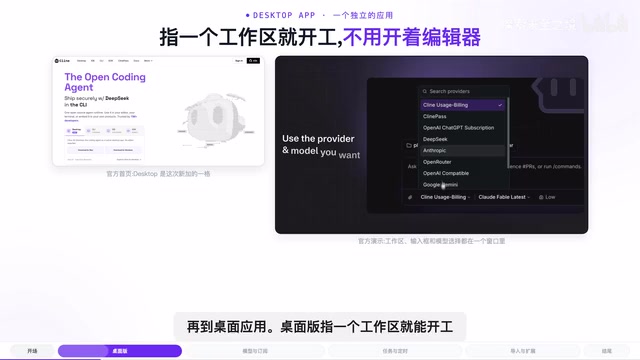
Cline releases a standalone desktop coding agent with task queuing, checkpoint rollback, and support for 256 model providers.
Open-source coding agent Cline has launched a desktop app (Beta) for macOS and Windows, evolving from a VS Code plugin into a standalone work platform. It offers dual model access: a $9.99/month ClinePass subscription or BYOK support for 256 providers. New features include task queuing, message forking with workspace checkpoint rollback, unified conversation history, and scheduled automation tasks. The app also supports importing history from Claude Code, Codex, and OpenCode to ease migration. With 11M installs and 68K GitHub stars, stability is still pending real-world Beta validation.
The open-source coding agent Cline has released a standalone desktop application, taking the AI coding agent out of the editor plugin ecosystem and turning it into an independent desktop tool. The official team describes this release as a clear product evolution: from editor plugin, to CLI, and now to a full desktop app. With 11 million cumulative installs across platforms and 68,000 GitHub stars, this shift in form factor is worth paying attention to.
From Plugin to Standalone App: A Change in Form
The desktop app is currently in Beta (version 0.0.27) and supports macOS and Windows. Unlike before — when Cline required a host editor like VS Code — the desktop version only needs a workspace to get started. The top of the window displays the current workspace name and active Git branch, and the full workflow of reading code, editing files, and running commands happens entirely within the app, with no editor open on the side.
The significance of this independence is that it elevates the coding agent from "a feature inside an editor" to "a dedicated workbench for programming tasks." For users who already delegate most of their coding work to AI, the editor itself becomes an unnecessary layer — the desktop app puts the agent front and center.
Flexible Model Access: Subscription or Bring Your Own Key
The desktop app places a model selector right next to the input box, allowing users to switch models at any time. The official demo features a selection of open-weight models, including the GLM, Kimi, and DeepSeek families, with DeepSeek V4 Flash and Laguna S2.1 marked as free to use.
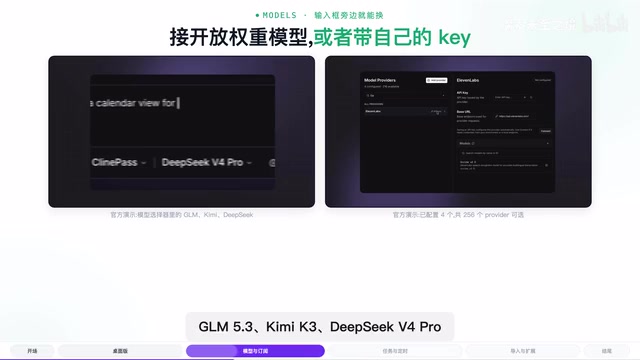
On the pricing side, Cline offers a subscription service called ClinePass at $9.99/month, providing 2–5x the quota of standard API access. Notably, the key provided through the subscription can also be used in other agent tools — it's not locked to Cline.
Users who prefer not to subscribe can bring their own keys. The panel supports up to 256 providers, including DeepSeek, Anthropic, OpenRouter, Alamo, and other major services. This dual-track design — subscription plus BYOK — accommodates users who want simplicity as well as power users and enterprises who need flexibility.
New Capabilities the Desktop Version Unlocks
By breaking free from the editor, the desktop app makes it easier to implement features that were difficult to achieve in a plugin context.
Task Queuing and Message Forking
While a task is running, users can keep typing — new messages are queued up, and the order of the queue can be adjusted. If a user edits a previously sent message, the agent forks a new conversation from that point, rolls the workspace back to the corresponding checkpoint, and re-executes from there. This is essentially applying the concept of "version control" to programming tasks, making it easier to experiment and roll back.

The message forking and checkpoint rollback mechanism draws directly from the concepts of "branching" and "reverting to a previous commit" in version control systems. Each time the agent performs an operation (modifying a file, running a command), the system records a snapshot of the workspace at that moment — a "checkpoint." When a user edits a historical message and triggers a fork, the agent restores the file system to the state at the corresponding checkpoint and re-executes forward from that message, creating a parallel thread of conversation and actions. This is especially useful in scenarios where requirements need frequent adjustment — no manual undoing of a series of file changes is needed; the system handles the rollback automatically, significantly reducing the cost of trial and error. By contrast, AI agents in traditional editor plugin form typically lack full control over workspace state, making this kind of fine-grained timeline management difficult.
Unified History and Scheduled Tasks
Conversation history from the desktop app, CLI, plugin, and scheduled tasks is all consolidated in one place. Scheduled tasks let users set a time and prompt for automatic execution — the official example is auto-summarizing the previous day's AI development news every morning at 7 AM — extending the use case of coding agents from "writing code" to "daily automation."
Migration and Ecosystem: Lowering the Cost of Switching
The most painful part of switching tools is usually losing conversation history. The desktop app supports importing conversations from Claude Code, Codex, OpenCode, and other tools to continue working on them — the official demo shows 29 sessions available for migration at once. This design is clearly aimed at lowering the barrier to switching.

For extensibility, plugins, skills, MCP servers, and tools are all managed in a central Customize panel, and installing an extension from the marketplace takes a single click. The app also supports web search so the agent can look things up on the fly, and voice input is connected to a transcription model — users can speak a requirement and submit it directly to the agent.
MCP (Model Context Protocol) is an open protocol proposed and championed by Anthropic to standardize how AI models interact with external tools and data sources. Through MCP servers, agents can invoke file systems, databases, browsers, APIs, and other external capabilities without writing custom integration code for each tool. Cline adopted MCP support early on, which is a key foundation of its ecosystem extensibility — third-party developers can publish MCP servers, and once a user installs one with a single click, the agent gains new capabilities, much like installing a plugin for a coding agent. The desktop version centralizes MCP server management in the Customize panel, further reducing the configuration burden for everyday users.
Summary
The core logic of the Cline desktop app is transforming the coding agent from an "editor add-on" into a self-contained work platform. The standalone form factor enables task queuing, message forking, scheduled tasks, and cross-tool migration — all of which are difficult to achieve in a plugin. The flexible model access options (ClinePass subscription or BYOK with 256 providers) give users plenty of room to choose. It's still in Beta, so stability remains to be tested in practice, but given the project's scale in the open-source community and the product thinking behind this release, it's well worth developers keeping an eye on.
Related articles
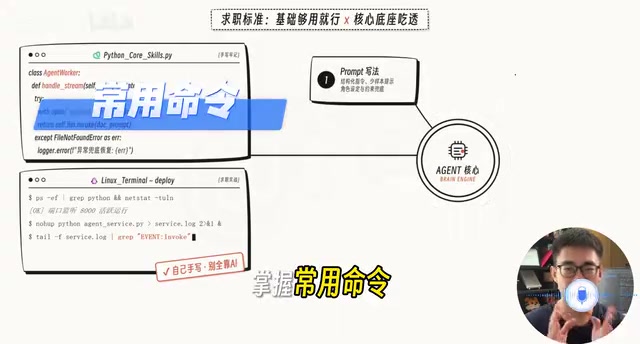
AI Agent Developer Job Hunt Guide: Four Hard Standards to Clear Before You Apply
A practical guide for landing AI Agent developer roles: four measurable standards — project runs, problems debuggable, solution explainable, interviews survivable.
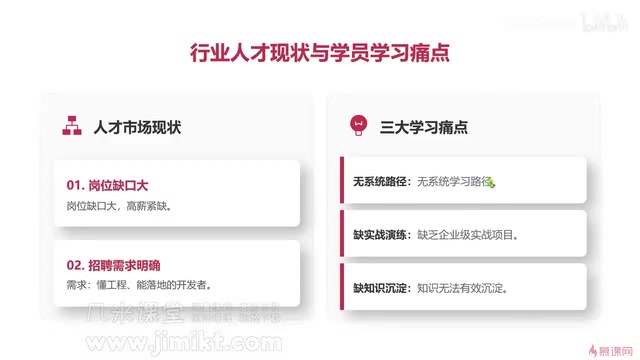
Multi-Agent Development Guide: From Monolithic AI to Team Collaboration in Practice
A beginner's guide to multi-agent development covering core advantages, common learning pain points, enterprise tech stacks, and engineering methodology for AI developers.
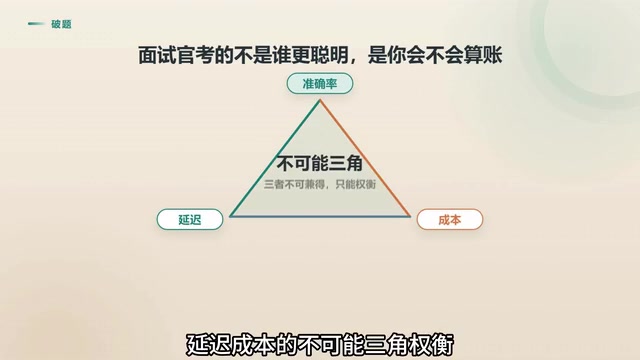
Agent Skill Routing: Retrieval vs. LLM vs. Two-Stage Architecture Compared
Retrieval or LLM for Agent skill routing? Compare coarse-filter vs. fine-select architectures on latency, accuracy, and cost — with 4 key production considerations.